当前位置:网站首页>【sdx62】QCMAP_ CLI manual dialing instructions
【sdx62】QCMAP_ CLI manual dialing instructions
2022-06-22 04:41:00 【wellnw】
adb Sign in
adb root
adb shell
start-up QCMAP_CLI
/ # QCMAP_CLI
diag:successfully connected to socket 3

Please select an option to test from the items listed below.

1.  MobileAP Configuration
2.  LAN Configuration
3.  NAT/ALG/VPN Configuration
4.  WLAN Configuration
5.  Firewall Configuration
6.  Backhaul Configuration
7.  Tethering Configuration
8.  Media Service Configuration
9.  Generic Software Bridge Configuration
10. V2X Service Configuration
11. Modem Throughput Estimation Configuration
Option >
qcmap_cli_main.cpp 803:qcmap_msgr_qmi_qcmap_ind: user_handle 2 msg_id 65535 ind_buf_len 8.
QCMAP_Server status update on MDM: UP
Input 1-->2--->1
Yes MobileAP Enable succeeds.
1

1.  Display Current Config
2.  Enable/Disable mobileap
3.  Get MobileAP status
4.  Get Connected Device info
5.  Enable/Disable/Reset Packet Stats
6.  Get Packet Stats Status
7.  Restore Factory Default Settings(** Will Reboot Device )
8.  Teardown/Disable and Exit
9.  Set Data Path Optimization Flag
10. Get Data Path Optimization Flag
11. Set Device Mode
12. Get Device Mode
13. Set Client Configuration
14. Set N79 config
15. Get N79 config
16. Register for indications with indication mask
17. Set Feature Mode
18. Get Feature Mode
19. Reset Feature Mode
20. Set Client Preference (Profile handle, Subs_Id, etc)
21. Get Client Preference (Profile handle, Subs_Id, etc)
22. Unregister for indications with indication mask
2
   Please input MobileAP State(1-Enable/0-Disable) : 1

qcmap_cli_main.cpp 803:qcmap_msgr_qmi_qcmap_ind: user_handle 2 msg_id 254 ind_buf_len 14.

qcmap_cli_main.cpp 1952:Subs_id for MODEM_SERVICE_STATUS_IND: 1

qcmap_cli_main.cpp 1958:Received MODEM_SERVICE_STATUS_IND: UP

MobileAP Enable succeeds.
Input 6--->2---->1---->1---->3
3 Said the use of IPv4 IPv6 Simultaneous dialing
Please select an option to test from the items listed below.

1.  MobileAP Configuration
2.  LAN Configuration
3.  NAT/ALG/VPN Configuration
4.  WLAN Configuration
5.  Firewall Configuration
6.  Backhaul Configuration
7.  Tethering Configuration
8.  Media Service Configuration
9.  Generic Software Bridge Configuration
10. V2X Service Configuration
11. Modem Throughput Estimation Configuration
Option >
qcmap_cli_main.cpp 803:qcmap_msgr_qmi_qcmap_ind: user_handle 2 msg_id 241 ind_buf_len 7.
Received MODEM_STATUS_IND: UP
6
1. Backhaul Common
2. Backhaul WWAN
2
1.  Connect/Disconnect Backhaul
2.  Get WWAN status
3.  Get WWAN Statistics
4.  Reset WWAN Statistics
5.  Set Webserver WWAN access flag
6.  Get Webserver WWAN access flag
7.  Set WWAN Profile
8.  Get WWAN Profile
9.  Set Prefix Delegation Config
10. Get Prefix Delegation Config
11. Get Prefix Delegation Status
12. Enable/Disable TinyProxy
13. Get TinyProxy Status
14. Set IP Passthrough Config
15. Get IP Passthrough Config
16. Get IP Passthrough State
17. Set Autoconnect Config
18. Get Autoconnect Config
19. Set Roaming
20. Get Roaming
21. Enable/Disable DDNS
22. Set DDNS Config
23. Get DDNS Config
24. Switch WWAN Profile
25. Create WWAN Profile
26. Update WWAN Profile
27. Delete WWAN Profile
28. Add/Delete PDN to VLAN Mapping
29. Get All PDN to VLAN Mappings
30. Set PMIP mode
31. Get PMIP mode
32. Get WWAN Roaming status
33. Get Current Profile Handle
34. Eth over GRE Tunnel Config
35. Set IP Passthrough S/W Path Filter
36. Get IP Passthrough S/W Path Filter
37. Set DHCPv6 DNS proxy config
38. Get DHCPv6 DNS proxy state
1
   Please input Backhaul State(1-Connect/0-Disconnect) : 1

   Please input Call Type (1-IPV4; 2-IPV6; 3-IPV4V6) : 3

ConnectBackHaul succeeds.
Please select an option to test from the items listed below.

1.  MobileAP Configuration
2.  LAN Configuration
3.  NAT/ALG/VPN Configuration
4.  WLAN Configuration
5.  Firewall Configuration
6.  Backhaul Configuration
7.  Tethering Configuration
8.  Media Service Configuration
9.  Generic Software Bridge Configuration
10. V2X Service Configuration
11. Modem Throughput Estimation Configuration
Option >
qcmap_cli_main.cpp 803:qcmap_msgr_qmi_qcmap_ind: user_handle 2 msg_id 198 ind_buf_len 18.

qcmap_cli_main.cpp 1642:qcmap_msgr_qmi_qcmap_ind: IPV4 WWAN Backhaul connected...
qcmap_cli_main.cpp 803:qcmap_msgr_qmi_qcmap_ind: user_handle 2 msg_id 34 ind_buf_len 107.

qcmap_cli_main.cpp 886:qcmap_msgr_qmi_qcmap_ind: PDN=1 (Subs_Id=0) IPV4 WWAN Connected
   Interface Name                 : rmnet_data1
   Public IPv4 Address            : 10.0.91.239
   Primary DNS IPv4 Address       : 120.80.80.80
   Seccondary DNS IPv4 Address    : 221.5.88.88
   Public IPv6 Address            : ::
   Gateway IPv6 Address           : ::
   Primary DNS IPv6 Address       : ::
   Seccondary DNS IPv6 Address    : ::


qcmap_cli_main.cpp 803:qcmap_msgr_qmi_qcmap_ind: user_handle 2 msg_id 36 ind_buf_len 107.

qcmap_cli_main.cpp 1040:qcmap_msgr_qmi_qcmap_ind: PDN=1 (Subs_Id=0) IPv4 WWAN Connected...
qcmap_cli_main.cpp 803:qcmap_msgr_qmi_qcmap_ind: user_handle 2 msg_id 198 ind_buf_len 18.

qcmap_cli_main.cpp 1642:qcmap_msgr_qmi_qcmap_ind: IPV6 WWAN Backhaul connected...
qcmap_cli_main.cpp 803:qcmap_msgr_qmi_qcmap_ind: user_handle 2 msg_id 34 ind_buf_len 107.

qcmap_cli_main.cpp 907:qcmap_msgr_qmi_qcmap_ind: PDN=1 (Subs_Id=0)  IPV6 WWAN Connected
   Interface Name                 : rmnet_data1
   Public IPv4 Address            : 0.0.0.0
   Primary DNS IPv4 Address       : 0.0.0.0
   Seccondary DNS IPv4 Address    : 0.0.0.0
   Public IPv6 Address            : 2408:8459:3030:7ee5:b50e:eb35:b38a:e573
   Gateway IPv6 Address           : 2408:8888:0:8888::8
   Primary DNS IPv6 Address       : 2408:8888:0:8888::8
   Seccondary DNS IPv6 Address    : 2408:8899:0:8899::8


qcmap_cli_main.cpp 803:qcmap_msgr_qmi_qcmap_ind: user_handle 2 msg_id 36 ind_buf_len 107.

qcmap_cli_main.cpp 1073:qcmap_msgr_qmi_qcmap_ind: PDN=1 (Subs_Id=0) IPV6 WWAN Connected...
Be careful
Successful dialing will display the obtained IP Address
边栏推荐
- Online document collaboration: a necessary efficient artifact for office
- 商汤智慧医疗团队研究员解读智慧医疗下的器官图像处理
- System V IPC and POSIX IPC
- How much does it cost to buy a fixed-term life insurance with an insured amount of 500000 at the age of 42? Is there any product recommendation
- Chapter VIII programmable interface chip and application [microcomputer principle]
- Is the Guoyuan futures account reliable? How can a novice safely open an account?
- Overrides vs overloads of methods
- Thinkphp 的sesssion在同一个控制器不同的方法无法获取session的原因和对策
- Solid smart contract interview questions
- How SQL server generates change scripts
猜你喜欢
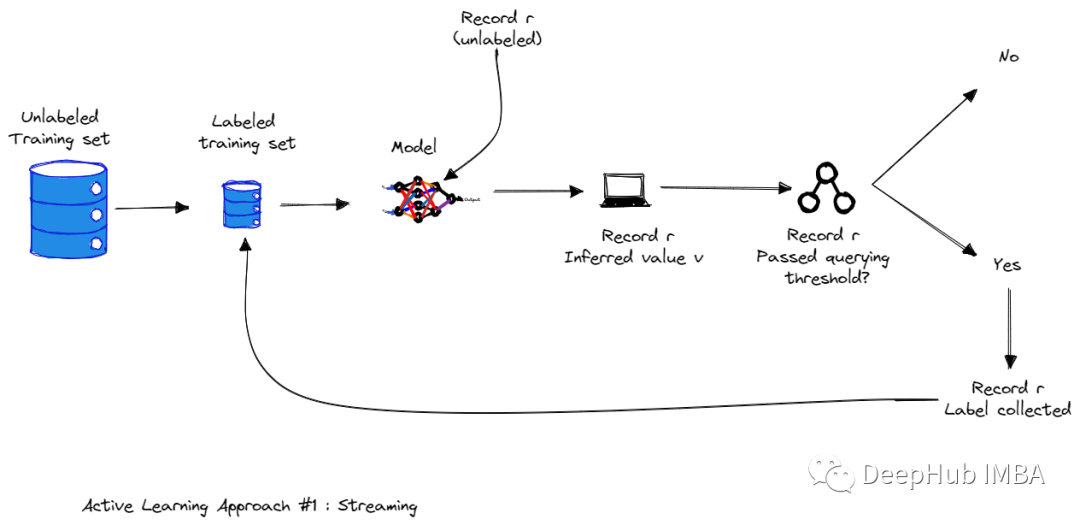
Active learning overview, strategy and uncertainty measurement

Get the specified row content in Oracle rownum and row_ number()
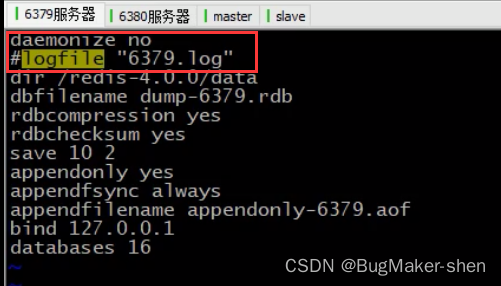
Redis master-slave replication

Low power radar sensing module, application of smart lock radar sensing scheme, smart radar sensor technology

Odoo Development Manual (I) the second day of contact with odoo

软考2022年下半年考试科目安排

Use putty to configure port mapping to realize the access of the external network to the server

Knowledge points used in MVC project development (mvccontrib separates asp.net MVC project)

SQL operation: with expression and its application

使用Echart绘制3D饼环图、仪表盘、电池图
随机推荐
Wisdom, agriculture, rural areas and farmers digital Wang Ning: Tips for beginners on the first five days of trading
FaceShifter. ipynb
QML控件类型:SwipeView、PageIndicator
《数据库原理》期末考试题
套用这套模板,玩转周报、月报、年报更省事
The beta version of move protocol is stable, and it is temporarily decided to expand the scale of the prize pool
Case driven: a detailed guide from getting started to mastering shell programming
POSIX shared memory
Is it safe to open an account in Guoyuan futures?
Golang为什么不推荐使用this/self/me/that/_this
mongo模糊查詢,帶有特殊字符需要轉義,再去查詢
Lightweight CNN design skills
Redis master-slave replication
网页设计与制作期末大作业报告——小众音乐网站
Why does golang not recommend this/self/me/that/_ this
Some details
Design and implementation of ks004 based on SSH address book system
Spark - executor initialization &
fc2新域名有什么价值?如何解析到网站?
cadence allegro 17. X conversion tool for downgrading to 16.6