当前位置:网站首页>Why does LabVIEW freeze when saving a VI
Why does LabVIEW freeze when saving a VI
2022-07-29 23:21:00 【LabVIEW development】
Why does LabVIEW freeze when saving VIs
There is a very large VI that uses over 100 subVIs. It works fine, but when I add some code and save it, LabVIEW freezes.How can I make LabVIEW save faster or exit the crash state?
Answer: LabVIEW allocates memory space and stacks for VIs when they are created.When you create a very large VI that uses many subVIs and local variables, the resources available to the VI begin to decrease.This produces save exceptions when modifying and saving VIs.However, there is always a solution.When you want to change the VI, follow these steps:
Hide the subVI from the top-level VI (the top-level VI is the VI that will be modified)
Note: One way to do this is to move the client subVIs to other folders that are not visible to LabVIEW.LabVIEW searches for these subVIs the next time you open the top-level VI.Click the 'stop' button to exit the Find SubVI.The top-level VI loads, replacing the subVIs with question marks.Only the top-level VI will be loaded into memory.
Make the desired changes in the top-level VI and save.
Move the subVI to its original location.The next time you open the top-level VI, LabVIEW will find these subVIs again and load them normally.

Edit
Add image comment, no more than 140 characters (optional)
Initial troubleshooting steps for LabVIEW internal errors and crashes:
Send crash reports to NI through the LabVIEW Crash Reporter dialog box.Add any relevant information that helps NI diagnose the crash.
Determine if the crash can be reproduced consistently.This will make the diagnosis of the fault source easier.If you can reproduce the crash, try searching the Knowledge Base and the NI Community for similar crashes.Include the hex code and what to do when the crash occurs.
Install the latest LabVIEW patches.
View the LabVIEW Known Issues list for LabVIEW versions.
Further troubleshooting steps:
Try to narrow down the warning.Reduce the amount of code and reduce the amount of hardware used to create a minimal reproduction of the crash.If you can eliminate the parts that are not related to the crash, you are more likely to find the root cause of this particular crash.See the following troubleshooting steps to help with this:
If the crash is caused by an executable file, check to see if the same behavior occurs when running the VI from the LabVIEW development environment.Doing so may point to a problem with the runtime engine.
Try using the disable construct to disable some code.This can help narrow down where in the code the crash occurs.
Try removing all hardware.If you still see crashes, you can continue troubleshooting the software.If removing the hardware solved the crash, you can narrow down the cause to the hardware.Try other types of hardware to see if the crash is specific to the type of hardware.
Check to see if the same behavior is seen on another computer.The crash may be related to the computer environment.
Monitor memory to check for memory leaks.
Use WinDbg to troubleshoot crashes.If the crash is reproducible, connect this tool to the LabVIEW process and cause the crash to reoccur.This tool can give a deeper understanding of the root cause of the crash.
If using hardware, be sure to close all memory references at the end of the program.Any misuse of references can lead to memory leaks.
Make sure all error clusters are connected and monitored.Probably didn't realize an error had occurred earlier.The error number is used to specify what went wrong, and a description of the error can be found by searching in the "Explain Error" dialog ("Help"»"Explain Error...").
If using the .NETFramework or DLL, try removing it to see if the crash still occurs.You can refer to the solution to dll crash.
If only one VI crashes, try copying the entire contents of the block diagram to the new VI.Sometimes this can remove corruption that can cause a crash.
Bulk compile VIs.If you upgraded LabVIEW from an earlier version, there may be some older VIs that have not been updated.
The crash can also be caused by an "Insane Object or fsane.cpp" error in the code.
If you are dealing with real-time system problems, see the LabVIEW Error Log or the Real-Time System Error Log.
If the executable crashes, make sure all required drivers are installed on the deployment computer.
Add a custom logging step to get more information about where the crash might occur.
Turn off the firewall and try to run the project.Some antivirus software, such as SentielOne, contain dlls that cause LabVIEW to crash.
Ensure that the maximum size of the block diagram or front panel is not exceeded.
Dynamic code analysis using the LabVIEW Desktop Execution Trace Toolkit to perform advanced debugging.
The problem may be related to corrupted software or even the operating system.If you've tried the troubleshooting steps above and it still doesn't work, you might want to consider re-imaging your computer.
LabVIEW, LabVIEW development, LabVIEW programming, LabVIEW programming
边栏推荐
- The latest Gansu construction welder (construction special operation) simulation question bank and answer analysis in 2022
- 树莓派上安装 wiringPi 2.6 解决 gpio readall 命令的错误
- 玻璃表面修饰DNA|DNA修饰的上转换纳米材料|DNA-UCNPs实验原理
- 纳米金颗粒修饰核酸产品|碳纳米管载核酸-DNA/RNA材料|解析说明
- 云计算1+X之openstack篇
- 高数下|三重积分习题课|高数叔|手写笔记
- SAP ABAP 守护进程的实现方式
- 【2023校招刷题】笔试及面试中常考知识点、手撕代码总结
- Gao Shu Xia|Triple Integral Exercises|Uncle Gao Shu|Handwritten Notes
- 运动步数抽奖小程序开发
猜你喜欢

MySQL主备切换

bgp基础配置和宣告

DNA脱氧核糖核酸修饰石墨粉末|DNA修饰还原石墨烯功能材料|保存温度

The first round of the real offer harvester~ How does the big factory inspect the candidates?(with detailed answer)

JetsonNano learning (5) JetsonNano installs PyTorch and Torchvision

超分之RVRT

MQTT over QUIC: The Next-Generation IoT Standard Protocol Brings New Impetus to Messaging Scenarios
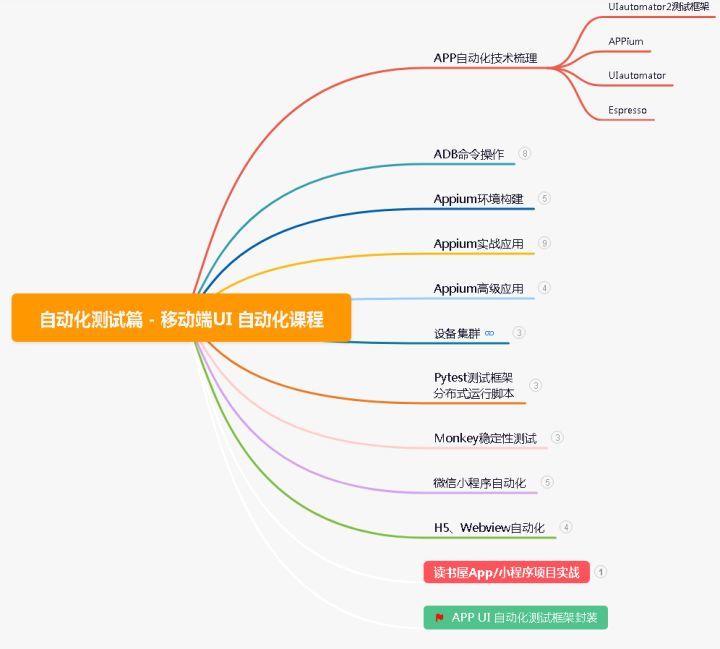
ah?Now the primary test recruitment requirements will be automated?

【面试:并发篇34:Unsafe】

A print function, very good at playing?
随机推荐
【面试:并发篇33:cas】原子更新器 原子累加器 缓存一致性问题
canvas 中如何实现物体的点选(五)
bgp基础配置和宣告
JetsonNano学习(六)Jetson踩过的大坑及解决方法___持续更新
Mysql内外连接
MySQL主备切换
Analysis of miscellaneous diseases such as DNS domain name hijacking in instant messaging mobile terminal development
Professor Lu Shouqun from COPU was invited to give a speech at ApacheCon Asia
kaniko --customPlatform参数:支持不同平台的镜像构建(如:arm等)
DNA修饰纳米金颗粒|DNA脱氧核糖核酸偶联修饰碳纳米材料|实验原理
SAP ABAP 守护进程的实现方式
新版微信小程序发布指南
ah?Now the primary test recruitment requirements will be automated?
cmd md命令
单片机ds1302时钟程序(51单片机液晶显示程序)
[leetcode] 80. Delete duplicates in sorted array II (medium) (double pointer, in-place modification)
50. Leetcode 】 【 Pow (x, n) (medium) (power) quickly
Topics in Dynamic Programming
Win7x64中使用PowerDesigner连接Oralce数据库报“[Oracle][ODBC][Ora]ORA-12154:TNS:无法解析指定的连接标识符”错误解决方法
超分之RVRT