当前位置:网站首页>Super details to teach you how to use Jenkins to realize automatic jar package deployment
Super details to teach you how to use Jenkins to realize automatic jar package deployment
2022-06-11 05:53:00 【Endwas】
Welcome to my blog , communication :https://endwas.cn
Here we will only demonstrate the deployment of a single project , If it is a distributed project or in KubeSphere Just change the traditional build project into a pipeline , Here we will simply implement a drop-down code ,maven pack , Package upload , restart jar Bag, etc .
jenkins Install to view another of my articles blog, It's used inside. docker install , Faster and more traditional tomcat+war perhaps yum A lot of holes are missing in the installation .
Be careful : The use of maven It's attached , download maven:maven3.5.4, So we need to docker Host installation maven, And configure environment variables .
1.jenkins Entry configuration
1. Get the initial password
open jenkins page , The default port is ip:8080 Local is localhost:8080;

First Unlock jenkins, Go to through the server jenkins The container of
docker exec -it jenkins /bin/bash
[email protected]:/$ cat /var/jenkins_home/secrets/initialAdminPassword
a6f6d08fcc474178833001d1fc79be62
2. Install the default plug-in
Then install the default plug-in , If you know what plug-ins you need, you can also choose to install them .
If you don't know to install the default first , What to use and install later .

3. Create administrator account
Then create the first account after installation

4. The instance configuration
Just configure the instance with the default server address

such jenkins The default configuration is fine , But the plug-in is still missing .
2. Installing a plug-in
1. Enter system management

2. Click plug-in management

These three configurations are most commonly used in system configuration , Remember that their entrance is just on the left, and the gear enters .
3. Install the required plug-ins
Choose an optional plug-in Search for what we need to install , If the search fails, confirm whether it has been installed .

1️⃣ Publish over ssh:ssh Plug in for transferring files , Equivalent to what we usually use xftp, Used to upload files to the server .
2️⃣ Maven Integration plugin: Used for configuration maven Of , Used in jenkins Hit middle jar package .
3️⃣ Role-based Authorization Strategy: Used to control permissions , Administrators can be set up for different users 、 read 、 Write permissions .
Remember to restart after installation jenkins.
3. Configure the installed plug-ins
Return to system configuration

1. To configure maven
In the previous article, I installed , I mounted a maven Folder , that maven The purpose of folders is to use in containers .
Then find a folder on the server and unzip it , Then mount to docker Use in .
Go to global tool configuration ->Maven
name: Random filling
MAVEN_HOME: Mount to docker In the path , Because I also packed a layer of folders, so my maven It's on the apache-maven-3.5.4/ Next 
To configure settings file . Similarly, find the folder settings Just fine 
2. To configure ssh
Go to the first... Of the system configuration , The system configuration
find publish over ssh
Then click advanced to open the setting port + password

Finally, test the connection , Tips success It can be connected ~
4. Create automated tasks
All the preparations are ready , Start creating Automated Deployment tasks .
- Pull the code .
- pack .
- Upload the corresponding server .
- restart jar package .
1. Pull the code

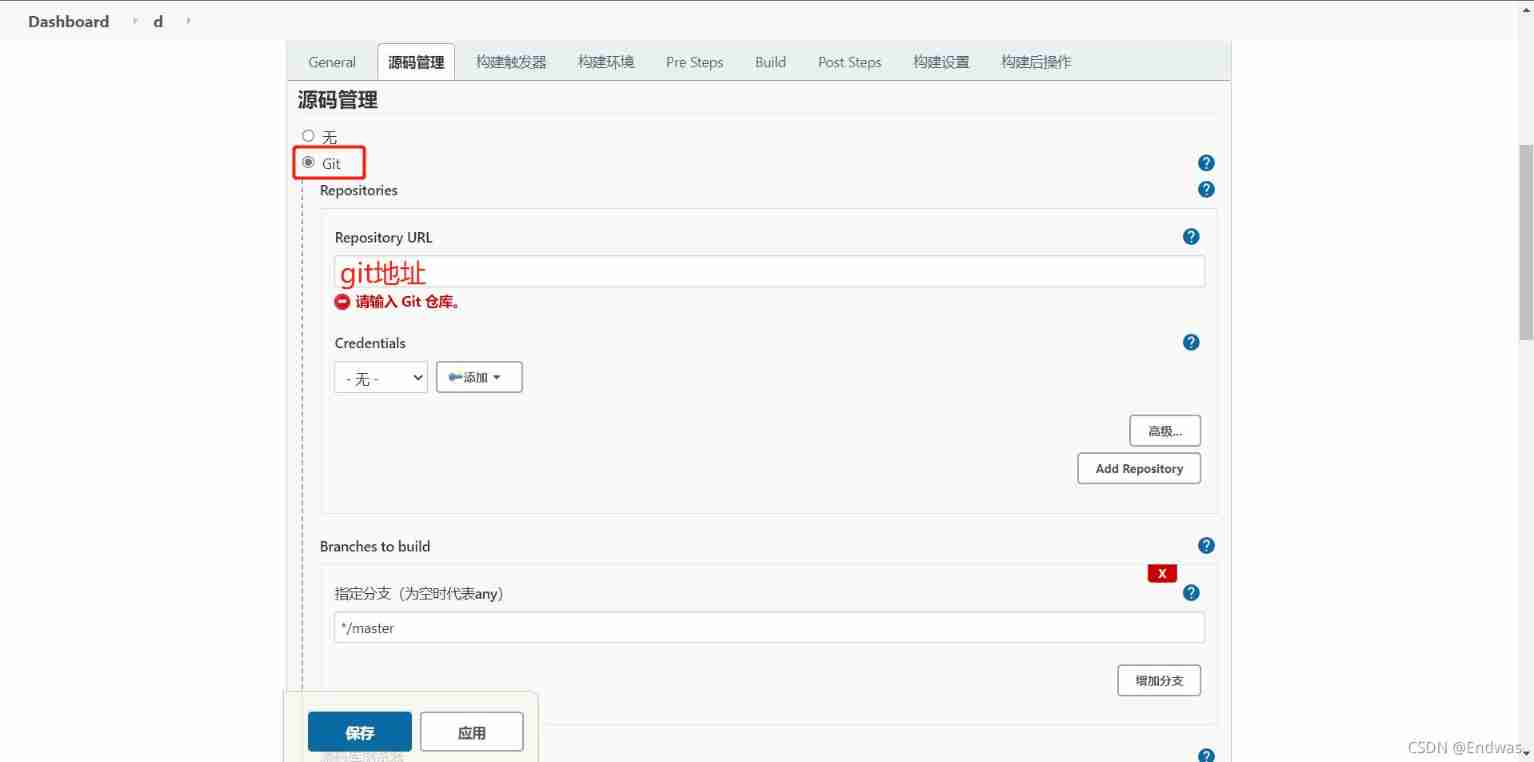
Be careful :git Address if ssh You need to configure public and private keys , For specific use, please see jenkins To configure git, Here, you can use the account and password to obtain

git User name and password

2. pack

Be careful : The path here is the path under the working directory , We pull down the code ,pom.xml In the folder , So the configuration is pom.xml, If it is a micro service multi-layer folder, you need to specify
xxx Microservices /pom.xml
//  skip test It can also be used directly clean package
clean package -Dmaven.test.skip=true
3. hold jar Package upload server

This is because I want to upload to the server , So I chose send files Options

Let's focus on post steps Configuration of
- name: Servers previously configured in the global configuration , Select the specific configuration .
- Source files: stay jenkins Workspace pack after , Files to upload , Because our package will be produced in target/xxxxxx.jar, So we need to match it target/xxxx.jar
- Remove prefix: If this is not configured , Then we will target Folder +jar Package upload to server , Because we just need to jar package , So configuration target/
- exec command: After uploading the folder , stay The target server performs Script for , A script is a program restart , If you need a backup, you can do it in pre Step execution shell The backup script .
- If the target server already has the same name jar package , It will cover .
Be careful : The reason why the script execution failed
- You need to go to the script location sh restart.sh.
- If the startup command fails to execute , stay sh with source /etc/profile.
cd /home/endwas/d
source /etc/profile
sh restart.sh
4. function

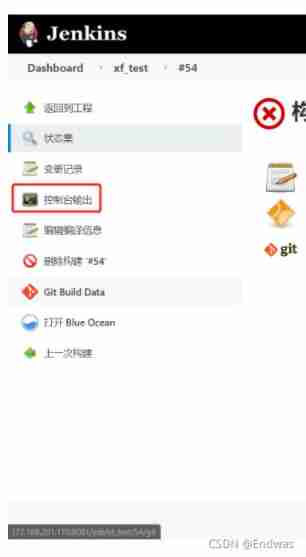
ps: If the execution fails, click the version number , Check the log , Confirm which step failed
summary
jenkins Automated Deployment , In addition, the visual interface is very helpful for operation and maintenance , The efficiency of test and front and rear end docking is improved , But sometimes configuration can drive people crazy , For example, the environment is configured with , But it never worked mvn、node Wait for the order . Execute... On the remote host shell But the project didn't start .
边栏推荐
- Bert knowledge distillation
- What do you need to know about Amazon evaluation?
- “All in ONE”一个平台解决所有需求,运维监控3.0时代已来
- Informatica:数据质量管理六步法
- Sword finger offer 50: the first character that appears only once
- Multithreading tutorial (XXIII) thread safety without lock
- Start the project using the locally configured gradle
- DISM命令使用小结
- 数据接入平台方案实现(游族网络)
- 我们真的需要会议耳机吗?
猜你喜欢

AltiumDesigner2020导入3D Body-SOLIDWORKS三维模型

Start the project using the locally configured gradle
![Yoyov5's tricks | [trick8] image sampling strategy -- Sampling by the weight of each category of the dataset](/img/54/f6a3e0ef1f77901506642784e6d3b7.png)
Yoyov5's tricks | [trick8] image sampling strategy -- Sampling by the weight of each category of the dataset

Es IK installation error

我们真的需要会议耳机吗?

初步了解多任务学习

Control your phone with genymotion scratch

NDK R21 compiles ffmpeg 4.2.2+x264 and converts video files using ffmpeg

Pycharm usage experience

安装Oracle数据库
随机推荐
配置Rust编译环境
NDK learning notes (I)
Jsonobject jsonarray for parsing
Elk log system practice (VI): comparison between vector and filebeat for technology selection
Clojure installation of metabase source code secondary development
Wechat custom component - style - slot
Dism command usage summary
View controller and navigation mode
How to deal with message blackout and message sending failure of Aurora im
數組部分方法
Managing VHDS using batch
Slide the receleview horizontally to the far right to listen to the page loading function
Manually splicing dynamic JSON strings
Share an RSA encryption and decryption tool class, including public key encryption, private key decryption, private key encryption, public key decryption, private key signature, public key verificatio
When the recyclerview plays more videos, the problem of refreshing the current video is solved.
Multithreading tutorial (XXVIII) unsafe class
Data quality: the core of data governance
Multi thread tutorial (30) meta sharing mode
Flask develops and implements the like comment module of the online question and answer system
[IOS development interview] operating system learning notes