当前位置:网站首页>【Pygame小游戏】趣味益智游戏 :打地鼠,看一下能打多少只呢?(附源码)
【Pygame小游戏】趣味益智游戏 :打地鼠,看一下能打多少只呢?(附源码)
2022-06-10 22:42:00 【程序员梨子】
前言
作者 :“程序员梨子”
**文章简介 **:本篇文章主要是写了使用Pygame写的打地鼠小游戏啦~
**文章源码免费获取 : 为了感谢每一个关注我的小可爱每篇文章的项目源码都是无
偿分享滴
点这里蓝色这行字体自取,需要什么源码记得说标题名字哈!私信我也可!
欢迎小伙伴们 点赞、收藏、留言

正文
嘻嘻!我是梨子同学~
打地鼠游戏大家一定不陌生,曾经风靡一时,不论是计算机上的小游戏还是可以拿在手里的小玩
具,都不难看到打地鼠游戏的身影。
今天我们要利用 Pygame模块,制作一个代码仿制的《打地鼠》游戏给大家!

运行环境
本文用到的环境:Python3.6、Pycharm社区版、Pygame游戏模块自带的就不展示啦。
pip install -i https://pypi.douban.com/simple/ +模块名效果展示
1)游戏界面

2)游戏界面

代码展示
1)配置文件
import os


'''屏幕大小'''
SCREENSIZE = (993, 477)
'''游戏素材路径'''
ROOTDIR = os.getcwd()
HAMMER_IMAGEPATHS = [os.path.join(ROOTDIR, 'resources/images/hammer0.png'), os.path.join(ROOTDIR, 'resources/images/hammer1.png')]
GAME_BEGIN_IMAGEPATHS = [os.path.join(ROOTDIR, 'resources/images/begin.png'), os.path.join(ROOTDIR, 'resources/images/begin1.png')]
GAME_AGAIN_IMAGEPATHS = [os.path.join(ROOTDIR, 'resources/images/again1.png'), os.path.join(ROOTDIR, 'resources/images/again2.png')]
GAME_BG_IMAGEPATH = os.path.join(ROOTDIR, 'resources/images/background.png')
GAME_END_IMAGEPATH = os.path.join(ROOTDIR, 'resources/images/end.png')
MOLE_IMAGEPATHS = [
    os.path.join(ROOTDIR, 'resources/images/mole_1.png'),
    os.path.join(ROOTDIR, 'resources/images/mole_laugh1.png'),
    os.path.join(ROOTDIR, 'resources/images/mole_laugh2.png'),
    os.path.join(ROOTDIR, 'resources/images/mole_laugh3.png')
]
BGM_PATH = os.path.join(ROOTDIR, 'resources/audios/bgm.mp3')
COUNT_DOWN_SOUND_PATH = os.path.join(ROOTDIR, 'resources/audios/count_down.wav')
HAMMERING_SOUND_PATH = os.path.join(ROOTDIR, 'resources/audios/hammering.wav')
FONT_PATH = os.path.join(ROOTDIR, 'resources/font/Gabriola.ttf')
'''游戏常量参数设置'''
HOLE_POSITIONS = [(90, -20), (405, -20), (720, -20), (90, 140), (405, 140), (720, 140), (90, 290), (405, 290), (720, 290)]
BROWN = (150, 75, 0)
WHITE = (255, 255, 255)
RED = (255, 0, 0)
RECORD_PATH = 'score.rec'
2)主程序
import cfg
import sys
import pygame
import random
from modules import *


'''游戏初始化'''
def initGame():
    pygame.init()
    pygame.mixer.init()
    screen = pygame.display.set_mode(cfg.SCREENSIZE)
    pygame.display.set_caption('打地鼠')
    return screen


'''主函数'''
def main():
    # 初始化
    screen = initGame()
    # 加载背景音乐和其他音效
    pygame.mixer.music.load(cfg.BGM_PATH)
    pygame.mixer.music.play(-1)
    audios = {
        'count_down': pygame.mixer.Sound(cfg.COUNT_DOWN_SOUND_PATH),
        'hammering': pygame.mixer.Sound(cfg.HAMMERING_SOUND_PATH)
    }
    # 加载字体
    font = pygame.font.Font(cfg.FONT_PATH, 40)
    # 加载背景图片
    bg_img = pygame.image.load(cfg.GAME_BG_IMAGEPATH)
    # 开始界面
    startInterface(screen, cfg.GAME_BEGIN_IMAGEPATHS)
    # 地鼠改变位置的计时
    hole_pos = random.choice(cfg.HOLE_POSITIONS)
    change_hole_event = pygame.USEREVENT
    pygame.time.set_timer(change_hole_event, 800)
    # 地鼠
    mole = Mole(cfg.MOLE_IMAGEPATHS, hole_pos)
    # 锤子
    hammer = Hammer(cfg.HAMMER_IMAGEPATHS, (500, 250))
    # 时钟
    clock = pygame.time.Clock()
    # 分数
    your_score = 0
    flag = False
    # 初始时间
    init_time = pygame.time.get_ticks()
    # 游戏主循环
    while True:
        # --游戏时间为60s
        time_remain = round((61000 - (pygame.time.get_ticks() - init_time)) / 1000.)
        # --游戏时间减少, 地鼠变位置速度变快
        if time_remain == 40 and not flag:
            hole_pos = random.choice(cfg.HOLE_POSITIONS)
            mole.reset()
            mole.setPosition(hole_pos)
            pygame.time.set_timer(change_hole_event, 650)
            flag = True
        elif time_remain == 20 and flag:
            hole_pos = random.choice(cfg.HOLE_POSITIONS)
            mole.reset()
            mole.setPosition(hole_pos)
            pygame.time.set_timer(change_hole_event, 500)
            flag = False
        # --倒计时音效
        if time_remain == 10:
            audios['count_down'].play()
        # --游戏结束
        if time_remain < 0: break
        count_down_text = font.render('Time: '+str(time_remain), True, cfg.WHITE)
        # --按键检测
        for event in pygame.event.get():
            if event.type == pygame.QUIT:
                pygame.quit()
                sys.exit()
            elif event.type == pygame.MOUSEMOTION:
                hammer.setPosition(pygame.mouse.get_pos())
            elif event.type == pygame.MOUSEBUTTONDOWN:
                if event.button == 1:
                    hammer.setHammering()
            elif event.type == change_hole_event:
                hole_pos = random.choice(cfg.HOLE_POSITIONS)
                mole.reset()
                mole.setPosition(hole_pos)
        # --碰撞检测
        if hammer.is_hammering and not mole.is_hammer:
            is_hammer = pygame.sprite.collide_mask(hammer, mole)
            if is_hammer:
                audios['hammering'].play()
                mole.setBeHammered()
                your_score += 10
        # --分数
        your_score_text = font.render('Score: '+str(your_score), True, cfg.BROWN)
        # --绑定必要的游戏元素到屏幕(注意顺序)
        screen.blit(bg_img, (0, 0))
        screen.blit(count_down_text, (875, 8))
        screen.blit(your_score_text, (800, 430))
        mole.draw(screen)
        hammer.draw(screen)
        # --更新
        pygame.display.flip()
        clock.tick(60)
    # 读取最佳分数(try块避免第一次游戏无.rec文件)
    try:
        best_score = int(open(cfg.RECORD_PATH).read())
    except:
        best_score = 0
    # 若当前分数大于最佳分数则更新最佳分数
    if your_score > best_score:
        f = open(cfg.RECORD_PATH, 'w')
        f.write(str(your_score))
        f.close()
    # 结束界面
    score_info = {'your_score': your_score, 'best_score': best_score}
    is_restart = endInterface(screen, cfg.GAME_END_IMAGEPATH, cfg.GAME_AGAIN_IMAGEPATHS, score_info, cfg.FONT_PATH, [cfg.WHITE, cfg.RED], cfg.SCREENSIZE)
    return is_restart


'''run'''
if __name__ == '__main__':
    while True:
        is_restart = main()
        if not is_restart:
            break
小结
安啦!文章就写到这里,你们的支持是我最大的动力,记得三连哦~
关注小编获取更多精彩内容!记得点击传送门哈

边栏推荐
- LabVIEW和VDM提取色彩和生成灰度图像
- 【数学】【连续介质力学】流体力学中的对称张量、应变张量和应力张量
- Is it safe to open an account in Shanghai Securities?
- Openvp* integrated LDAP authentication
- This article introduces you to j.u.c's futuretask, fork/join framework and BlockingQueue
- 【LaTex】latex VS Code snippets(代码片段)
- curl导入postman报错小记
- How to measure the refresh rate of oscilloscope
- Interface test learning notes
- 上海网上开户是安全的吗?
猜你喜欢

VS的常用设置

Analysis of Genesis public chain
Prefer "big and small weeks", only write 200 lines of code every day, and the monthly salary of 8k-17k people will rise again

LabVIEW用VISA Read函数来读取USB中断数据

Fiddler creates an autoresponder

Fiddler configuration
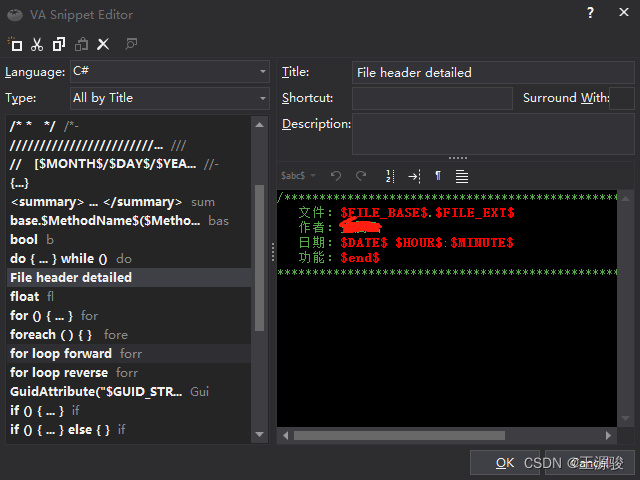
VS 番茄助手添加头注释 以及使用方式

LabVIEW确定控件在显示器坐标系中的位置

30 | how to reset the consumer group displacement?

Solutions to the error reported by executing Oracle SQL statement [ora-00904: "createtime": invalid identifier] and [ora-00913: too many values]
随机推荐
curl导入postman报错小记
Binary tree pruning
LabVIEW使用MathScript Node或MATLAB脚本时出现错误1046
黑马头条丨腾讯薪酬制度改革引争议;英特尔全国扩招女工程师;黑马100%就业真的吗......
LabVIEW在波形图或波形图表上显示时间和日期
Dark horse headlines - Tencent's salary system reform has caused controversy; Intel expanded the recruitment of female engineers nationwide; Black horse is 100% employed really
Four ways to add names to threads in the thread pool
LabVIEW确定控件在显示器坐标系中的位置
细数十大信息安全原则
Fiddler configuration
HyperLeger Fabric安装
LeetCode+ 21 - 25
ILRuntime热更框架 安装以及断点调试
LabVIEW displays the time and date on the waveform chart or waveform chart
Im instant messaging source code with tutorial /uniapp instant messaging source code, with installation tutorial
Basic introduction and core components of kubernetes
2022 college entrance examination quantitative paper | please answer the questions for quantitative candidates
Creating dynamic two-dimensional array with C language
30 | 怎么重设消费者组位移?
示波器和频谱分析仪的区别