当前位置:网站首页>One click acceleration of Sony camera SD card file copy operation, file operation batch processing tutorial
One click acceleration of Sony camera SD card file copy operation, file operation batch processing tutorial
2022-06-27 00:52:00 【arenascat】
Preface
Sony's file system is a mystery , Micro order is a continuation DC Document management of , So that's why DCIM There are some photos under the folder , The video is in another folder and ordinary people , I can't use it again XML Of documents , Every copy is troublesome , For example, I didn't have this problem when I used Canon full frame before .
Is there any way to optimize the process ? I wrote such a batch file , To provide you with Windows The user to use .
Just configure the file and put it in SD Card Directory , You can quickly copy your videos and photos to the specified folder with one click , This is much faster than going to the resource manager .
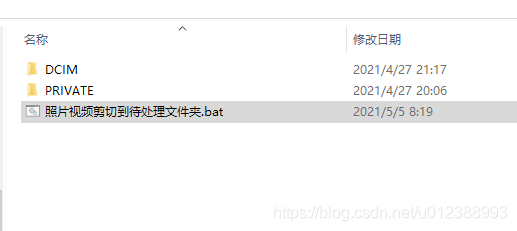
How to use ?
stay SD Create a new text document under the directory of the card and then copy these contents
@ECHO OFF

echo  About to copy files to the specified folder

SET TAGETPATH= Z:\ To be processed \

SET PICPATH=101MSDCF

SET /P B= Please enter the name of the folder :

SET PATH=%TAGETPATH%%B%

set /p A= Confirm that you want to create a folder  %TAGETPATH%%B%  Do you ?(y/n):

IF /i "%A%"=="n" EXIT   :: sign out
IF /i "%A%"=="y" GOTO :1   ::
CLS&%0

:1
MD  %PATH%
COPY ".\DCIM\%PICPATH%\*.ARW"  %PATH%
ECHO  Finished copying photos , Enter to continue copying the video
COPY ".\PRIVATE\M4ROOT\CLIP\*.MP4"  %PATH%
DEL  ".\PRIVATE\M4ROOT\CLIP\*.XML"
ECHO  All files copied , Press enter to exit and open the folder
PAUSE
START %PATH%
We need to pay attention to
1. Replace the... Here 【Z:\ To be processed \】 The name of this folder is the folder you often use to store content
2.【101MSDCF】 Also replace it with yours SD Name of the card's photo folder
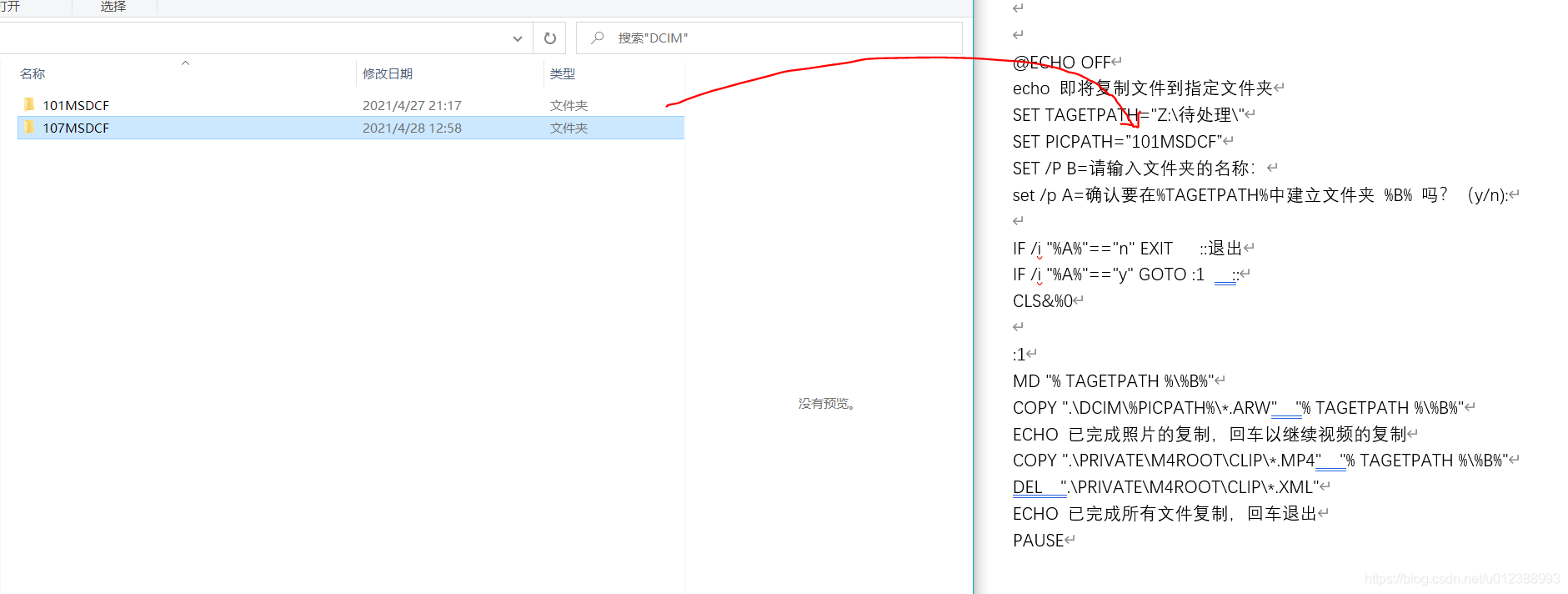
3. Save as , choice ANSI code .

Further accelerate the operation
If you want to be faster , You can use this copy and delete SD Script of card file , Of course, I set up a judgment on deletion to prevent misoperation .( Not recommended )
@ECHO OFF

echo  About to copy files to the specified folder

SET TAGETPATH= Z:\ To be processed \

SET PICPATH=101MSDCF

SET /P B= Please enter the name of the folder :

SET PATH=%TAGETPATH%%B%

set /p A= Confirm that you want to create a folder  %TAGETPATH%%B%  Do you ?(y/n):

IF /i "%A%"=="n" EXIT   :: sign out
IF /i "%A%"=="y" GOTO :1   ::
CLS&%0

:1
MD  %PATH%
COPY ".\DCIM\%PICPATH%\*.ARW"  %PATH%
ECHO  Finished copying photos , Enter to continue copying the video
COPY ".\PRIVATE\M4ROOT\CLIP\*.MP4"  %PATH%

set /p A= Replication completed , Delete the source file in the card ?(y/n):

IF /i "%A%"=="n" EXIT   :: sign out
IF /i "%A%"=="y" GOTO :2   ::
CLS&%0

2:
DEL  ".\PRIVATE\M4ROOT\CLIP\*.*
DEL  ".\DCIM\%PICPATH%\*.*"


ECHO  All file operations completed , Press enter to exit and open the folder
PAUSE
START %PATH%
The statement that
First, the two systems are related ,PAUSE and @ECHO OFF, I don't think it's necessary to say ,PAUSE You will need to get an arbitrary keyboard key to proceed to the next step .
And then there was SET, A very common statement , But what we need to pay attention to here is , Although there are Chinese or other Chinese characters, you need to add English characters before and after them 【"】, But don't add this at other times , For example, there is no need to 【"%TAGETPATH%"】 such , Remove the quotation marks directly , Like 【%TAGETPATH%】 In this way, we can
Judgment in batch processing , A very common sentence pattern , here SET In addition to setting a variable , And added /p Parameters , So that this variable can be entered from the keyboard , Assigned by the user . and IF Is a judgment sentence pattern ,/i Used to make user input case insensitive , for instance 【y】 and 【Y】 It's the same
set /p A= Replication completed , Delete the source file in the card ?(y/n):

IF /i "%A%"=="n" EXIT   :: sign out
IF /i "%A%"=="y" GOTO :2   ::
CLS&%0
GOTO And character ( Usual number , It can also be letters ) coordination , So as to realize the operation of this jump method , For example, I set it on the top 1 and 2
2:
DEL  ".\PRIVATE\M4ROOT\CLIP\*.*
DEL  ".\DCIM\%PICPATH%\*.ARW"
边栏推荐
- Concepts de base de données Oracle
- Moher College - SQL injection vulnerability test (error reporting and blind note)
- Live review | Ziya &ccf TF: Discussion on software supply chain risk management technology under cloud native scenario
- redis详细教程
- Record a bug caused by a line break
- 运用物理信息神经网络求解流体力学方程
- 指南针开户安全的吗?
- 滑环选型选购时需要注意的技巧
- ArcGIS 镶嵌数据集切片丢失问题处理
- Lwip之定时机制
猜你喜欢

07 | 工作流设计:如何设计合理的多人开发模式?

墨者学院-SQL注入漏洞测试(报错盲注)
![[vscade] preview MD file](/img/b8/0413eaade0a7da9ddb5494b093665c.png)
[vscade] preview MD file

Simulation of delta variant strain of novel coronavirus (mindsponge application)
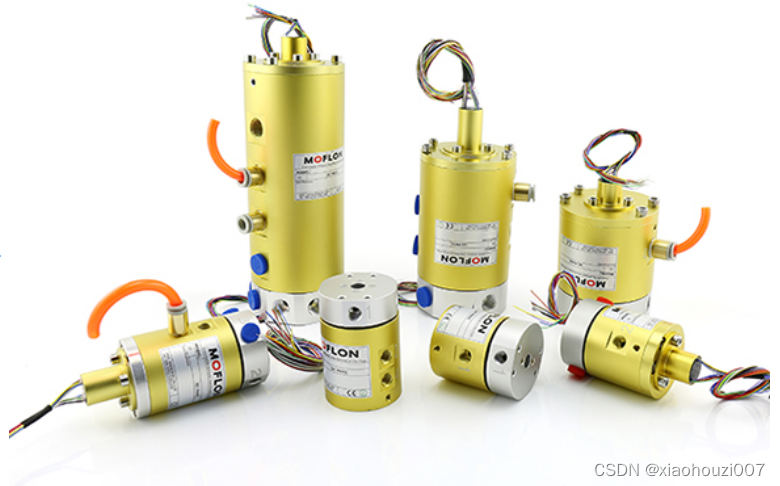
What are the skills and methods for slip ring installation
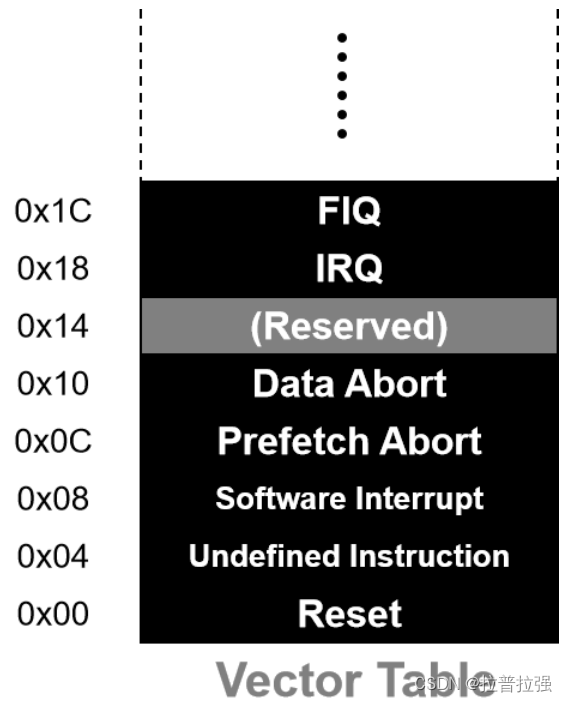
CPU exception handling

3线spi屏幕驱动方式

Target tracking shooting? Target occlusion shooting? With 1.9 billion installed petal apps, what unique features attract users?

Mindspire, a domestic framework, cooperates with Shanshui nature conservation center to find and protect the treasure life in the "China water tower"

Lwip之定时机制
随机推荐
Competition Registration | one of the key ai+ scientific computing competitions - China open source scientific software creativity competition, competing for 100000 bonus!
解决unable to create a folder to save the sketch: mkdir sketch
Target tracking shooting? Target occlusion shooting? With 1.9 billion installed petal apps, what unique features attract users?
ESP32-SOLO开发教程,解决CONFIG_FREERTOS_UNICORE问题
Flink 实战问题(七):No Watermark(Watermarks are only available EventTime is used)
统计无向图中无法互相到达点对数[经典建邻接表+DFS统计 -> 并查集优化][并查集手册/写的详细]
redis详细教程
ESP32实验-自建web服务器配网02
idea 热启动失效解决方案
Flink practical problems (VII): no watermark (watermarks are only available eventtime is used)
Overview of Freescale MCU
MySQL之账号管理、建库以及四大引擎+案例
统一结果集的封装
网上开通证券账户安全吗 手机炒股靠谱吗
How to control the quality of HD slip ring in the production process
Hit the point! The largest model training collection!
Record a bug caused by a line break
超越锂电池——未来电池的概念
Law of Large Numbers
大白话高并发(一)