当前位置:网站首页>Zhangxiaobai teaches you how to use Ogg to synchronize Oracle 19C data with MySQL 5.7 (2)
Zhangxiaobai teaches you how to use Ogg to synchronize Oracle 19C data with MySQL 5.7 (2)
2022-06-10 16:20:00 【Hua Weiyun】

( 3、 ... and ) stay MySQL End installation OGG for MySQL
uninstall CentOS Self contained mariadb:
rpm -qa | grep mariadb

rpm -e --nodeps mariadb-server-5.5.68-1.el7.x86_64 mariadb-5.5.68-1.el7.x86_64 mariadb-libs-5.5.68-1.el7.x86_64

install MySQL:
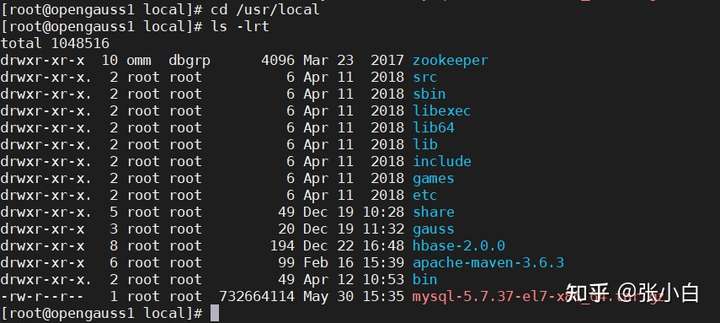
cd /usr/local
wget https://cdn.mysql.com/Downloads/MySQL-5.7/mysql-5.7.37-el7-x86_64.tar.gz
decompression :
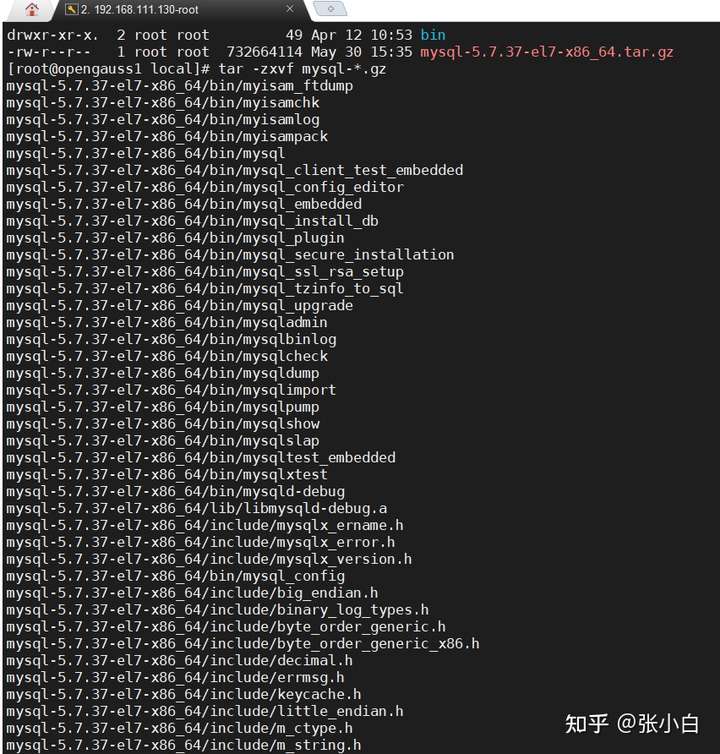
tar -zxvf mysql-*.gz
mv mysql-5.7.37-el7-x86_64 mysql
Set the permissions :
chown -R mysql:mysql /usr/local/mysql
chmod -R 755 /usr/local/mysql
mkdir -p /data/mysql/data
mkdir -p /data/mysql/logs
mkdir -p /data/mysql/tmp
chown -R mysql:mysql /data/mysql

edit /etc/my.cnf file :
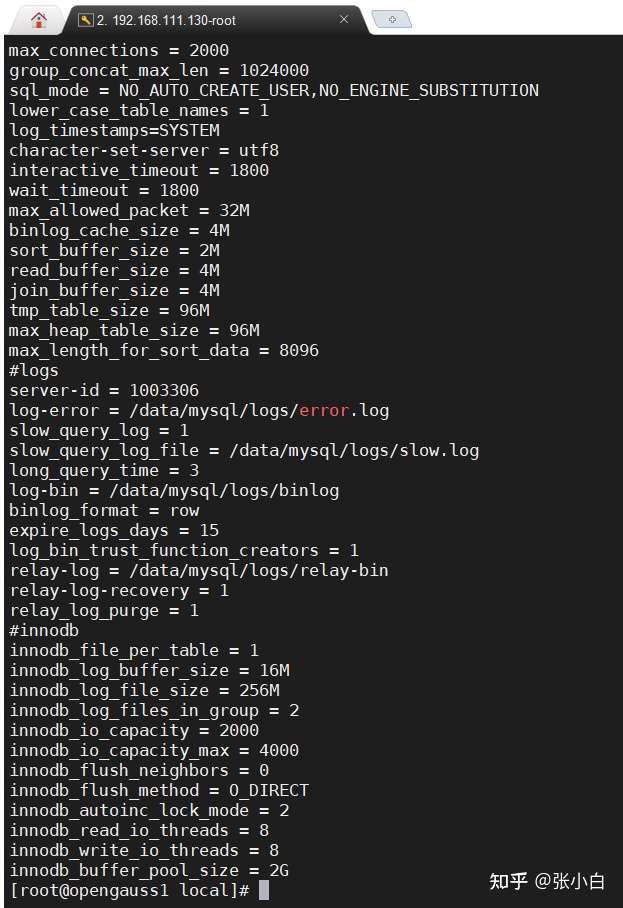
The contents are as follows :
[client]port = 3306socket = /data/mysql/tmp/mysql.sock[mysqld]user = mysqlbasedir = /usr/local/mysql datadir = /data/mysql/data port = 3306 socket = /data/mysql/tmp/mysql.sockpid-file = /data/mysql/tmp/mysqld.pidtmpdir = /data/mysql/tmp skip_name_resolve = 1symbolic-links=0max_connections = 2000group_concat_max_len = 1024000sql_mode = NO_AUTO_CREATE_USER,NO_ENGINE_SUBSTITUTIONlower_case_table_names = 1log_timestamps=SYSTEMcharacter-set-server = utf8interactive_timeout = 1800 wait_timeout = 1800max_allowed_packet = 32Mbinlog_cache_size = 4Msort_buffer_size = 2Mread_buffer_size = 4Mjoin_buffer_size = 4Mtmp_table_size = 96Mmax_heap_table_size = 96Mmax_length_for_sort_data = 8096#logsserver-id = 1003306log-error = /data/mysql/logs/error.logslow_query_log = 1slow_query_log_file = /data/mysql/logs/slow.loglong_query_time = 3log-bin = /data/mysql/logs/binlogbinlog_format = rowexpire_logs_days = 15log_bin_trust_function_creators = 1relay-log = /data/mysql/logs/relay-binrelay-log-recovery = 1 relay_log_purge = 1 #innodb innodb_file_per_table = 1innodb_log_buffer_size = 16Minnodb_log_file_size = 256Minnodb_log_files_in_group = 2innodb_io_capacity = 2000innodb_io_capacity_max = 4000innodb_flush_neighbors = 0innodb_flush_method = O_DIRECTinnodb_autoinc_lock_mode = 2innodb_read_io_threads = 8innodb_write_io_threads = 8innodb_buffer_pool_size = 2Gtake mysql Set to linux service :
cd /usr/local/mysql/support-files
cp mysql.server /etc/init.d/mysql
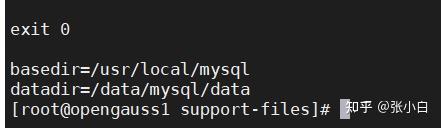
edit /etc/init.d/mysql file :
Set the following two lines :
basedir=/usr/local/mysql
datadir=/data/mysql/data
chkconfig --add mysql
chkconfig --list
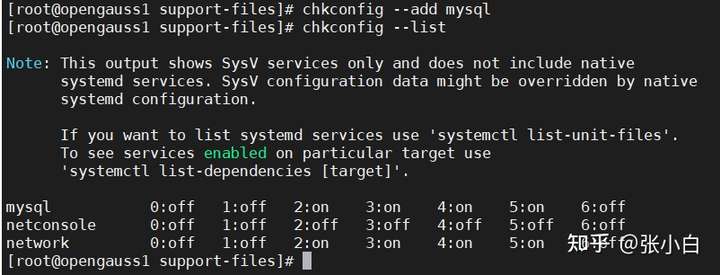
Edit environment variables :
echo "PATH=$PATH:/usr/local/mysql/bin " >> /etc/profile
source /etc/profile

rpm -qa|grep libaio
without , You need to install :yum install libaio-devel.x86_64

/usr/local/mysql/bin/mysqld --initialize --user=mysql --basedir=/usr/local/mysql --datadir=/data/mysql/data
more /data/mysql/logs/error.log | grep password

restart MySQL:
service stop mysql
service start mysql
Have to use
systemctl restart mysql
systemctl status mysql
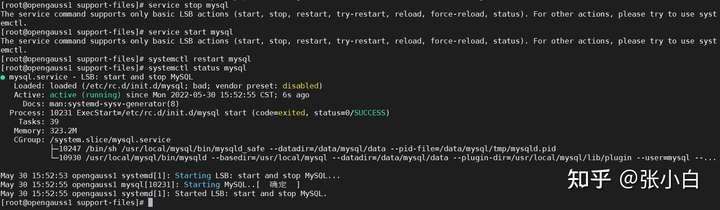
Sign in :
mysql -u root -p
Enter the previous password :BOc:CUr?S0aj
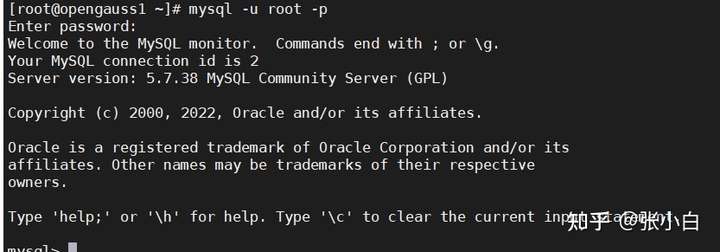
modify root password :
alter user 'root'@'localhost' identified by 'zhanghui';
flush privileges;
quit Exit the command line .
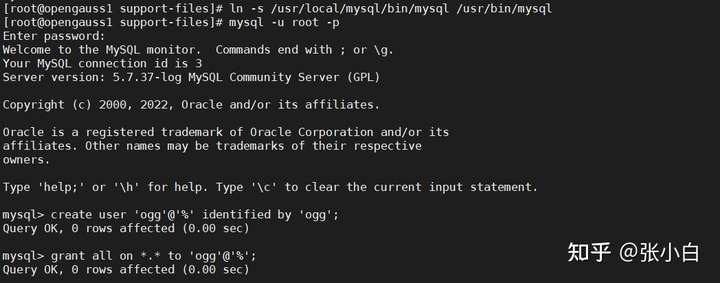
ln -s /usr/local/mysql/bin/mysql /usr/bin/mysql
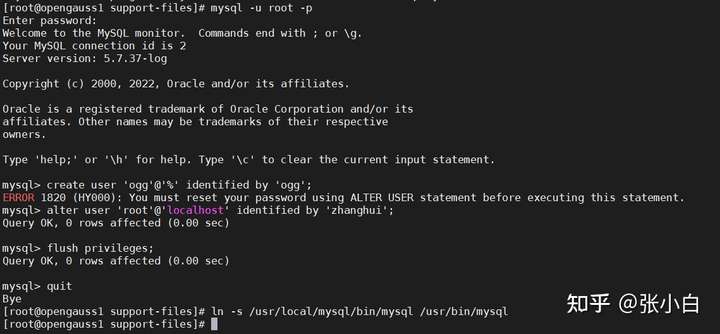
Use new password zhanghui Sign in :
mysql -u root -p
create user 'ogg'@'%' identified by 'ogg';
grant all on *.* to 'ogg'@'%';
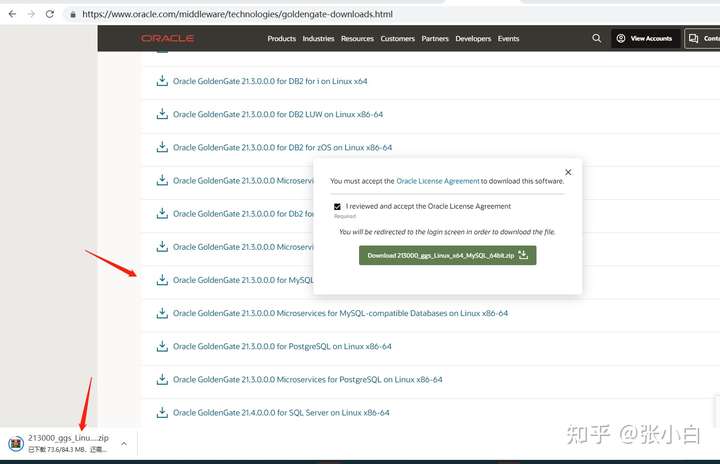
open https://www.oracle.com/middleware/technologies/goldengate-downloads.html
find Oracle GoldenGate 21.3.0.0.0 for MySQL-compatible Databases on Linux x86-64 download :
Use root Sign in
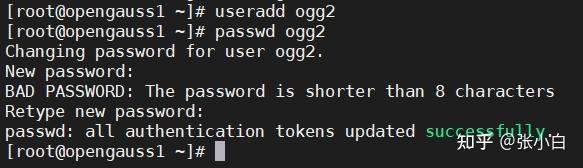
Create destination ogg user :ogg2
useradd ogg2
passwd ogg2
su - ogg2
Switch to ogg2 user :su - ogg2
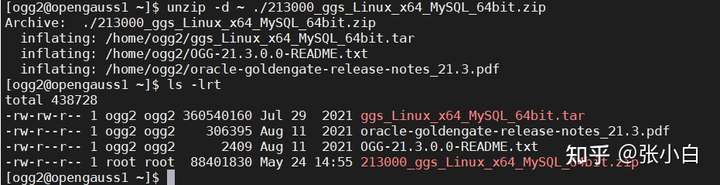
take ogg for mysql Installation package to /home/ogg2 Next :

unzip -d ~ ./213000_ggs_Linux_x64_MySQL_64bit.zip
Switch to root user
mkdir /opt/ogg/target_endpoint
chown -R ogg2 /opt/ogg/target_endpoint

Switch back to the ogg2 user :
tar -xvf ggs_Linux_x64_MySQL_64bit.tar -C /opt/ogg/target_endpoint
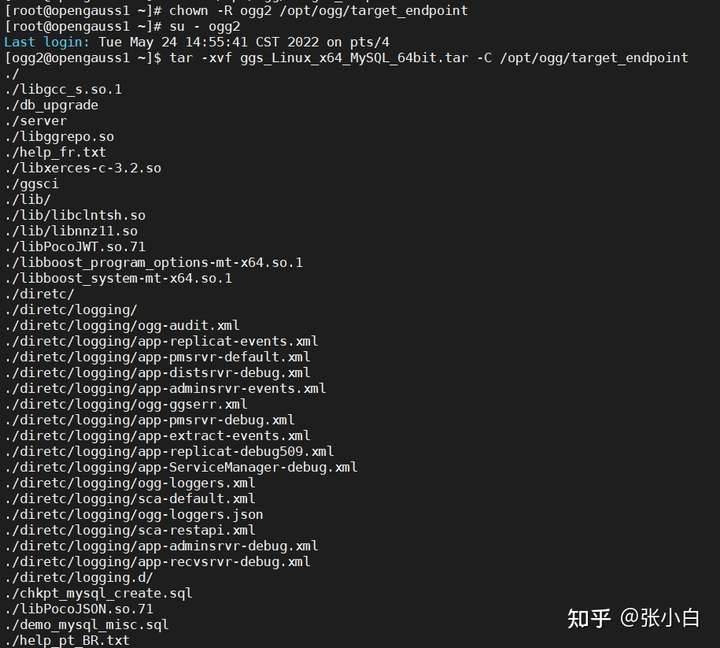
edit ~/.bashrc file :
export JAVA_HOME=$HOME/jdk1.8.0_141export PATH=$JAVA_HOME/bin:$PATHexport OGG_HOME=/opt/ogg/target_endpointexport LD_LIBRARY_PATH=$JAVA_HOME/jre/lib/amd64:$JAVA_HOME/jre/lib/amd64/server:$JAVA_HOME/jre/lib/amd64/libjsig.so:$JAVA_HOME/jre/lib/amd64/server/libjvm.so:$OGG_HOME/lib:$HOME/libsexport PATH=$OGG_HOME:$PATHsource ~/.bashrc Make it effective .

( To be continued )
边栏推荐
- Kubernetes binary installation (v1.20.16) (V) verifying master deployment
- PV operation daily question - Restaurant Service
- MapReduce案例之聚合求和
- 我用 MATLAB 复刻了抖音爆火小游戏 苹果蛇
- Guanghetong cooperates with China Mobile, HP, MediaTek and Intel to build 5g fully connected PC pan terminal products
- 运行mapreduce任务缺失setJarByClass()报错找不到类
- Google x open source grabbing manipulator can find the target part at a glance without manual marking [turn]
- Jerry's long press reset and high level reset [chapter]
- Opencv 4 handwriting recognition: perfect self built training set
- MapReduce之Word Count案例代码实现
猜你喜欢

Solution to some problems of shadow knife RPA learning and meeting Excel

I used Matlab to reproduce the trembling sonic boom Fire Games Apple snake

Opencv 4 handwriting recognition: perfect self built training set

Aperçu en direct | déconstruire OLAP! Le nouveau paradigme de l'architecture d'analyse multidimensionnelle est entièrement ouvert! Apache Doris va apporter cinq gros problèmes!

Sm59 remote connection. If you are prompted that there is no host, add host to the server and restart SAP_ SAP LIUMENG

Smart home (3) competitive product analysis of Intelligent Interaction

Duyuan outdoor sprint to Shenzhen Stock Exchange: the annual revenue is 350million, and the color of Lin Xizhen family is obvious

2D human posture estimation for posture estimation - simple baseline (SBL)

MapReduce案例之排序

Anti "internal roll", it is said that 360 enterprise security cloud will launch the "one click forced off duty" function, and the computer will automatically close the office software
随机推荐
Google x open source grabbing manipulator can find the target part at a glance without manual marking [turn]
Weilai quarterly report diagram: the revenue was 9.9 billion yuan, a year-on-year increase of 24%, and the operating loss was nearly 2.2 billion yuan
PV operation daily question 1 - single wooden bridge problem (variant 2)
Apache atlas quick start
Fortex Fangda releases the electronic trading ecosystem to share and win-win with customers
【第14节 STL容器二】
22. Generate Parentheses
2D pose estimation for pose estimation - (openpose) realtime multi person 2D pose estimation using part affinity fields
Troubleshooting of cl210openstack operation -- troubleshooting of common core problems
Query-Convert QuickView是灰掉的解决办法(转)_SAP刘梦
姿态估计之2D人体姿态估计 - Associative Embedding: End-to-End Learning for Joint Detection and Grouping
Nerf: the popularity of using deep learning to complete 3D rendering tasks
Error org codehaus. plexus. component. repository. exception. ComponentLookupException:
How does the wireless communication module help the intelligent UAV build the "Internet of things in the air"?
The fragrant locust flowers on the fragrant locust road have been in a hurry for four years.
RK3308 按键Key与LED灯
PV operation daily question - single log bridge problem
2290. Minimum Obstacle Removal to Reach Corner
姿态估计之2D人体姿态估计 - Distribution Aware Coordinate Representation for Human Pose Estimation【转-修改】
MapReduce之Reduce阶段的join操作案例