当前位置:网站首页>[flask introduction series] cookies and session
[flask introduction series] cookies and session
2022-07-01 16:45:00 【Hall owner a Niu】
Personal profile
- Author's brief introduction : Hello everyone , I'm Daniel , New star creator of the whole stack .
- Blogger's personal website : A Niu's blog house
- Stand by me : give the thumbs-up + Collection ️+ Leaving a message.
- Series column :flask Framework quick start
- Maxim : To be light , Because there are people who are afraid of the dark !
Preface
Today I would like to sum up flask Medium cookie And session,flask Medium session And normal session It's different , For browsers session, Save in browser .
cookie
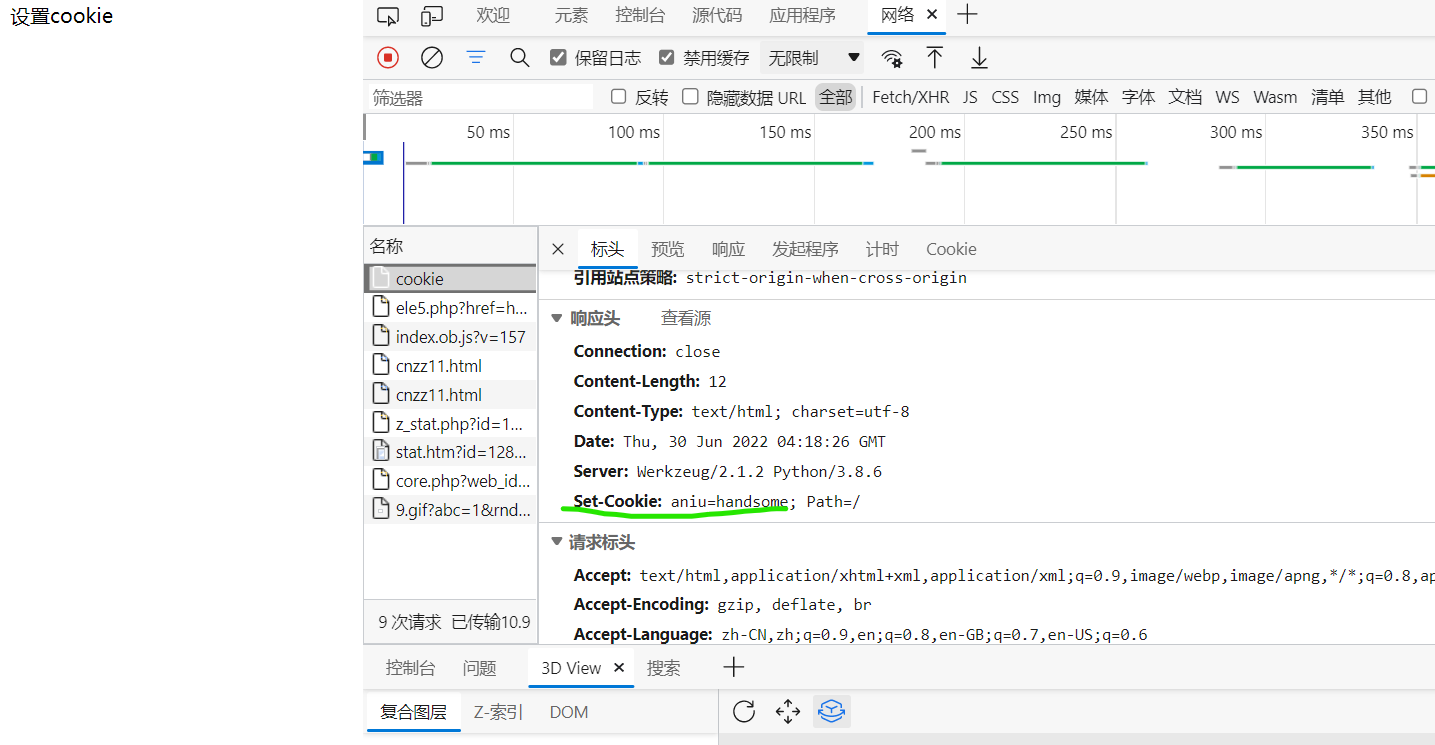
1. Set up cookie
# Import Flask Classes and request object
from flask import Flask,make_response
app = Flask(__name__)

#  The default configuration loaded from the configuration object
class DefaultConfig(object):
    SECRET_KEY = 'jstwn63bng'
    DEBUG = True
    ENV = 'development'

app.config.from_object(DefaultConfig)

@app.route('/cookie')
def cookie():
    resp = make_response(" Set up cookie")
    resp.set_cookie("aniu","handsome")
    return resp

# Flask Application's run Method start up web The server
if __name__ == '__main__':
    app.run(port=8000)
2. Set up cookie The period of validity
@app.route('/cookie')
def cookie():
    resp = make_response(" Set up cookie")
    resp.set_cookie("aniu","handsome",max_age=4000)  #max_age Is the number of milliseconds of the maximum expiration time
    return resp
3. obtain cookie
# Import Flask Classes and request object
from flask import Flask,make_response,request
app = Flask(__name__)

#  The default configuration loaded from the configuration object
class DefaultConfig(object):
    SECRET_KEY = 'jstwn63bng'
    DEBUG = True
    ENV = 'development'

app.config.from_object(DefaultConfig)

# Set up cookie
@app.route('/set_cookie')
def set_cookie():
    resp = make_response(" Set up cookie")
    resp.set_cookie("aniu","handsome")
    return resp


# obtain cookie
@app.route('/get_cookie')
def get_cookie():
    resp = request.cookies.get('aniu')
    return resp

# Flask Application's run Method start up web The server
if __name__ == '__main__':
    app.run(port=5000)

4. Delete cookie
@app.route('/delete_cookie')
def delete_cookie():
    resp = make_response(" Set up cookie")
    resp.delete_cookie("aniu","handsome")
    return resp
session
Be careful : You have to set it SECRET_KEY, Why? ? We said in the preface ,flask Medium session It's a browser session, Save in browser , So you need a key .
# Import Flask Classes and request object
from flask import Flask,session
app = Flask(__name__)

#  The default configuration loaded from the configuration object
class DefaultConfig(object):
    SECRET_KEY = 'jstwn63bng'
    DEBUG = True
    ENV = 'development'

app.config.from_object(DefaultConfig)

# Set up session
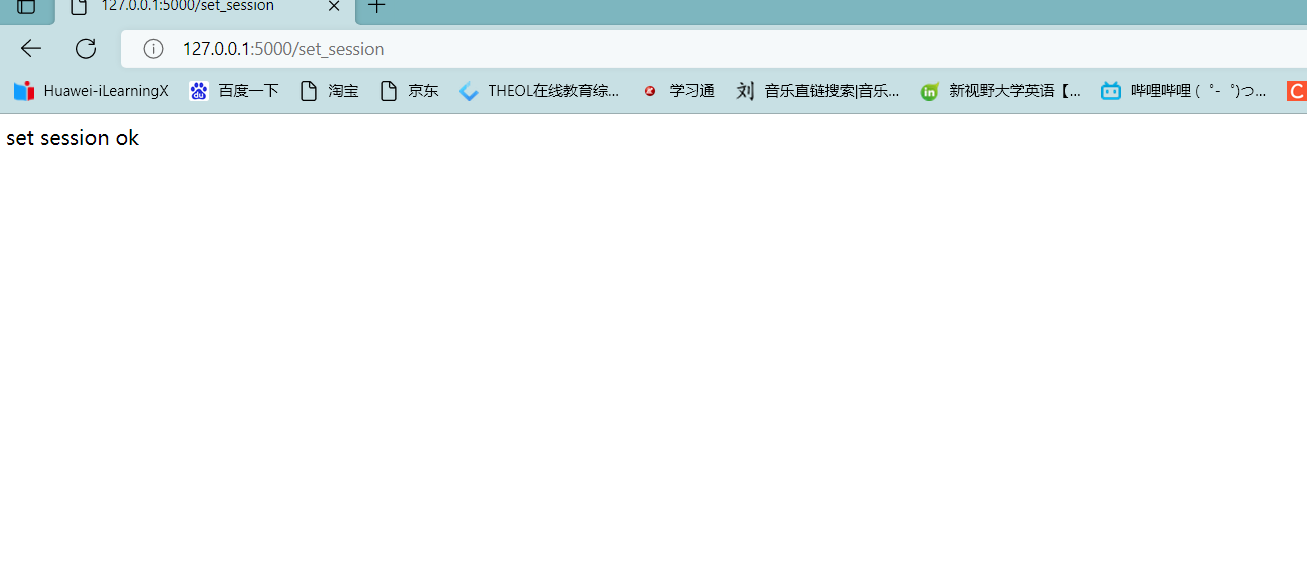
@app.route('/set_session')
def set_session():
    session['username'] = 'aniu'
    return 'set session ok'

# Read
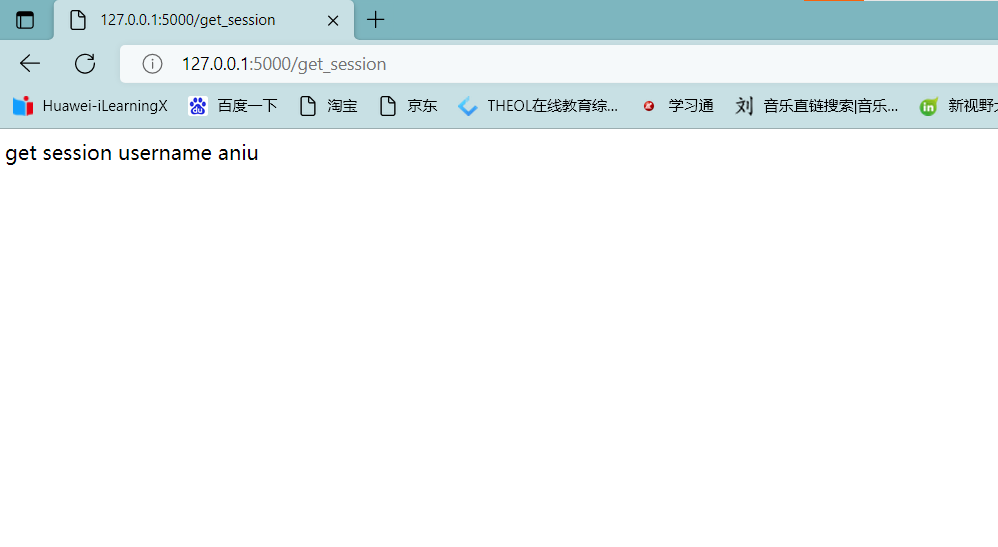
@app.route('/get_session')
def get_session():
    username = session.get('username')
    return 'get session username {}'.format(username)
reflection :flask take session Where did you save it ?
stay django in , about session The preservation of the , There will be a special table in the database to save session data , And we flask Medium session It was said that , It's actually a browser session, He saves it in the browser .
> therefore , There will be security problems after putting it in the browser , Therefore, we must add one “ Signature ”, Only myself “ Signature ” Talent , You can't use it after taking it and modifying it . How can I guarantee that this signature is mine , Can't live without our SECRET_KEY 了 . So what you see session The content in can be said to be “ Be encrypted ” 了 .
Conclusion
If you think the blogger's writing is good , You can pay attention to the current column , Bloggers will finish this series ! You are also welcome to subscribe to other good columns of bloggers .
Series column
Soft grinding css
Hard bubble javascript
The front end is practical and small demo
For more columns, please go to the blogger's home page ! Bloggers are also very interesting , You can patronize : A Niu's blog house
边栏推荐
- UML tourism management system "suggestions collection"
- C语言输入/输出流和文件操作
- PR basic clip operation / video export operation
- 数据库系统原理与应用教程(004)—— MySQL 安装与配置:重置 MySQL 登录密码(windows 环境)
- 模板引擎Velocity 基础
- OJ questions related to complexity (leetcode, C language, complexity, vanishing numbers, rotating array)
- 【flask入门系列】Cookie与Session
- 为国产数据库添砖加瓦,StoneDB 一体化实时 HTAP 数据库正式开源!
- 用手机在同花顺上开户靠谱吗?这样有没有什么安全隐患
- 数据库系统原理与应用教程(006)—— 编译安装 MySQL5.7(Linux 环境)
猜你喜欢

全面看待企业数字化转型的价值
【flask入门系列】Cookie与Session

OJ questions related to complexity (leetcode, C language, complexity, vanishing numbers, rotating array)

Redis6.0 新功能

EndeavourOS移动硬盘安装

How to use MySQL language for row and column devices?
Five years after graduation, I became a test development engineer with an annual salary of 30w+
Submission lottery - light application server essay solicitation activity (may) award announcement

游戏行业安全选择游戏盾,效果怎么样?

【Hot100】19. Delete the penultimate node of the linked list
随机推荐
[kotlin] Introduction to higher-order functions
數據庫系統原理與應用教程(006)—— 編譯安裝 MySQL5.7(Linux 環境)
Analysis of PostgreSQL storage structure
【Kotlin】高阶函数介绍
Graduation season | Huawei experts teach the interview secret: how to get a high paying offer from a large factory?
C語言輸入/輸出流和文件操作
Germany if was crowned with many awards. How strong is this pair of headphones? In depth evaluation of yinpo GTW 270 hybrid
Go language source level debugger delve
Go 语言源码级调试器 Delve
Motion capture system for apple picking robot
红队第10篇:coldfusion反序列化过waf改exp拿靶标的艰难过程
Redis6.0 新功能
OJ questions related to complexity (leetcode, C language, complexity, vanishing numbers, rotating array)
Advantages, values and risks of chain games compared with traditional games
阿里云、追一科技抢滩对话式AI
芯片供应转向过剩,中国芯片日产增加至10亿,国外芯片将更难受
Origin2018 installation and use (sorting)
sql刷题627. 变更性别
P2592 [ZJOI2008]生日聚会(dp)
What is the digital transformation of manufacturing industry