当前位置:网站首页>《canvas》之第13章 事件操作
《canvas》之第13章 事件操作
2022-06-29 13:55:00 【yxqq378287007】
《canvas》之第13章 事件操作
第13章 事件操作
13.1 canvas进阶简介
canvas api + JavaScript。
13.2 鼠标事件
13.2.1 鼠标事件简介
- 鼠标按下,mousedown
- 鼠标松开,mouseup
- 鼠标移动,mousemove
拖动效果实现,mousedown判断选中图形或元素,mousemove拖动选中图形或元素,mouseup停止拖动。
13.2.2 获取鼠标指针位置
鼠标指针在画布上的相对坐标。
pageX,pageY与clientX,clientY。
鼠标指针当前位置属性。element.offsetLeft,element.offsetTop。
元素的偏移位置。tools.js
//定义工具函数集
window.tools = {};
//获取鼠标当前位置(相对坐标)
window.tools.getMouse = function (element) {
    var mouse = { x: 0, y: 0 };
    element.addEventListener("mousemove", function (e) {
        var x, y;
        var e = e || window.event;//IE中,event对象是window的一个属性
        if (e.pageX || e.pageY) {//兼容Firefox、chrome、IE9及以上
            x = e.pageX;
            y = e.pageY;
        }
        else {//兼容混杂模式下safari、chrome,IE8及以下
            x = e.clientX + document.body.scrollLeft + document.documentElement.scrollLeft;
            y = e.clientY + document.body.scrollTop + document.documentElement.scrollTop;
        }

		//减去canvas偏移,获取canvas中相对坐标值
        x -= element.offsetLeft;
        y -= element.offsetTop;

        mouse.x = x;
        mouse.y = y;
    }, false);
    return mouse;
}
- 鼠标移动事件
<!DOCTYPE html>
<html xmlns="http://www.w3.org/1999/xhtml">
<head>
    <title></title>
    <meta charset="utf-8" />
    <script src="js/tools.js"></script>
    <script type="text/javascript"> function $$(id) {
       return document.getElementById(id); } window.onload = function () {
       var cnv = $$("canvas"); var cxt = cnv.getContext("2d"); var txt = $$("txt"); var mouse = tools.getMouse(cnv); cnv.addEventListener("mousemove", function () {
       txt.innerHTML = "鼠标当前坐标为:(" + mouse.x + "," + mouse.y + ")"; }, false); } </script>
</head>
<body>
    <canvas id="canvas" width="200" height="150" style="border:1px solid silver;"></canvas>
    <p id="txt"></p>
</body>
</html>
13.3 键盘事件
13.3.1 键盘事件简介
- 键盘松下,keydown
- 键盘松开,keyup
canvas元素不支持键盘事件,通过window对象实现canvas中键盘事件的监听。
window.addEventListener(type, fn, false)
- type,事件类型
- fn,事件处理函数
- false(默认可省略),false:冒泡,从里到外,true:捕获,从外到里。
13.3.2 获取物体移动方向
- 常用按键对应keyCode
| 按键 | keyCode |
|---|---|
| W上 | 87 |
| S下 | 83 |
| A左 | 65 |
| D右 | 68 |
| ↑ | 38 |
| ↓ | 40 |
| ← | 37 |
| → | 39 |
//获取键盘控制方向
window.tools.getKey = function () {
    var key = {};
    window.addEventListener("keydown", function (e) {
        if (e.keyCode == 38 || e.keyCode == 87) {
            key.direction = "up";
        } else if (e.keyCode == 39 || e.keyCode == 68) {
            key.direction = "right";
        } else if (e.keyCode == 40 || e.keyCode == 83) {
            key.direction = "down";
        } else if (e.keyCode == 37 || e.keyCode == 65) {
            key.direction = "left";
        } else {
            key.direction = "";
        }
    }, false);
    return key;
}
- 键盘事件
<!DOCTYPE html>
<html xmlns="http://www.w3.org/1999/xhtml">
<head>
    <title></title>
    <meta charset="utf-8" />
    <script src="js/tools.js"></script>
    <script type="text/javascript"> function $$(id) {
       return document.getElementById(id); } window.onload = function () {
       var cnv = $$("canvas"); var cxt = cnv.getContext("2d"); //初始化一个圆形 drawBall(cnv.width / 2, cnv.height / 2); //初始化变量 var x = 100; var y = 75; //获取按键方向 var key = tools.getKey(); //添加鼠标按下事件 window.addEventListener("keydown", function (e) {
       //清除整个Canvas,以便重绘新的圆形 cxt.clearRect(0, 0, cnv.width, cnv.height); //根据key.direction的值,判断小球移动方向 switch (key.direction) {
       case "up": y -= 2; break; case "down": y += 2; break; case "left": x -= 2; break; case "right": x += 2; break; }; drawBall(x, y); }, false); //定义绘制小球的函数 function drawBall(x, y) {
       cxt.beginPath(); cxt.arc(x, y, 20, 0, 360 * Math.PI / 180, true); cxt.closePath(); cxt.fillStyle = "#6699FF"; cxt.fill(); } } </script>
</head>
<body>
    <canvas id="canvas" width="200" height="150" style="border:1px solid silver;"></canvas>
</body>
</html>
13.4 循环事件
setInterval()方法不能准确控制动画的帧率,需手动设置间隔时间。requestAnimationFrame()方法无需手动设置间隔时间,回根据浏览器绘制帧率自动调整。
(function frame(){
	window.requestAnimationFrame(frame); //不断调用frame()函数
	cxt.clearRect(0, 0, cnv.width, cnv.height);
})(); //自执行函数frame()
//动画循环,兼容各大浏览器
window.requestAnimationFrame = (
    window.webkitRequestAnimationFrame ||
    window.mozRequestAnimationFrame ||
    window.msRequestAnimationFrame ||
    window.oRequestAnimationFrame ||
    function (callback) {
        return window.setTimeout(callback, 1000 / 60);
    }
);
- 循环事件
<!DOCTYPE html>
<html xmlns="http://www.w3.org/1999/xhtml">
<head>
    <title></title>
    <meta charset="utf-8" />
    <script src="js/tools.js"></script>
    <script type="text/javascript"> function $$(id) {
       return document.getElementById(id); } window.onload = function () {
       var cnv = $$("canvas"); var cxt = cnv.getContext("2d"); //初始化变量,也就是初始化圆的X轴坐标为0 var x = 0; //动画循环 (function frame() {
       window.requestAnimationFrame(frame); //每次动画循环都先清空画布,再重绘新的图形 cxt.clearRect(0, 0, cnv.width, cnv.height); //绘制圆 cxt.beginPath(); cxt.arc(x, 70, 20, 0, 360 * Math.PI / 180, true); cxt.closePath(); cxt.fillStyle = "#6699FF"; cxt.fill(); //变量递增 x += 2; })(); } </script>
</head>
<body>
    <canvas id="canvas" width="200" height="150" style="border:1px solid silver;"></canvas>
</body>
</html>
边栏推荐
- GWD:基于高斯Wasserstein距离的旋转目标检测 | ICML 2021
- uniApp问题清单与经验
- Hardware development notes (VIII): basic process of hardware development, making a USB to RS232 module (VII): creating a basic dip component (crystal oscillator) package and associating the principle
- 投资人跌下神坛:半年0出手,转行送外卖
- 单项数据流之子组件修改父组件的值
- numpy数组创建
- matplotlib直方图,柱状图
- 你还在用命令看日志?快用 Kibana 吧,一张图胜过千万行日志
- Recruiting talents and seeking development | Jincang of the National People's Congress won the "best employer school recruitment case Award"
- Introduction to veeambackup & replication
猜你喜欢

灵感收集·创意写作软件评测:Flomo、Obsidian Memo、Napkin、FlowUs

Wechat applet: repair collection interface version cloud development expression package
mysql函数和约束
如何优雅的写 Controller 层代码?

Equivalence class partition method for test case design method
微信小程序:修复采集接口版云开发表情包

纳人才,谋发展 | 人大金仓喜获“最佳雇主校招案例奖”

uniApp问题清单与经验
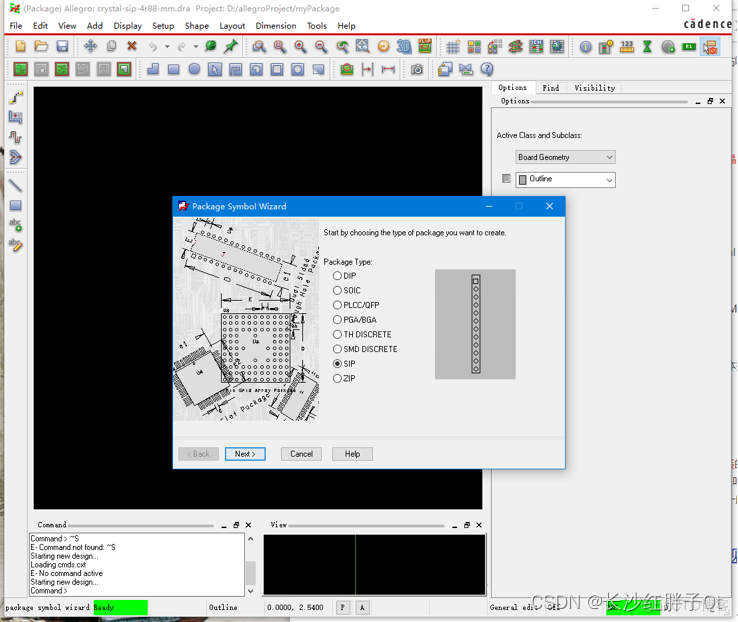
Hardware development notes (VIII): basic process of hardware development, making a USB to RS232 module (VII): creating a basic dip component (crystal oscillator) package and associating the principle

win10安装Monggodb的基本使用教程
随机推荐
Installation and removal of cover for CPU protection on desktop motherboard
Introduction to veeambackup & replication
瑞达期货可以开户吗?安全可靠吗?
微信小程序:修复采集接口版云开发表情包
Applet Wechat: un nouveau réseau exclusif de microgroupes de développement de Cloud
Sixty years of deep learning
TikTok全球短视频霸主地位或被YouTube反超
VQA不只需要图片,还需要外部知识!华盛顿大学&微软提出提出REVIVE,用GPT-3和Wikidata来辅助回答问题!...
【blackduck】jenkins下配置指定的synopsys-detect扫描版本
Thanos Store 组件
微信小程序:云开发表白墙微信小程序源码下载免服务器和域名支持流量主收益
Redis主从复制原理
[use of veux developer tools - use of getters]
【VEUX开发者工具的使用-getters使用】
Redis' cache avalanche, cache breakdown, cache penetration, cache preheating, and cache degradation
leetcode:226. 翻转二叉树
一次mysql的.ibd文件过大处理过程记录
[high concurrency] cache idea
Persistence mechanism of redis
MySQL数据库:存储引擎