当前位置:网站首页>Adobe Premiere basic special effects (card point and transition) (IV)
Adobe Premiere basic special effects (card point and transition) (IV)
2022-06-10 18:49:00 【Hu Anmin】
Property copy
When we set a lot of attribute configurations for a material , Like animation , transparent , Wait for the special effects , But I want to set the same attribute configuration for many other materials , that
Method 1: One by one material setting
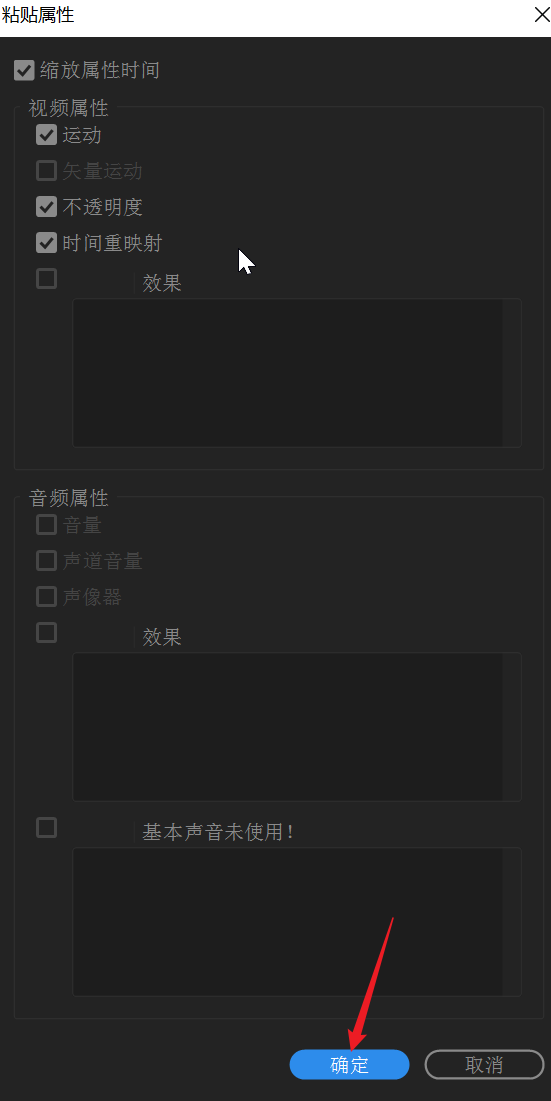
Method 2: Copy material , Then select all the materials you want to set and right-click paste properties **( recommend )**

Then select all other materials that require attributes , And then right-click , Paste properties 


Automatic matching sequence ( High efficiency checkpoint )
Automatically arrange the materials on the timeline in the selected order , There are two ways : The first one is : According to the order ( Do not change the length of the material , If it is a picture, you can set the picture duration ). The second kind : By tag ( You punch in the timeline ), We usually use the second way of marking , The specific operation steps are as follows :
Mark where you need to add material  Then point the pointer to a point before the first marker position , The pointer cannot be separated from the material , In this way, the automatic matching sequence can find the position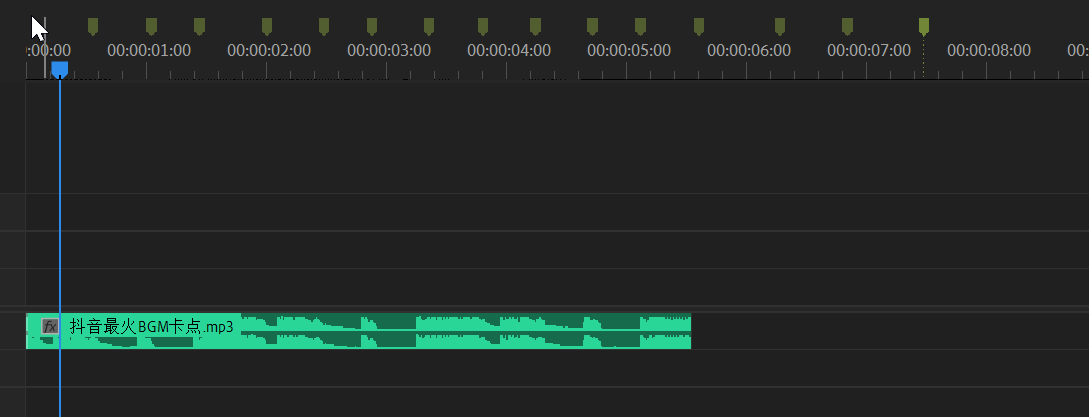
Then select all the materials to be added

Then choose Edit -> Automatic matching sequence


Then the effect is as follows , We have added material to the marked positions 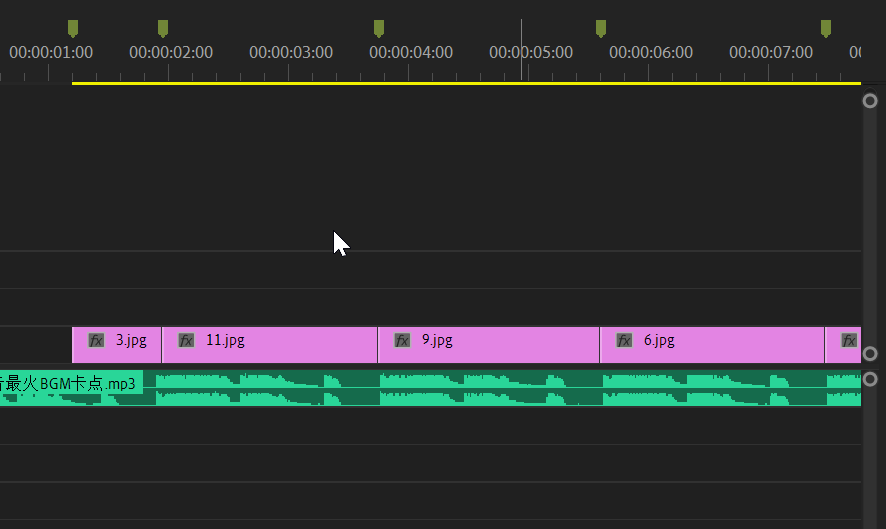
On the basis of the above, we are cooperating with simple zoom animation to improve the video effect
Card point teaching video demonstration
Premiere Basic sticking point
Transition ( excessive )
First, popularize the concept : A complete video consists of many videos And many scenes Composed of . For example, we shoot VLOG video , From the restaurant To the company , There are many clips here , And there are different scenes before the clip . And paragraphs and paragraphs 、 Transition or transformation between scenes , This is called transition . So how to add a transition ?
The above pictures are basically transitional , There are ways to use transition 2 Kind of
The first one is : Drag the transition directly to , Between the two materials
The second kind : Right click to set the selected transition to the default transition , Then select the transition you want to add Ctrl+d
What we usually use is the effect -> Video over -> dissolution [ Cross dissolution , Excessive white field , Black field excess ]
Basic transition teaching video demonstration
Premiere Basic transition


边栏推荐
- 三部曲解下棋先手后手问题
- Common methods of stream flow lambder
- 完全背包问题以及优化小技巧
- 数据处理时代,数据分析成为基础建设
- Data URL
- vcsa7u3c安装教程
- The value of Bi in the enterprise: business analysis and development decision
- [kuangbin] topic 22 interval DP
- Adobe Premiere基础(轨道相关)(五)
- Request header field xxxx is not allowed by Access-Control-Allow-Headers in preflight response问题
猜你喜欢

如何正确理解商业智能BI的实时性?

TestNG的HelloWorld例子以及如何在命令行下运行

In the introductory study of data visualization, we should be alert to pitfalls and misunderstandings and grasp key nodes

Developers changing the world - Yao Guang teenagers playing Tetris

3. getting started with golang concurrency

两部门发文明确校外培训机构消防安全条件

Form form of the uniapp uview framework, input the verification mobile number and verification micro signal

企业管理者的质疑,这么多年的信息化,我们的钱花哪去了?
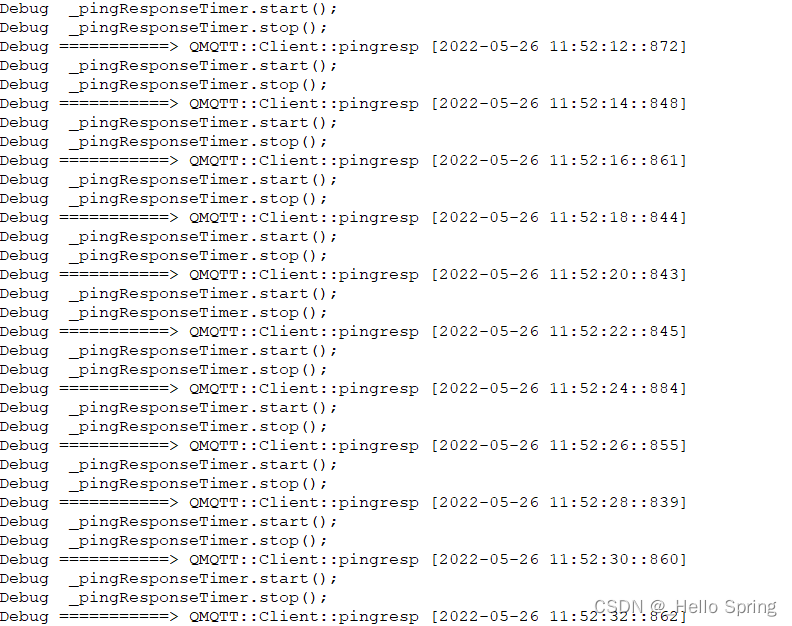
After the qtmqtt source code compilation is set to keepalive, the Ping package timeout error does not return a problem repair (qmqtt:: mqttnopingresponse, qmqtt:: clientprivate:: onpingtimeo)

商业智能BI如何帮企业降低人力、时间和管理成本?
随机推荐
三部曲解下棋先手后手问题
VMware vCenter 各版本号对照表
muduo源码剖析——以三个切片浅析muduo库代码设计的严谨性、高效性与灵活性
Win7系统下无法正常安装JLINK CDC UART驱动的问题解决
3. getting started with golang concurrency
实时商业智能BI(二):合理的ETL架构设计实现准实时商业智能BI
VMware Horizon 8 2111 部署系列(十六)Blast带宽测试
一道题讲解动态规划的前世今生
[kuangbin] topic 22 interval DP
What is Bi? Talk about the definition and function of Bi
In the era of data processing, data analysis has become the basic construction
Anchor type and row data type of DB2 SQL pl
数字化时代,企业如何进行数据安全治理,保障数据资产安全
攻防演练 | 网络安全“吹哨人”:安全监控
In 2021, the world's top ten analog IC suppliers: Ti ranked first, and skyworks' revenue growth was the highest
[kuangbin]专题十二 基础DP1
flutter系列之:UI layout简介
VMware horizon 82111 deployment series (XVI) blast bandwidth test
Stream生成的3张方式-Lambda
Building smart community Internet of things based on smart road lamp posts