当前位置:网站首页>055 c# print
055 c# print
2022-07-30 19:21:00 【51CTO】
           #region BarcodeStandard.dll


    /*


     *


     * 使用说明


     需要通过NuGet进行安装BarcodeLib.dll,必不可少


     */


    string inputString;


    /// <summary>


    /// 获取所以打印机驱动名称


    /// </summary>


    private void getPrintDocumentlist()


    {


        PrintDocument print = new PrintDocument();


        string sDefault = print.PrinterSettings.PrinterName;//默认打印机名


        comboBox_drive.Items.Add(sDefault);


        comboBox_drive.Text = sDefault;//显示默认驱动名称


        foreach (string sPrint in PrinterSettings.InstalledPrinters)//获取所有打印机名称


        {


            if (sPrint != sDefault)


            {


                comboBox_drive.Items.Add(sPrint);


            }


        }


    }


    /// <summary>


    /// 打印绘制


    /// </summary>


    /// <param name="sender"></param>


    /// <param name="e"></param>


    private void printDocument1_PrintPage(object sender, PrintPageEventArgs e)


    {


        Font titleFont = new Font("宋体", 9, FontStyle.Bold);//标题字体


        Font fntTxt = new Font("宋体", 9, FontStyle.Regular);//正文文字


        Brush brush = new SolidBrush(Color.Black);//画刷


        Pen pen = new Pen(Color.Black); //线条颜色


        Point po = new Point(10, 10);


        try


        {


            //画String


            e.Graphics.DrawString(GetPrintSW().ToString(), titleFont, brush, po);//打印内容


            //画横线


            //Point[] point = { new Point(20, 50), new Point(200, 50) };//纵坐标不变


            //e.Graphics.DrawLines(pen, point);


            //画竖线


            //Point[] points1 = { new Point(60, 70), new Point(60, 70 + 40) };//横坐标不变


            //e.Graphics.DrawLines(pen, points1);


            //画矩形


            //e.Graphics.DrawRectangle(pen, 20, 70, 90, 90);


        }


        catch (Exception ex)


        {


            MessageBox.Show(this, "打印出错!", "提示", MessageBoxButtons.OK, MessageBoxIcon.Information);


        }


    }


   /// <summary>


   /// 获取打印内容


   /// </summary>


   /// <returns></returns>


    public StringBuilder GetPrintSW()


    {


        StringBuilder sb = new StringBuilder();


        string tou = "XXXXXX科技有限公司";


        string address = "安徽省合肥市瑶海区";


        string saleID = "100010000001";    //单号


        string item = "项目";


        decimal price = 25.00M;


        int count = 5;


        decimal total = 0.00M;


        decimal fukuan = 500.00M;


        sb.AppendLine(" " + tou + " \n");


        sb.AppendLine("-----------------------------------------");


        sb.AppendLine("日期:" + DateTime.Now.ToShortDateString() + " " + "单号:" + saleID);


        sb.AppendLine("-----------------------------------------");


        sb.AppendLine("项目" + "    " + "数量" + "  " + "单价" + "    " + "小计");


        for (int i = 0; i < count; i++)


        {


            decimal xiaoji = (i + 1) * price;


            sb.AppendLine(item + (i + 1) + "    " + (i + 1) + "   " + price + "    " + xiaoji);


            total += xiaoji;


        }


        sb.AppendLine("-----------------------------------------");


        sb.AppendLine("数量:" + count + "  合计: " + total);


        sb.AppendLine("付款:" + fukuan);


        sb.AppendLine("现金找零:" + (fukuan - total));


        sb.AppendLine("-----------------------------------------");


        sb.AppendLine("地址:" + address + "");


        sb.AppendLine("电话:130000000000");


        sb.AppendLine("谢谢惠顾欢迎下次光临!");


        sb.AppendLine("-----------------------------------------");


        return sb;


    }


    /// <summary>


    /// 生成条形码


    /// </summary>


    /// <param name="content">内容</param>


    /// <returns></returns>


    public static Image GenerateBarCodeBitmap(string content)


    {


        using (var barcode = new Barcode()


        {


            IncludeLabel = true,


            Alignment = AlignmentPositions.CENTER,


            Width = 250,


            Height = 100,


            RotateFlipType = RotateFlipType.RotateNoneFlipNone,


            BackColor = Color.White,


            ForeColor = Color.Black,


        })


        {


            return barcode.Encode(TYPE.CODE128B, content);


        }


    }


    #endregion
- 1.
- 2.
- 3.
- 4.
- 5.
- 6.
- 7.
- 8.
- 9.
- 10.
- 11.
- 12.
- 13.
- 14.
- 15.
- 16.
- 17.
- 18.
- 19.
- 20.
- 21.
- 22.
- 23.
- 24.
- 25.
- 26.
- 27.
- 28.
- 29.
- 30.
- 31.
- 32.
- 33.
- 34.
- 35.
- 36.
- 37.
- 38.
- 39.
- 40.
- 41.
- 42.
- 43.
- 44.
- 45.
- 46.
- 47.
- 48.
- 49.
- 50.
- 51.
- 52.
- 53.
- 54.
- 55.
- 56.
- 57.
- 58.
- 59.
- 60.
- 61.
- 62.
- 63.
- 64.
- 65.
- 66.
- 67.
- 68.
- 69.
- 70.
- 71.
- 72.
- 73.
- 74.
- 75.
- 76.
- 77.
- 78.
- 79.
- 80.
- 81.
- 82.
- 83.
- 84.
- 85.
- 86.
- 87.
- 88.
- 89.
- 90.
- 91.
- 92.
- 93.
- 94.
- 95.
- 96.
- 97.
- 98.
- 99.
- 100.
- 101.
- 102.
- 103.
- 104.
- 105.
- 106.
- 107.
- 108.
- 109.
- 110.
- 111.
- 112.
- 113.
- 114.
- 115.
- 116.
- 117.
- 118.
- 119.
- 120.
- 121.
- 122.
- 123.
- 124.
- 125.
- 126.
- 127.
- 128.
- 129.
- 130.
- 131.
- 132.
- 133.
- 134.
- 135.
- 136.
- 137.
- 138.
- 139.
- 140.
- 141.
- 142.
- 143.
- 144.
- 145.
- 146.
- 147.
- 148.
- 149.
- 150.
- 151.
- 152.
- 153.
- 154.
- 155.
- 156.
           #region   Seagull.BarTender.Print.dll


    /// <summary>


    /// 打印测试


    /// </summary>


    /// <param name="sender"></param>


    /// <param name="e"></param>


    private void printbt_Click(object sender, EventArgs e)


    {


        string qd = comboBox_drive.Text;//下拉列表选择的驱动名称


        var printDocument = new PrintDocument();


        //指定打印机


        printDocument.PrinterSettings.PrinterName = qd;//驱动名称


        printDocument.PrintPage += new PrintPageEventHandler(printDocument1_PrintPage);


        try


        {


            //打印预览


            //PrintPreviewDialog ppd = new PrintPreviewDialog();


            //ppd.Document = printDocument;


            //ppd.ShowDialog();


            //打印


            printDocument.Print();


        }


        catch (InvalidPrinterException)


        {


        }


        finally


        {


            printDocument.Dispose();


        }


    }


    /// <summary>


    /// BarTender打印


    /// </summary>


    /// <param name="sender"></param>


    /// <param name="e"></param>


    private void BarTender_Click(object sender, EventArgs e)


    {


        try


        {


            //程序中写入引用 using Seagull.BarTender.Print.dll,必不可少;


            //安装Bartender后,在安装的根目录或者system32下课可找到对应的dll


            #region


            Engine btEngine = new Engine();


            btEngine.Start();


            string lj = AppDomain.CurrentDomain.BaseDirectory + "test.btw";  //test.btw是BT的模板


            LabelFormatDocument btFormat = btEngine.Documents.Open(lj);


            //对BTW模版相应字段进行赋值


            btFormat.SubStrings["name"].Value ="Liming";


            btFormat.SubStrings["code"].Value = "1234567890";


            //指定打印机名


            btFormat.PrintSetup.PrinterName = "WPS 虚拟打印机";


            //改变标签打印数份连载


            btFormat.PrintSetup.NumberOfSerializedLabels = 1;


            //打印份数


            btFormat.PrintSetup.IdenticalCopiesOfLabel = 1;


            Messages messages;


            int waitout = 10000; // 10秒 超时


            Result nResult1 = btFormat.Print("标签打印软件", waitout, out messages);


            btFormat.PrintSetup.Cache.FlushInterval = CacheFlushInterval.PerSession;


            //不保存对打开模板的修改


            btFormat.Close(Seagull.BarTender.Print.SaveOptions.DoNotSaveChanges);


            //结束打印引擎


            btEngine.Stop();


            #endregion


        }


        catch (Exception ex)


        {


            MessageBox.Show("错误信息: " + ex.Message);


            return;


        }


    }


    #endregion
- 1.
- 2.
- 3.
- 4.
- 5.
- 6.
- 7.
- 8.
- 9.
- 10.
- 11.
- 12.
- 13.
- 14.
- 15.
- 16.
- 17.
- 18.
- 19.
- 20.
- 21.
- 22.
- 23.
- 24.
- 25.
- 26.
- 27.
- 28.
- 29.
- 30.
- 31.
- 32.
- 33.
- 34.
- 35.
- 36.
- 37.
- 38.
- 39.
- 40.
- 41.
- 42.
- 43.
- 44.
- 45.
- 46.
- 47.
- 48.
- 49.
- 50.
- 51.
- 52.
- 53.
- 54.
- 55.
- 56.
- 57.
- 58.
- 59.
- 60.
- 61.
- 62.
- 63.
- 64.
- 65.
- 66.
- 67.
- 68.
- 69.
- 70.
- 71.
- 72.
- 73.
- 74.
- 75.
- 76.
- 77.
- 78.
- 79.
- 80.
- 81.
- 82.
- 83.
- 84.
- 85.
- 86.
- 87.
           #region  Interop.LabelManager2.dll


    /// <summary>


    /// 打印功能 CodeSoft


    /// </summary>


    /// <param name="PrintParam1">打印模板参数值1</param>


    /// <param name="PrintParam2">打印模板参数值2</param>


    /// <param name="PrintParam3">打印模板参数值3</param>


    /// <param name="PrintParam4">打印模板参数值4</param>


    /// <returns></returns>


    public bool SoftCodePrint(string PrintParam1 = "", string PrintParam2 = "", string PrintParam3 = "", string PrintParam4 = "")


    {


        bool result = false;


        int printNum = 2;//打印份数


        try


        {


            string text = string.Empty;


            ApplicationClass labApp = null;


            Document doc = null;


            string labFileName = AppDomain.CurrentDomain.BaseDirectory + "Template\\" + "Test.Lab";//模板地址


            if (!File.Exists(labFileName))


            {


                throw new Exception("沒有找到标签模版");


            }


            for (int i = 0; i < printNum; i++)


            {


                labApp = new ApplicationClass();


                labApp.Documents.Open(labFileName, false);// 调用设计好的label文件


                doc = labApp.ActiveDocument;


                //可通过配置档进行配置打印信息


                doc.Variables.FreeVariables.Item("模板变量名称1").Value = PrintParam1;


                doc.Variables.FreeVariables.Item("模板变量名称2").Value = PrintParam2;


                doc.Variables.FreeVariables.Item("模板变量名称3").Value = PrintParam3;


                doc.Variables.FreeVariables.Item("模板变量名称4").Value = PrintParam4;


                doc.PrintDocument(1);


            }


            labApp.Quit();


            result = true;


        }


        catch (Exception ex)


        {


        }


        return result;


    }


    #endregion
- 1.
- 2.
- 3.
- 4.
- 5.
- 6.
- 7.
- 8.
- 9.
- 10.
- 11.
- 12.
- 13.
- 14.
- 15.
- 16.
- 17.
- 18.
- 19.
- 20.
- 21.
- 22.
- 23.
- 24.
- 25.
- 26.
- 27.
- 28.
- 29.
- 30.
- 31.
- 32.
- 33.
- 34.
- 35.
- 36.
- 37.
- 38.
- 39.
- 40.
- 41.
- 42.
- 43.
- 44.
- 45.
- 46.
- 47.
- 48.
- 49.
边栏推荐
- 又一家公司面试的内容
- JS提升:Promise中reject与then之间的关系
- Scala学习:breakable
- 启动前台Activity
- MindSpore:mindspore有没有类似tf.GradientTape()用来求解梯度的?
- 【科普】无线电波怎样传送信息?
- SimpleOSS third-party library libcurl and engine libcurl error solution
- [Summary] 1396- 60+ VSCode plugins to create a useful editor
- 【MindSpore】用coco2017训练Model_zoo上的 yolov4,迭代了两千多batch_size之后报错,大佬们帮忙看看。
- iPhone真是十三香?两代产品完全对比,或许上一代更值得买
猜你喜欢
VBA 运行时错误‘-2147217900(80040e14):自动化(Automation)错误
MindSpore:ImageFolderDataset数据读取问题

卫星电话是直接与卫星通信还是通过地面站?

OneFlow source code analysis: Op, Kernel and interpreter

MindSpore:【模型训练】【mindinsight】timeline的时间和实际用时相差很远

【hbuilder】运行不了部分项目 , 打开终端 无法输入指令
C# wpf borderless window add shadow effect

natural language processing nltk
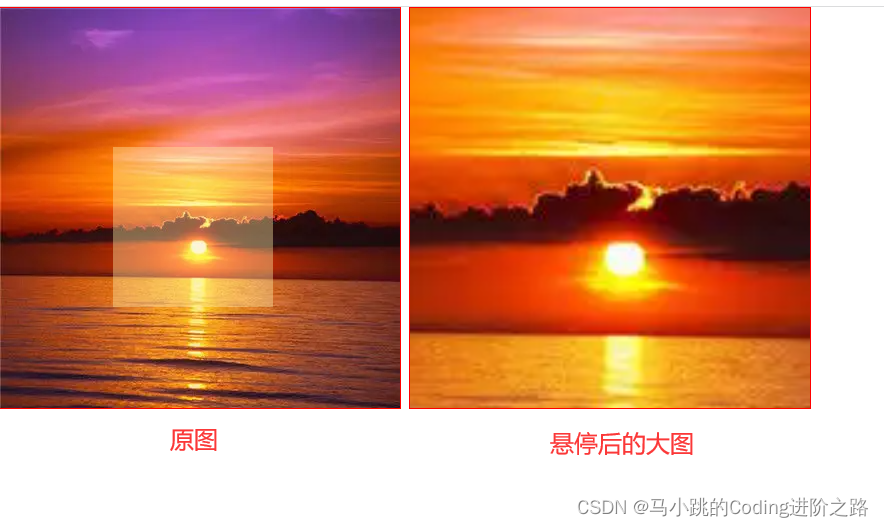
【网站放大镜效果】两种方式实现

VBA batch import Excel data into Access database
随机推荐
几个GTest、GMock的例子
DM8: Single database and single instance to build a local data guard service
Scala学习:breakable
浅聊对比学习(Contrastive Learning)第一弹
[hbuilder] cannot run some projects, open the terminal and cannot enter commands
node封装一个控制台进度条插件
基于inquirer封装一个控制台文件选择器
VBA批量将Excel数据导入Access数据库
跨进程启动后台服务
Go 系统收集
After 23 years of operation, the former "China's largest e-commerce website" has turned yellow...
Scala学习:类和对象
MindSpore:Cifar10Dataset‘s num_workers=8, this value is not within the required range of [1, cpu_thr
MindSpore:【语音识别】DFCNN网络训练loss不收敛
经济新闻:错误# 15:初始化libiomp5md。dll,但发现libiomp5md。已经初始化dll。解决方法
MindSpore:【MindSpore1.1】Mindspore安装后验证出现cudaSetDevice failed错误
VBA batch import Excel data into Access database
不同的路径依赖
Go system collection
OMP: Error #15: Initializing libiomp5md.dll, but found libiomp5md.dll already initialized.解决方法