当前位置:网站首页>Unitywebgl project summary (unfinished)
Unitywebgl project summary (unfinished)
2022-07-24 20:22:00 【_ A little QQ】
One 、 Empty package export test
1、 Direct export will generate the following error , Unable to load

Packaging failed and cannot be run

Here we need to check Decompression Fallback, Repackage the output test 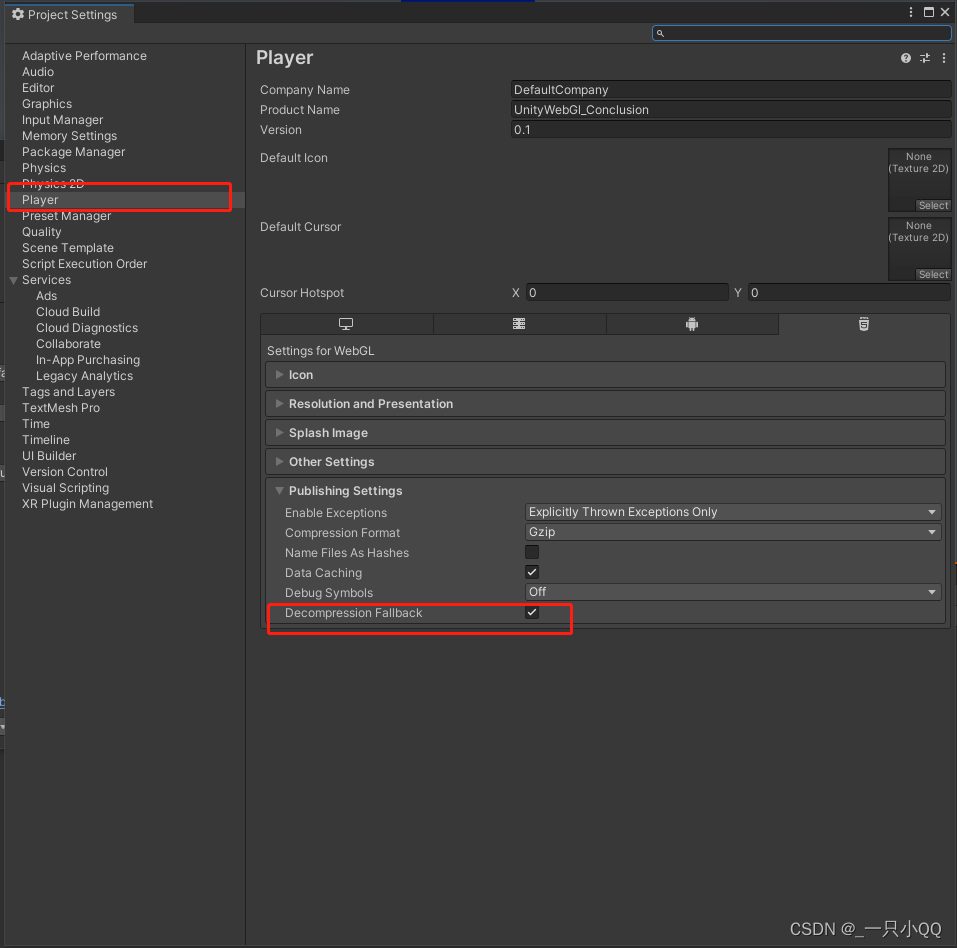
Package successfully ( Firefox )

So here we pack successfully ( Here I add a few models casually )
It should be noted that :
We can use Firefox Conduct local tests , Refer to this article for specific configuration methods
In addition, we can also use nginx To configure UnityWebgl file , Then you can use other browsers to test locally .
nginx: download http://nginx.org/en/download.html
1、 The first step is to download nginx
2、 Here I put nginx Put it in C:\MyTool\nginx-1.23.0
3、 I found no reaction after opening , So check the error log
C:\MyTool\nginx-1.23.0\logs\error.log

Check the problem because the port is occupied . Refer to the following article for specific solutions
4、 Then run successfully nginx

5、 Enter... In the browser localhost The following page appears , Then the local test configuration is successful

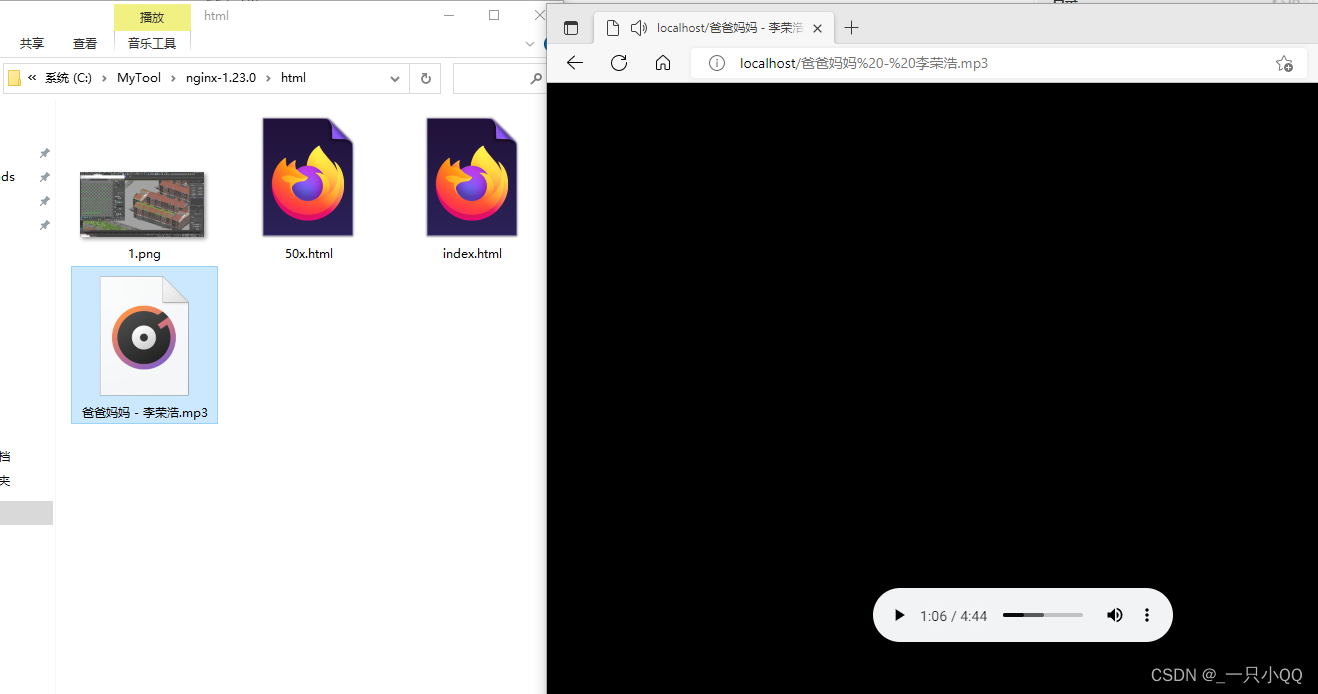
6、 We try to load pictures locally ( stay C:\MyTool\nginx-1.23.0\html Add a picture named 1.png)

There is no problem loading music locally
Summarize the above two methods :
1、 use Firefox Direct tests
advantage : Simple and convenient , It can be tested without too much back-end knowledge
shortcoming :(1) Because our test files are all placed in StreamingAssets The file of , Therefore, it is necessary for us to place all resource files in Unity Of StreamingAssets In the folder , This will also affect our packaging speed .
(2) We can only limit the use Firefox , There are many limitations
Address :path = Application.streamingAssetsPath + "/" + name;
2、 To configure nginx Conduct local environment test after environment
advantage : Not limited to a browser , It's easy to use , And does not affect the packaging speed .
shortcoming : Configuring the environment is troublesome
Address :localhost/ + name;
Two 、 Start modeling
After the empty package test confirms that there is no problem , We can start Modeling .
It should be noted that , Because we need to browse our 3D model on the web , At this time, our three-dimensional model should not be complex , Especially Ensure the number of faces of the whole scene ( It is best to model on one side ), The size and number of maps , Avoid subsequent browser failure .
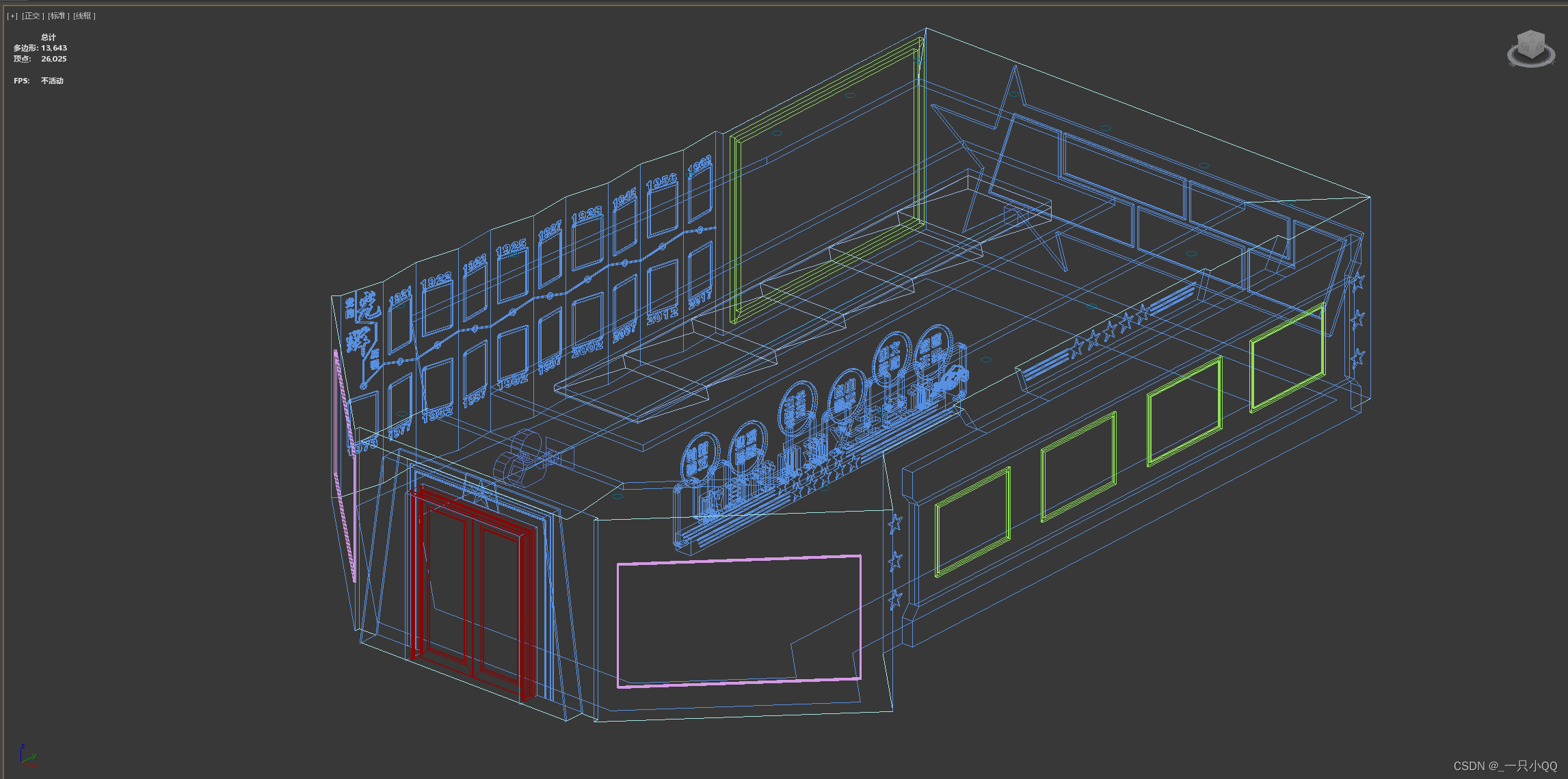
3Dmax Model
Here is my whole scene model 13000 Face to face , In fact, it can be more streamlined . The main waste of model faces lies in the text model , Text can actually be done with maps . I have little influence here because the scene is relatively small , If the scene is bigger , It is recommended that the text be demonstrated with a map .
The second is to model as much as possible Merge UV, Reduce the number of maps 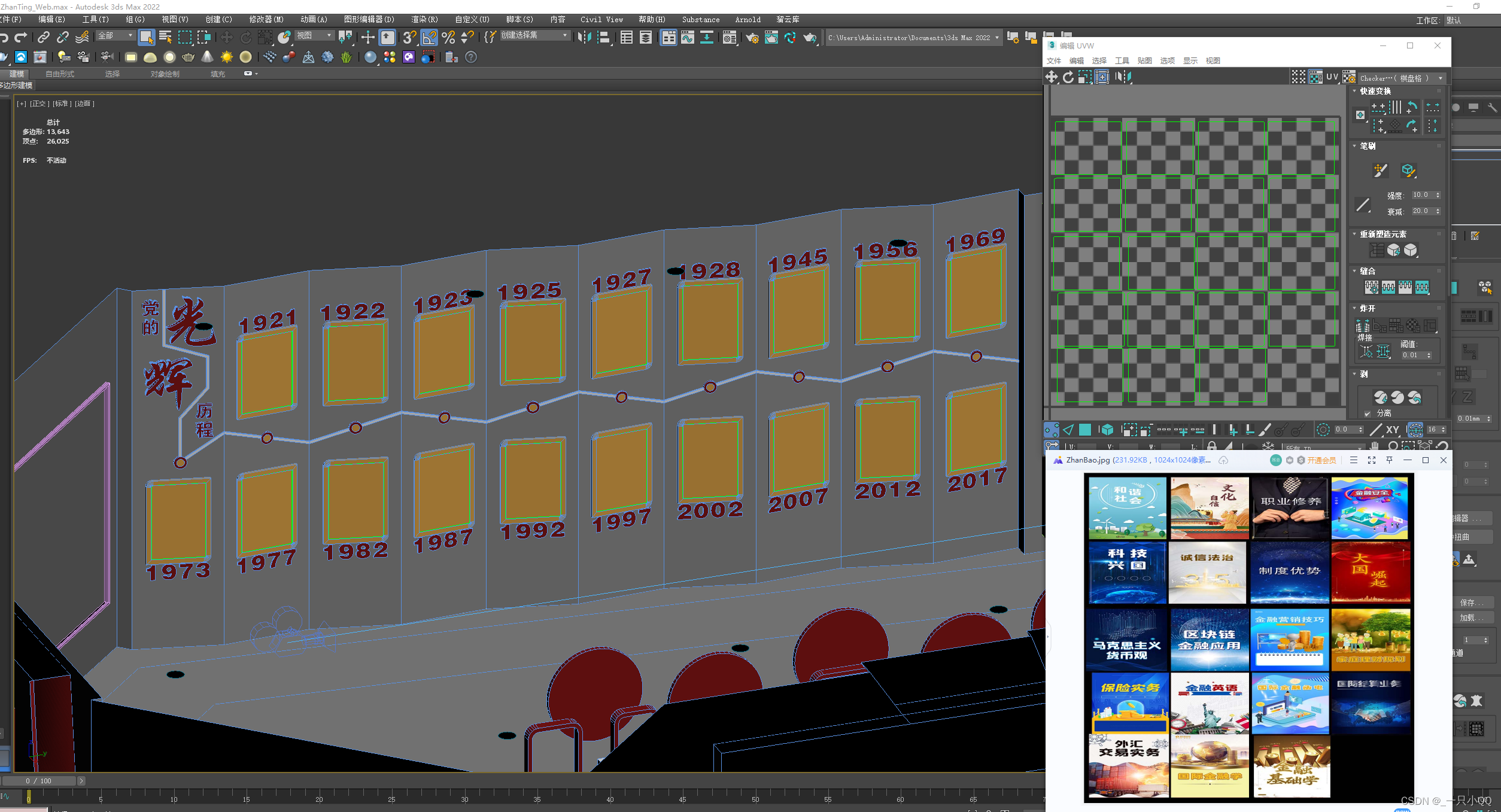
Unity3D Model
Unity3D In this part, I use URP pipeline .
This project mainly stepped on many holes in the procedure , Scene art is nothing more than verbose , You can see the video I made before .
【Unity3D Study 】Unity3D Scene fast baking 、 from 3Dmax To Unity3D workflow _ Bili, Bili _bilibili
3、 ... and 、 In terms of procedure
1、UnityWebgl These files will be generated after packaging the output . among StreamingAssets Is a read-only 、 Non writable directory ; The resources under this folder will remain in the original format ( For example, images will not be texture compressed by the engine ).
So we can put all the resources ( Including multimedia files 、 Text files, etc ) Put it in StreamingAssets Intermediate testing .

( Pictured ) Usually we have to UI Of Image Show pictures on , Turn the picture directly into Sprite Then drag it in Image Of Source Image that will do

( Pictured ) When our pictures are placed in StreamingAssets in , Cannot operate , At this time, we can only write scripts to read StreamingAssets Picture below .

Because we need Access the network Of , We have four options for this :
I tried to use it myself WWW and UnityWebRequest. Because I use higher Unity2021 edition ,WWW Has been officially abandoned , So I finally chose to use UnityWebRequest.
1、 How to read pictures as UI Of Image
The script is attached here
using System;
using System.Collections;
using System.Collections.Generic;
using UnityEngine;
using UnityEngine.Events;
using UnityEngine.Networking;
using UnityEngine.UI;

public class LoadPic : MonoBehaviour
{
    public RawImage image;
    private void Start()
    {
        StartCoroutine(TextureReader("BasketballPlayer.png", loadPic));
    }
    private void loadPic(Texture texture)
    {
        image.texture = texture;
    }
    /// <summary>
    ///  Read streamingAsset Picture in
    /// </summary>
    /// <param name="mediaName"></param>
    /// <param name="action"> Pass in a method group </param>
    /// <returns></returns>
    public static IEnumerator TextureReader(string name, UnityAction<Texture> action)
    {
        string path;
#if UNITY_WIN_STANDALONE || UNITY_IPHONE && !UNITY_EDITOR
        path = Application.streamingAssetsPath +"/" +name;
#else
        path = Application.streamingAssetsPath + "/" + name;
#endif
        UnityWebRequest unityWebRequest = UnityWebRequestTexture.GetTexture(path);
        yield return unityWebRequest.SendWebRequest();
        if (unityWebRequest.error != null)
            Debug.Log(unityWebRequest.error);
        else
        {
            byte[] bts = unityWebRequest.downloadHandler.data;
            if (action != null)
            {
                action(DownloadHandlerTexture.GetContent(unityWebRequest));
            }
        }
    }
}

Here, even if our image is loaded successfully , Let's pack him up , There's no problem with finding out

Here we change a picture ( Pay attention to consistent naming ), Refresh the webpage, and the pictures are updated synchronously .

This method is convenient for our subsequent testing
2、 How to read pictures as material maps ( It is mainly used on the poster of subsequent maintenance and replacement )
Just make the following changes to the above code
private void loadPic(Texture texture)
    {
        Plane.GetComponent<MeshRenderer>().material.mainTexture = texture;
        //image.texture = texture;
    }
3、 load Json file
First attach the script
using System.Collections;
using System.Collections.Generic;
using UnityEngine;
using UnityEngine.Events;
using UnityEngine.Networking;
using UnityEngine.UI;

public class LoadJson : MonoBehaviour
{
    string s = "";
    string m_s = "";
    public Text textStudent;
    private void OnGUI()
    {
        if (GUI.Button(new Rect(0, 100, 100, 50), "LoadJson"))
            StartCoroutine(TextReader("Test.json", ShowJson));
    }

    /// <summary>
    ///  Read json file
    /// </summary>
    /// <param name="s"></param>
    private void ShowJson(string s)
    {
        //json The format is utf-8  No bom function   , Otherwise, it will report a mistake
        StudentItem studentItem = JsonUtility.FromJson<StudentItem>(s);
        foreach (StudentData studentData in studentItem.infoList)
        {
            {
                m_s += (" full name :" + studentData.name + "   Age :" + studentData.age + "   Gender :" + studentData.sex + "\n");
            }
        }
        textStudent.text = m_s;

    }

    [System.Serializable]
    public struct StudentItem
    {
        public StudentData[] infoList;
    }
    /// <summary>
    /// json file information
    /// </summary>
    [System.Serializable]
    public struct StudentData
    {
        public string name;
        public double age;
        public string sex;
    }

    /// <summary>
    ///  Read StreamingAsset Configuration file in
    /// </summary>
    /// <param name="configName"></param>
    /// <param name="action"></param>
    /// <returns></returns>
    public static IEnumerator TextReader(string configName, UnityAction<string> action = null)
    {
        string path;
#if UNITY_WIN_STANDALONE || UNITY_IPHONE &&!UNITY_EDITOR
        path ="file://"+ Application.streamingAssets
        Path + configName;
#else
        path = Application.streamingAssetsPath + "/" + configName;
#endif
        UnityWebRequest unityWebRequest = UnityWebRequest.Get(path);
        yield return unityWebRequest.SendWebRequest();

        if (unityWebRequest.error != null)
            Debug.Log(unityWebRequest.error);
        else
        {
            string content = unityWebRequest.downloadHandler.text;
            if (action != null)
                action(content);
        }
    }
}
Effect demonstration
load Json File successfully

Here we try external modification Json file , It can also be loaded synchronously after refreshing the browser

load Json There are several pits here
1、 What I use here is Unity Official analysis Json Method ,UnityEngine.JsonUtility, It can only solve some simple problems , I only need a simple implementation here . If you want to implement complex functions, you still need a third-party library .JsonUtility.FromJson Only the first object can be resolved , Cannot resolve multiple objects . So our Json The file needs a shell [ ], Make it an element .
2、json The preservation of must be utf-8 Without signature , Otherwise, it will report a mistake :ArgumentException: JSON parse error: Invalid value.
3、 Use JsonUtility Must have a serialization label [System.Serializable];
4、 Pay attention to the font type ,Unity Own is Arial typeface . however Arial Fonts do not support Chinese , pack UnityWebgl Then Chinese will disappear . Here we just need to find a font that supports Chinese ( What I use here is In black ).
3、 load CSV file ( Same as loading Json file )
4、 load Txt file ( Same as loading Json file )
You can see this video in this part
5、 Load video file
(1) Here I am Unity There is nothing wrong with the internal playback
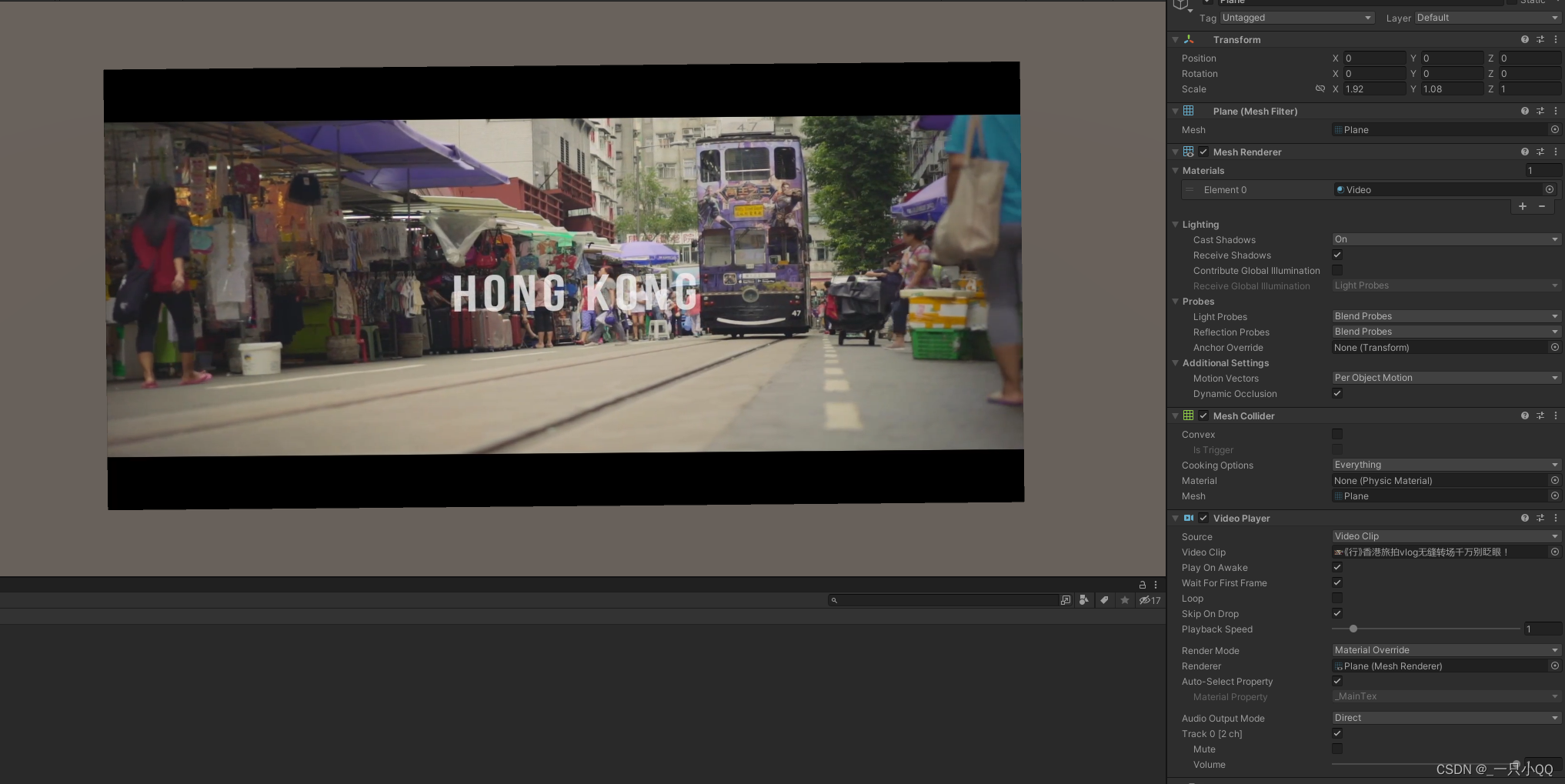
(2) There is no response in the browser after packaging (Edge, Google , Firefox has tried ),F12 The view shows that there is no corresponding compiler

(3) My solution is to change the video loading mode to URL load , Move the video file to StreamingAssets Middle or nginx In the path .

Attach code
using System.Collections;
using System.Collections.Generic;
using UnityEngine;
using UnityEngine.Video;

public class LoadVideo : MonoBehaviour
{
    VideoPlayer video;
    private void Awake()
    {
        video = GetComponent<VideoPlayer>();
        video.url = Application.streamingAssetsPath + "/01.mp4";
    }
}
The pit here needs attention :
1、 Be careful not to miss "/";
2、 Pay attention to the suffix of the video file ;
3、 The most important point !!! Video files cannot have Chinese !!!
Finally, package all browsers ( Google 、Edge、 firefox ) Can play normally
6、 load PDF file
Here I use a plug-in PDFViewer, The effect is shown in the figure . Measured at UnityWebgl Also applicable in
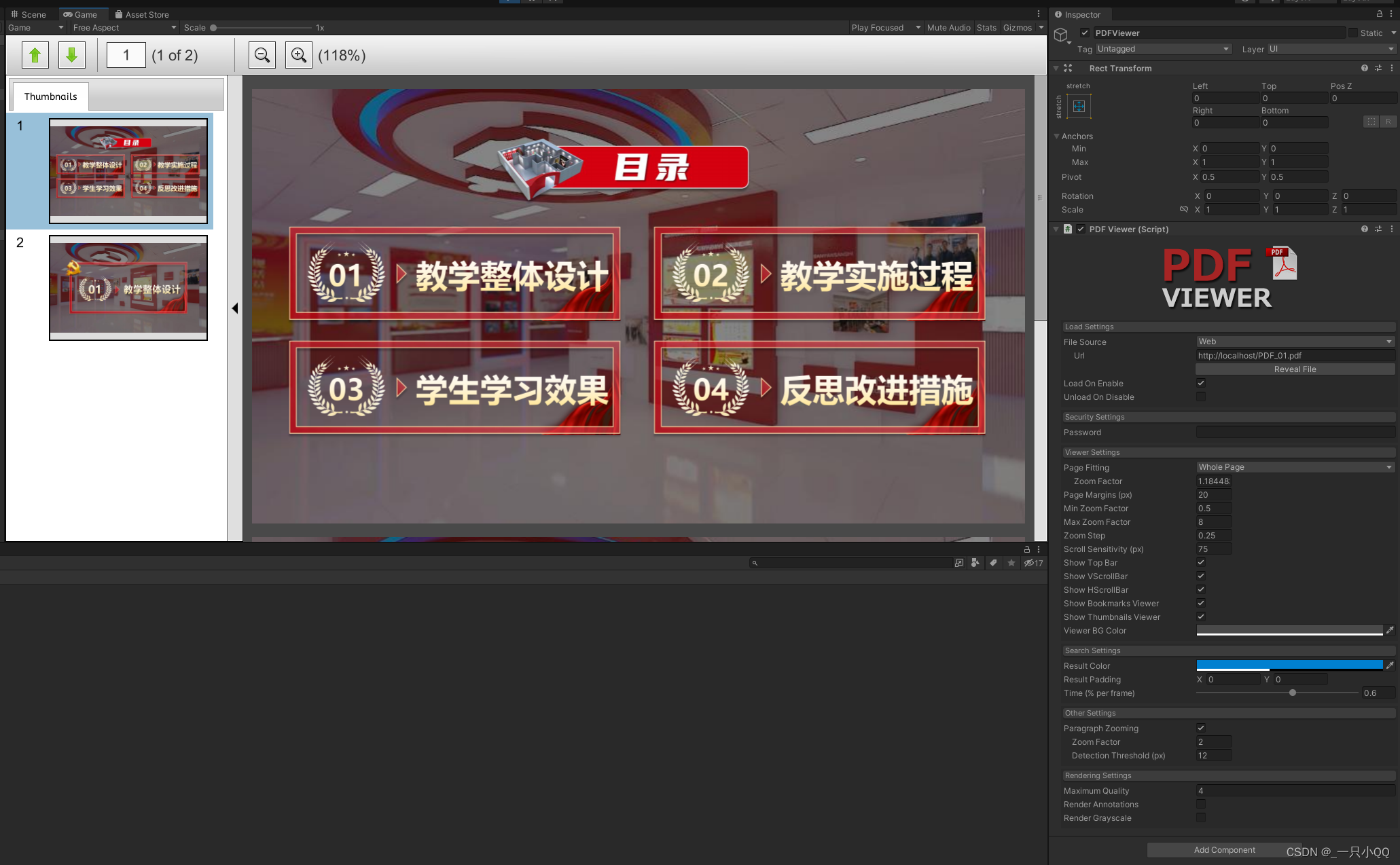
The plug-in link is attached :
link :https://pan.baidu.com/s/1Rco-7FWRT1_FYPmMcYVERg
Extraction code :7gvo
The specific use method is not very difficult , Don't write too much here .
边栏推荐
- Review the code implementation of memcpy function
- [training Day10] linear [mathematics] [thinking]
- Batch download files from the server to the local
- Istio二之流量劫持过程
- [msp430g2553] graphical development notes (2) system clock and low power consumption mode
- C# 窗体应用TreeView控件使用
- 2019 Hangzhou Electric Multi School Game 9 6684 Rikka with game [game question]
- Synthesis route of ALA PNA alanine modified PNA peptide nucleic acid | AC ala PNA
- Codeforces round 580 (Div. 2) c- almost equal [Law]
- Do you want to enroll in a training class or study by yourself?
猜你喜欢

Near infrared dye cy7.5 labeling PNA polypeptide experimental steps cy7.5-pna|188re labeling anti gene peptide nucleic acid (agpna)

Lunch break train & problem thinking: thinking about the problem of converting the string formed by hour: minute: second to second
![[training Day10] linear [mathematics] [thinking]](/img/bf/0082dbe88c579bbb7adc014c60a0be.png)
[training Day10] linear [mathematics] [thinking]
![2019 Hangdian multi school first 6581 vacation [thinking]](/img/38/5a74d3ef346d6801f9da8fd3a4b23a.png)
2019 Hangdian multi school first 6581 vacation [thinking]

Lunch break train & problem thinking: on multidimensional array statistics of the number of elements

Introduction to fastdfs high availability
Redis basic knowledge, application scenarios, cluster installation
Batch download files from the server to the local

Rhodamine B labeled PNA | rhodamine b-pna | biotin modified PNA | biotin modified PNA | specification information

vlan技术
随机推荐
Lunch break train & problem thinking: on multidimensional array statistics of the number of elements
Pix2seq: Google brain proposes a unified interface for CV tasks!
VLAN Technology
In the era of new knowledge economy, who is producing knowledge?
Guys, I have no problem running locally in diea, running on the server. What's wrong with the lack of CDC connection? The database IP can be pinged
How to view the execution plan of a stored procedure in Youxuan database
What should Ali pay attention to during the interview? Personal account of Alibaba interns who passed five rounds of interviews
Write a batch and start redis
MySQL stored procedure
Wechat applet -that.setdata ({}) set complex field data
Inconsistent time
Methods of using tyrosine modified peptide nucleic acid PNA | Tyr PNA | BZ Tyr PNA | 99Tcm survivinmrna antisense peptide nucleic acid
英文翻译中文常见脏话
[FreeRTOS] 10 event flag group
vlan技术
Xiaomi 12s ultra products are so powerful, but foreigners can't buy Lei Jun: first concentrate on the Chinese market
147-利用路由元信息设置是否缓存——include和exclude使用——activated和deactivated的使用
Apache atlas version 2.2 installation
How to integrate Kata in kubernetes cluster
Read the registry through the ATL library clegkey (simple and convenient)