当前位置:网站首页>Migrate data from Amazon aurora to tidb
Migrate data from Amazon aurora to tidb
2022-07-03 06:05:00 【Tianxiang shop】
This document describes how to start from Amazon Aurora Migrate data to TiDB, Migration process adopts DB snapshot, It can save a lot of space and time costs . The whole migration includes two processes :
- Use Lightning Import full data to TiDB
- Use DM Continue incremental synchronization to TiDB( Optional )
Prerequisite
- install Dumpling and Lightning.
- obtain Dumpling what is needed Upstream database permissions .
- obtain Lightning Required downstream database permissions .
Import full data to TiDB
The first 1 Step : export Aurora Snapshot file to Amazon S3
stay Aurora On , Execute the following command , Query and record the current binlog Location :
mysql> SHOW MASTER STATUS;You'll get something like this , Please record binlog Name and location , For subsequent steps :
+------------------+----------+--------------+------------------+-------------------+ | File | Position | Binlog_Do_DB | Binlog_Ignore_DB | Executed_Gtid_Set | +------------------+----------+--------------+------------------+-------------------+ | mysql-bin.000002 | 52806 | | | | +------------------+----------+--------------+------------------+-------------------+ 1 row in set (0.012 sec)export Aurora Snapshot file . Please refer to Aurora Official documents of :Exporting DB snapshot data to Amazon S3.
Please note that , The time interval between the above two steps is recommended not to exceed 5 minute , Otherwise it's recorded binlog Too old location may cause data conflict during incremental synchronization .
After completing the above two steps , You need to prepare the following information :
- When creating snapshot points ,Aurora binlog Name and location of .
- Of snapshot files S3 route , And those with access SecretKey and AccessKey.
The first 2 Step : export schema
because Aurora The generated snapshot file does not contain the table creation statement file , So you need to use Dumpling Self export schema And use Lightning Create downstream schema. You can also skip this step , And manually create it downstream schema.
Run the following command , It is recommended to use --filter Parameters export only the schema:
tiup dumpling --host ${host} --port 3306 --user root --password ${password} --filter 'my_db1.table[12]' --no-data --output 's3://my-bucket/schema-backup?region=us-west-2' --filter "mydb.*"
The parameters used in the command are described as follows . For more information, please refer to Dumpling overview.
| Parameters | explain |
|---|---|
| -u or --user | Aurora MySQL Database users |
| -p or --password | MySQL User password of database |
| -P or --port | MySQL Port of the database |
| -h or --host | MySQL Database IP Address |
| -t or --thread | Number of threads exported |
| -o or --output | The directory where the exported files are stored , Support local file path or External storage URL Format |
| -r or --row | Maximum lines per file |
| -F | Specify the maximum size of a single file , Unit is MiB, recommended value 256 MiB |
| -B or --database | Export specified database |
| -T or --tables-list | Export the specified data table |
| -d or --no-data | Do not export data , Export only schema |
| -f or --filter | Export tables that match patterns , Unavailable -T Use it together , Grammar can refer to table filter |
The first 3 Step : To write Lightning The configuration file
Create tidb-lightning.toml The configuration file :
vim tidb-lightning.toml
[tidb] # The goal is TiDB Cluster information . host = ${host} # for example :172.16.32.1 port = ${port} # for example :4000 user = "${user_name}" # for example :"root" password = "${password}" # for example :"rootroot" status-port = ${status-port} # Table structure information from TiDB Of “ Status port ” Get example :10080 pd-addr = "${ip}:${port}" # colony PD The address of ,lightning adopt PD Get some information , for example 172.16.31.3:2379. When backend = "local" when status-port and pd-addr Must be filled in correctly , Otherwise, an exception will appear in the import . [tikv-importer] # "local": This mode is used by default , Apply to TB Large amount of data above level , But downstream during import TiDB Unable to provide external services . # "tidb":TB Data volume below level can also be used `tidb` Back end mode , The downstream TiDB Can normally provide services . For more information about the backend mode, see :https://docs.pingcap.com/tidb/stable/tidb-lightning-backends backend = "local" # Set the temporary storage address of sorted key value pairs , The destination path must be an empty directory , The directory space must be larger than the size of the dataset to be imported , It is recommended to set it to and `data-source-dir` Different disk directories and flash media , Monopoly IO You will get better import performance . sorted-kv-dir = "${path}" [mydumper] # Address of snapshot file data-source-dir = "${s3_path}" # eg: s3://my-bucket/sql-backup?region=us-west-2 [[mydumper.files]] # analysis parquet The expression required by the file pattern = '(?i)^(?:[^/]*/)*([a-z0-9_]+)\.([a-z0-9_]+)/(?:[^/]*/)*(?:[a-z0-9\-_.]+\.(parquet))$' schema = '$1' table = '$2' type = '$3'
If you need to TiDB Turn on TLS , Please refer to TiDB Lightning Configuration.
The first 4 Step : Import full data to TiDB
Use Lightning In the downstream TiDB Build table :
tiup tidb-lightning -config tidb-lightning.toml -d 's3://my-bucket/schema-backup?region=us-west-2'function
tidb-lightning. If you start the program directly from the command line , Maybe becauseSIGHUPSignal and exit , Suggest cooperationnohuporscreenTools such as , Such as :Will have access to this Amazon S3 The account number stored in the backend SecretKey and AccessKey Pass in as an environment variable Lightning node . At the same time, it also supports from
~/.aws/credentialsRead the credential file .export AWS_ACCESS_KEY_ID=${access_key} export AWS_SECRET_ACCESS_KEY=${secret_key} nohup tiup tidb-lightning -config tidb-lightning.toml > nohup.out 2>&1 &After the import starts , You can view the progress in any of the following ways :
- adopt
grepLog keywordsprogressView progress , Default 5 Minute update . - Check the progress through the monitoring panel , Please refer to TiDB Lightning monitor .
- adopt Web Page view progress , Please refer to Web Interface .
- adopt
After import ,TiDB Lightning Will automatically exit . Check the last of the log 5 There will be
the whole procedure completed, It indicates that the import was successful .
Be careful
Whether the import is successful or not , The last line will show tidb lightning exit. It just means TiDB Lightning The normal exit , Does not mean that the task is completed .
If you encounter problems during import , Please see the TiDB Lightning common problem .
Continuously and incrementally synchronize data to TiDB( Optional )
Prerequisite
The first 1 Step : create data source
newly build
source1.yamlfile , Write the following :# Unique name , Do not repeat . source-id: "mysql-01" # DM-worker Whether to use the global transaction identifier (GTID) Pull binlog. The premise of use is upstream MySQL Enabled GTID Pattern . If there is master-slave automatic switching in the upstream , Must be used GTID Pattern . enable-gtid: false from: host: "${host}" # for example :172.16.10.81 user: "root" password: "${password}" # Clear text password is supported but not recommended , It is recommended to use dmctl encrypt Encrypt the plaintext password and use port: 3306Execute the following command in the terminal , Use
tiup dmctlLoad the data source configuration into DM In the cluster :tiup dmctl --master-addr ${advertise-addr} operate-source create source1.yamlThe parameters in this command are described as follows :
Parameters describe --master-addrdmctl Any of the clusters to be connected DM-master Node {advertise-addr}, for example :172.16.10.71:8261 operate-source createtowards DM The cluster loads the data source
The first 2 Step : Create migration tasks
newly build task1.yaml file , Write the following :
# Task name , Multiple tasks running at the same time cannot have the same name . name: "test" # Task mode , May be set as # full: Only full data migration # incremental: binlog Real time synchronization # all: Total quantity + binlog transfer task-mode: "incremental" # The downstream TiDB Configuration information . target-database: host: "${host}" # for example :172.16.10.83 port: 4000 user: "root" password: "${password}" # Clear text password is supported but not recommended , It is recommended to use dmctl encrypt Encrypt the plaintext password and use # Black and white list global configuration , Each instance refers to . block-allow-list: # If DM The version is earlier than v2.0.0-beta.2 Then use black-white-list. listA: # name do-tables: # White list of upstream tables that need to be migrated . - db-name: "test_db" # The library name of the table to be migrated . tbl-name: "test_table" # Name of the table to be migrated . # Configure data sources mysql-instances: - source-id: "mysql-01" # data source ID, namely source1.yaml Medium source-id block-allow-list: "listA" # Introduce the black and white list configuration above . # syncer-config-name: "global" # Quote... Above syncers Incremental data configuration . meta: # task-mode by incremental And downstream database checkpoint When there is no binlog Where the migration starts ; If checkpoint There is , with checkpoint Subject to . binlog-name: "mysql-bin.000004" # “Step 1. export Aurora Snapshot file to Amazon S3” Log location recorded in , When there is master-slave switching in the upstream , You have to use gtid. binlog-pos: 109227 # binlog-gtid: "09bec856-ba95-11ea-850a-58f2b4af5188:1-9" # 【 Optional configuration 】 If incremental data migration requires repeated migration of data that has been migrated in full data migration , It needs to be turned on safe mode Avoid incremental data migration errors . ## This scenario is often seen in the following situations : The fully migrated data does not belong to a consistent snapshot of the data source , Then synchronize the incremental data from a location earlier than the full migration of data . # syncers: # sync Operation configuration parameters of processing unit . # global: # Configuration name . # safe-mode: true # Set to true, From the data source INSERT to REPLACE, take UPDATE to DELETE And REPLACE, This ensures that data can be imported repeatedly when migrating under the condition that there is a primary key or a unique index in the table structure DML. Before starting or resuming the incremental replication task 1 Within minutes TiDB DM It will start automatically safe mode.
The above is the minimum task configuration for performing migration . More configuration items about tasks , You can refer to DM Introduction to the complete configuration file of the task
The first 3 Step : Start the task
Before you start the data migration task , It is recommended to use check-task Command to check whether the configuration conforms to DM Configuration requirements for , To reduce the probability of error reporting in the later stage :
tiup dmctl --master-addr ${advertise-addr} check-task task.yaml
Use tiup dmctl Execute the following command to start the data migration task .
tiup dmctl --master-addr ${advertise-addr} start-task task.yaml
The parameters in this command are described as follows :
| Parameters | describe |
|---|---|
--master-addr | dmctl Any of the clusters to be connected DM-master Node {advertise-addr}, for example : 172.16.10.71:8261 |
start-task | The command is used to create a data migration task |
If the task fails to start , You can change the configuration according to the prompt of the returned result , Execute the above command again , Restart the task . Please refer to Faults and handling methods as well as common problem .
The first 4 Step : View task status
If you need to know DM Whether there are running migration tasks and task status in the cluster , You can use tiup dmctl perform query-status Command to query :
tiup dmctl --master-addr ${advertise-addr} query-status ${task-name}
Detailed interpretation of query results , Please refer to State of the query .
The first 5 Step : Monitor tasks and view logs
To view the historical status of the migration task and more internal operation indicators , Please refer to the following steps .
If you use TiUP Deploy DM When the cluster , Deployed correctly Prometheus、Alertmanager And Grafana, Use the IP And port entry Grafana, choice DM Of dashboard see DM Relevant monitoring items .
DM At run time ,DM-worker, DM-master And dmctl Will output relevant information through the log . The log directory of each component is as follows :
- DM-master Log directory : adopt DM-master Process parameters
--log-fileSet up . If you use TiUP Deploy DM, The log directory is located in/dm-deploy/dm-master-8261/log/. - DM-worker Log directory : adopt DM-worker Process parameters
--log-fileSet up . If you use TiUP Deploy DM, The log directory is located in/dm-deploy/dm-worker-8262/log/.
Explore more
边栏推荐
- Kubernetes notes (VIII) kubernetes security
- Skywalking8.7 source code analysis (I): agent startup process, agent configuration loading process, custom class loader agentclassloader, plug-in definition system, plug-in loading
- Installation du plug - in CAD et chargement automatique DLL, Arx
- 为什么网站打开速度慢?
- Tabbar settings
- [teacher Zhao Yuqiang] redis's slow query log
- pytorch 搭建神经网络最简版
- Download the corresponding version of chromedriver
- [teacher Zhao Yuqiang] use Oracle's tracking file
- 理解 YOLOV1 第一篇 预测阶段
猜你喜欢
![[teacher Zhao Yuqiang] index in mongodb (Part 2)](/img/a7/2140744ebad9f1dc0a609254cc618e.jpg)
[teacher Zhao Yuqiang] index in mongodb (Part 2)
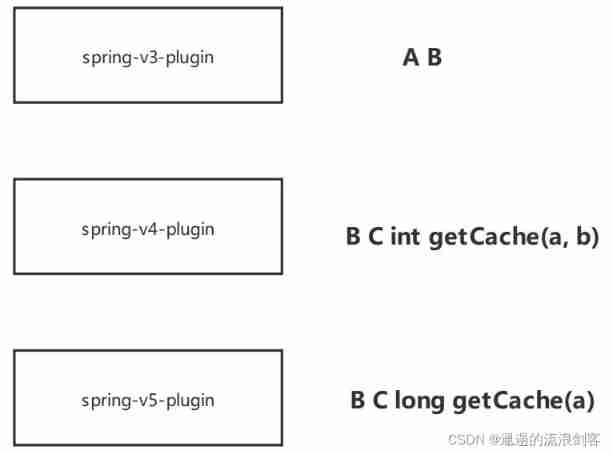
Skywalking8.7 source code analysis (II): Custom agent, service loading, witness component version identification, transform workflow

Kubesphere - Multi tenant management
![[teacher Zhao Yuqiang] use Oracle's tracking file](/img/0e/698478876d0dbfb37904d7b9ff9aca.jpg)
[teacher Zhao Yuqiang] use Oracle's tracking file
![[teacher Zhao Yuqiang] the most detailed introduction to PostgreSQL architecture in history](/img/18/f91d3d21a39743231d01f2e4015ef8.jpg)
[teacher Zhao Yuqiang] the most detailed introduction to PostgreSQL architecture in history
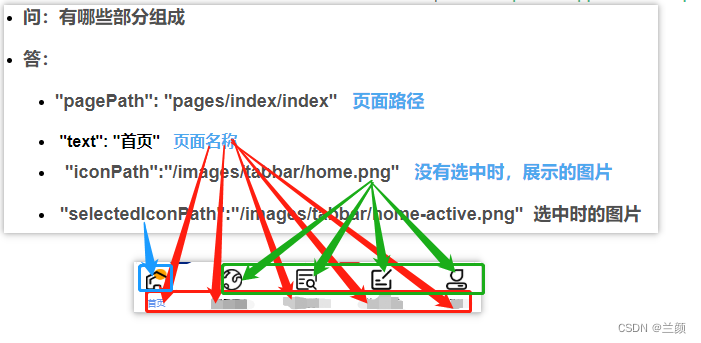
Tabbar settings

理解 期望(均值/估计值)和方差

Configure DTD of XML file
![[advanced pointer (1)] | detailed explanation of character pointer, pointer array, array pointer](/img/9e/a4558e8e53c9655cbc1a38e8c0536e.jpg)
[advanced pointer (1)] | detailed explanation of character pointer, pointer array, array pointer
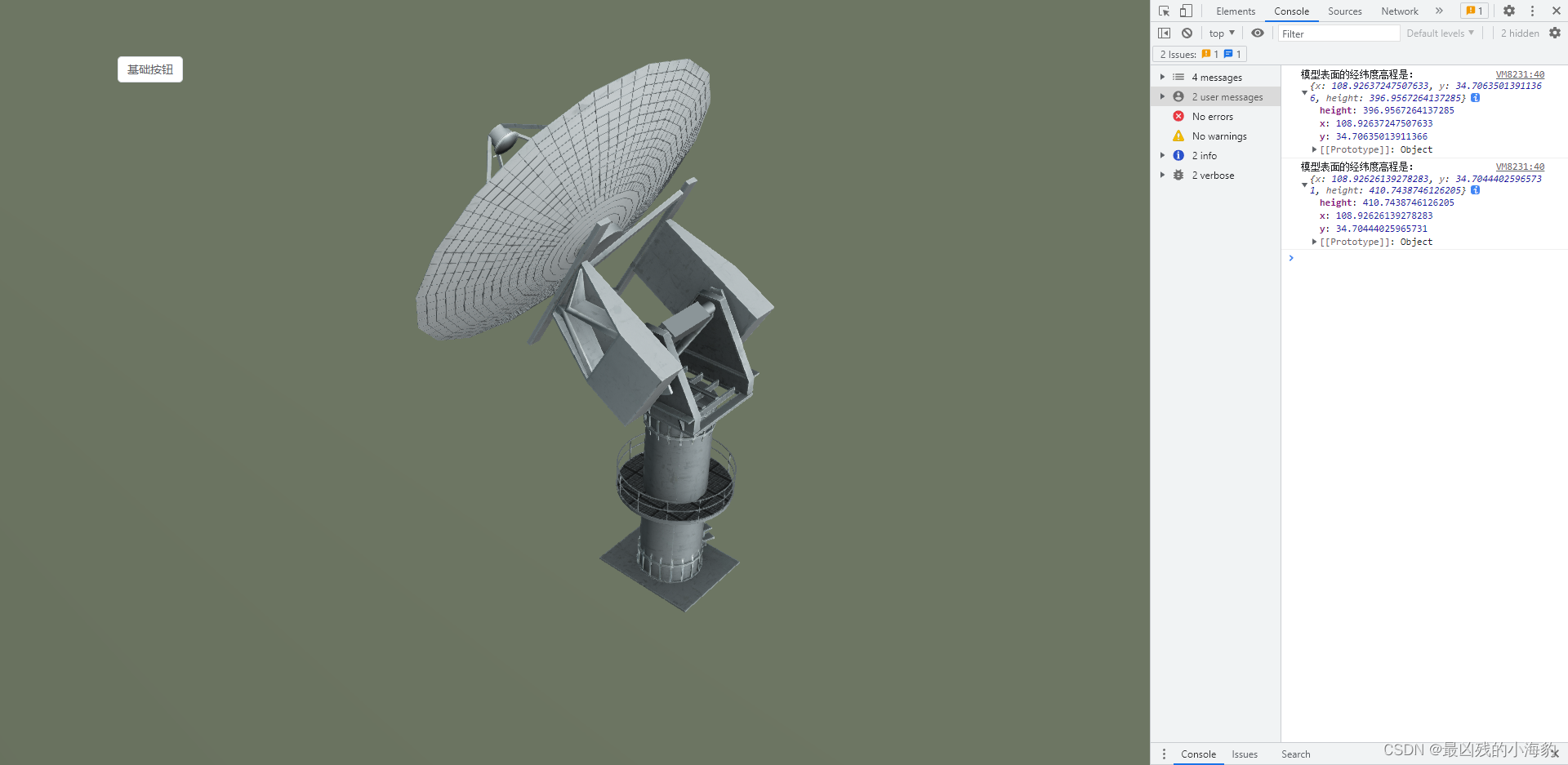
Cesium 点击获取模型表面经纬度高程坐标(三维坐标)
随机推荐
Kubernetes notes (III) controller
[teacher Zhao Yuqiang] index in mongodb (Part 1)
[set theory] relational closure (reflexive closure | symmetric closure | transitive closure)
Oauth2.0 - use database to store client information and authorization code
Clickhouse learning notes (2): execution plan, table creation optimization, syntax optimization rules, query optimization, data consistency
Alibaba cloud OOS file upload
Jackson: what if there is a lack of property- Jackson: What happens if a property is missing?
Redhat7系统root用户密码破解
[function explanation (Part 1)] | | knowledge sorting + code analysis + graphic interpretation
为什么网站打开速度慢?
Kubernetes notes (I) kubernetes cluster architecture
Exception when introducing redistemplate: noclassdeffounderror: com/fasterxml/jackson/core/jsonprocessingexception
Yum is too slow to bear? That's because you didn't do it
chromedriver对应版本下载
[teacher Zhao Yuqiang] calculate aggregation using MapReduce in mongodb
Loss function in pytorch multi classification
从小数据量分库分表 MySQL 合并迁移数据到 TiDB
Why is the website slow to open?
CAD插件的安裝和自動加載dll、arx
Intel's new GPU patent shows that its graphics card products will use MCM Packaging Technology