当前位置:网站首页>QT official example: QT quick controls - Gallery
QT official example: QT quick controls - Gallery
2022-07-02 18:16:00 【Friendly, friend】
This example demonstrates common Qt Quick Control .
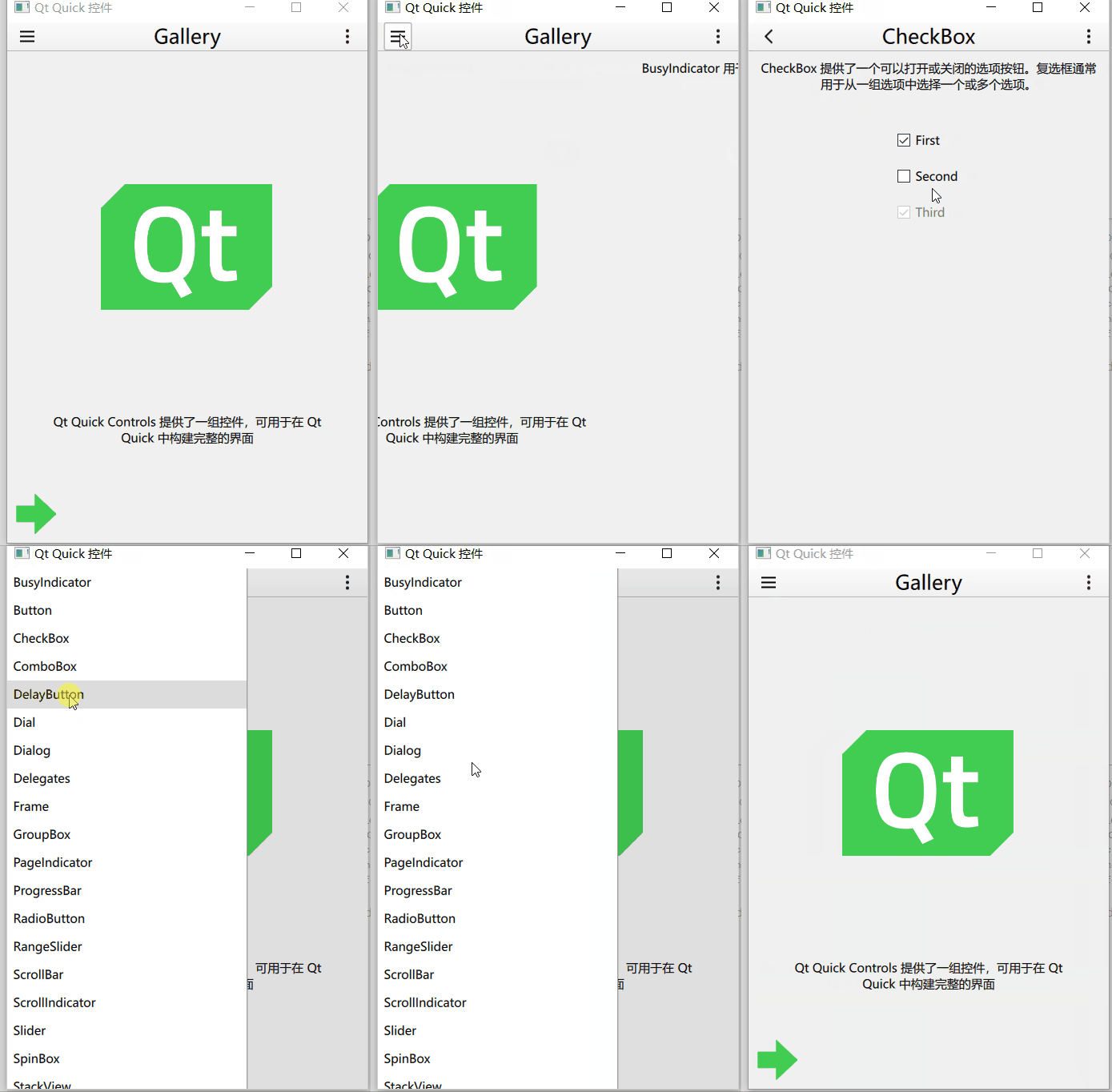
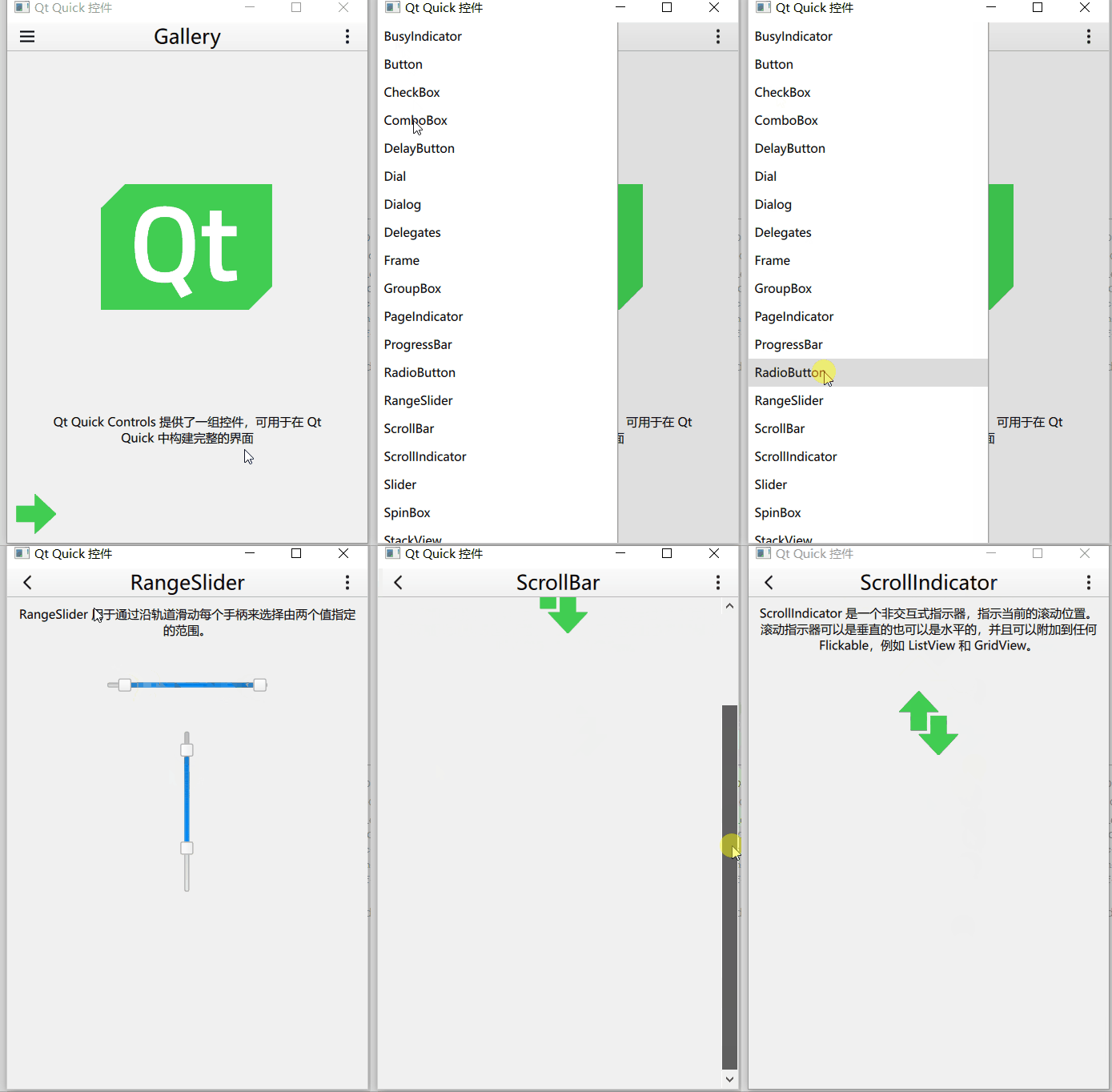
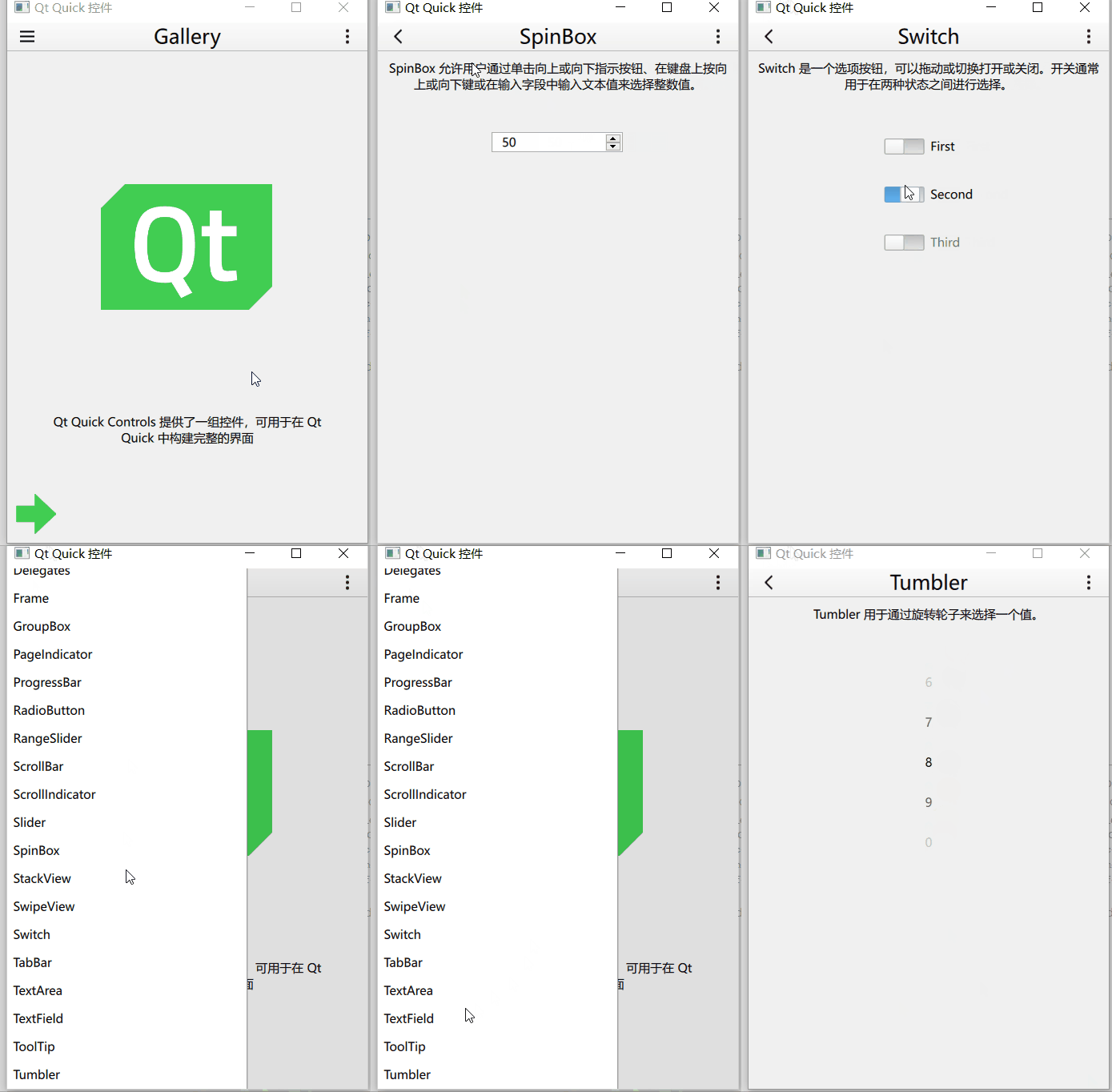
Main window code :
import QtQuick
import QtQuick.Layouts
import QtQuick.Controls
import Qt.labs.settings

import "." as App

ApplicationWindow
{
    id: window
    width: 360
    height: 520
    visible: true
    title: "Qt Quick  Control "

    function help()
    {
        let displayingControl = listView.currentIndex !== -1
        let currentControlName = displayingControl
            ? listView.model.get(listView.currentIndex).title.toLowerCase() : ""
        let url = "https://doc.qt.io/qt-5/" + (displayingControl ? "qml-qtquick-controls2-" + currentControlName + ".html"
                                                                 : "qtquick-controls2-qmlmodule.html");
        Qt.openUrlExternally(url)
    }

    required property var builtInStyles

    Settings
    {
        id: settings
        property string style
    }

    Shortcut
    {
        sequences: ["Esc", "Back"]
        enabled: stackView.depth > 1
        onActivated: navigateBackAction.trigger()
    }

    Shortcut
    {
        sequence: StandardKey.HelpContents
        onActivated: help()
    }

    Action
    {
        id: navigateBackAction
        icon.name: stackView.depth > 1 ? "back" : "drawer"
        onTriggered:
        {
            if (stackView.depth > 1)
            {
                stackView.pop()
                listView.currentIndex = -1
            } else {
                drawer.open()
            }
        }
    }

    Shortcut
    {
        sequence: "Menu"
        onActivated: optionsMenuAction.trigger()
    }

    Action
    {
        id: optionsMenuAction
        icon.name: "menu"
        onTriggered: optionsMenu.open()
    }

    header: ToolBar
    {
        RowLayout
        {
            spacing: 20
            anchors.fill: parent

            ToolButton
            {
                action: navigateBackAction
            }

            Label
            {
                id: titleLabel
                text: listView.currentItem ? listView.currentItem.text : "Gallery"
                font.pixelSize: 20
                elide: Label.ElideRight
                horizontalAlignment: Qt.AlignHCenter
                verticalAlignment: Qt.AlignVCenter
                Layout.fillWidth: true
            }

            ToolButton
            {
                action: optionsMenuAction

                Menu
                {
                    id: optionsMenu
                    x: parent.width - width
                    transformOrigin: Menu.TopRight

                    Action
                    {
                        text: " Set up "
                        onTriggered: settingsDialog.open()
                    }
                    Action
                    {
                        text: " help "
                        onTriggered: help()
                    }
                    Action
                    {
                        text: " About "
                        onTriggered: aboutDialog.open()
                    }
                }
            }
        }
    }

    Drawer
    {
        id: drawer
        width: Math.min(window.width, window.height) / 3 * 2
        height: window.height
        interactive: stackView.depth === 1

        ListView
        {
            id: listView

            focus: true
            currentIndex: -1
            anchors.fill: parent

            delegate: ItemDelegate
            {
                width: listView.width
                text: model.title
                highlighted: ListView.isCurrentItem
                onClicked:
                {
                    listView.currentIndex = index
                    stackView.push(model.source)
                    drawer.close()
                }
            }

            model: ListModel
            {
                ListElement { title: "BusyIndicator"; source: "qrc:/pages/BusyIndicatorPage.qml" }
                ListElement { title: "Button"; source: "qrc:/pages/ButtonPage.qml" }
                ListElement { title: "CheckBox"; source: "qrc:/pages/CheckBoxPage.qml" }
                ListElement { title: "ComboBox"; source: "qrc:/pages/ComboBoxPage.qml" }
                ListElement { title: "DelayButton"; source: "qrc:/pages/DelayButtonPage.qml" }
                ListElement { title: "Dial"; source: "qrc:/pages/DialPage.qml" }
                ListElement { title: "Dialog"; source: "qrc:/pages/DialogPage.qml" }
                ListElement { title: "Delegates"; source: "qrc:/pages/DelegatePage.qml" }
                ListElement { title: "Frame"; source: "qrc:/pages/FramePage.qml" }
                ListElement { title: "GroupBox"; source: "qrc:/pages/GroupBoxPage.qml" }
                ListElement { title: "PageIndicator"; source: "qrc:/pages/PageIndicatorPage.qml" }
                ListElement { title: "ProgressBar"; source: "qrc:/pages/ProgressBarPage.qml" }
                ListElement { title: "RadioButton"; source: "qrc:/pages/RadioButtonPage.qml" }
                ListElement { title: "RangeSlider"; source: "qrc:/pages/RangeSliderPage.qml" }
                ListElement { title: "ScrollBar"; source: "qrc:/pages/ScrollBarPage.qml" }
                ListElement { title: "ScrollIndicator"; source: "qrc:/pages/ScrollIndicatorPage.qml" }
                ListElement { title: "Slider"; source: "qrc:/pages/SliderPage.qml" }
                ListElement { title: "SpinBox"; source: "qrc:/pages/SpinBoxPage.qml" }
                ListElement { title: "StackView"; source: "qrc:/pages/StackViewPage.qml" }
                ListElement { title: "SwipeView"; source: "qrc:/pages/SwipeViewPage.qml" }
                ListElement { title: "Switch"; source: "qrc:/pages/SwitchPage.qml" }
                ListElement { title: "TabBar"; source: "qrc:/pages/TabBarPage.qml" }
                ListElement { title: "TextArea"; source: "qrc:/pages/TextAreaPage.qml" }
                ListElement { title: "TextField"; source: "qrc:/pages/TextFieldPage.qml" }
                ListElement { title: "ToolTip"; source: "qrc:/pages/ToolTipPage.qml" }
                ListElement { title: "Tumbler"; source: "qrc:/pages/TumblerPage.qml" }
            }

            ScrollIndicator.vertical: ScrollIndicator { }
        }
    }

    StackView
    {
        id: stackView
        anchors.fill: parent

        initialItem: Pane
        {
            id: pane

            Image
            {
                id: logo
                width: pane.availableWidth / 2
                height: pane.availableHeight / 2
                anchors.centerIn: parent
                anchors.verticalCenterOffset: -50
                fillMode: Image.PreserveAspectFit
                source: "images/qt-logo.png"
            }

            Label
            {
                text: "Qt Quick Controls  Provides a set of controls , Can be used in  Qt Quick  Build a complete interface in "
                anchors.margins: 20
                anchors.top: logo.bottom
                anchors.left: parent.left
                anchors.right: parent.right
                anchors.bottom: arrow.top
                horizontalAlignment: Label.AlignHCenter
                verticalAlignment: Label.AlignVCenter
                wrapMode: Label.Wrap
            }

            Image
            {
                id: arrow
                source: "images/arrow.png"
                anchors.left: parent.left
                anchors.bottom: parent.bottom
            }
        }
    }

    Dialog
    {
        id: settingsDialog
        x: Math.round((window.width - width) / 2)
        y: Math.round(window.height / 6)
        width: Math.round(Math.min(window.width, window.height) / 3 * 2)
        modal: true
        focus: true
        title: "Settings"

        standardButtons: Dialog.Ok | Dialog.Cancel
        onAccepted:
        {
            settings.style = styleBox.displayText
            settingsDialog.close()
        }
        onRejected:
        {
            styleBox.currentIndex = styleBox.styleIndex
            settingsDialog.close()
        }

        contentItem: ColumnLayout
        {
            id: settingsColumn
            spacing: 20

            RowLayout
            {
                spacing: 10

                Label
                {
                    text: "Style:"
                }

                ComboBox
                {
                    id: styleBox
                    property int styleIndex: -1
                    model: window.builtInStyles
                    Component.onCompleted:
                    {
                        styleIndex = find(settings.style, Qt.MatchFixedString)
                        if (styleIndex !== -1)
                            currentIndex = styleIndex
                    }
                    Layout.fillWidth: true
                }
            }

            Label
            {
                text: "Restart required"
                color: "#e41e25"
                opacity: styleBox.currentIndex !== styleBox.styleIndex ? 1.0 : 0.0
                horizontalAlignment: Label.AlignHCenter
                verticalAlignment: Label.AlignVCenter
                Layout.fillWidth: true
                Layout.fillHeight: true
            }
        }
    }

    Dialog
    {
        id: aboutDialog
        modal: true
        focus: true
        title: "About"
        x: (window.width - width) / 2
        y: window.height / 6
        width: Math.min(window.width, window.height) / 3 * 2
        contentHeight: aboutColumn.height

        Column
        {
            id: aboutColumn
            spacing: 20

            Label
            {
                width: aboutDialog.availableWidth
                text: "Qt Quick Controls  The module provides based on  Qt Quick  Next generation user interface controls ."
                wrapMode: Label.Wrap
                font.pixelSize: 12
            }

            Label
            {
                width: aboutDialog.availableWidth
                text: " And  Qt Quick Controls 1  comparison ,Qt Quick Controls  It's simpler 、 More lightweight 、 faster "
                wrapMode: Label.Wrap
                font.pixelSize: 12
            }
        }
    }
}
Interface structure :
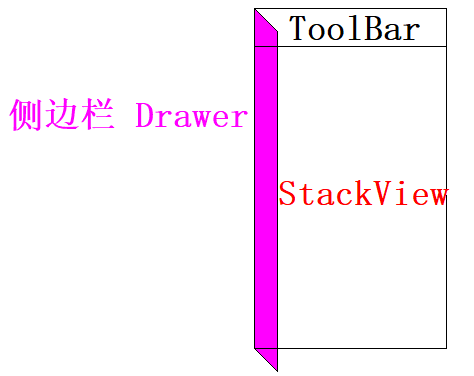
Left side panel
    Drawer
    {
        id: drawer
        width: Math.min(window.width, window.height) / 3 * 2
        height: window.height
        interactive: stackView.depth === 1

        ListView
        {
            id: listView

            focus: true
            currentIndex: -1
            anchors.fill: parent

            delegate: ItemDelegate
            {
                width: listView.width
                text: model.title
                highlighted: ListView.isCurrentItem
                onClicked:
                {
                    listView.currentIndex = index
                    stackView.push(model.source)
                    drawer.close()
                }
            }

            model: ListModel
            {
                ListElement { title: "BusyIndicator"; source: "qrc:/pages/BusyIndicatorPage.qml" }
                ListElement { title: "Button"; source: "qrc:/pages/ButtonPage.qml" }
                ListElement { title: "CheckBox"; source: "qrc:/pages/CheckBoxPage.qml" }
                ListElement { title: "ComboBox"; source: "qrc:/pages/ComboBoxPage.qml" }
                ListElement { title: "DelayButton"; source: "qrc:/pages/DelayButtonPage.qml" }
                ListElement { title: "Dial"; source: "qrc:/pages/DialPage.qml" }
                ListElement { title: "Dialog"; source: "qrc:/pages/DialogPage.qml" }
                ListElement { title: "Delegates"; source: "qrc:/pages/DelegatePage.qml" }
                ListElement { title: "Frame"; source: "qrc:/pages/FramePage.qml" }
                ListElement { title: "GroupBox"; source: "qrc:/pages/GroupBoxPage.qml" }
                ListElement { title: "PageIndicator"; source: "qrc:/pages/PageIndicatorPage.qml" }
                ListElement { title: "ProgressBar"; source: "qrc:/pages/ProgressBarPage.qml" }
                ListElement { title: "RadioButton"; source: "qrc:/pages/RadioButtonPage.qml" }
                ListElement { title: "RangeSlider"; source: "qrc:/pages/RangeSliderPage.qml" }
                ListElement { title: "ScrollBar"; source: "qrc:/pages/ScrollBarPage.qml" }
                ListElement { title: "ScrollIndicator"; source: "qrc:/pages/ScrollIndicatorPage.qml" }
                ListElement { title: "Slider"; source: "qrc:/pages/SliderPage.qml" }
                ListElement { title: "SpinBox"; source: "qrc:/pages/SpinBoxPage.qml" }
                ListElement { title: "StackView"; source: "qrc:/pages/StackViewPage.qml" }
                ListElement { title: "SwipeView"; source: "qrc:/pages/SwipeViewPage.qml" }
                ListElement { title: "Switch"; source: "qrc:/pages/SwitchPage.qml" }
                ListElement { title: "TabBar"; source: "qrc:/pages/TabBarPage.qml" }
                ListElement { title: "TextArea"; source: "qrc:/pages/TextAreaPage.qml" }
                ListElement { title: "TextField"; source: "qrc:/pages/TextFieldPage.qml" }
                ListElement { title: "ToolTip"; source: "qrc:/pages/ToolTipPage.qml" }
                ListElement { title: "Tumbler"; source: "qrc:/pages/TumblerPage.qml" }
            }

            ScrollIndicator.vertical: ScrollIndicator { }
        }
    }
Place a list view in the middle , The view has a vertical indicator .
When you press an item in the view , The corresponding page enters the stack view .
Click the button on the left of the toolbar , Current page out of stack :
    Action
    {
        id: navigateBackAction
        icon.name: stackView.depth > 1 ? "back" : "drawer"
        onTriggered:
        {
            if (stackView.depth > 1)
            {
                stackView.pop()
                listView.currentIndex = -1
            } else {
                drawer.open()
            }
        }
    }
Switch theme function
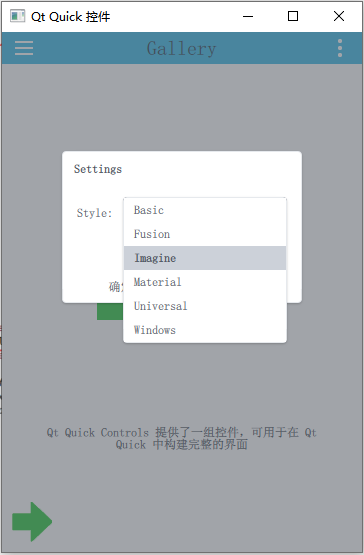

In the loading main interface qml Give initialization attribute to file .

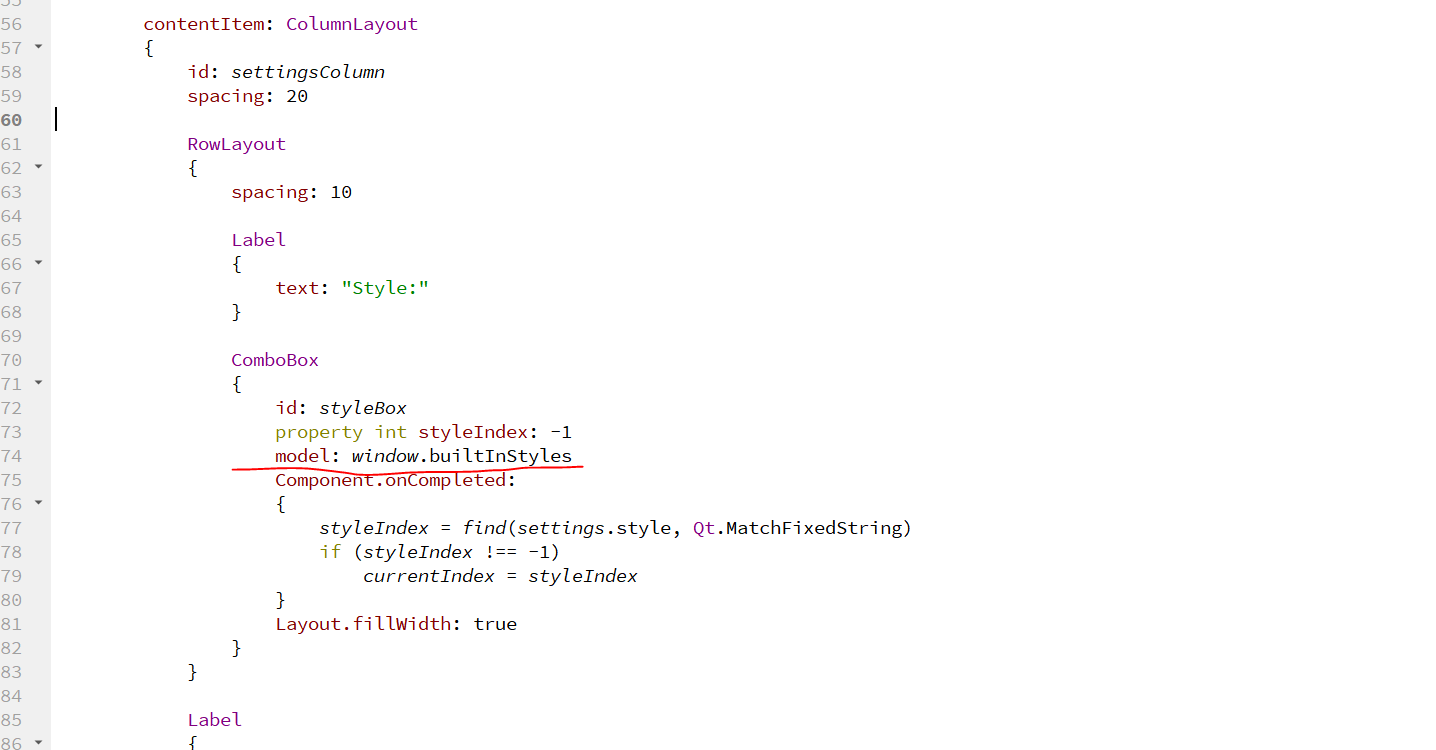
That's all the points worth mentioning in this example .
Types and knowledge points involved :
- Settings
- Shortcut
- Action
- ToolButton
- Label
- Menu
- Drawer
- ListView
- StackView
- Pane
- Dialog
- ComboBox
- Page
- Flickable
- BusyIndicator
- Button
- CheckBox
- DelayButton
- SwipeDelegate
- CheckDelegate
- ItemDelegate
- RadioDelegate
- SwitchDelegate
- Delegated removal animation
- ButtonGroup
- Frame
- RadioButton
- GroupBox
- PageIndicator
- ProgressBar
- RangeSlider
- ScrollIndicator
- ScrollBar
- Slider
- SpinBox
- SwipeView
- Switch
- TabBar
- TabButton
- TextArea
- TextField
- ToolTip
- Tumbler
边栏推荐
- win10 卸载cuda
- How can you omit a large number of switch statements
- 一个优秀程序员可抵五个普通程序员!
- Wechat applet video sharing platform system graduation design completion (1) development outline
- Yingguang pmc131 SOP16 16pin eight bit MCU
- Detailed explanation of map set
- Unified interface for reading and writing data files in xml/json/ini and ubjson formats
- Easyai notes - machine learning
- Interview, about thread pool
- Qt官方示例:Qt Quick Controls - Gallery
猜你喜欢
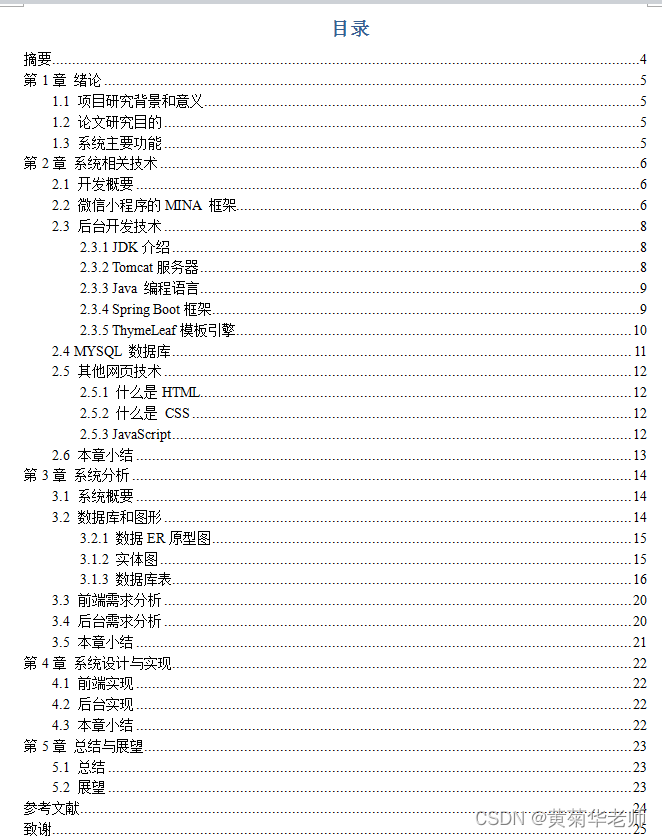
Wechat applet video sharing platform system graduation design completion (8) graduation design thesis template
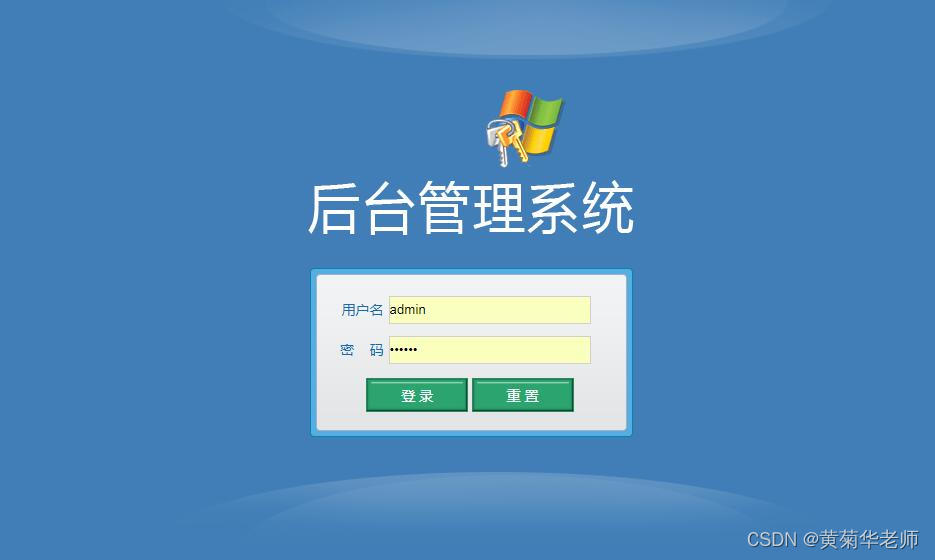
微信小程序视频分享平台系统毕业设计毕设(3)后台功能

Hbuilderx runs to the mobile phone or simulator and prompts that the device is not found

A good programmer is worth five ordinary programmers!

【Golang | gRPC】使用gRPC实现简单远程调用

MySQL -- basic operation of database
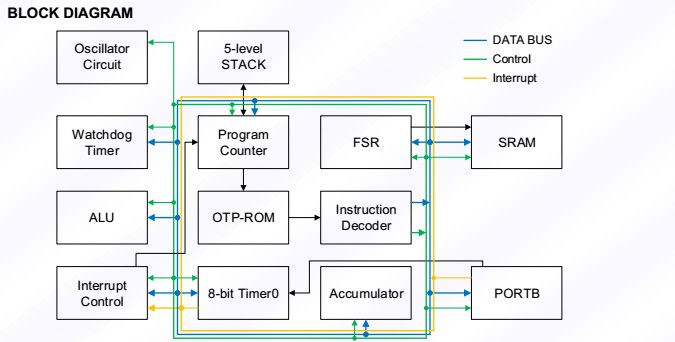
Taiwan Feiling fm8pb513b MCU provides MCU program development product design

My creation anniversary
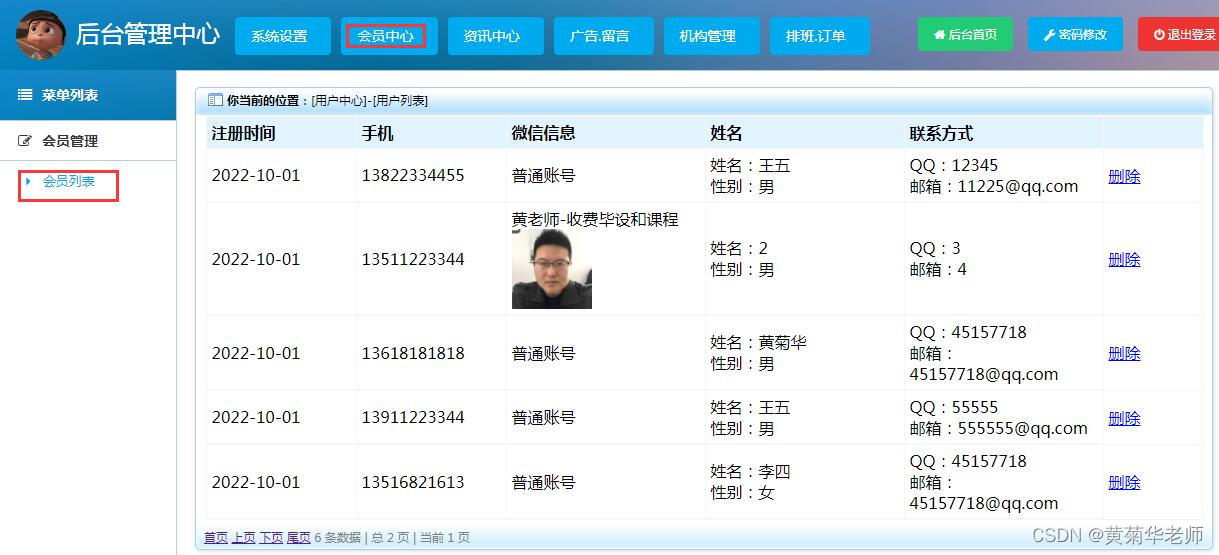
Wechat nucleic acid detection and appointment applet system graduation design (3) background function

Aloam code reading and summary
随机推荐
Editor Editor Extension add button and logo in scene view
微信小程序视频分享平台系统毕业设计毕设(1)开发概要
719. 找出第 K 小的数对距离
Babbitt | metauniverse daily must read: can you buy a virtual anchor for 1000 yuan? Is this the live gospel of small businesses or "cutting leeks"
Embedded development board ~ description
详解Kubernetes网络模型
D构造函数问题
Two pieces of nature a day! Duan Fengfeng, an alumnus of the University of science and technology of China, was the third Chinese winner of the belby medal
MySQL安装与配置
如何下载微信支付证书(API证书)
Finally detailed explanation
Graduation summary
Wechat nucleic acid detection and appointment applet system graduation design (3) background function
Wechat applet video sharing platform system graduation design completion (4) opening report
巴比特 | 元宇宙每日必读:一千块就能买一个虚拟主播?这是小企业的直播福音还是在“割韭菜”?...
Installation tutorial and simple call of Matplotlib
Wechat nucleic acid detection appointment applet system graduation design completion (5) task statement
em120.gige. h
Typescript
Bluetooth technology | new working mode of wearable devices of the Internet of things, and Bluetooth ble helps the new working mode