当前位置:网站首页> MySQL数据库基本SQL语句教程之高级操作
MySQL数据库基本SQL语句教程之高级操作
2022-06-26 14:53:00 【1024问】
前言:
一.克隆表
1.1克隆方法一(将表与内容分开克隆)
1.2克隆方法二(将表与内容一起复制)
二.清空表,删除表内的所有数据
2.1方法一
2.2方法二
2.3小小结之drop,truncate,eleted的对比
三.创建临时表
四.用户管理
4.1新建用户
4.2使用明文密码创建用户
4.3使用密文创建数据库
五.查看用户信息
六.重命名用户
七.删除用户
八.密码管理
8.1修改当前用户密码
8.2修改其他用户的密码
8.3忘记root密码
8.3.1给root设置密码
九.数据库授权
9.1关于授权
9.2授权
9.2.1授权列表
9.3数据库授权
9.4远程登陆授权(使用navicat远程登陆)
9.5撤销权限
十.总结
前言:了解了一下MySQL数据库的基本语句,这章了解一下它的高级操作,包括用户增删除与给予相对应的权限
一.克隆表1.1克隆方法一(将表与内容分开克隆)#create table 新表名 like 复制的表名; 复制格式,能将复制表的格式到新表,但是里面的内容无法复制insert into 新表名 select * from 复制的表名; 复制原表内容到新表


create table 新表名 (select * from 复制的表名)数据结构和数据能一起复制
delete from naixu1;#DELETE清空表后,返回的结果内有删除的记录条目;delete工作时是一行一行的删除记录数据的;如果表中有自增长字段,使用DELETE FROM删除所有记录后,在此添加的记录会从原来最大的记录id后面继续自增写入数据


truncate table naixu1;#TRUNCATE清空表后,没有返回被删除的条目:TRUNCATE工作时是将表结构按原样重新建立因此在速度上TRUNCATE会比DELETE清空表快使用TRUNCATE TABLE 清空表内数据后,id会从1开始重新记录
| drop | truncate | delete |
| 属于DDL | 属于DDL | 属于DML |
| 不可回滚 | 不可回滚 | 可回滚 |
| 不可带where | 不可带where | 可带where |
| 表内容和结构删除 | 表内容删除 | 表结构在,表内容要看where执行的情况 |
| 删除速度快 | 删除速度快 | 删除速度慢,需要逐行删除 |
三.创建临时表总结:
不再需要一张表的时候用drop想删除部分数据行的时候用delete,并且带上where子句保留表而删除所有数据的时候用truncate删除速度:drop>truncate> delete安全性 delete 最好
##添加临时表niaxu3create temporary table naixu3 (id int(4) zerofill primary key auto_increment,name varchar(10) not null,cardid int(18) not null unique key,hobby varchar(50));## 查看当前库中所有表show tables; ##在临时表中添加数据insert into test03 values(1,'hehe',12345,'看美女'); ##查看当前表中所有数据select * from naixu3;##退出数据库quit ##重新登录后进行查看 mysql -u root -p##查看之前创建的临时表中所有数据,发现已经被自动销毁select * from naixu3; 

CREATE USER '用户名'@'来源地址' [IDENTIFIED BY [PASSWORD] '密码'];#‘用户名':指定将创建的用户名#‘来源地址':指定新创建的用户可在哪些主机上登录,可使用IP地址、网段、主机名的形式,本地用户可用localhost,允许任意主机登录可用通配符%#‘密码':若使用明文密码,直接输入'密码',插入到数据库时由Mysql自动加密;#######若使用加密密码,需要先使用SELECT PASSWORD(‘密码'); 获取密文,再在语句中添加 PASSWORD ‘密文';#若省略“IDENTIFIED BY”部分,则用户的密码将为空(不建议使用)4.2使用明文密码创建用户create user 'nannan'@'localhost' identified by '123455';

创建后的用户保存在 mysql 数据库的 user 表里use mysql; #使用mysql库 select User from user;
rename user 'nannan'@'localhost' to 'lnhs'@'localhost';#将用户nannan改名为lnhs
drop user 'chenchen'@'localhost';#删除用户chenchen
set password = password('123456');
set password for 'naixu'@'localhost' = password('123456');
修改配置文件,添加配置,免密登录MySQLvim /etc/my.cnfskip-grant-tables #添加,使登录mysql不适用授权表

update mysql.user set authentication_string = password('123456') where user='root';flush privileges; #刷新 登入数据库之后再次修改my.conf配置文件,注释掉之前添加的配置命令,并再次重启服务使用新密码登录

GRANT语句:专门用来设置数据库用户的访问权限。当指定的用户名不存在时,GRANT语句将 会创建新的用户;当指定的用户名存在时,GRANT 语句用于修改用户信息。
9.2授权GRANT 权限列表 ON 数据库名/表名 TO '用户名'@'来源地址' [IDENTIFIED BY '密码'];| 权限列表 | 用于列出授权使用的各种数据库操作,以逗号进行分隔,如“select,insert,update”。使用“all”表示所有权限,可授权执行任何操作。 |
| 数据库名.表名 | 用于指定授权操作的数据库和表的名称,其中可以使用通配符 |
| 用户名@来源地址 | 用于指定用户名称和允许访问的客户机地址,即谁能连接、能从哪里连接。来源地址可以是域名、IP地址,还可以使用“%”通配符,表示某个区域或网段内的所有地址,如“%.accp.com”、“192.168.80.%”等。 |
| IDENTIFIED BY | 用于设置用户连接数据库时所使用的密码字符串。在新建用户时,若省略“IDENTIFIED BY”部分,则用户的密码将为空。 |
| 权限 | 功能 |
| select | 查询数据 |
| insert | 插入数据 |
| update | 更新数据 |
| delete | 删除数据 |
| create | 创建库、表 |
| drop | 删除库、表 |
| index | 建立索引 |
| alter | 更改表属性 |
| event | 事件 |
| trigger on | 创建触发器 |
show grants for [email protected];#查看用户权限
指定用户可以查看哪个数据库或表,别的无法访问
grant select on hehe.* to [email protected];#用户nannan只有hehe库下所有表的查询权限
切换用户进行验证


grant all on *.* to 'nannan'@'%' identified by '123456';


revoke select on hehe.* from [email protected];
再次切换访问,就已经没有权限了

本章和拐友们讲解MySQL的高阶语句,包括了如何克隆表,如何进行用户的增删改以及用户的权限设置,总的来说就是只要记住3点增删改就行
到此这篇关于MySQL数据库基本SQL语句教程之高级操作的文章就介绍到这了,更多相关MySQL SQL语句高级操作内容请搜索软件开发网以前的文章或继续浏览下面的相关文章希望大家以后多多支持软件开发网!
边栏推荐
- Mathematical modeling of war preparation 30 regression analysis 2
- Use abp Zero builds a third-party login module (II): server development
- The heavyweight white paper was released. Huawei continues to lead the new model of smart park construction in the future
- 同花顺注册开户安全吗,有没有什么风险?
- clustermeet
- 券商经理给的开户链接办理股票开户安全吗?我想开个户
- clustermeet
- 【雲原生】 ”人人皆可“ 編程的無代碼 iVX 編輯器
- Redis transaction and watch instruction
- R语言使用epiDisplay包的aggregate函数将数值变量基于因子变量拆分为不同的子集,计算每个子集的汇总统计信息、使用aggregate.data.frame函数计算分组汇总统计信息
猜你喜欢

功能:crypto-js加密解密

View touch analysis
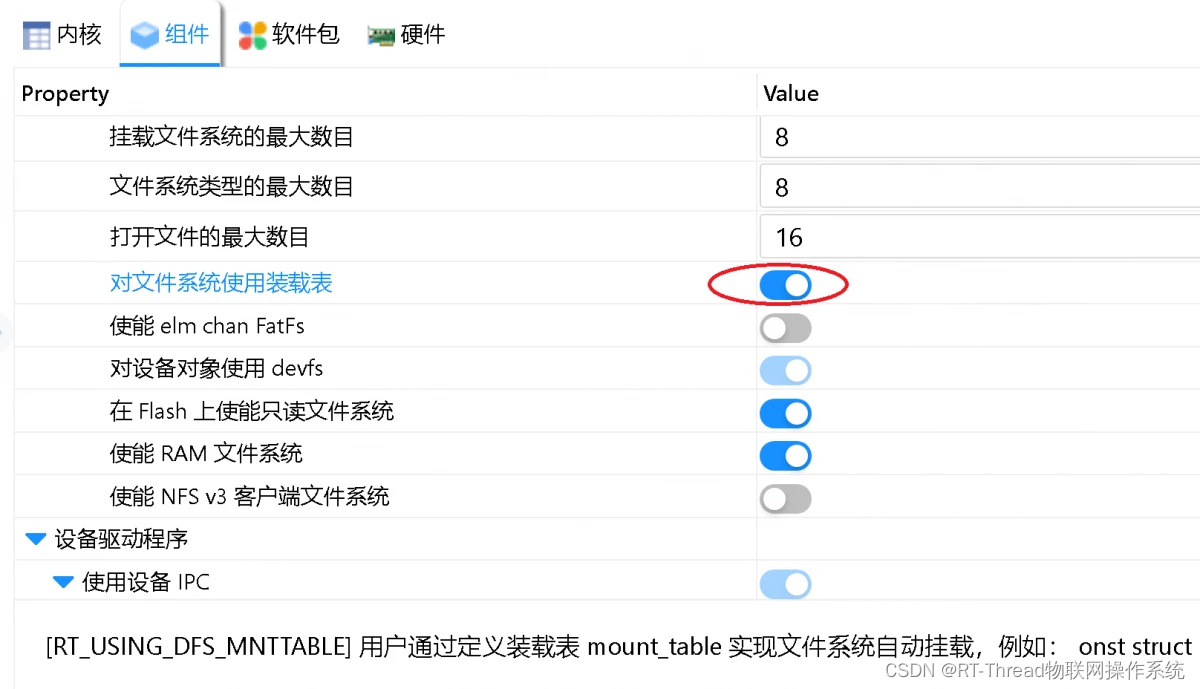
This is the graceful file system mounting method, which is effective through personal testing
View触摸分析

关于 selenium.common.exceptions.WebDriverException: Message: An unknown server-side error 解决方案(已解决)

The engine "node" is inconsistent with this module

feil_uVission4左侧工目录消失
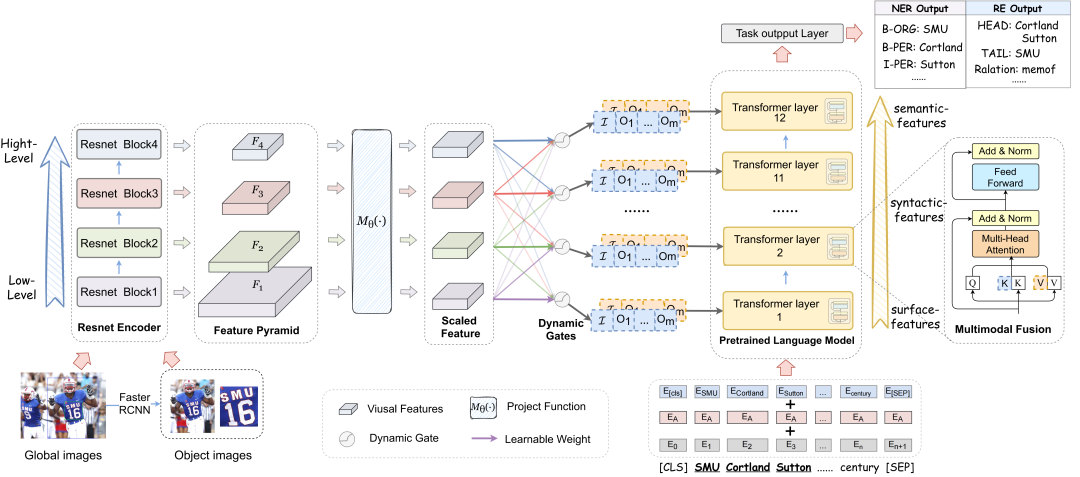
Naacl2022: (code practice) good visual guidance promotes better feature extraction, multimodal named entity recognition (with source code download)

人力资源导出数据 excel VBA
![[cloud native] codeless IVX editor programmable by](/img/10/7c56e46df69be6be522a477b00ec05.png)
[cloud native] codeless IVX editor programmable by "everyone"
随机推荐
【使用yarn运行报错】The engine “node“ is incompatible with this module.
Mathematical modeling of war preparation 30 regression analysis 2
Talk about the RPA direction planning: stick to simple and valuable things for a long time
What is the ranking of Guosen Securities? Is it safe to open a stock account?
券商经理给的开户链接办理股票开户安全吗?我想开个户
Principle of TCP reset attack
shell脚本多进程并发写法实例(高阶修炼)
整理了一批脚本标准的函数模块(2021版)
IP certificate application process of sectigo
Mark一下 Unity3d在Inspector中选中不了资源即Project锁定问题
Naacl2022: (code practice) good visual guidance promotes better feature extraction, multimodal named entity recognition (with source code download)
MongoDB系列之Window环境部署配置
小程序:uniapp解决 vendor.js 体积过大的问题
Numpy基本使用
The intersect function in the dplyr package of R language obtains the data lines that exist in both dataframes and the data lines that cross the two dataframes
R语言dplyr包intersect函数获取在两个dataframe中都存在的数据行、获取两个dataframe交叉的数据行
Cluster addslots establish a cluster
The heavyweight white paper was released. Huawei continues to lead the new model of smart park construction in the future
SAP 销售数据 实际发货数据导出 销量
Unity C# 网络学习(十)——UnityWebRequest(一)