当前位置:网站首页>WPF command button transparent style
WPF command button transparent style
2022-07-28 17:18:00 【LV Shiliang】
One 、 The first step is to define the button style ( The code is written in APP.xaml In the document ) Paste and copy the code directly
<!-- Define button styles -->
<Style TargetType="Button">
<Setter Property="Foreground" Value="Black"/>
<!-- Modify template properties -->
<Setter Property="Template">
<Setter.Value>
<!-- Control templates -->
<ControlTemplate TargetType="Button">
<!-- Background color -->
<Border x:Name="back" Opacity="0.8" CornerRadius="3">
<Border.BitmapEffect>
<OuterGlowBitmapEffect Opacity="0.7" GlowSize="0" GlowColor="{Binding RelativeSource={RelativeSource TemplatedParent}, Path=(Button.Background).(SolidColorBrush.Color)}" />
</Border.BitmapEffect>
<Border.Background>
<LinearGradientBrush StartPoint="0,0" EndPoint="0,1.5">
<GradientBrush.GradientStops>
<GradientStopCollection>
<GradientStop Color="{Binding RelativeSource={RelativeSource TemplatedParent}, Path=(Button.Background).(SolidColorBrush.Color)}" Offset="0"/>
<GradientStop Color="{Binding RelativeSource={RelativeSource TemplatedParent}, Path=(Button.Background).(SolidColorBrush.Color)}" Offset="0.4"/>
<GradientStop Color="#FFF" Offset="1"/>
</GradientStopCollection>
</GradientBrush.GradientStops>
</LinearGradientBrush>
</Border.Background>
<!-- Foreground color and border -->
<Border x:Name="fore" BorderThickness="1" CornerRadius="3" BorderBrush="#5555">
<Border.Background>
<LinearGradientBrush StartPoint="0,0" EndPoint="0,1">
<GradientBrush.GradientStops>
<GradientStopCollection>
<GradientStop Color="#6FFF" Offset="0.5"/>
<GradientStop Color="#1111" Offset="0.51"/>
</GradientStopCollection>
</GradientBrush.GradientStops>
</LinearGradientBrush>
</Border.Background>
<!-- Button content -->
<ContentPresenter x:Name="content" HorizontalAlignment="Center" VerticalAlignment="Center" Content="{TemplateBinding Content}">
<ContentPresenter.BitmapEffect>
<DropShadowBitmapEffect Color="#000" Direction="-90" ShadowDepth="2" Softness="0.1" Opacity="0.3" />
</ContentPresenter.BitmapEffect>
</ContentPresenter>
</Border>
</Border>
<!-- trigger -->
<ControlTemplate.Triggers>
<!-- Mouse in and out -->
<Trigger Property="IsMouseOver" Value="True">
<Trigger.EnterActions>
<BeginStoryboard>
<Storyboard>
<DoubleAnimation To="6" Duration="0:0:0.2" Storyboard.TargetName="back" Storyboard.TargetProperty="(Border.BitmapEffect).(OuterGlowBitmapEffect.GlowSize)" />
<ColorAnimation To="#AFFF" BeginTime="0:0:0.2" Duration="0:0:0.2" Storyboard.TargetName="fore" Storyboard.TargetProperty="(Border.Background).(LinearGradientBrush.GradientStops)[0].(GradientStop.Color)" />
<ColorAnimation To="#3FFF" BeginTime="0:0:0.2" Duration="0:0:0.2" Storyboard.TargetName="fore" Storyboard.TargetProperty="(Border.Background).(LinearGradientBrush.GradientStops)[1].(GradientStop.Color)" />
</Storyboard>
</BeginStoryboard>
</Trigger.EnterActions>
<Trigger.ExitActions>
<BeginStoryboard>
<Storyboard>
<DoubleAnimation Duration="0:0:0.2" Storyboard.TargetName="back" Storyboard.TargetProperty="(Border.BitmapEffect).(OuterGlowBitmapEffect.GlowSize)" />
<ColorAnimation Duration="0:0:0.2" Storyboard.TargetName="fore" Storyboard.TargetProperty="(Border.Background).(LinearGradientBrush.GradientStops)[0].(GradientStop.Color)" />
<ColorAnimation Duration="0:0:0.2" Storyboard.TargetName="fore" Storyboard.TargetProperty="(Border.Background).(LinearGradientBrush.GradientStops)[1].(GradientStop.Color)" />
</Storyboard>
</BeginStoryboard>
</Trigger.ExitActions>
</Trigger>
<!-- Press the button to pop up -->
<Trigger Property="IsPressed" Value="True">
<Trigger.EnterActions>
<BeginStoryboard>
<Storyboard>
<DoubleAnimation To="3" Duration="0:0:0.1" Storyboard.TargetName="back" Storyboard.TargetProperty="(Border.BitmapEffect).(OuterGlowBitmapEffect.GlowSize)" />
<ColorAnimation To="#3AAA" Duration="0:0:0.1" Storyboard.TargetName="fore" Storyboard.TargetProperty="(Border.Background).(LinearGradientBrush.GradientStops)[0].(GradientStop.Color)" />
<ColorAnimation To="#2111" Duration="0:0:0.1" Storyboard.TargetName="fore" Storyboard.TargetProperty="(Border.Background).(LinearGradientBrush.GradientStops)[1].(GradientStop.Color)" />
</Storyboard>
</BeginStoryboard>
</Trigger.EnterActions>
<Trigger.ExitActions>
<BeginStoryboard>
<Storyboard>
<DoubleAnimation Duration="0:0:0.1" Storyboard.TargetName="back" Storyboard.TargetProperty="(Border.BitmapEffect).(OuterGlowBitmapEffect.GlowSize)" />
<ColorAnimation Duration="0:0:0.1" Storyboard.TargetName="fore" Storyboard.TargetProperty="(Border.Background).(LinearGradientBrush.GradientStops)[0].(GradientStop.Color)" />
<ColorAnimation Duration="0:0:0.1" Storyboard.TargetName="fore" Storyboard.TargetProperty="(Border.Background).(LinearGradientBrush.GradientStops)[1].(GradientStop.Color)" />
</Storyboard>
</BeginStoryboard>
</Trigger.ExitActions>
</Trigger>
<!-- Button failure -->
<Trigger Property="IsEnabled" Value="False">
<Setter Property="Foreground" Value="#B444"/>
<Trigger.EnterActions>
<BeginStoryboard>
<Storyboard>
<DoubleAnimation To="0" Duration="0:0:0.3" Storyboard.TargetName="back" Storyboard.TargetProperty="(Border.BitmapEffect).(OuterGlowBitmapEffect.GlowSize)" />
<DoubleAnimation To="1" Duration="0:0:0.1" Storyboard.TargetName="content" Storyboard.TargetProperty="(ContentPresenter.BitmapEffect).(DropShadowBitmapEffect.Opacity)" />
<DoubleAnimation To="-135" Duration="0:0:0.1" Storyboard.TargetName="content" Storyboard.TargetProperty="(ContentPresenter.BitmapEffect).(DropShadowBitmapEffect.Direction)" />
<ColorAnimation To="#FFF" Duration="0:0:0.3" Storyboard.TargetName="content" Storyboard.TargetProperty="(ContentPresenter.BitmapEffect).(DropShadowBitmapEffect.Color)" />
<ColorAnimation To="#D555" Duration="0:0:0.3" Storyboard.TargetName="fore" Storyboard.TargetProperty="(Border.BorderBrush).(SolidColorBrush.Color)" />
<ColorAnimation To="#CEEE" Duration="0:0:0.3" Storyboard.TargetName="fore" Storyboard.TargetProperty="(Border.Background).(LinearGradientBrush.GradientStops)[0].(GradientStop.Color)" />
<ColorAnimation To="#CDDD" Duration="0:0:0.3" Storyboard.TargetName="fore" Storyboard.TargetProperty="(Border.Background).(LinearGradientBrush.GradientStops)[1].(GradientStop.Color)" />
</Storyboard>
</BeginStoryboard>
</Trigger.EnterActions>
<Trigger.ExitActions>
<BeginStoryboard>
<Storyboard>
<DoubleAnimation Duration="0:0:0.1" Storyboard.TargetName="back" Storyboard.TargetProperty="(Border.BitmapEffect).(OuterGlowBitmapEffect.GlowSize)" />
<DoubleAnimation Duration="0:0:0.1" Storyboard.TargetName="content" Storyboard.TargetProperty="(ContentPresenter.BitmapEffect).(DropShadowBitmapEffect.Opacity)" />
<DoubleAnimation Duration="0:0:0.1" Storyboard.TargetName="content" Storyboard.TargetProperty="(ContentPresenter.BitmapEffect).(DropShadowBitmapEffect.Direction)" />
<ColorAnimation Duration="0:0:0.1" Storyboard.TargetName="content" Storyboard.TargetProperty="(ContentPresenter.BitmapEffect).(DropShadowBitmapEffect.Color)" />
<ColorAnimation Duration="0:0:0.1" Storyboard.TargetName="fore" Storyboard.TargetProperty="(Border.BorderBrush).(SolidColorBrush.Color)" />
<ColorAnimation Duration="0:0:0.1" Storyboard.TargetName="fore" Storyboard.TargetProperty="(Border.Background).(LinearGradientBrush.GradientStops)[0].(GradientStop.Color)" />
<ColorAnimation Duration="0:0:0.1" Storyboard.TargetName="fore" Storyboard.TargetProperty="(Border.Background).(LinearGradientBrush.GradientStops)[1].(GradientStop.Color)" />
</Storyboard>
</BeginStoryboard>
</Trigger.ExitActions>
</Trigger>
</ControlTemplate.Triggers>
</ControlTemplate>
</Setter.Value>
</Setter>
</Style>
The second step is to define your own class xaml It's in the file

边栏推荐
- Games101 section 13 ray tracing notes
- kubernetes service 原理解析
- 软考回顾总结
- Janus series article 3 API usage guide videoroom creating a new video room
- Ugui learning notes (II) Scrollview related
- Goweb开发之Iris框架实战:项目总结与回顾
- SUSE CEPH add nodes, reduce nodes, delete OSD disks and other operations – storage6
- [deep learning]: model evaluation and selection on the seventh day of pytorch introduction to project practice (Part 1): under fitting and over fitting (including source code)
- 2021年4月份自考
- [deep learning]: day 9 of pytorch introduction to project practice: dropout implementation (including source code)
猜你喜欢
![[deep learning]: the second day of pytorch introduction to project practice: realize linear regression from zero (including detailed code)](/img/19/18d6e94a1e0fa4a75b66cf8cd99595.png)
[deep learning]: the second day of pytorch introduction to project practice: realize linear regression from zero (including detailed code)

利用SQL Server代理作业对数据库进行定时还原

Unity3d shader achieves ablation effect

Unity shader global fog effect
wpf命令按钮透明样式

Goweb开发之Beego框架实战:第四节 数据库配置及连接
Goweb开发之Beego框架实战:第四节 数据库配置及连接

我为什么选择使用Go语言?
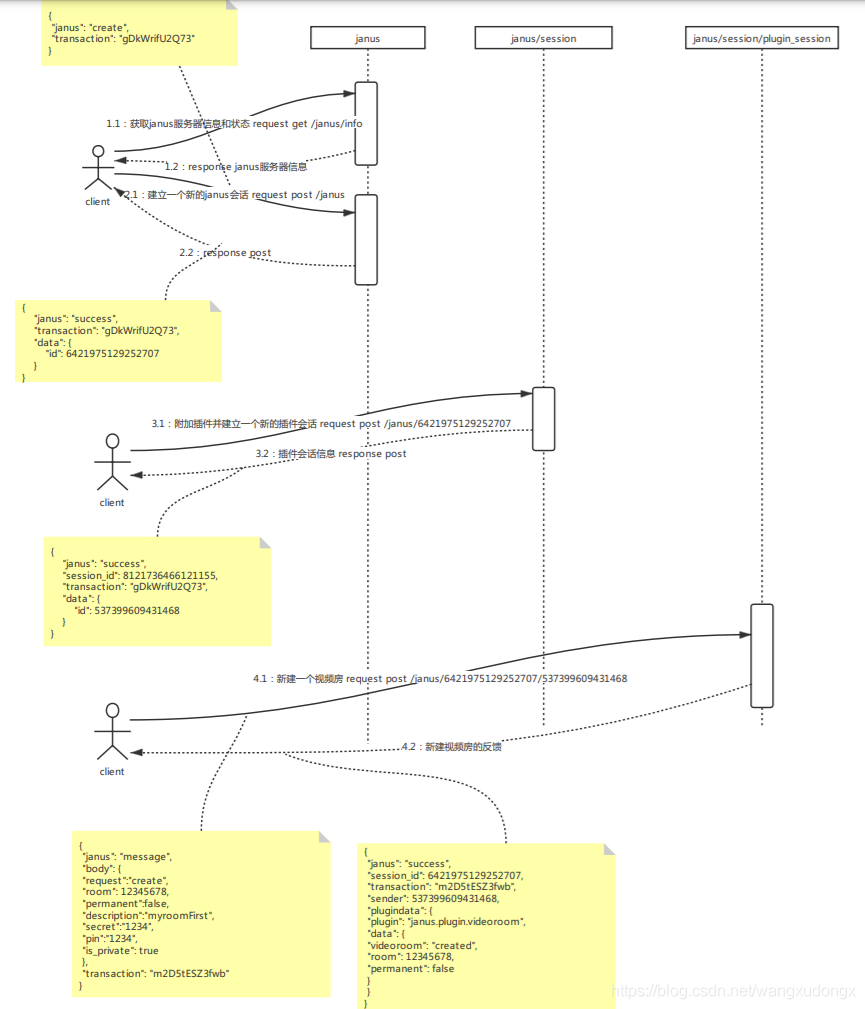
Janus series article 3 API usage guide videoroom creating a new video room

Vscode界面介绍
随机推荐
Classroom attendance system based on QT design (using RDS for MySQL cloud database)
Algorithm learning: leetcode interview question 09. implement queue with two stacks
Probability theory and mathematical statistics Chapter 1
微信小程序现金红包返回“IP地址非你在商户平台设置的可用IP地址”错误终极解决方法
我为什么选择使用Go语言?
The longest substring of sword finger offer without repeated characters
Easypoi multi sheet export by template
Games101 section 13 ray tracing notes
Reduce cycle complexity
Goweb开发之Iris框架实战:项目总结与回顾
[deep learning]: day 5 of pytorch introduction to project practice: realize softmax regression from 0 to 1 (including source code)
Make full use of English
Shopee code League 2022 - qualification round p3.connecting the numbers (segment tree / bipartite graph determination, to be discussed)
Analysis of kubernetes service principle
Unity shader cartoon style rendering
Goweb开发之Beego框架实战:第三节 程序执行流程分析
Ugui learning notes (V) togglegroup makes multiple choice radio boxes
Unity3d simple implementation of water surface shader
Ugui learning notes (IV) ugui event system overview and Usage Summary
Codeforces round 768 (Div. 2) e.paint the middle (greedy / interval relationship processing)