当前位置:网站首页>How to adjust the cross cursor too small, CAD dream drawing calculation skills
How to adjust the cross cursor too small, CAD dream drawing calculation skills
2022-08-02 02:08:00 【Dream CAD software】
How to adjust the cross cursor too small in CAD dream drawing?
Execution method
1. In the CAD dream drawing, select "Help - Settings" in the menu bar.
Settings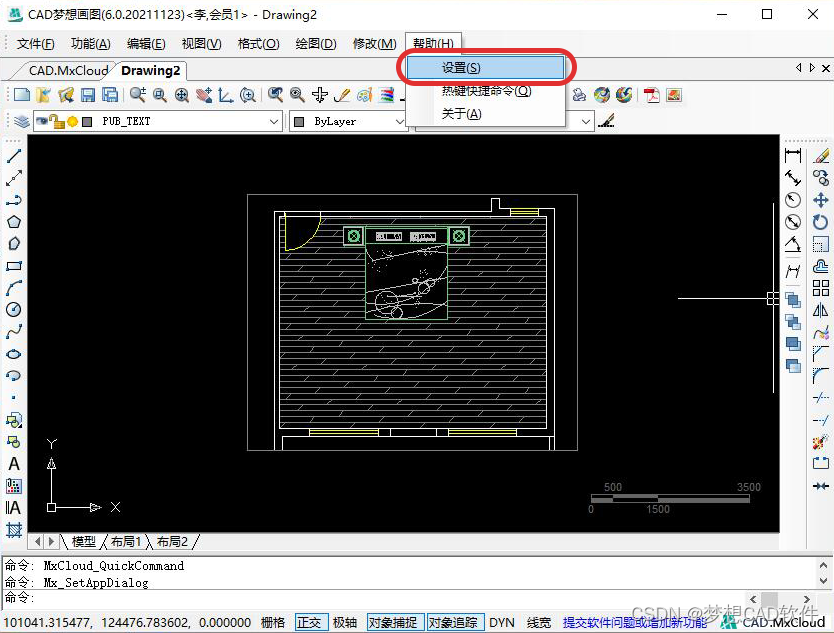
2. In the pop-up "Settings" page, adjust the horizontal bars behind "Cursor Size" and "Target Frame Size" to adjust the size of the cross cursor.
Settings page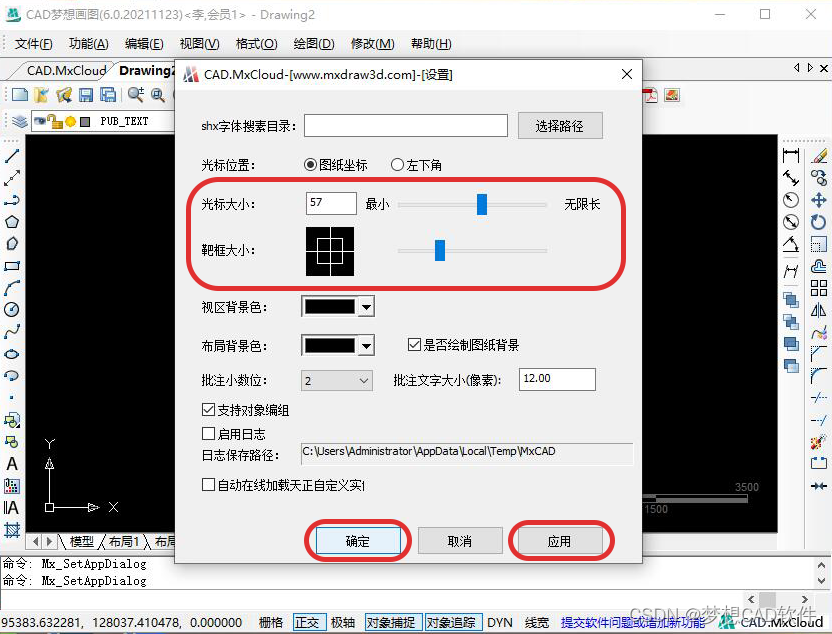
Adjustment complete
3. The size of the grip point is associated with the size of the target frame, and the size is changed synchronously.
Before Grip Resize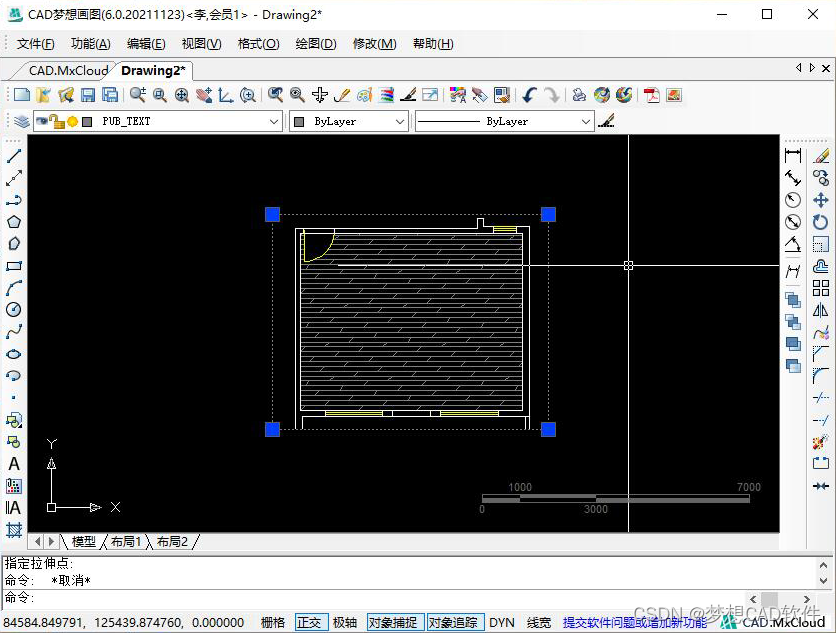
Grip SizeAfter adjustment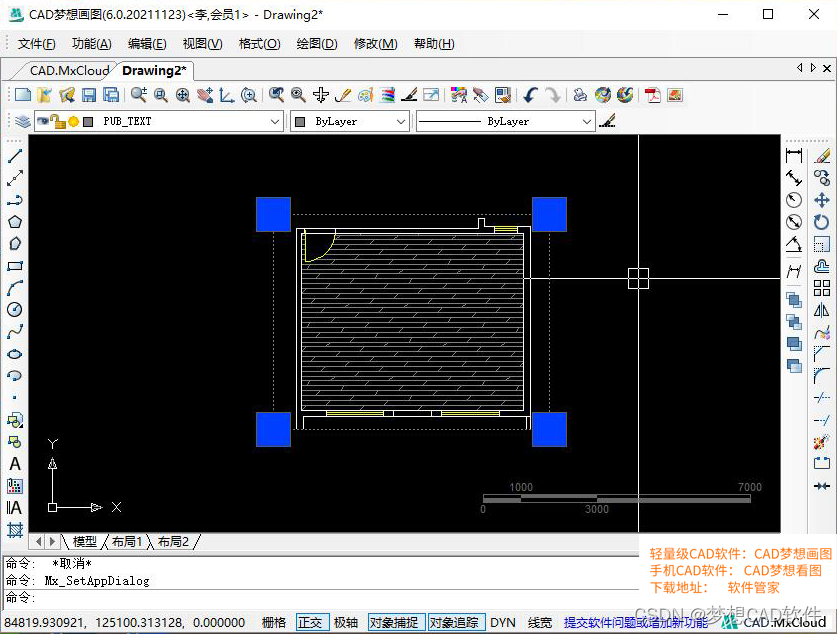
This issue summarizes a few CAD dream drawingsSoftware calculation skills.
Operating Tools
Operating system: Windows10
CAD Software: CAD Dream Drawing
Steps
1. First of all, we first click the measurement button under the function menu to open the "measurement toolbar", as shown in the following figure:
Measure Toolbar
2. The first alignment measurement, the dimension line of this measurement method can only be horizontal or vertical, the effect is as shown below:
Alignment measurement
3. The second type of linear measurement, which can measure not only horizontal and vertical line segments but also oblique line segments, but when measuring oblique line segments, orthogonality needs to be turned off, and the effect is shown in the following figure:
Linear measurement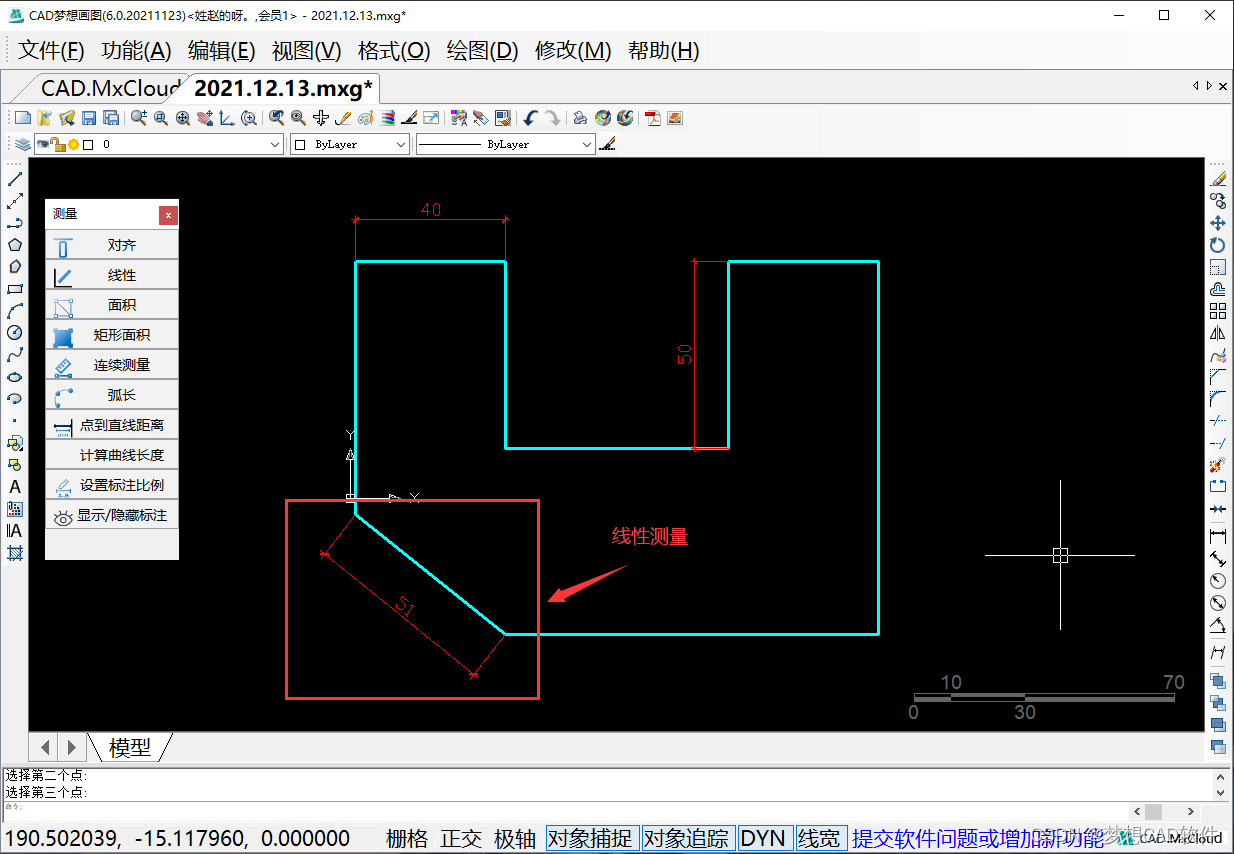
4. The third area measurement, this area measurement method can measure any kind of closed figure, the measurement result will be placed directly on the figure, and two values of area and perimeter will be displayed, as shown in the following figure:
p>Area Measurement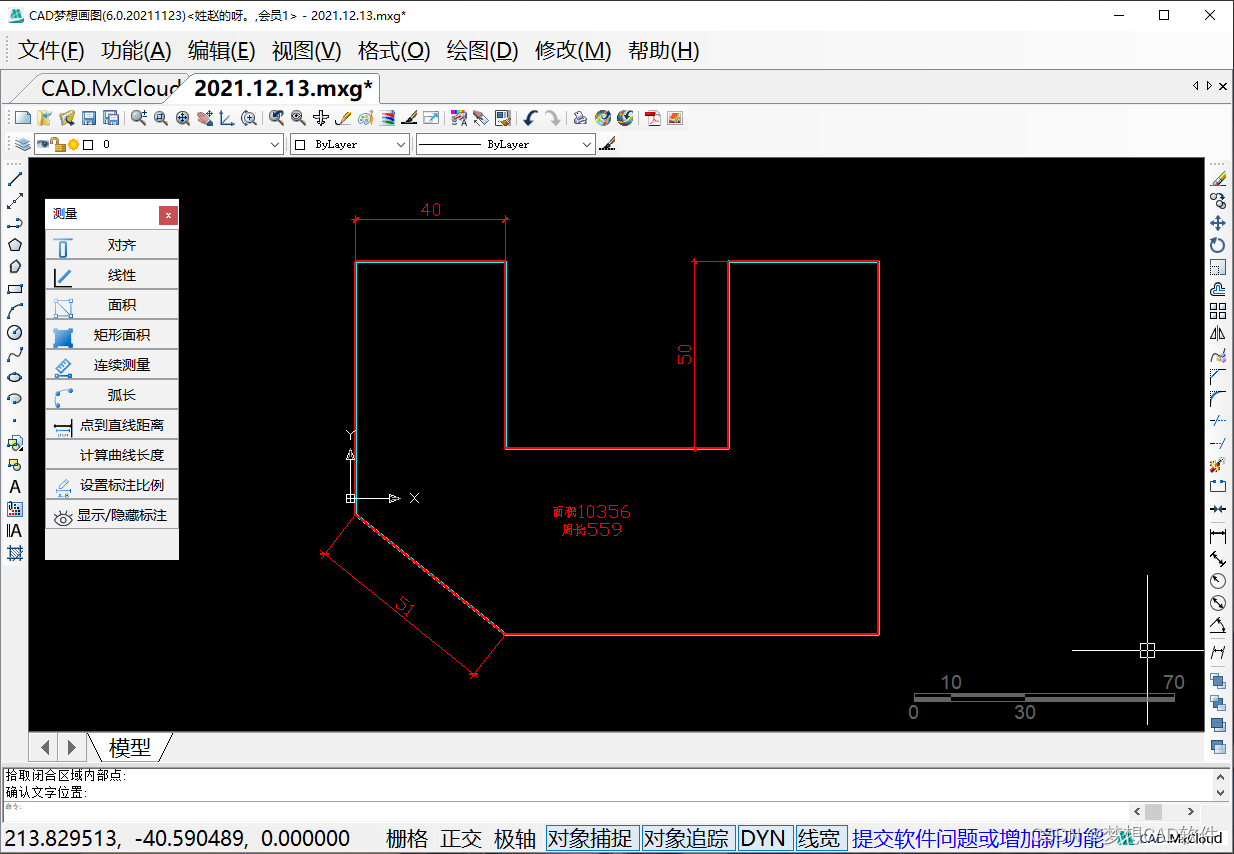
5. The fourth type is the measurement of the area of a rectangle. Just like the name, it can only measure the area of the rectangular pattern. The content displayed in a single display still has the area and perimeter. When measuring, you only need to select the two diagonal points of the rectangle.That's it, as shown below:
Rectangular Area Measurement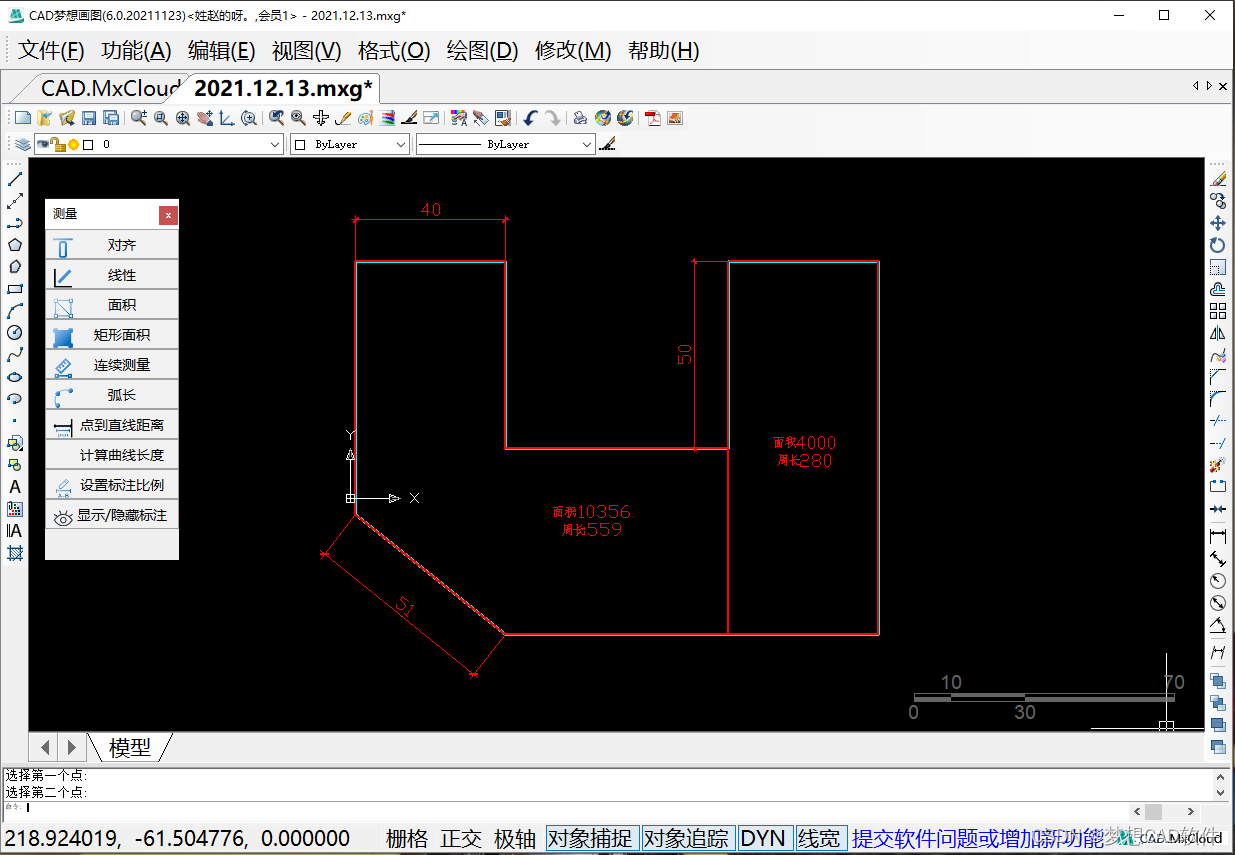
6. The last step is continuous measurement. As the name implies, it can measure the length of the line segment continuously and uninterruptedly. Press the space bar to complete the measurement, and then the specific value of each line segment and a total perimeter of the line segment will be displayed.As shown below:
Continuous measurement
边栏推荐
- typescript37-class的构造函数实例方法继承(extends)
- 乱七八糟的网站
- 『网易实习』周记(一)
- swift项目,sqlcipher3 -> 4,无法打开旧版数据库有办法解决吗
- Project Background Technology Express
- 云和恩墨:让商业数据库时代的价值在openGauss生态上持续繁荣
- The characteristics and principle of typescript29 - enumeration type
- Ask God to answer, how should this kind of sql be written?
- C language inserted into the characters of simple exercises
- PHP 使用 PHPRedis 与 Predis
猜你喜欢
LeetCode刷题日记:74. 搜索二维矩阵
HSDC is related to Independent Spanning Tree

Record the pits where an error occurs when an array is converted to a collection, and try to use an array of packaging types for conversion

Analysis of volatile principle
用位运算为你的程序加速

Handwriting a blogging platform ~ Day 3

typescript30-any类型
【轮式里程计】

AOF重写

【服务器数据恢复】服务器Raid5阵列mdisk磁盘离线的数据恢复案例
随机推荐
Data transfer at the data link layer
电子制造仓储条码管理系统解决方案
Analysis of volatile principle
to-be-read list
typescript33-typescript高级概述
Garbage Collector CMS and G1
typescript30-any类型
拼多多借力消博会推动国内农产品品牌升级 看齐国际精品农货
Named parameter implementation of JDBC PreparedStatement
个人博客系统项目测试
[ORB_SLAM2] void Frame::ComputeImageBounds(const cv::Mat & imLeft)
Redis Persistence - RDB and AOF
The underlying data structure of Redis
LeetCode Review Diary: 34. Find the first and last position of an element in a sorted array
成都openGauss用户组招募啦!
Hash collisions and consistent hashing
typescript31-any类型
volatile原理解析
【服务器数据恢复】服务器Raid5阵列mdisk磁盘离线的数据恢复案例
6-24 exploit-vnc password cracking