当前位置:网站首页>御神楽的学习记录之SoC FPGA的第一个工程-Hello World
御神楽的学习记录之SoC FPGA的第一个工程-Hello World
2022-07-26 15:35:00 【YuKaguraNe】
文章目录
一、Soc环境配置
1.镜像烧录
1)格式化TF卡:
先将TF卡格式化为一个卷
2)使用工具: Win32DiskImager
将事先准备好的linux简单镜像烧入TF存储卡中
3)启动并使用串口调试
1、首先需要将串口连线连接好,然后打开电脑设备管理器。
如下:
一般可以在端口处找到,如果在其他设备中发现(一般带有黄色感叹号)则代表驱动有问题,更新即可。
2、使用MobaXterm连接板子
Session设置如下:
3、连接完成后按下板子上的RST按键,可以看到加载如下:
4、登录用户即可
到此SoC的linux环境已经搭建完成。
二、Soc 的黄金工程
1.黄金工程简介
什么是Soc黄金工程呢,其实就是在对特定板子做好的模板工程,已经把相关的外设和HPS等配置在项目中,引脚也相应的绑定完成了的工程。
2.使用黄金工程的好处
使用黄金工程,可以极大的减轻初学开发者的SoC工程建立难度,免去了去写相关的顶层文件,开发者只需要在黄金工程的项目中,按需舍去或者是添加自己想要的外设或者接口。
三、Soc之hello world
1.SSH配置
进入ssh配置目录
cd /etc/ssh/

配置ssh设置
vi sshd_config

将第44行配置为红框中的PermitRootLogin yes
到此为止则SSH配置完成
2.网络配置
配置Soc板子静态地址
进入网络配置文件夹
cd /etc/network

修改interfacces配置文件
vi interfaces
如下:
这里将板子的地址可以任意配置
配置完成过后可以使用重启命令重启板子
reboot
重启完成后输入
ifconfig
查看配置是否成功
可以看到配置完成
配置电脑网络地址

修改网络设置
这里的地址也可以随意配置,不过要主要需要在一个网络当中。
到此相关网络配置完成
3.软件代码编写
代码编写
打开位于Quartus目录中embedded/ds-5/bin中的eclipse
在之前的黄金工程中新建app文件夹存放软件项目
在打开的eclipse中新建C 项目
在项目中添加源文件hello_world.c
编写代码
#include<stdio.h>
int main(){

	while(1)
	{

		printf("Hello World\n");
		//sleep(1);
	}
}
环境配置

需要配置的文件如上:
hps_0.h
将黄金文件中的hps_0.h复制到项目中即可
其余include配置
Project — Properties

选择设置选择C++ 常规,点击右侧add添加如图的路径即可
4.代码编译及运行
编译代码
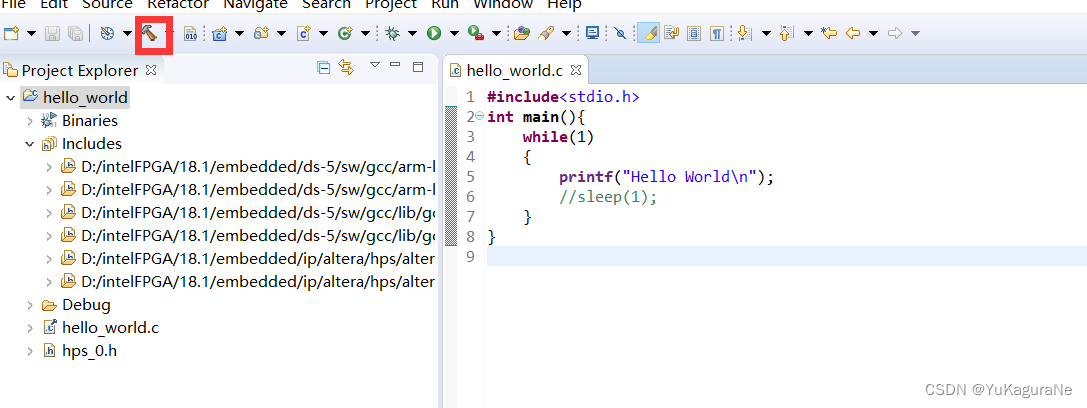
编译完成后会出现如下二进制文件
如果出现报错,需注意在代码编写完成后注意保存文件,eclipse不会自动保存代码
运行
使用eclipse的远程SSH连接到板子
打开如上图所示的窗口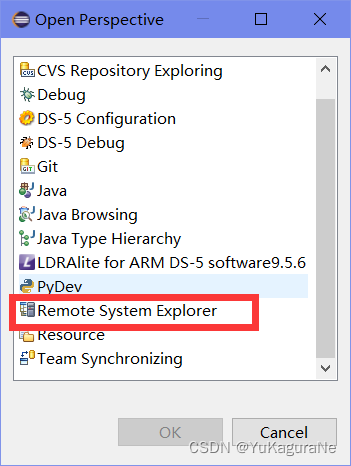
选择Remote System Explorer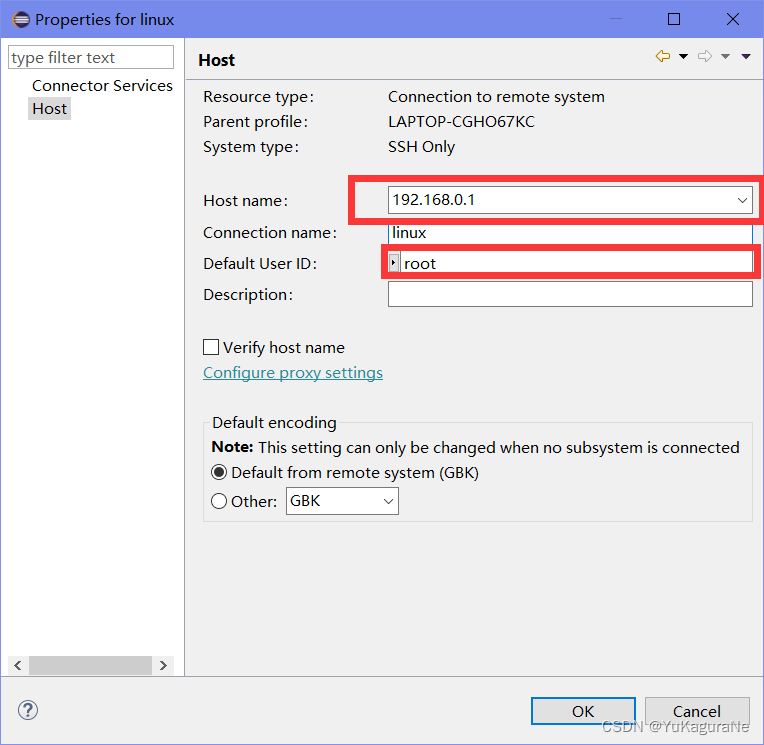
注意红框中的地址为板子配置的ip地址,eclipse访问linux,主机为linux。
输入登录用户名和密码即可
然后将之前编译产生的二进制文件hello_world复制到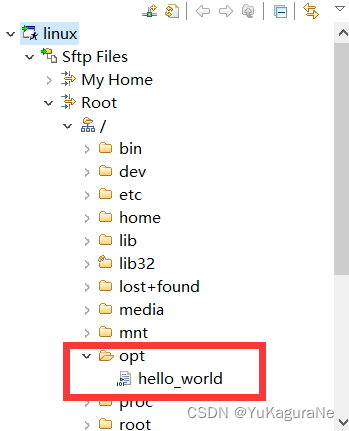
根目录的opt文件下
在该目录打开终端
chmod +x hello_world

修改文件的可执行权限
./hello_world
运行即可
边栏推荐
- 企业数字化转型需要深入研究,不能为了转型而转型
- .NET 手动获取注入对象
- SAP ABAP Netweaver 容器化的一些前沿性研究工作分享
- js 对数组操作的 API 总结
- Bluetooth ble4.0-hm-10 device pairing Guide
- Using information entropy to construct decision tree
- VS2019Debug模式太卡进不去断点
- 白话详解决策树模型之使用信息熵构建决策树
- Zynq PS + PL heterogeneous multicore Case Development Manual of Ti C6000 tms320c6678 DSP + zynq-7045 (1)
- Reflection, enumeration, and lambda expressions
猜你喜欢

什么是传输层协议TCP/UDP???

81.(cesium之家)cesium修改灰色背景(默认蓝色)
Driver development environment
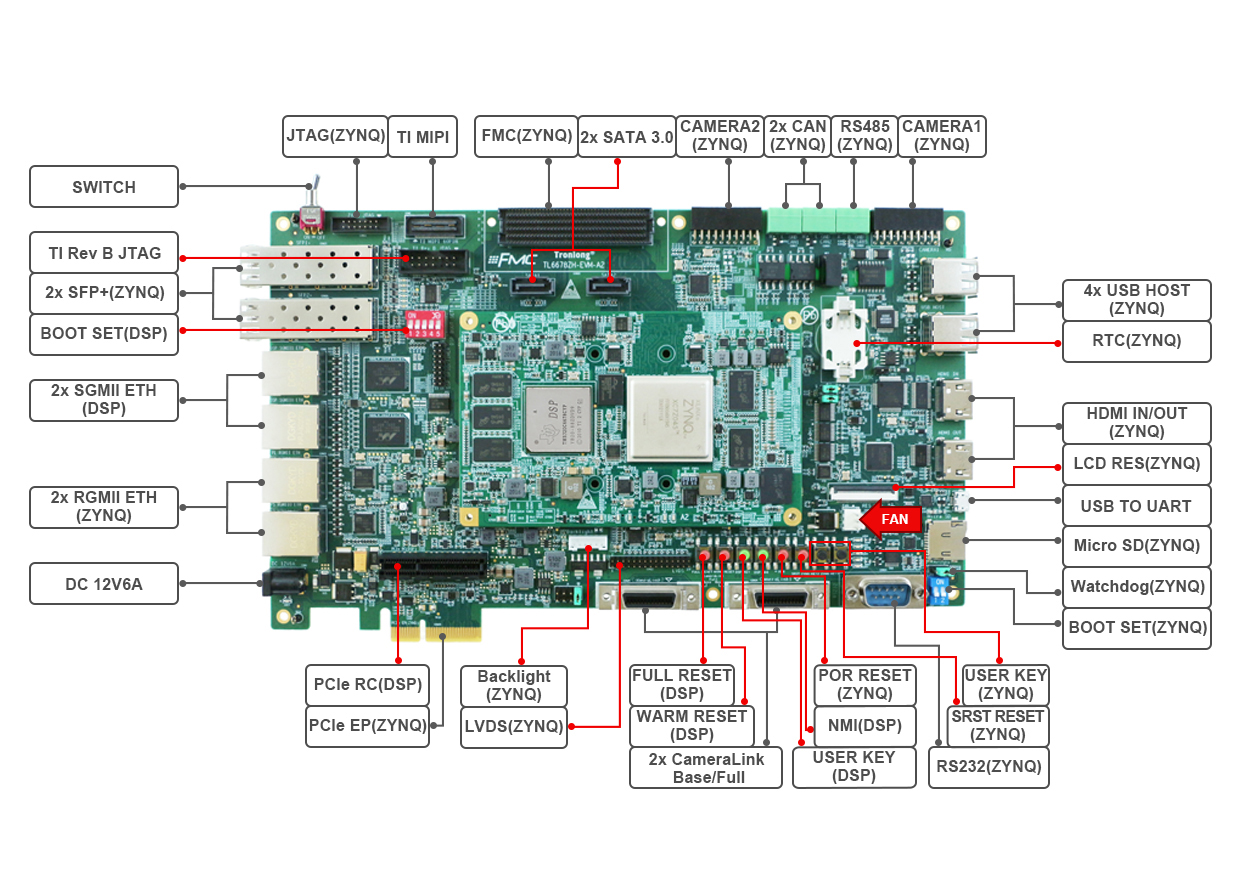
PS + PL heterogeneous multicore case development manual for Ti C6000 tms320c6678 DSP + zynq-7045 (2)

A comprehensive review of image enhancement technology in deep learning
![Detailed explanation of nat/napt address translation (internal and external network communication) technology [Huawei ENSP]](/img/84/3f5092bc2da6dfe657d7c27c6492cc.png)
Detailed explanation of nat/napt address translation (internal and external network communication) technology [Huawei ENSP]
81. (cesium home) cesium modifies the gray background (default blue)

Interview with data center and Bi business (IV) -- look at the essence of ten questions
原来卡布奇诺信息安全协会是干这个的呀,一起来看看吧。

PS + PL heterogeneous multicore case development manual for Ti C6000 tms320c6678 DSP + zynq-7045 (3)

随机推荐
[static code quality analysis tool] Shanghai daoning brings you sonarource/sonarqube download, trial and tutorial
[leetcode] 33. Search rotation sort array
使用两个栈实现一个队列
全志A40i工业核心板,100%国产4核ARM Cortex-A7,支持“双屏异显”【显示接口能力,工业HMI首选方案】
马斯克被曝绿了谷歌创始人:导致挚友二婚破裂,曾下跪求原谅
组件化开发基本规范、localStorage 和 sessionStorage、对象数据转基本值、原型链使用
Credit card number recognition (openCV, code analysis)
777. Exchange adjacent characters in LR string
Glyphs V3 Font Icon query
Pytorch installation CUDA corresponding
University rankings in Beijing
2023 catering industry exhibition, China catering supply chain exhibition and Jiangxi catering Ingredients Exhibition were held in February
关于我写的IDEA插件能一键生成service,mapper....这件事(附源码)
The R language uses the histogram function in the lattice package to visualize the histogram (histogram plot), the col parameter to customize the fill color, and the type parameter to customize the hi
# 工欲善其事必先利其器-C语言拓展--嵌入式C语言(十一)
Reflection, enumeration, and lambda expressions
Vs2019debug mode too laggy can't enter the breakpoint
Is there any need for livedata to learn—— Jetpack series (2)
Tutorial (7.0) 05. Issue forticlient * forticlient EMS * Fortinet network security expert NSE 5 through forticlient EMS
How to convert planning map into vector data with longitude and latitude geojson