当前位置:网站首页>28:第三章:开发通行证服务:11:在配置文件中定义属性,然后在代码中去获取;
28:第三章:开发通行证服务:11:在配置文件中定义属性,然后在代码中去获取;
2022-07-03 13:28:00 【小枯林】
说明:
(1)为什么写了本篇博客?:
● 在【27:第三章:开发通行证服务:10:【注册/登录】接口】中,我们设置cookie的时候,cookie的域和path,我们都写死在了程序中;
● 很显然,在开发环境、测试环境、生产环境中,我们大概率需要修改;;同时,以后在生产环境中,如果也可能需要修改;
● 而,如果把这些信息写死在代码中,如果我们要修改,就是修改的java的类;而这是很不好的;
(2)以前遇到过的两种解决方案:
● 第一种方式:把信息写在application.properties这个项目的配置文件(这个配置文件,是Spring Boot项目的,核心的application配置文件)中;然后,在代码中可以利用@Value注解去获取;;;这在【Spring Boot入门七:【配置文件中,配置自定义属性】并【使用@Value注解去获取属性,以赋值给变量】;】和【Spring Boot电商项目35:商品模块二:【增加商品】接口之图片上传:【上传图片】接口开发;】中,都有比较详细的介绍;
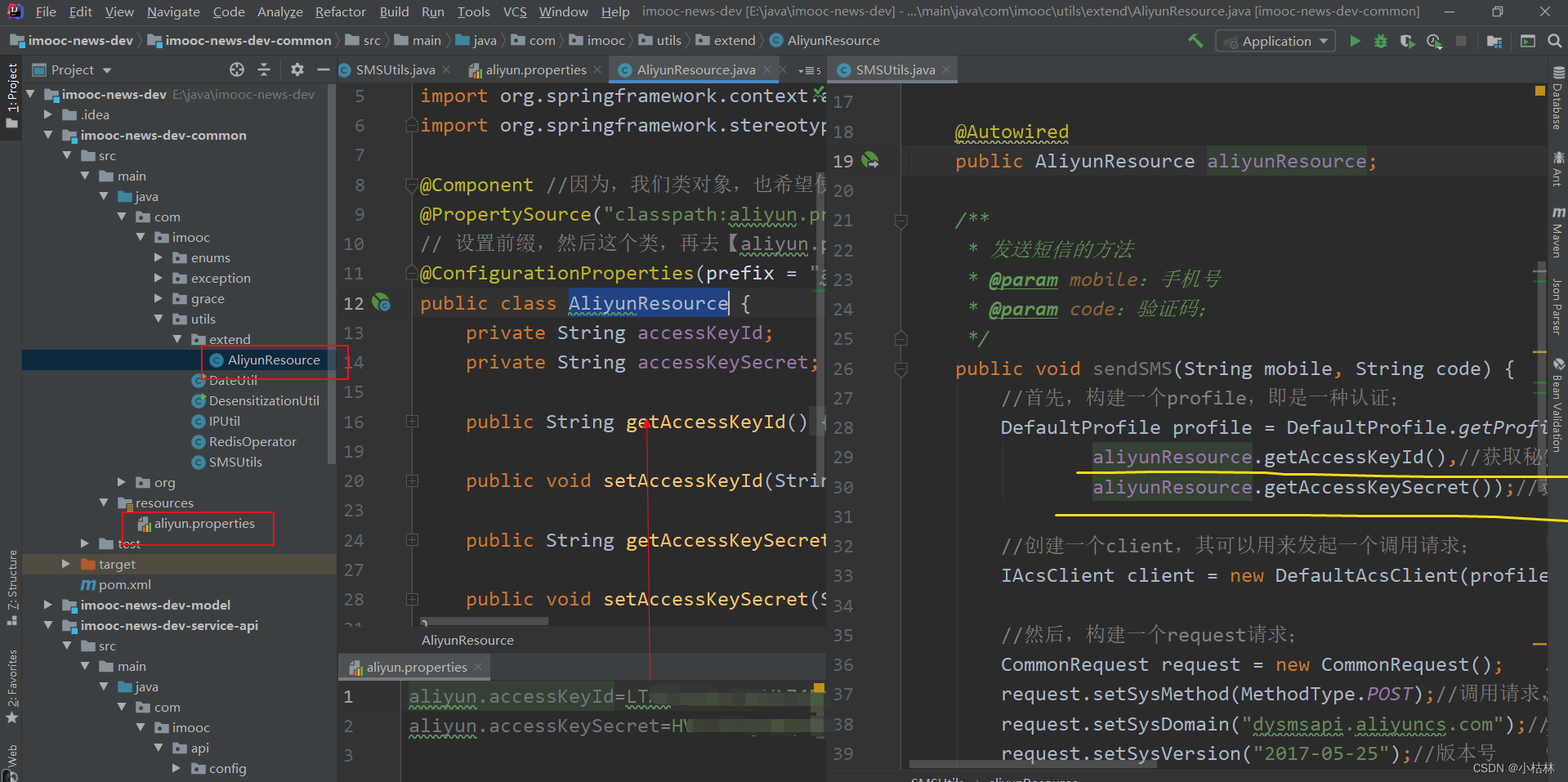
● 第二种方式:我们创建一个配置文件(这个配置文件,不是Spring Boot项目的核心配置文件,就是我们瞎创建的一个文件)中;然后,创建一个“获取资源文件信息”的类,以属性文件的形式去获取信息;;;这在【19:第三章:开发通行证服务:2:在程序中,打通阿里云短信服务;】,有比较详细的介绍;
(3)本篇博客采取的做法就是(2)中的第一种方式;

目录
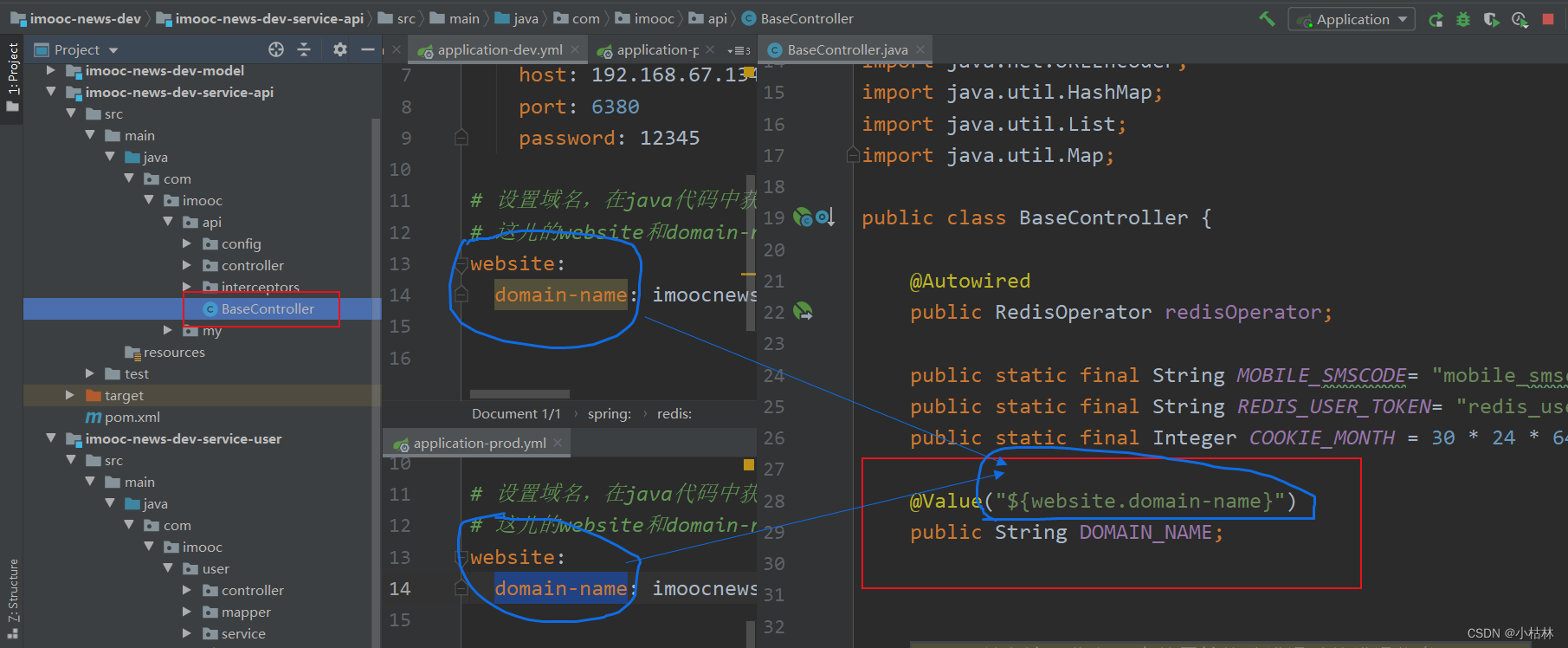
2.在BaseController的代码中,就可以取获取了;
一:【配置自定义属性】和【使用@Value注解,去获取】;
声明:开始前,请务必快速回顾下:以前的这两篇博客;
1.在【user】用户微服务的配置文件中,去设置属性;
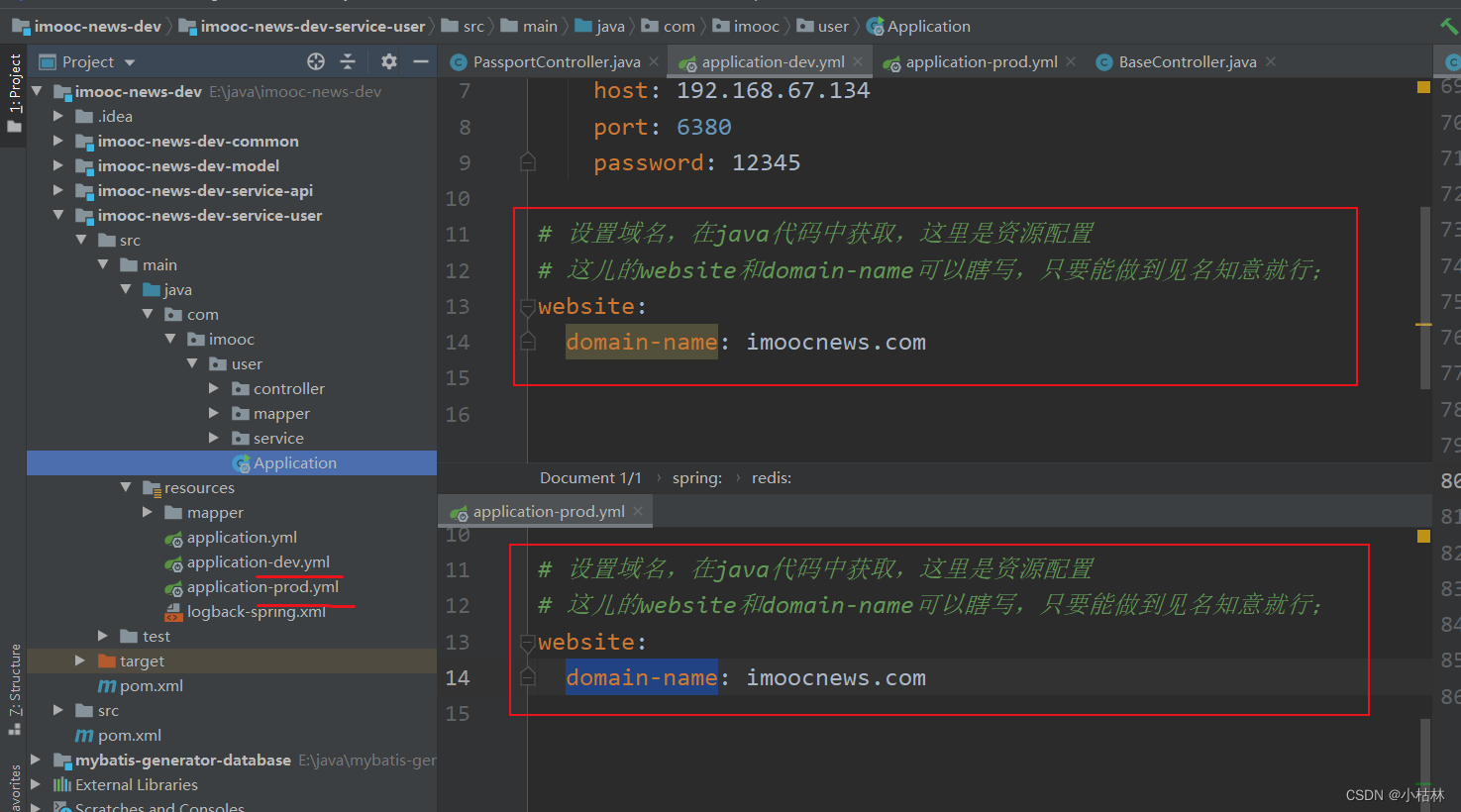
2.在BaseController的代码中,就可以取获取了;
说明:
(1)一个特别需要说明的点:
可以这样理解,【user】引入了【api】之后,其自然也就引入了【api中的BaseController】;;;自然此时,【BaseController】,也可以认为是【user】中的内容了;


3.效果;
重新install一下整个项目,然后启动【user】用户微服务的主启动类;然后,去注册/登录;(PS:为了排除以前的干扰,最好清一下浏览的cookie)

边栏推荐
- Ocean CMS vulnerability - search php
- MySQL 数据增删改查综合案例
- Qt学习25 布局管理器(四)
- SQL Injection (POST/Select)
- IBEM mathematical formula detection data set
- 金属有机骨架MOFs装载非甾体类抗炎药物|ZIF-8包裹普鲁士蓝负载槲皮素(制备方法)
- MySQL 数据处理值增删改
- 太阳底下无新事,元宇宙能否更上层楼?
- Mysql:insert date:sql error [1292] [22001]: data truncation: incorrect date value:
- 信创产业现状、分析与预测
猜你喜欢
Students who do not understand the code can also send their own token, which is easy to learn BSC

Conversion function and explicit
MySQL 数据增删改查综合案例
NFT new opportunity, multimedia NFT aggregation platform okaleido will be launched soon

Failure of vector insertion element iterator in STL

Ocean CMS vulnerability - search php
Qt学习18 登录对话框实例分析
Mycms we media mall v3.4.1 release, user manual update

There is nothing new under the sun. Can the meta universe go higher?

核酸修饰的金属有机框架药物载体|PCN-223金属有机骨架包载Ad金刚烷|ZIF-8包裹阿霉素(DOX)
随机推荐
windos 创建cordova 提示 因为在此系统上禁止运行脚本
Complete DNN deep neural network CNN training with tensorflow to complete image recognition cases
Qt学习21 Qt 中的标准对话框(下)
太阳底下无新事,元宇宙能否更上层楼?
[how to earn a million passive income]
顺序表(C语言实现)
金属有机骨架MIL-88负载阿霉素DOX|叶酸修饰UiO-66-NH2负载阿霉素[email protected]纳米粒子
叶酸修饰的金属-有机骨架(ZIF-8)载黄芩苷|金属有机骨架复合磁性材料([email protected])|制备路线
信创产业现状、分析与预测
Go language unit test 5: go language uses go sqlmock and Gorm to do database query mock
Multi person collaborative data annotation based on Baidu brain easydata from scratch
Stack application (balancer)
SQL Injection (POST/Search)
解决MySql 1045 Access denied for user ‘root‘@‘localhost‘ (using password: YES)
Spring cup eight school league
Mobile phones and computers can be used, whole people, spoof code connections, "won't you Baidu for a while" teach you to use Baidu
Implementation of Muduo asynchronous logging
[技术发展-24]:现有物联网通信技术特点
IBEM 数学公式检测数据集
Using registered classes to realize specific type matching function template