当前位置:网站首页>谷粒商城--环境部署(2022/7/28最新)
谷粒商城--环境部署(2022/7/28最新)
2022-07-30 06:06:00 【吃个小菜】
文章目录
Vagrant部署Centos
Vagrant官网下载即可
这里采用中科大的镜像站进行下载
地址如下:
Index of /centos-cloud/centos/7/vagrant/x86_64/images/ (ustc.edu.cn)
vagrant init centos7 https://mirrors.ustc.edu.cn/centos-cloud/centos/7/vagrant/x86_64/images/CentOS-7.box
启动虚拟机
启动完之后就可以关掉CMD窗口了,我们用xshell连接即可
vagrant up
虚拟机的配置
网络
网卡为桥接,这样我们就不用配置端口转发了
virtualbox 虚拟机网络配置中对每个网卡都有一个混杂模式的配置,默认为“拒绝”,如此所有进入此接口的报文,如果目的MAC与此接口MAC不相同则全部丢弃。
由于桥接设备报文转发时,进入接口的报文目的MAC与接口MAC完全不相同,故必须将混杂模式设置为“全部允许”

配置完网络重启网络并进行测试

登录
vi /etc/ssh/sshd_config 修改 PasswordAuthentication yes
重启服务
yum源配置
-o参数将服务器的回应保存成文件,等同于wget命令。
$ curl -o example.html https://www.example.com
上面命令将www.example.com保存成example.html。
-O参数将服务器回应保存成文件,并将 URL 的最后部分当作文件名。
curl -O https://www.example.com/foo/bar.html
上面命令将服务器回应保存成文件,文件名为bar.html。
使用新 yum 源
阿里云的这个是最快的,网易有点卡
使用这种方式的前提是网络模式为桥接模式,能直接上网,具体按照前面的进行配置
wget -O /etc/yum.repos.d/local.repo http://mirrors.aliyun.com/repo/Centos-7.repo
或者curl下载
curl -o /etc/yum.repos.d/local.repo http://mirrors.aliyun.com/repo/Centos-7.repo

yum clean all && yum makecache

yum install -y epel-release

yum clean all && yum makecache
Docker环境
yum安装docker
第一步
yum install -y yum-utils \
        device-mapper-persistent-data \
        lvm2
第二步使用阿里云镜像
yum-config-manager --add-repo http://mirrors.aliyun.com/docker-ce/linux/centos/docker-ce.repo && yum makecache fast
第三步安装
yum install docker-ce docker-ce-cli containerd.io
systemctl start docker systemctl enable docker
docker run hello-world

配置加速器
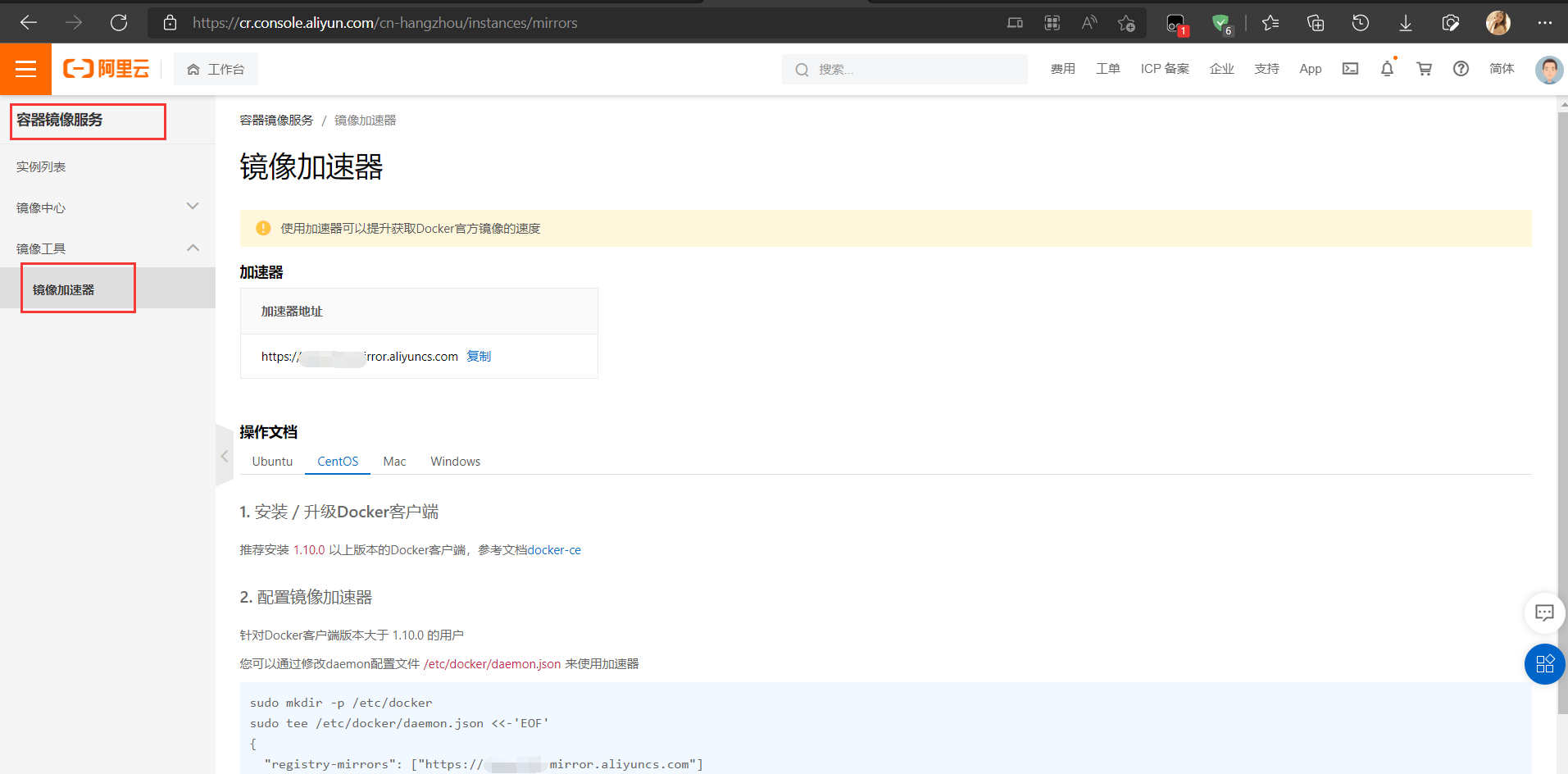
sudo mkdir -p /etc/docker

sudo tee /etc/docker/daemon.json <<-'EOF'
{
"registry-mirrors": ["https://3w352wd.mirror.aliyuncs.com"]
}
EOF
sudo systemctl daemon-reload
sudo systemctl restart docker
安装Mysql
docker run -p 3306:3306 --name mysql \
-v /mydata/mysql/log:/var/log/mysql \
-v /mydata/mysql/data:/var/lib/mysql \
-v /mydata/mysql/conf:/etc/mysql \
-e MYSQL_ROOT_PASSWORD=root  \
-d mysql:5.7
- -p 3306:3306:将容器的3306端口映射到主机的3306端口
- -v /mydata/mysql/conf:/etc/mysql:将配置文件夹挂在到主机
- -v /mydata/mysql/log:/var/log/mysql:将日志文件夹挂载到主机
- -v /mydata/mysql/data:/var/lib/mysql/:将数据文件夹挂载到主机
- -e MYSQL_ROOT_PASSWORD=root:初始化root用户的密码
MySQL 配置
vi /mydata/mysql/conf/my.cnf
[client]
default-character-set=utf8

[mysql]
default-character-set=utf8

[mysqld]
init_connect='SET collation_connection = utf8_unicode_ci'
init_connect='SET NAMES utf8'
character-set-server=utf8
collation-server=utf8_unicode_ci
skip-character-set-client-handshake
skip-name-resolve #跳过域名解析

docker exec -it mysql mysql -uroot -proot
grant all privileges on *.* to 'root'@'%' identified by 'root' with grant option;
flush privileges;

退出,设置开启自动启动
docker update mysql(服务名) --restart=always
Mysql本地连接失败
- pc和vm能互相ping通
- 关闭firewalld,或放开端口
- 打开ipv4转发
- vi /etc/sysctl.conf net.ipv4.ip_forward=1 #添加此行配置
- systemctl restart network && systemctl restart docker
- sysctl net.ipv4.ip_forward
- 如果返回为“net.ipv4.ip_forward = 1”则表示修改成功
安装Redis
docker run -p 6379:6379 --name redis -v /mydata/redis/data:/data \
-v /mydata/redis/conf/redis.conf:/etc/redis/redis.conf \
-d redis redis-server /etc/redis/redis.conf
Git配置
配置 Git
通过配置git,能让我们提交代码的时候显示我们的在这里设置的名字
# 配置用户名
git config --global user.name "username" //(名字)
# 配置邮箱
git config --global user.email "[email protected]" //(注册账号时用的邮箱)
配置 Ssh 免密登录
这里-C指定的为邮箱地址
ssh-keygen -t rsa -C "[email protected]"
查看公钥
cat ~/.ssh/id_rsa.pub
测试
用 ssh -T [email protected] 测试登录
成功会出现如下:
Hi 彭于晏! You've successfully authenticated, but GITEE.COM does not provide shell access.
Gitee配置
gitee为代码托管平台,在这里代码可以更灵活的合作开发、代码回滚等等

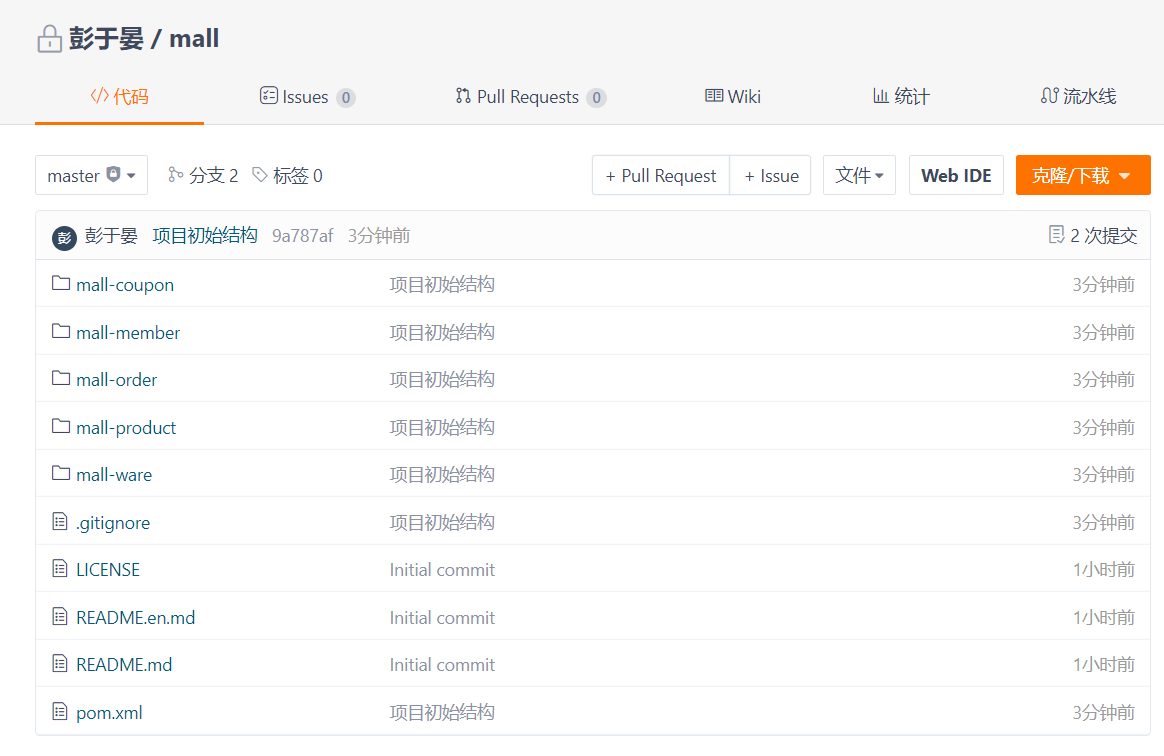
从Gitee导入代码到IDEA

建立项目基本架构

提交代码到gitee
初始化数据库
这里数据库我们采用docker中部署的mysql
设置每次重启后自动启动
[[email protected] ~]# docker update redis --restart=always
redis
[[email protected] ~]# docker update mysql --restart=always
mysql
重启虚拟机看是否重新启动
[[email protected] ~]# docker ps
CONTAINER ID   IMAGE       COMMAND                  CREATED       STATUS              PORTS                                                  NAMES
d82881d71fba   redis       "docker-entrypoint.s…"   5 hours ago   Up About a minute   0.0.0.0:6379->6379/tcp, :::6379->6379/tcp              redis
f8bb0bf0b68a   mysql:5.7   "docker-entrypoint.s…"   5 hours ago   Up About a minute   0.0.0.0:3306->3306/tcp, :::3306->3306/tcp, 33060/tcp   mysql
边栏推荐
- Equation Derivation Proof of Vector Triple Product
- assert
- 理解和熟悉递归中的尝试
- How does Redis prevent oversold and inventory deduction operations?
- go : go-redis set操作
- Electron之初出茅庐——搭建环境并运行第一个程序
- golang: Gorm configures Mysql multiple data sources
- MySQL master-slave replication configuration construction, one step in place
- Go: use gorm query record
- go : go gin returns JSON data
猜你喜欢

DP5340 domestic replacement for CM5340 stereo audio A/D converter chip

VR机器人教你如何正确打乒乓球

C# 获取系统已安装的.NET版本

What are the access modifiers, declaration modifiers, and keywords in C#?Literacy articles

The introduction of AI meta-learning into neuroscience, the medical effect is expected to improve accurately

人工肌肉智能材料新突破

MySql详解基础
mysql高阶语句(一)

Go combines Gin to export Mysql data to Excel table

2020年度总结——品曾经,明得失,展未来
随机推荐
包含min函数的栈(js)
分布式系统中的开创者—莱斯利·兰伯特
MYSQL 主从恢复锁表后, 处理SQL 线程锁解决.
从 Google 离职,前Go 语言负责人跳槽小公司
A magical no main method of code
【day5】数组
selenium模块
Oracle查看表空间使用率及爆满解决方案
Go: go - redis based operation
2020 ACM | MoFlow: An Invertible Flow Model for Generating Molecular Graphs
IDEA 中CheckStyle安装及使用
华为发布“十大发明”,包含计算、智能驾驶等新领域
【Codeforces Round #805 (Div. 3)(A~C)】
【MySQL】MySQL中如何实现分页操作
Mobile phone side scroll to page to specify location
Ali: How many methods are there for multi-threaded sequential operation?
进制转换。。。
assert
MySql详解基础
Electron日常学习笔记