当前位置:网站首页>devops学习(九) Helm工具--持续部署
devops学习(九) Helm工具--持续部署
2022-07-29 23:05:00 【默子昂】
我们后续部署的程序可能包含很多个子程序,单一的yaml文件部署会让我们的启动脚本变的很繁琐,这里就直接改为使用helm去部署
一、部署helm工具
1、拉取软件包
//自己的小站101.43.4.210/helm-v3.5.1-linux-amd64.tar.gz
wget  https://get.helm.sh/helm-v3.5.1-linux-amd64.tar.gz

tar -zxvf helm-v3.5.1-linux-amd64.tar.gz

cp linux-amd64/helm  /usr/bin/
2、查看版本
helm version二、自定义Chart包
通常来说,我们这个Chart包是给集群master节点用的,大部分情况我们都不会频繁的修改Chart包,这里可以直接定义到master节点也可以用,这里为了演示就直接以CD的形式发送到节点上去部署
mkdir -p helm/mytest1、指定Chart包的版本信息
vi Chart.yaml
apiVersion: v2
name: mytest
appVersion: "v1.0.1"
version: "v1.0.1"
2、定义要使用的变量
vi values.yaml
name: "mytest"
namespace: "devops"
containers:
  name: "mytest"
  image: "mytest:v1.0.1"
  containerPort: "9999"
  nodePort: "30008"
3、定义Chart包中要部署的模板文件
vi templates/mytest-dev.yaml
apiVersion: apps/v1
kind: Deployment
metadata:
  name: {
   { .Values.name }}
  namespace: {
   { .Values.namespace  }}
spec:
  selector:
    matchLabels:
      app: {
   { .Values.name }}-init
  template:
    metadata:
      labels:
        app: {
   { .Values.name }}-init
    spec:
      containers:
        - name: {
   { .Values.containers.name }}
          image: {
   { .Values.containers.image }}
          ports:
            - name: http
              containerPort: {
   { .Values.containers.containerPort }}
---
apiVersion: v1
kind: Service
metadata:
  name: {
   { .Values.name }}-svc
  namespace: {
   { .Values.namespace  }}
spec:
  ports:
    - port: {
   { .Values.containers.containerPort }}
      targetPort: http
      nodePort: {
   { .Values.containers.nodePort }}
  selector:
    app: {
   { .Values.name }}-init
  type: NodePort
4、定义打包时要忽略的配置
vi .helmignore
# Patterns to ignore when building packages.
# This supports shell glob matching, relative path matching, and
# negation (prefixed with !). Only one pattern per line.
.DS_Store
# Common VCS dirs
.git/
.gitignore
.bzr/
.bzrignore
.hg/
.hgignore
.svn/
# Common backup files
*.swp
*.bak
*.tmp
*.orig
*~
# Various IDEs
.project
.idea/
*.tmproj
.vscode/
创建完之后要上传到gitlab仓库中使用
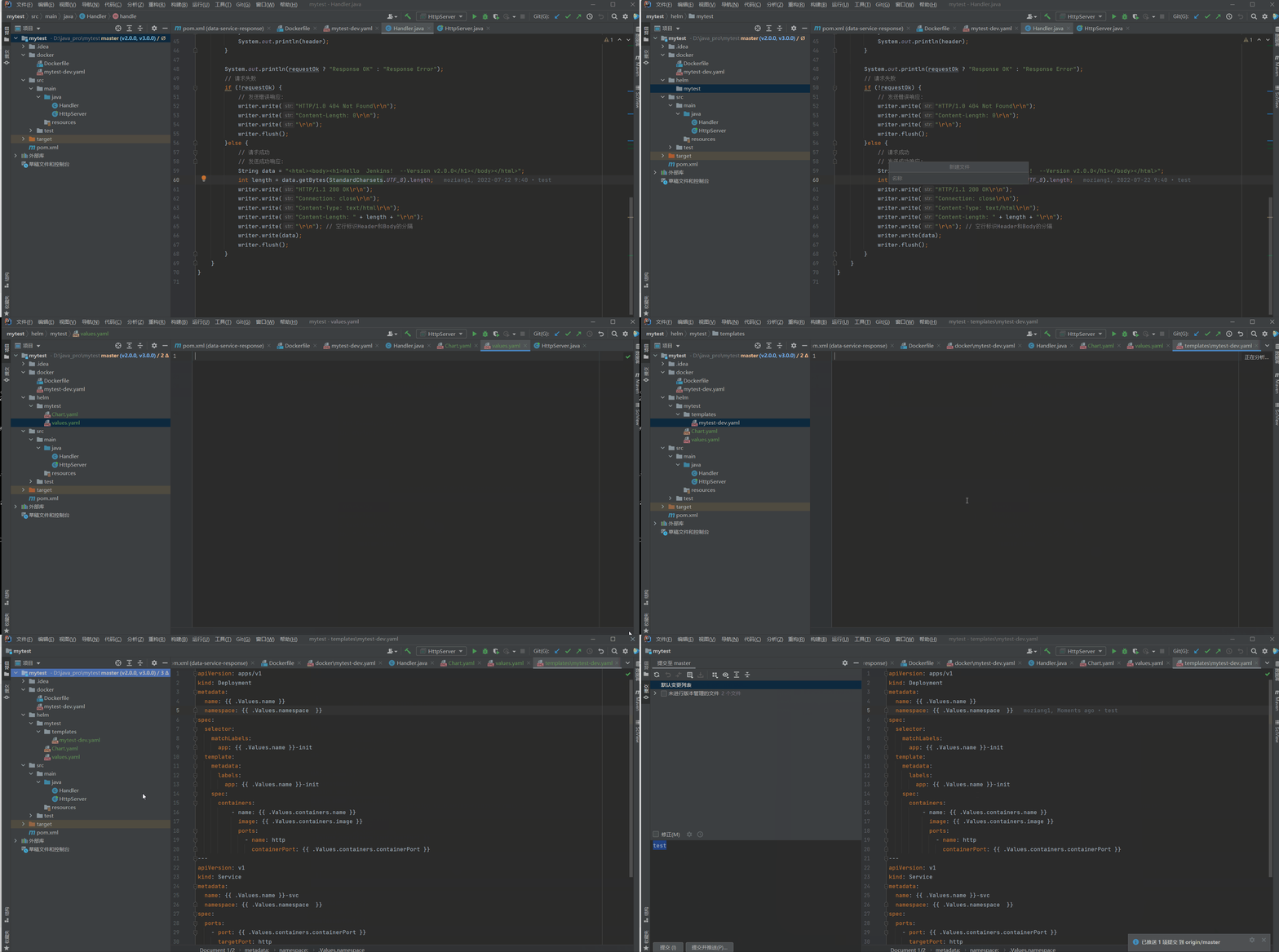
helm文档参考
https://docs.helm.sh/zh/docs/chart_template_guide/functions_and_pipelines/三、jenkins添加构建后操作
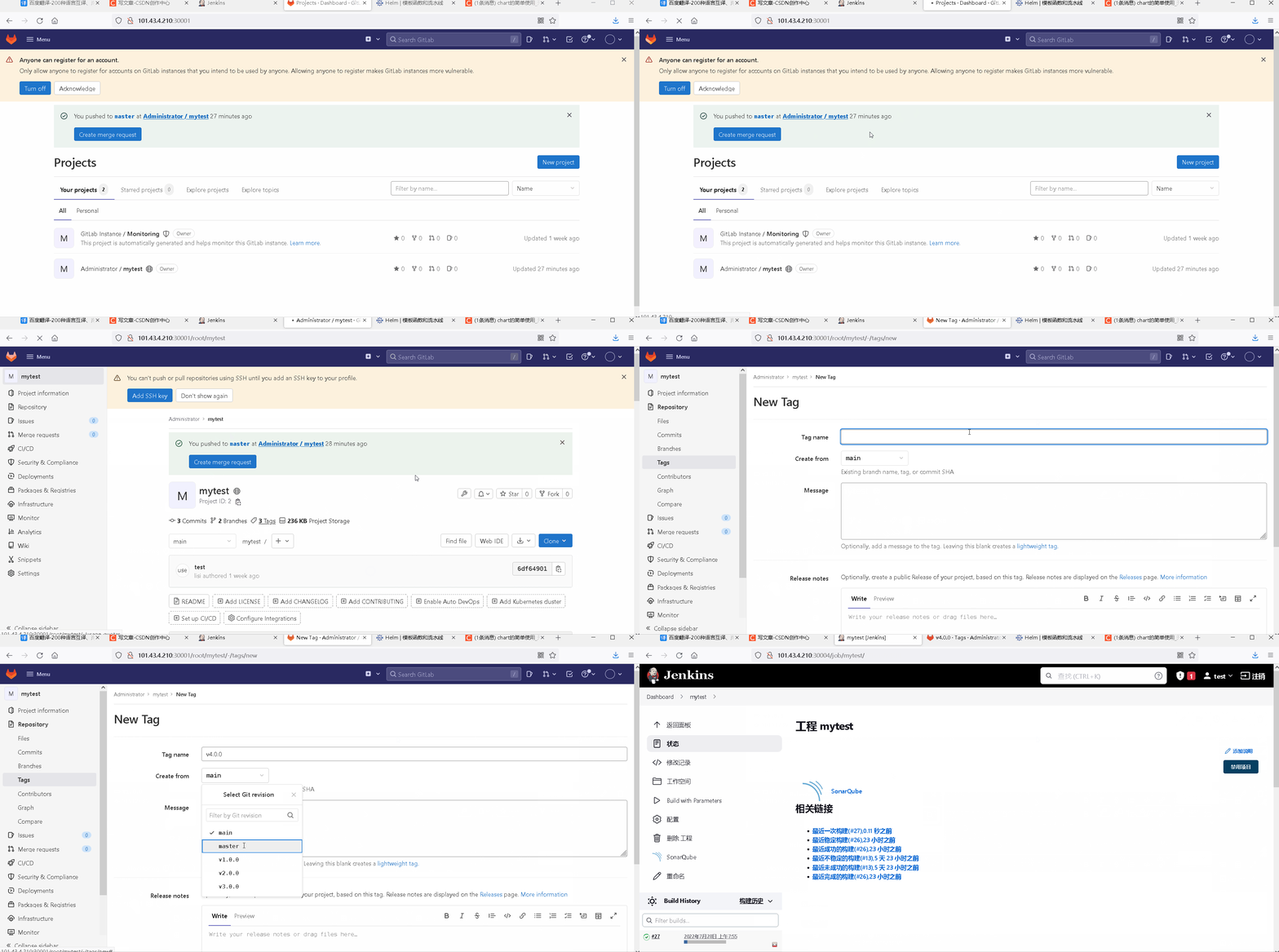
1、gitlab新建v4.0.0标签
我们添加helm是在v3版本之后添加的,这里要在gitlab再打一个tag
2.1、定义要拷贝的配置
//要拷贝的源文件
//这里指定将helm项目下的文件都拷贝过去
//默认不拷贝目录,这里要再加个templates
helm/mytest/* helm/mytest/templates/*
2.2、指定EXEC程序
helm upgrade -i ${JOB_NAME} /usr/local/test/helm/mytest/

//这里helm upgrade 是代表更新的意思,  -i 表示如果没有部署则会部署,如果部署了就会更新
//这样一来,每次我们有变更下 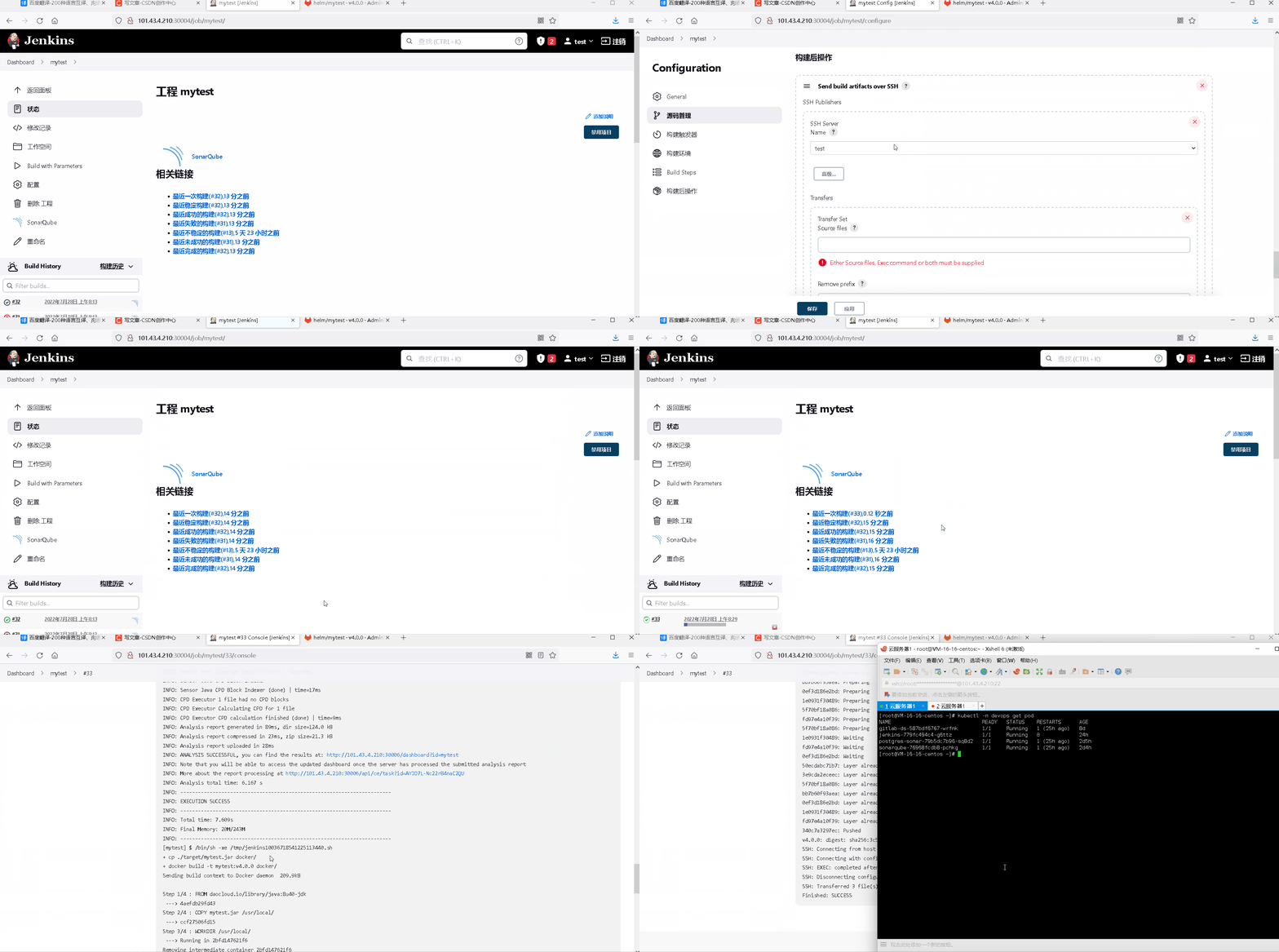
如上,我们配置后直接构建V4版本会通过helm工具直接去部署/更新新的配置
2.3、添加helm指定使用镜像的版本
这里实际上就是通过修改helm的语句在更新的时候覆盖value.yaml的变量来实现的
添加覆盖的配置
helm upgrade -i ${JOB_NAME} --set containers.image=101.43.4.210:30007/repo/${JOB_NAME}:${tag} /usr/local/test/helm/mytest/


//我们原先value.yaml的配置是  mytest:v1.0.1
//这里我们在启动的时候指定value.yaml下的镜像的变量进行覆盖使用
//这个操作不会修改value.yaml的值,模板中其他变量还是用的value.yaml下的值
如此一来,我们从V4版本之后就可以通过helm快速进行版本更新了( •̀ ω •́ )y
存在的问题
1、步骤太长了,我们实现上面的步骤点了很多东西,如果那里出错了我们无法快速的排查问题
    //pipline 流水线

2、我们在任务中关于harbor仓库的地址是写死的,如果要修改就需要一步一步切进去很麻烦
//jenkinsfile边栏推荐
- 【leetcode】80. 删除有序数组中的重复项 II(中等)(双指针、原地修改)
- Mysql内外连接
- The sequence table of the linear table (the dry goods are full of sharing ~ contains all the function codes of the sequence table~
- Analysis of miscellaneous diseases such as DNS domain name hijacking in instant messaging mobile terminal development
- Access the company intranet
- 树莓派上安装 wiringPi 2.6 解决 gpio readall 命令的错误
- bgp基础配置和宣告
- C语言实现扫雷(9*9)游戏——详解
- esp12f + tft 显示图片问题
- 嵌入式系统驱动初级【1】——内核模块上_编译方法
猜你喜欢


随机推荐
【leetcode】75. 颜色分类(中等)(双指针、原地修改)
什么是色选机(color sorter)?
PyCharm使用教程(详细版 - 图文结合)
kaniko --customPlatform参数:支持不同平台的镜像构建(如:arm等)
How to make labview an application (labview program recognizes shapes)
消失的两个月......
Raspberry pie wiringPi 2.6 installed on solving gpio readall command mistakes
纳米金颗粒修饰核酸产品|碳纳米管载核酸-DNA/RNA材料|解析说明
三子棋(用C语言写)
超分之RVRT
2022年最新甘肃建筑施工焊工(建筑特种作业)模拟题库及答案解析
7.联合索引(最左前缀原则)
In 2022, the latest Gansu construction staff (material staff) mock exam questions and answers
通过 FileUploader 的初始化,了解 SAP UI5 应用的 StaticArea 初始化逻辑
Qt之在QML中使用QSortFilterProxyModel进行排序和过滤
【openlayers】地图【二】
kaniko --customPlatform parameter: support image construction of different platforms (eg: arm, etc.)
Cloud computing 1+X openstack articles
【面试:并发篇30:多线程:happen-before】
high-level-rest-client 判断索引是否存在