当前位置:网站首页>LED lighting experiment with simulation software proteus
LED lighting experiment with simulation software proteus
2022-06-12 07:10:00 【luffy5459】
Before this experiment , Make sure that the system is properly installed proteus and keil Tools .proteus It is used to design circuit diagrams ,keil It's for writing c The language code is compiled into the chip usable hex programmatic .
front install keil When , In the end, I mentioned , If installed keil,proteus, During the simulation , You can use it directly proteus. Without opening keil, And then use what kind of joint debugging , need proteus Turn on remote debugging ,keil Open the debug , You need to download an extra one VDM51.dll Dynamic library files , Then configure , Too many locks , And it's a waste of keil resources .
The light here led All the experiments used proteus Software complete .
stay proteus Medium new project : Enter the project name , Choose a save path .

Select template , Select the second radio box , Create from template , This template directly uses the default DEFAULT, This is for drawing design drawings .

This step is to choose PCB Layout , It is also created from the template , Still select the default DEFAULT type .

In this step, choose “ Create a hardware project ”, The English version is :Create Firmware Project.Family choice 8051,Controller choice 80C51, Compiler selection Keil for 8051, If it shows not configured, You have to configure it yourself .

This step , without Keil for 8051 compiler , You can click on Compilers Button , Configure the system installation Keil compiler :

With this option , The project we created , To source code , And it's c Linguistic .

You can then switch views to Schematic Capture, Novices should never switch to PCB Layout View , Otherwise, it will run away . There is a direct 80C51 Chip , We don't have to go to the equipment library to choose .

This experiment is to light up led, We still need to choose other components , Light-emitting diode LED-RED, 220R resistance . stay Schematic Capture Under View , We are working on components Component In mode , Choose the device , Click on "P":

The pop-up box shown below appears : In the keyword input box , Input separately LED-RED,220R Select the diode on the right and 220 Ohmic resistance . Finally, click at the bottom of the page “ok” End selecting components .

Then there is drawing , First select the diode or resistor in the device box , Then left click in the drawing area to drag out the components .
We still need to Terminal Mode Choose “ Grounding ”(GROUND):

Then there is the circuit connection , It's very simple , Directly connect the place you want to connect with the mouse .
The circuit diagram drawn is as follows :

This circuit , The positive pole of the diode is connected to the single chip microcomputer , The negative pole is connected to a resistor , Final grounding , According to the principle of luminescence , Need MCU pin P2.0 Give the high level .
The source code is very simple , It will almost disappoint you :
#include <reg51.h>
#include <stdio.h>
sbit led = P2^0;
void main(void)
 {
   while (1){
    led = 1;
   }
 }
Simulation effect picture :
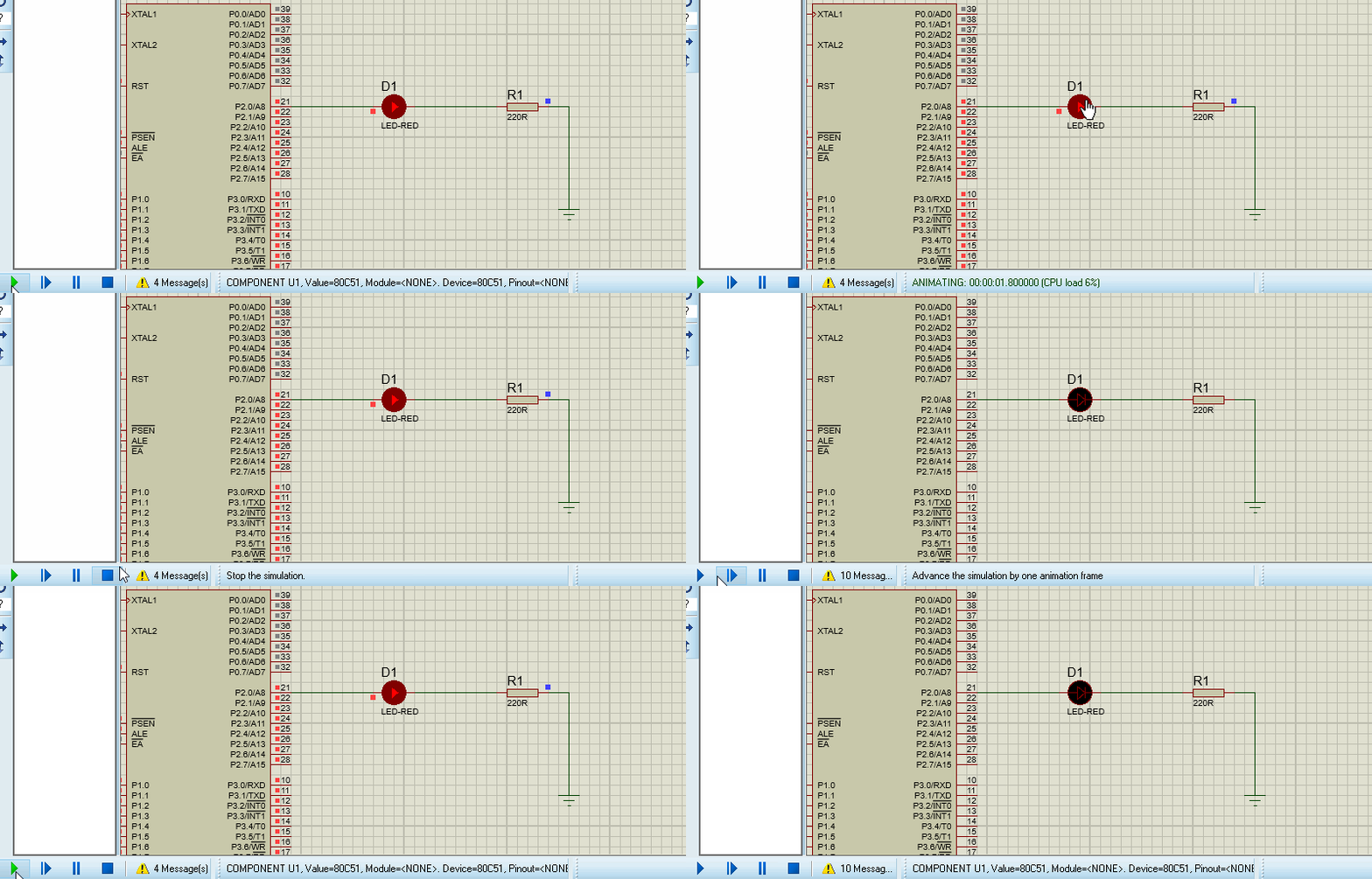
This experiment , You can continue to do it , Here's just a simple light-emitting diode , In fact, a delay can be used to make the diode flash . The principle is : Turn on high level , Time delay 1 second , Turn on low level , Time delay 1 second , Go back and forth , You can see the diode flashing .
Code :
#include <reg51.h>
#include <stdio.h>
sbit led = P2^0;
void delay()
{
  unsigned int i,j;
  for(i=0;i<1000;i++)
  {
    for(j=0;j<110;j++);
  }
}
void main(void)
 {
   while (1){
    led = 1;
    delay();
    led = 0;
    delay();
   }
 }
Simulation effect :
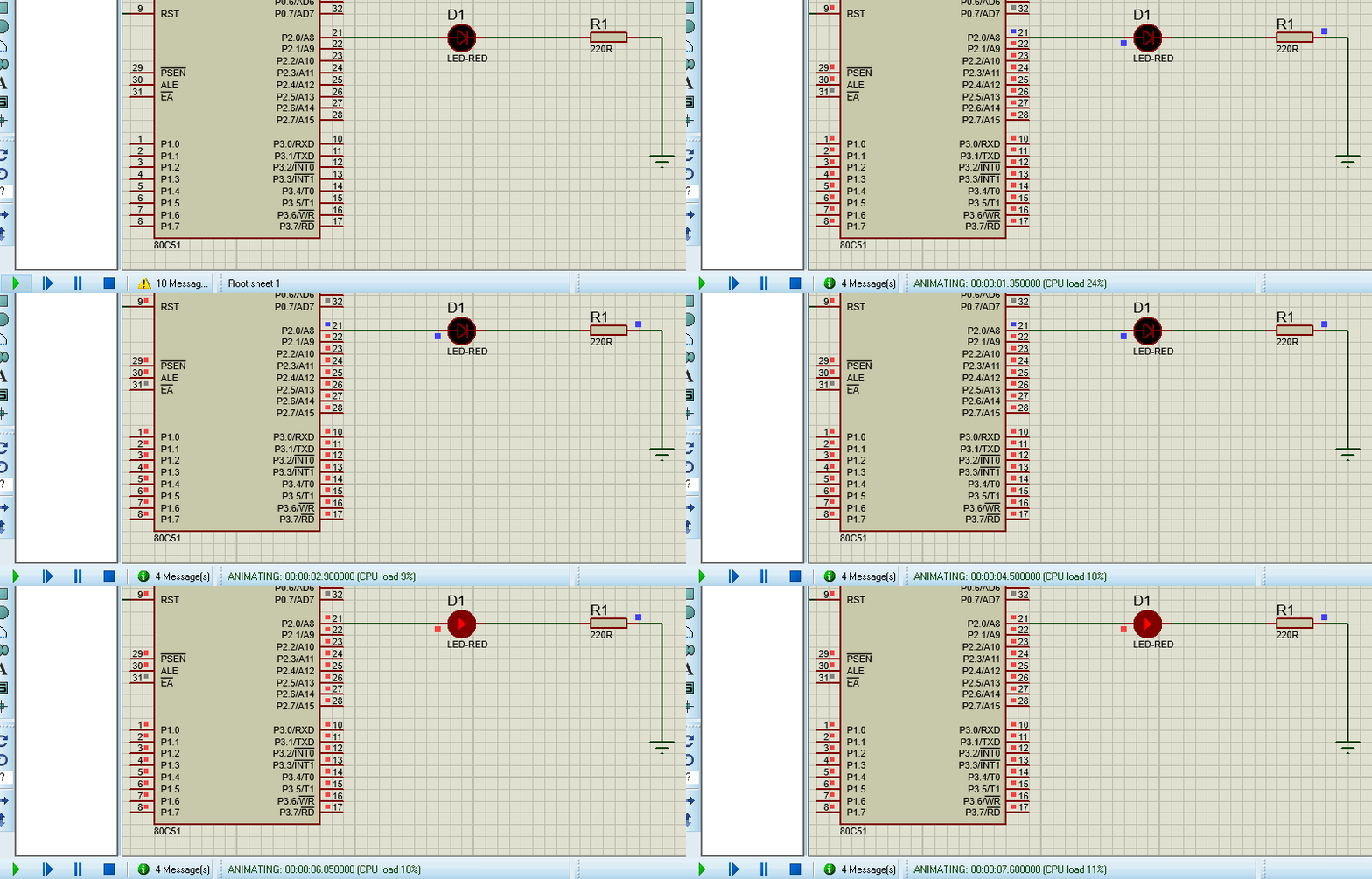
It can also be observed that , Directly lit with the front led The difference is ,P2.0 The pin will be red , High level , It's blue for a while , Indicates low level , That's it led Flashing effect .
There is another way to draw the circuit diagram , One end of the resistor is connected to the power supply , such , The direction of the diode needs to be rotated 180 degree , The negative pole of the diode needs to be connected to the development board , The lighting program naturally needs to be modified , If it is flashing , In fact, there is no need to modify .
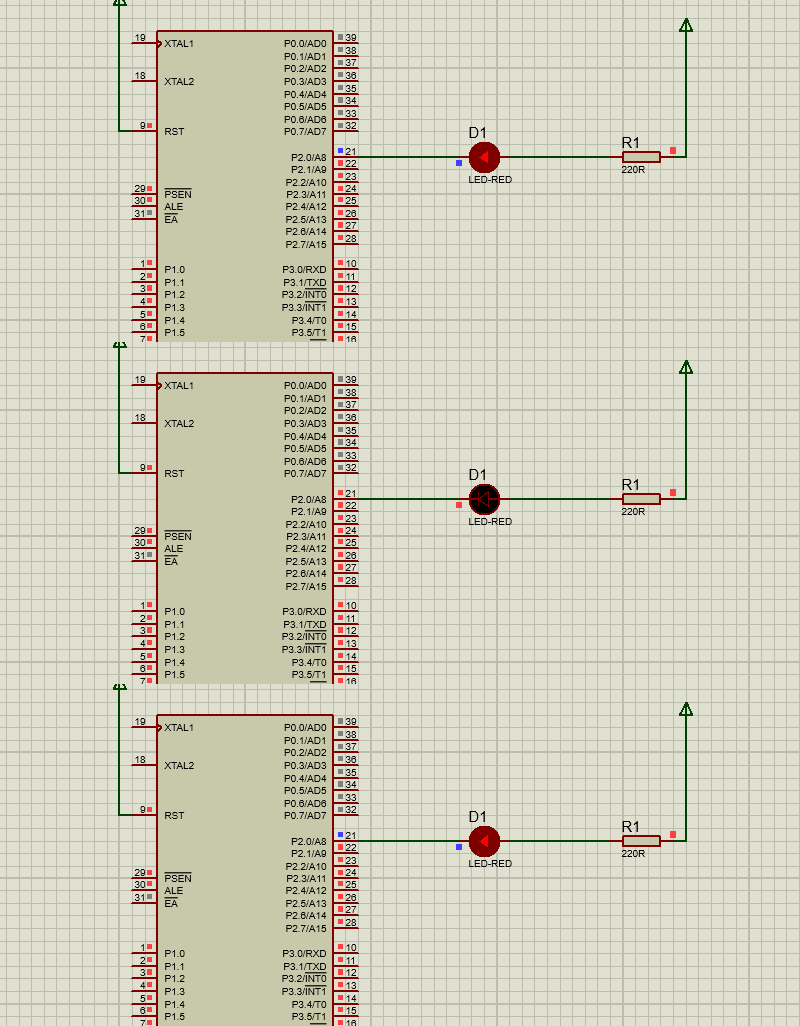
In all development software , Personally, I think this kind of simulation software is the most fun , Build the circuit , Programming , Finally, simulation , You can see the effect directly , Really excited .
It is worth noting that , I began to choose the pin connection , Direct to P0 Pin , Later, it was found that the diode did not light at the dead or alive point , The simulation does not report an error , Later, I found that I received P2 Pin , It lit up immediately , And when observing experimental phenomena , Find out P0 The pins have not changed at all , Other P1,P2,P3 Will be displayed in red ,P2 Connect the diode pin P2.0 From time to time, it also shows blue , You can see it here ,P0 The pin does not participate in the level output . So pay attention to the wiring .
边栏推荐
- 循环链表和双向链表—课上课后练
- Dépannage de l'opération cl210openstack - chapitre expérience
- Database syntax related problems, solve a correct syntax
- [image detection] SAR image change detection based on depth difference and pcanet with matlab code
- Throw away the ugly toast. The movable toast is more interesting
- Pyhon的第四天
- 推荐17个提升开发效率的“轮子”
- 9 Sequence container
- LVDS drive adapter
- 网络丢包问题排查
猜你喜欢

sql server 2019安装出现错误,如何解决

lambda 函数完美使用指南
VSCode常用插件

Some operations of MATLAB array

【图像去噪】基于高斯滤波、均值滤波、中值滤波、双边滤波四种滤波实现椒盐噪声图像去噪附matlab代码

Detailed explanation of convirt paper (medical pictures)

Planning and design of 1000 person medium-sized campus / enterprise network based on ENSP and firewall (with all configuration commands)

Kali and programming: how to quickly build the OWASP website security test range?

esp32 hosted

RT thread studio learning (VII) using multiple serial ports
随机推荐
Cron expression and website generation
d的扩大@nogc
新知识:Monkey 改进版之 App Crawler
Postman splice replacement parameter loop call interface
Vscode outline preview cannot find file symbol
Leetcode: Sword finger offer 66 Build product array [application of pre and post infix]
TypeScript基础知识全集
Thoroughly understand the "rotation matrix / Euler angle / quaternion" and let you experience the beauty of three-dimensional rotation
5 statement
VSCode常用插件
Scons compiling imgui
Oracle Database
RT thread studio learning summary
PowerDesigner connects to entity database to generate physical model in reverse
Freshmen are worried about whether to get a low salary of more than 10000 yuan from Huawei or a high salary of more than 20000 yuan from the Internet
Kotlin plug-ins kotlin Android extensions
Static coordinate transformation in ROS (analysis + example)
leetcode. 39 --- combined sum
[image denoising] image denoising based on nonlocal Euclidean median (nlem) with matlab code
D cannot use a non CTFE pointer