当前位置:网站首页>原生小程序用画布制作海报,等比例缩放,和uniapp差不多就是写法有点不同
原生小程序用画布制作海报,等比例缩放,和uniapp差不多就是写法有点不同
2022-06-24 07:06:00 【隐密修罗】
最后直接看效果图;不废话,直接上代码,效果图。
(四个文件复制直接可以使用,代码有注释)
思路:当以iphone6/7/8 基础的时候,你就会看到 获取屏幕的宽为350,高为603,这个是微信开发工具的获取的屏幕的数据。 1、 图片在canvas的时候,你可以先设置好高度,和宽度。 2、 当你的canvas需要放到其他的手机屏幕的时,你需要用其他手机的 宽/iphone678宽 高/iphone678高 获取的它(放大或缩小)的比例。3、然后再分别乘以图片的宽、高 4、文字也和图片一样需要设置宽高
js↓↓↓↓↓↓文件 :
// pages/manage/myshare/painter.js
Page({

  /**
   * 页面的初始数据
   */
  data: {
var foo = 'bar';
  },

  /**
   * 生命周期函数--监听页面加载
   */
  onLoad: function (options) {

  },

  /**
   * 生命周期函数--监听页面初次渲染完成
   */
// canvas.js
    onReady: function (e) {

	},
    sening: function(e) {
	    var that = this;
			wx.getSystemInfo({
				success: function(res) {
					console.log(res.windowHeight)
					console.log(res.windowWidth)
					console.log(res.pixelRatio)
					let windowscale = res.windowHeight/res.windowWidth;
					console.log(windowscale)
					// 把数据放到data
					that.setData({
						windowHeight: res.windowHeight,
						windowWidth: res.windowWidth,
						windowscale:windowscale,
						psScal:res.windowWidth/350,//宽//以iphone6/7/8 宽高为基准。用其他也行,进行比例伸缩
						psScal1:res.windowHeight/603//高//以iphone6/7/8 宽高为基准。用其他也行,进行比例伸缩
					})
				},
			})
			var windowWidth = Number(that.data.windowWidth);
			var windowHeight = Number(that.data.windowHeight);
			// console.log(windowWidth*2)
			var wscale = that.data.windowscale;
			console.log(windowHeight)
			const ctx = wx.createCanvasContext('shareImg')

			// 主要就是计算好各个图文的位置
			// 头部绿色图片
			var psScal = windowWidth/350
			var psScal1 = windowHeight/603
			//打印宽高比
			console.log(psScal)
			console.log(psScal1)
			let topGreen = '../../../images/beijing212.jpg';
			ctx.drawImage(topGreen, 0, 0, psScal*270, psScal1*270)
			// 二维码图片
			let botWhite = '../../../images/qcm.jpg';
			ctx.drawImage(botWhite, psScal*170,psScal1*320, psScal*100, psScal1*100)

			/***
			// 设置文字大小**
			****/
			ctx.setTextAlign('center')
			ctx.setFontSize(15)
			ctx.fillStyle = '#fff';
			var hedetxt = '';
			// 填充文字
			ctx.fillText(hedetxt, psScal*254 / 2, psScal1*200)

			// 设置文字大小
			ctx.setTextAlign('center')
			ctx.setFontSize(13)
			ctx.fillStyle = '#333';
			var hedbt = '千里亦亲,沟通有爱 !';
			// 填充文字
			ctx.fillText(hedbt, psScal*254 / 2, psScal1*290)

			ctx.setTextAlign('left')
			ctx.setFontSize(20)
			ctx.fillStyle = '#1F2C3A';
			var position = "";
			var chr = position.split(""); //that.data.arr.title这个方法是将一个字符串分割成字符串数组
			var temp = "";
			var row = [];
			for (var a = 0; a < chr.length; a++) {
				if (ctx.measureText(temp).width < windowWidth + 50) {
					temp += chr[a];
				} else {
					a--; //这里添加了a-- 是为了防止字符丢失,效果图中有对比
					row.push(temp);
					temp = "";
				}
			}
	      row.push(temp);
	      //如果数组长度大于2 则截取前两个
	      if (row.length > 2) {
	        var rowCut = row.slice(0, 3);
	        // 这个参数就可以判断显示几行
	        var rowPart = rowCut[1];
	        var test = "";
	        var empty = [];
	        for (var a = 0; a < rowPart.length; a++) {
	          if (ctx.measureText(test).width < windowWidth) {
	            test += rowPart[a];
	          } else {
	            break;
	          }
	        }
	        empty.push(test);
	        var group = empty[0] //这里只显示两行,超出的用...表示
	        rowCut.splice(1, 1, group);
	        row = rowCut;
	      }
	      for (var b = 0; b < row.length; b++) {
	        ctx.fillText(row[b], psScal*26, psScal1*(320 + b * 50));
	      }
	      // // 设置文字大小
	      // ctx.setTextAlign('center')
	      // ctx.setFontSize(26)
	      // ctx.fillStyle = '#1F2C3A';
	      // var rtt = '我正在读这篇文章,推荐给你';
	      // // 填充文字
	      // ctx.fillText(rtt, 540 / 2 + 68, 590)

		  // 1、设置文字大小
		  ctx.setFontSize(34)
		  console.log("psScal*34")
		  console.log(psScal*34)
		  ctx.fillStyle = '#1dacf9';
		  var rbc = '睿';
		  // 填充文字并设置位置
		  ctx.fillText(rbc,  psScal*20, psScal1*330)


		  // 2、设置文字大小
		  ctx.setFontSize(34)
		  ctx.fillStyle = '#1dacf9';
		  var rbc = '航';
		  // 填充文字并设置位置
		  ctx.fillText(rbc,  psScal*60, psScal1*355)

	      // 3、设置文字大小
	      ctx.setFontSize(12)
	      ctx.fillStyle = '#aaa';
	      var rct = '小程序码';
	      // 填充文字并设置位置
	      ctx.fillText(rct,  psScal*40, psScal1*400)

	      // 4、设置文字大小
	      ctx.setFontSize(12)
	      ctx.fillStyle = '#aaa';
	      var rbl = '千航百睿,';
	      // 填充文字并设置位置
	      ctx.fillText(rbl,psScal*5, psScal1*415)


	      // 5、设置文字大小
	      ctx.setFontSize(12)
	      ctx.fillStyle = '#aaa';
	      var rbr = '与爱同行';
	      // 填充文字并设置位置
	      ctx.fillText(rbr,  psScal*80, psScal1*415)
	      ctx.draw()
  },


  /**
   * 生命周期函数--监听页面显示
   */
  onShow: function () {
		this.sening()
  },

  /**
   * 生命周期函数--监听页面隐藏
   */
  onHide: function () {

  },

  /**
   * 生命周期函数--监听页面卸载
   */
  onUnload: function () {

  },

  /**
   * 页面相关事件处理函数--监听用户下拉动作
   */
  onPullDownRefresh: function () {

  },

  /**
   * 页面上拉触底事件的处理函数
   */
  onReachBottom: function () {

  },

  /**
   * 用户点击右上角分享
   */
  onShareAppMessage: function () {

  }
})
.wxml↓↓↓↓↓↓↓文件
<view style="background-color:rgba(0,0,0,0.2);width:100vw;height: 100vh;box-sizing: border-box;">
  <!-- canvas.wxml psScal*psScal*-->
<view class="box-ps">
<canvas class="canvas" style="width:{
   {psScal*270}}px;height:{
   {psScal1*425}}px"  canvas-id="shareImg" ></canvas>
<view class="bottom">
	<view class="arrow0">保存</view>
	<view class="arrow1">取消</view>
</view>
</view>
</view>
.wxss↓↓↓↓↓↓↓文件
/* pages/manage/myshare/painter.wxss */
.canvas{
	background-color: #fff;
	border: 1rpx solid rgba(0,0,0,0.3);
	margin:0 auto;
}

.box-ps{
	width:100%;
	display: flex;
	flex-direction: column;
	box-sizing: border-box;
	/* justify-content: space-around; */
	height:auto;
	padding: 70rpx;
	margin:0 auto;
	box-sizing: border-box;
}

.bottom{
	display: flex;
	flex-direction: row;
	margin-top: 70rpx;
	width: auto;
	box-sizing: border-box;
	justify-content: space-around;
}

.arrow0{
	text-align: center;
	border-radius: 30rpx;
	/* margin-left: 50rpx; */
	width: 130rpx;
	font-size: 14px;
	padding: 13rpx 40rpx;
	background-color: #2fa5ff;
	color: #fff;
}

.arrow1{
	text-align: center;
	border-radius: 30rpx;
	width: 130rpx;
	/* margin-right: 50rpx; */
	font-size: 14px;
	padding: 13rpx 40rpx;
	background-color: #2fa5ff;
	color: #fff;
}
json↓↓↓↓↓↓↓↓文件
{
  "usingComponents": {
	  "painter":"/components/painter"
  }
}
效果图请看这↓↓↓↓↓↓↓↓↓↓↓↓↓:
边栏推荐
- uniapp 热更新后台管理
- Tencent conference API - get rest API & webhook application docking information
- Background management of uniapp hot update
- Shell basic operators -- relational operators
- [acnoi2022] not a structure, more like a structure
- Centos7 installation of jdk8, mysql5.7 and Navicat connection to virtual machine MySQL and solutions (solutions to MySQL download errors are attached)
- ZUCC_ Principles of compiling language and compilation_ Experiment 0607 grammar analysis ll analysis
- How to improve the customer retention rate in the operation of independent stations? Customer segmentation is very important!
- Several ways you can't move zero (sequel)
- Variable declaration and some special variables in shell
猜你喜欢

ZUCC_ Principles of compiling language and compilation_ Experiment 08 parsing LR parsing
![[explain the difference between operation and maintenance and network engineering]](/img/2b/945f468588e729336e2e973e777623.jpg)
[explain the difference between operation and maintenance and network engineering]

日本大阪大学万伟伟研究员介绍基于WRS系统机器人的快速集成方法和应用

小黑ai4code代码baseline啃食1
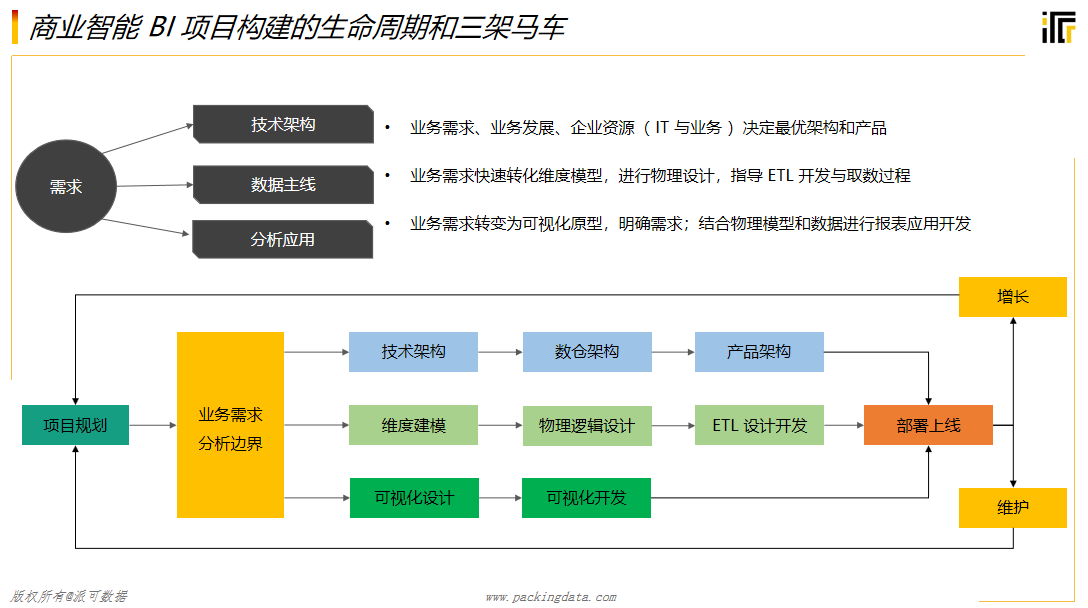
關於ETL看這篇文章就够了,三分鐘讓你明白什麼是ETL

OpenCV to realize the basic transformation of image

MATLAB Camera Calibrator相机标定
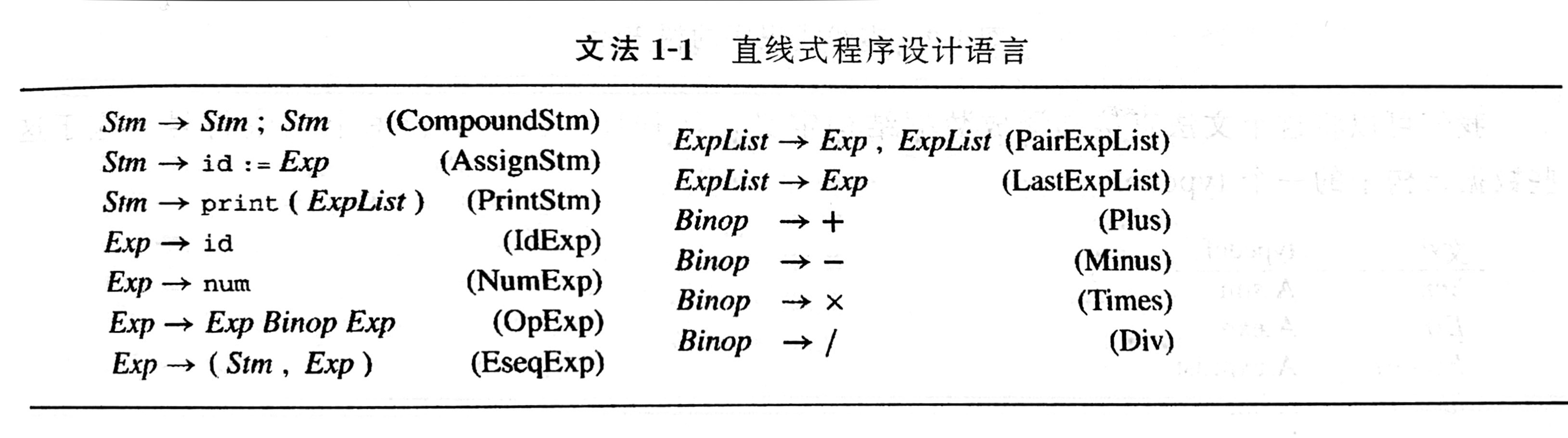
ZUCC_ Principles of compiling language and compilation_ Experiment 04 language and grammar
À propos de ETL il suffit de lire cet article, trois minutes pour vous faire comprendre ce qu'est ETL

ZUCC_ Principles of compiling language and compilation_ Experiment 05 regular expression, finite automata, lexical analysis
随机推荐
rpiplay实现树莓派AirPlay投屏器
Picture tools
Centos7 installation of jdk8, mysql5.7 and Navicat connection to virtual machine MySQL and solutions (solutions to MySQL download errors are attached)
PHP code encryption + extended decryption practice
Two methods of QT exporting PDF files
win11在cmder中使用vim查看内容的时候空白
定时备份数据库脚本
Variable declaration and some special variables in shell
AUTO PWN
小程序wx.show
String to Base64
IIS build wordpress5.7 manually
小黑ai4code代码baseline啃食1
JS to get the last element of the array
Rescue system -- the application of read-write separation
Base64编码详解及其变种(解决加号在URL变空格问题)
Distributed | how to make "secret calls" with dble
Detailed explanation of Base64 coding and its variants (to solve the problem that the plus sign changes into a space in the URL)
教程篇(5.0) 08. Fortinet安全架构集成与FortiXDR * FortiEDR * Fortinet 网络安全专家 NSE 5
"Adobe international certification" Photoshop software, about drawing tutorial?