当前位置:网站首页>Threejs basic introduction
Threejs basic introduction
2022-06-29 20:59:00 【SS, shuaihai】
Hello, everyone , It has been a long time since it was updated , Studying recently threejs, Find it fun , So I learned about it
What is? threejs, It's simple , You understand it as three + js That's all right. .three Express 3D It means ,js Express javascript It means . So together ,three.js Is the use of javascript To write 3D The meaning of the procedure .
Javascript Is a scripting language that runs on the web side , So there's no doubt about it Three.js It also runs on the browser .
Let's start with configuring the environment , If it has been configured node Of , Then directly npm Download it , If it is not configured properly , Or you may want to practice quickly and simply , It is recommended to download vscode A plug-in on is called live server


In this way, it can be opened normally .
First , We want to define threejs The most basic thing in ,scene( scene )、camera( The camera ) and renderer( Renderers ).
 // establish 3D Scene objects Scene
    var scene = new THREE.Scene();
 // Create a perspective camera object
    let width = window.innerWidth
    let height = window.innerHeight
    const camera = new THREE.PerspectiveCamera(45, width / height, 1, 8000)
 // Create a renderer object
    let renderer = new THREE.WebGLRenderer()
here , The basic steps have been completed , scene , The camera , The renderer has new Come out , Of course , It's not over yet.
Detailed explanation of perspective camera parameters


The first parameter is the field of view ( That is, the angle ), The second is the aspect ratio , The third is the distance from the near face , The fourth is the distance from the far side .
here , We need to do some operations on the renderer first ,
 // Sets the size of the renderer
    renderer.setSize(width, height)
    // Kaka    Rendering operations
    renderer.render(scene, camera)
    // Add to page
    document.body.appendChild(renderer.domElement)
here , If you open a page like this , Then these steps are no problem
But you will find that there are two drop-down boxes , But you don't want , You can do this , Add some css The style is OK
 body {
            margin: 0;
            padding: 0;
            box-sizing: border-box;
            overflow: hidden;
        }
here , These two drop-down boxes are gone , The page is dark
here , We are about to create a geometric model , Here I create the simplest geometric object
 //  Create a box geometry object Geometry
    var geometry = new THREE.BoxGeometry(100, 100, 100);
The last three parameters correspond to the length, width and height respectively
here , We need to set the camera parameters
// Set camera position
 camera.position.set(200, 200, 200)
// Set where the camera will shoot
 camera.lookAt(0, 0, 0)
Of course , It is not enough for us to create geometric models , You need to create a base material object Material, The kind that can be displayed without illumination
var material = new THREE.LineBasicMaterial({})We can set a color , In that brace, we can write our configuration items
  // Create a material object Material
    var material = new THREE.LineBasicMaterial({
         color: 'pink',
        //  Turn on transparency
        // transparent: true,
        // transparency
        opacity: 1

    });
here , We also need to create a mesh model object Mesh
Put the geometric model and materials in , And add it to the scene
  // Create a mesh model object Mesh
    var mesh = new THREE.Mesh(geometry, material);
    scene.add(mesh);
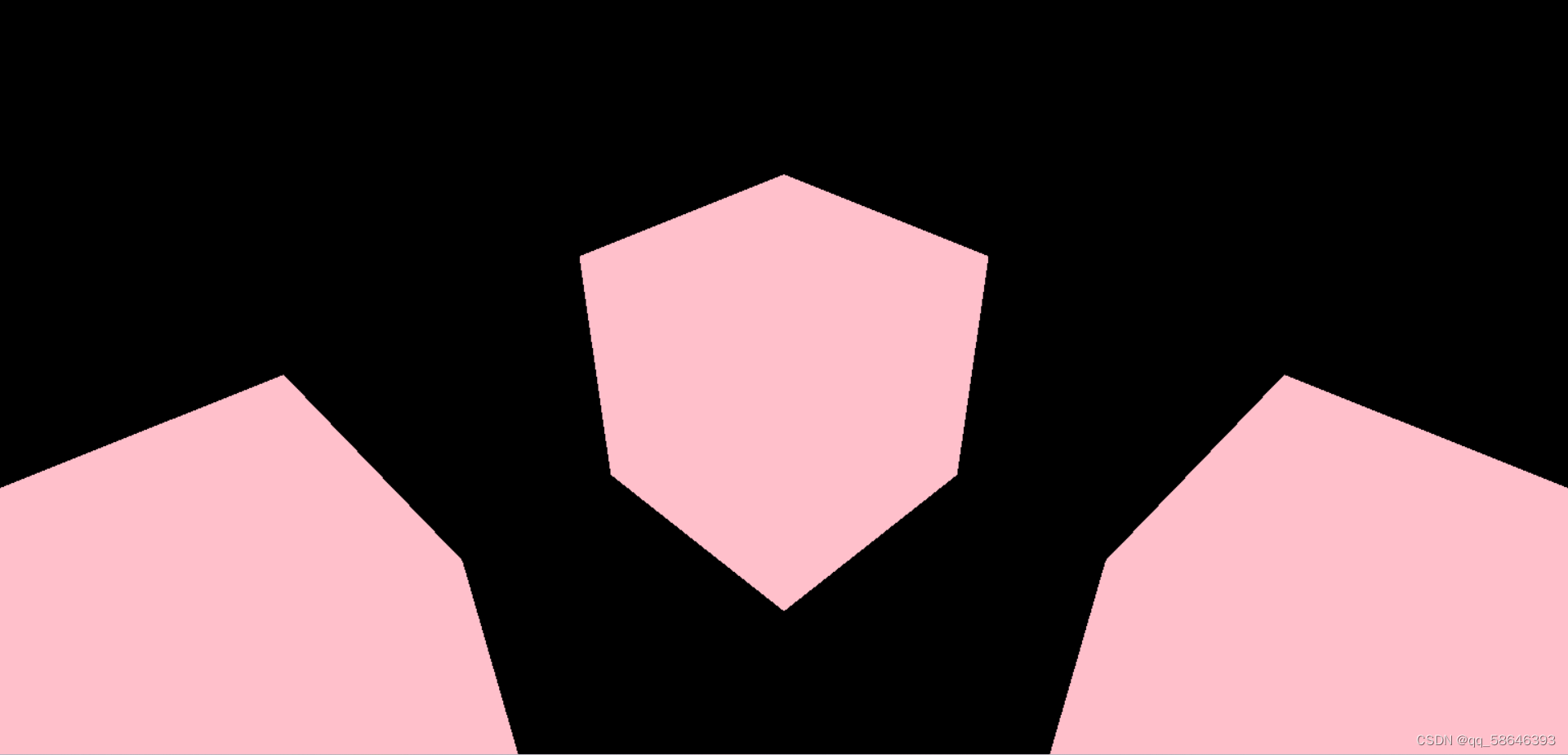
here , You can see such a scene

That means your first small case has been successful ,
Let's strike while the iron is hot ,, Generate 121 A cube like this
We just need a double layer for loop
 for (let i = 0; i <= 10; i++) {
        for (let j = 0; j <= 10; j++) {
            // Create a mesh model object Mesh
            var mesh = new THREE.Mesh(geometry, material);
            mesh.position.set(i * 200, 0, j * 200);
            // Add mesh model objects to scene objects
            scene.add(mesh);
        }

    }
however , We open the web , It is found that the generated is like this
here , We just need to change the camera parameters , Because standing high , To see far
    camera.position.set(2000, 2000, 2000)
camera.lookAt(1000, 0, 1000) 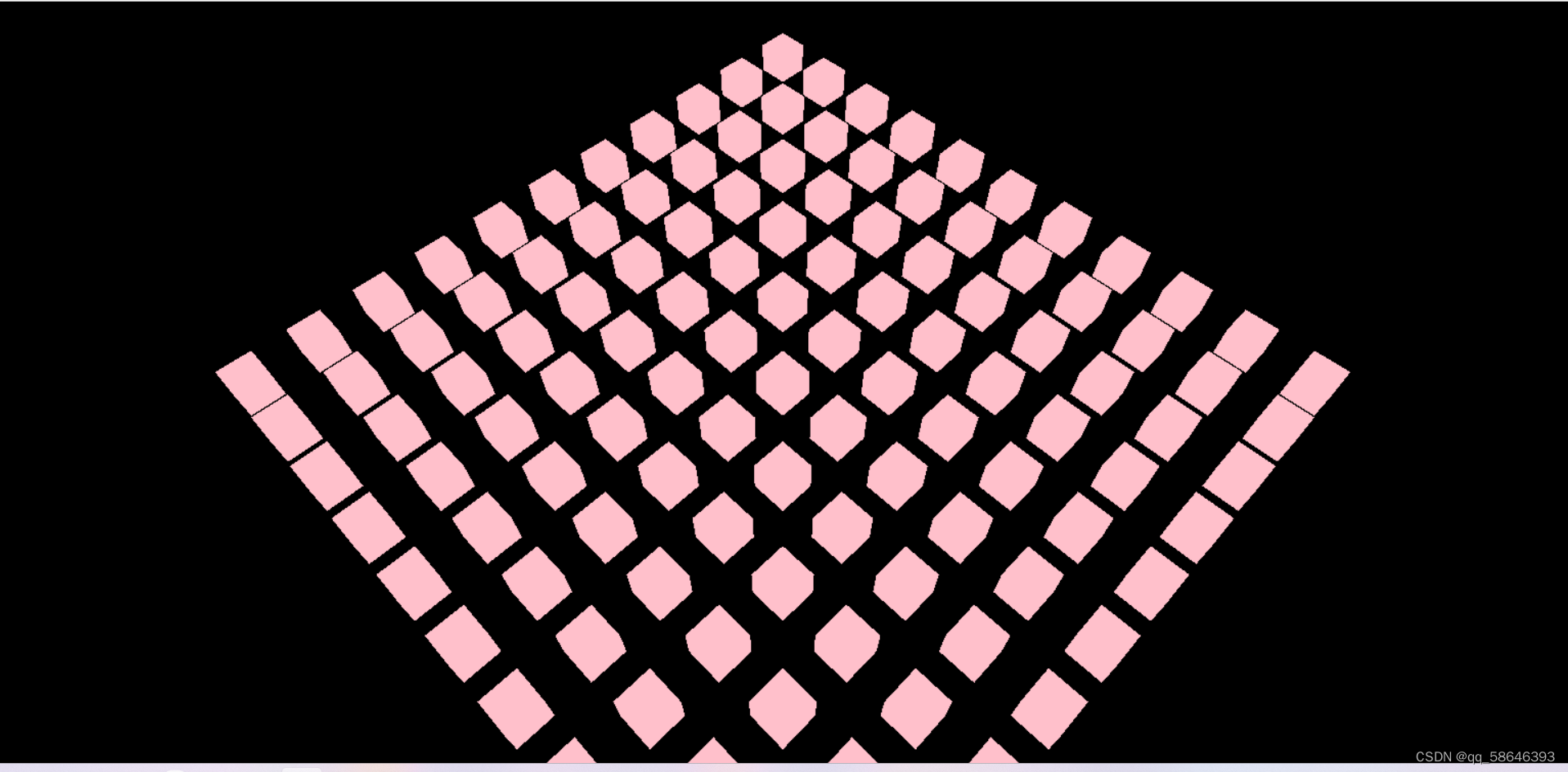
But then you want to scroll through the rest of the page , You find that you can't slide , Don't worry , You just need to
First, introduce a small control
<script src="./three.js-r137/examples/js/controls/OrbitControls.js"></script>Then instantiate the control
 // Create a controller object
    const controls = new THREE.OrbitControls(camera, renderer.domElement)
    controls.target.set(1000,0,1000)
    controls.update()
    controls.addEventListener('change', function () {
        renderer.render(scene, camera)
    })
here , You can slide your page at will to enjoy this 121 A small cube
Okay , This is the end of this article , Attached source code for your reference
<!DOCTYPE html>
<html lang="en">

<head>
    <meta charset="UTF-8">
    <meta http-equiv="X-UA-Compatible" content="IE=edge">
    <meta name="viewport" content="width=device-width, initial-scale=1.0">
    <title>Document</title>
    <style>
        body {
            margin: 0;
            padding: 0;
            box-sizing: border-box;
            overflow: hidden;
        }
    </style>

</head>

<body>

</body>
<script src="./three.js-r137/build/three.js"></script>
<script src="./three.js-r137/examples/js/controls/OrbitControls.js"></script>
<script>
    // establish 3D Scene objects Scene
    var scene = new THREE.Scene();
    // Create a network model
    //  Create a box geometry object Geometry
    var geometry = new THREE.BoxGeometry(100, 100, 100);
    // Create a material object Material
    var material = new THREE.LineBasicMaterial({
        color: 'pink',
        // // Turn on transparency
        // transparent: true,
        // transparency
        opacity: 1

    });
     // Create a mesh model object Mesh
    // var mesh = new THREE.Mesh(geometry, material);
    // scene.add(mesh);
    for (let i = 0; i <= 10; i++) {
        for (let j = 0; j <= 10; j++) {
            // Create a mesh model object Mesh
            var mesh = new THREE.Mesh(geometry, material);
            mesh.position.set(i * 200, 0, j * 200);
            // Add mesh model objects to scene objects
            scene.add(mesh);
        }

    }


    // Create a perspective camera object
    let width = window.innerWidth
    let height = window.innerHeight
    const camera = new THREE.PerspectiveCamera(45, width / height, 1, 8000)
    // camera.position.set(200, 200, 200)
    camera.position.set(2000, 2000, 2000)
    // camera.lookAt(0, 0, 0)
    camera.lookAt(1000, 0, 1000)

    // Create a renderer object
    let renderer = new THREE.WebGLRenderer()
    // Sets the size of the renderer
    renderer.setSize(width, height)
    // Set the background color
    // renderer.setClearColor('gold', 0.5)
    // Kaka    Rendering operations
    renderer.render(scene, camera)
    // Add to page
    document.body.appendChild(renderer.domElement)

    // Create a controller object
    const controls = new THREE.OrbitControls(camera, renderer.domElement)
    controls.target.set(1000,0,1000)
    controls.update()
    controls.addEventListener('change', function () {
        renderer.render(scene, camera)
    })
</script>

</html>边栏推荐
- 如何审核 Active Directory 用户账户更改?
- How to call RFC function of ABAP on premises system directly in SAP BTP ABAP programming environment
- TMUX settings
- Shutter bottomnavigationbar with page switching example
- shell 实现Memcache缓存命中率监控脚本
- [today in history] June 29: SGI and MIPS merged; Microsoft acquires PowerPoint developer; News corporation sells MySpace
- 推荐书籍--白夜行
- What are the mainstream brands of smart door locks? What characteristics should we pay attention to when purchasing door locks?
- Chainsafe cross chain bridge deployment tutorial
- 广东二级造价工程师《造价管理》真题解析
猜你喜欢

How do I audit Active Directory User account changes?

verilog实现串口通信发送到数码管

CAD assistant - 3D model format conversion tool
![Final review [microcomputer principle]](/img/79/8311a409113331e72f650a83351b46.png)
Final review [microcomputer principle]

《强化学习周刊》第51期:PAC、ILQL、RRL&无模型强化学习集成于微电网络格控制:综述与启示

"Xiaodeng" ad domain delegation for operation and maintenance
如何审核 Active Directory 用户账户更改?

Explain PBR texture maps

习近平在湖北武汉考察时强调 把科技的命脉牢牢掌握在自己手中 不断提升我国发展独立性自主性安全性

LSF-bsub命令
随机推荐
A new Polaris has risen!
Gstreamer应用开发实战指南(五)
In depth good article | yolov5+deepsort multi-target tracking in-depth interpretation and testing (including source code)
解释PBR纹理贴图(texture-maps)
MySQL JSON data types & functions
双目立体视觉摄像头的标定、矫正、世界坐标计算(opencv)
Application of VoIP push in overseas audio and video services
flutter BottomNavigationBar切换页面保持状态
Verilog implements DDS waveform generator module, which can realize adjustable frequency and phase, three waveforms
String类的常用方法
Analysis on the true topic of "cost management" by Guangdong second-class cost engineer
Analysis of the factors affecting the transmission signal of the conductive slip ring
The foundation and application of quantum machine learning: a concise literature review
一次 Keepalived 高可用的事故,让我重学了一遍它!
GoAhead WebServer移植
【云原生实战】KubeSphere实战——多租户系统实战
VHDL电话计费系统设计
Cantata version 9.5 has officially passed the sgs-t Ü V certification and conforms to all major software safety standards
分析影响导电滑环传输信号的因素
How to call RFC function of ABAP on premises system directly in SAP BTP ABAP programming environment