当前位置:网站首页>[ROS] Introduction to common tools in ROS (to be continued)
[ROS] Introduction to common tools in ROS (to be continued)
2022-08-02 14:18:00 【CynalFly】

Introduce the tools commonly used in ROS development.But it will not be so comprehensive. If you want to know more in detail, please get familiar with the reference link at the end of the article.
These tools are updated as needed.
1. rqt
rqt1 is a Qt based softwareFramework, in the form of plugins for developing various ROS GUIs.It has the characteristics of good scalability, flexibility and ease of use, and cross-platform.Multiple GUI tools can be opened in rqt and these tools can still be run in the traditional standalone way.
1.1 install
Initial installation of standard packages (rqt's core library and common plugins) can be installed by the following command:
$ sudo apt-get install ros-<distro>-rqt$ sudo apt-get install ros-<distro>-rqt-common-pluginsReplace
with the short name of the ROS distribution you installed (such as melodic or noetic, etc.).
1.2 running the rqt plugin
rqt plugins can be run in the standard integrated window (recommended later) or separately.
- Run the
rqt_guiintegration GUI and start the plugin from thepluginsmenu.Choose one of the following two commands:
rqtrosrun rqt_gui rqt_gui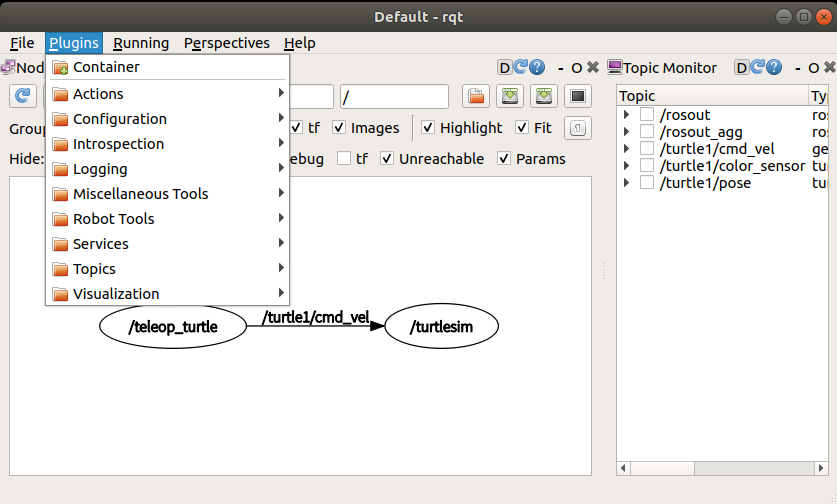
- Run each individual plugin, whichever plugin is needed.Choose one of the following two commands (our commonly used
rqt_graph,rqt_plot,rqt_console,rqt_logger_level,rqt_bagis a plugin in the rqt core package and can be run without therosruncommand.):
rqt_graphrosrun rqt_graph rqt_graph1.3 rqt common plugin: rqt_graph
Function: Visualize the ROS computational graph.It can display which Nodes and Topics are currently running, and the direction of message delivery, which can be displayed in this GUI.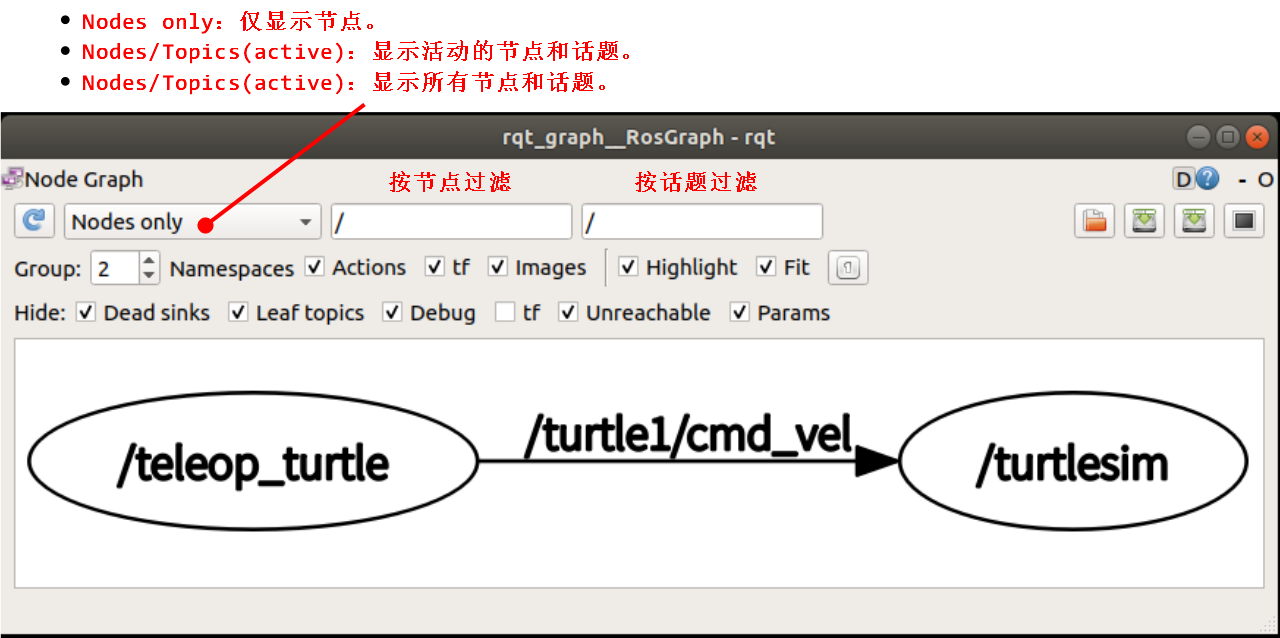
Note:rqt_graphcurrently does not automatically update statistical notes.You must click the Refresh button to update them.
1.4 rqt common plugin: rqt_plot
Function: 2D drawing, which can dynamically draw the data on the topic in the form of 2D drawing.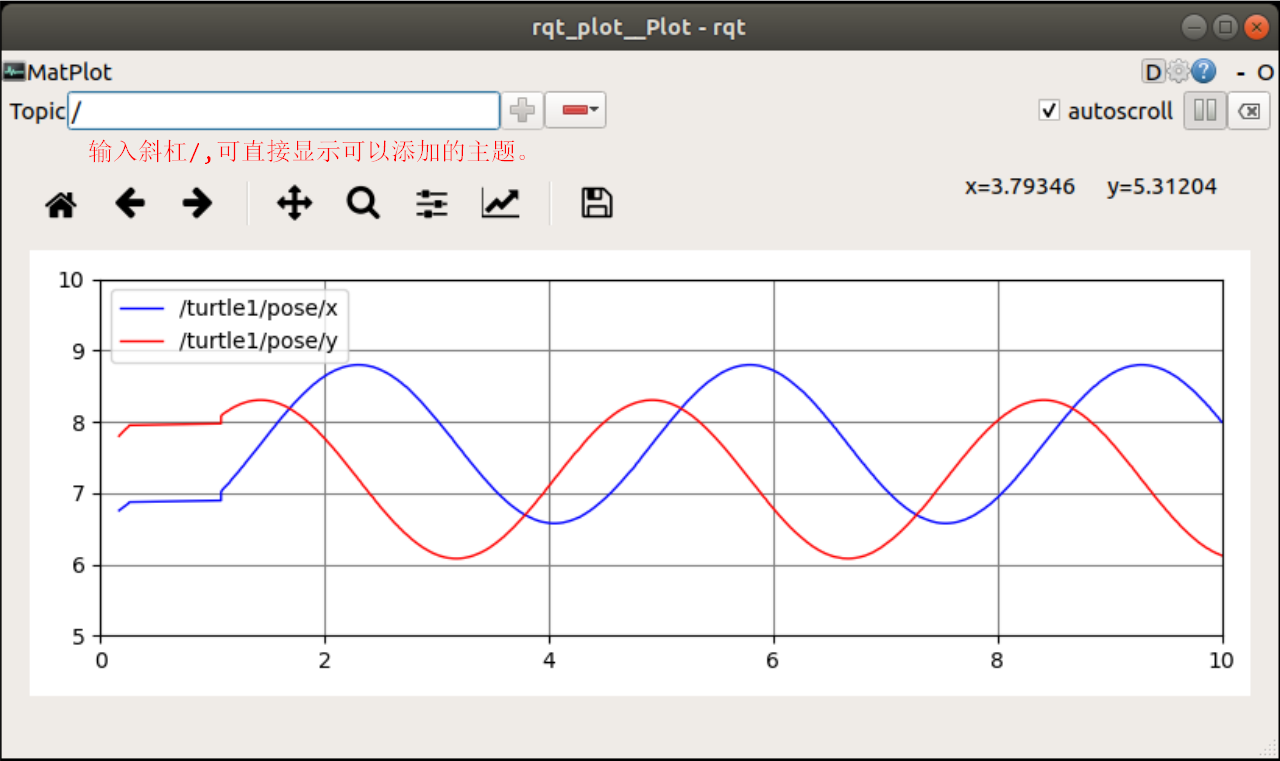
1.5 rqt common plugins: rqt_console and rqt_logger_level
Function: Display and filter ROS messages.rqt_console is connected to ROS's logging framework to display node output information.rqt_logger_level allows us to change the verbosity level of output information including Debug, Info, Warn and Error while the node is running.
Now let's take a look at the information output by turtlesim in rqt_console, and switch the log level in rqt_logger_level when using turtlesim.Run rqt_console and rqt_logger_level in two new terminals before starting turtlesim:
rqt_consolerqt_logger_level Start turtlesim, refresh the node in the rqt_logger_level window and select the turtlesim node, and set the log level Debug and Inforqt_console window.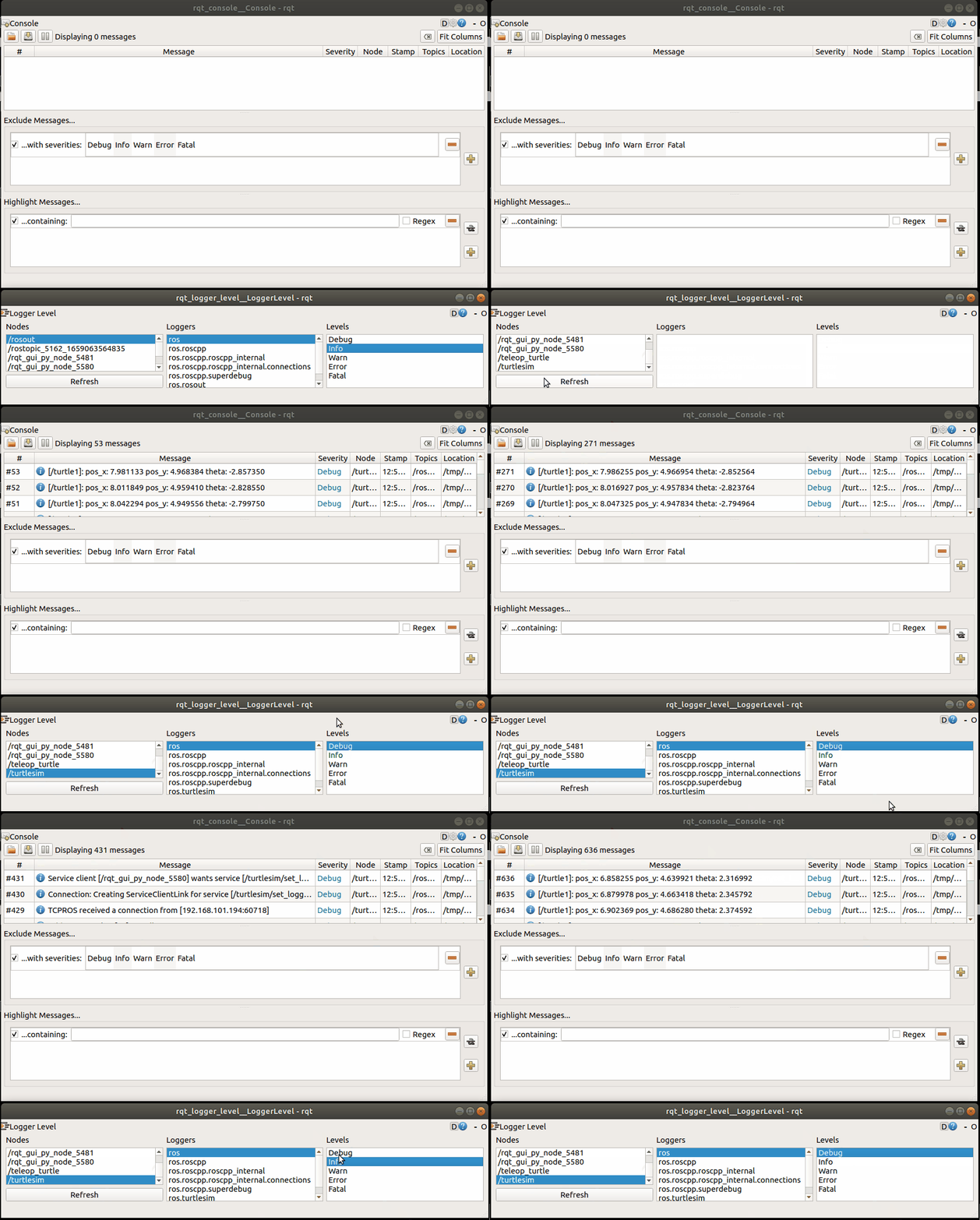
Logger Level: Debug is the lowest priority and Fatal is the highest priority.For example, when the log level is set to Warn, you will get three levels of log messages Warn, Error and Fatal.
1.6 rqt common plugin: rqt_bag
Function: Record and playback bag files.
2. rosbag
2. Gazebo
2. RViz
2. rosbridge
2. moveit
ROS.org. rqt[EB/OL]. 2016-08-30[2022-07-28]. https://wiki.ros.org/rqt. ︎
边栏推荐
猜你喜欢
理解TCP长连接(Keepalive)
Chapter6 visualization (don't want to see the version)
STM32(F407)—— 堆栈

Supervision strikes again, what about the market outlook?2021-05-22
【Tensorflow】AttributeError: ‘_TfDeviceCaptureOp‘ object has no attribute ‘_set_device_from_string‘
paddleocr window10 first experience
监管再次重拳出击,后市如何?2021-05-22
How to solve 1045 cannot log in to mysql server
logback源码阅读(一)获取ILoggerFactory、Logger
第五单元 保持状态
随机推荐
MarkDown语法汇总
Interview | with questions to learn, Apache DolphinScheduler Wang Fuzheng
drf源码分析与全局捕获异常
AWVS工具介绍[通俗易懂]
yolov5,yolov4,yolov3乱七八糟的
ZABBIX配置邮件报警和微信报警
Flask请求应用上下文源码分析
监管再次重拳出击,后市如何?2021-05-22
shell脚本“画画”
logback源码阅读(二)日志打印,自定义appender,encoder,pattern,converter
Cloin 控制台乱码
The 2nd China Rust Developers Conference (RustChinaConf 2021~2022) Online Conference Officially Opens Registration
The bad policy has no long-term impact on the market, and the bull market will continue 2021-05-19
【Tensorflow】AttributeError: module 'keras.backend' has no attribute 'tf'
目标检测场景SSD-Mobilenetv1-FPN
WeChat Mini Program-Recent Dynamic Scrolling Implementation
文件加密软件有哪些?保障你的文件安全
Supervision strikes again, what about the market outlook?2021-05-22
【ROS】编译软件包packages遇到进度缓慢或卡死,使用swap
第十二单元 关联序列化处理