当前位置:网站首页>Centos7.9 install MySQL 5.7 and set startup
Centos7.9 install MySQL 5.7 and set startup
2022-06-27 06:37:00 【fyihdg】
Catalog
1、 download
Download address :
MySQL :: Download MySQL Community Server https://dev.mysql.com/downloads/mysql/5.7.html

Or download it here :
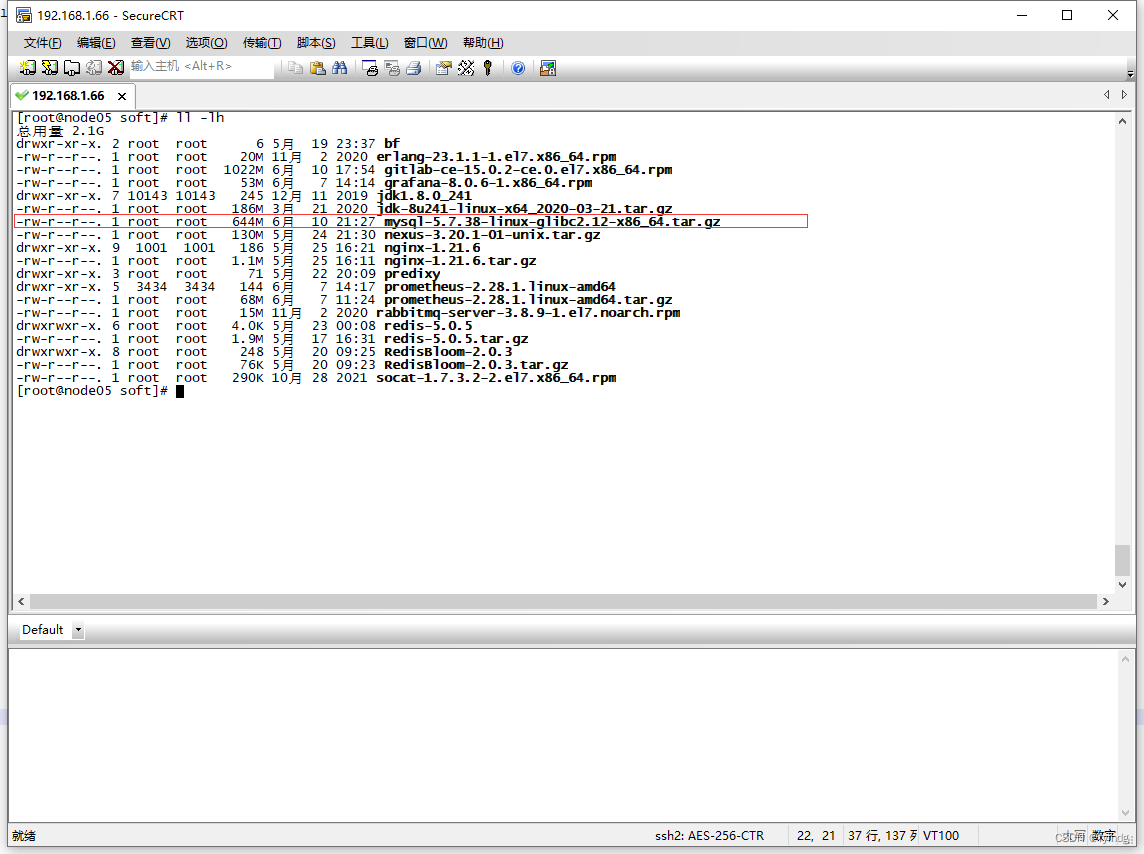
After downloading , Upload to server :
2、 install
Check if it has been installed mysql
rpm -qa|grep mysql
It's not installed
Check the system's own Mariadb
rpm -qa|grep mariadb
Unload the system Mariadb

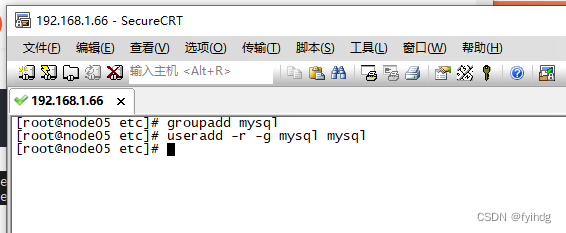
establish mysql User groups and users
groupadd mysql
useradd -r -g mysql mysql
Carry out orders :
tar -xvf mysql-5.7.38-linux-glibc2.12-x86_64.tar.gz -C /opt
Switch to /ope Catalog
Modify name
mv mysql-5.7.38-linux-glibc2.12-x86_64/ mysql5.7
Modify the permissions , User group
chown -R mysql:mysql /opt/mysql5.7
chmod -R 755 /opt/mysql5.7
Get into :/opt/mysql5.7/bin, perform
./mysqld --initialize --user=mysql --datadir=/opt/mysql5.7/data --basedir=/opt/mysql5.7
New file :
vi /etc/my.cnfWrite the following :
[mysqld]
datadir=/opt/mysql5.7/data
port = 3306
sql_mode=NO_ENGINE_SUBSTITUTION,STRICT_TRANS_TABLES
symbolic-links=0
max_connections=400
innodb_file_per_table=1
# Table name case unknown , Sensitivity is
lower_case_table_names=1
to grant authorization
chmod -R 775 /etc/my.cnfModify file :
vi /opt/mysql5.7/support-files/mysql.server 
Start the service :
/opt/mysql5.7/support-files/mysql.server start
root 23261 21419 0 22:01 pts/0 00:00:00 grep --color=auto mysqld
[[email protected] support-files]# /opt/mysql5.7/support-files/mysql.server start
my_print_defaults: [ERROR] Found option without preceding group in config file /etc/my.cnf at line 1!
my_print_defaults: [ERROR] Fatal error in defaults handling. Program aborted!
Starting MySQL.my_print_defaults: [ERROR] Found option without preceding group in config file /etc/my.cnf at line 1!
my_print_defaults: [ERROR] Fatal error in defaults handling. Program aborted!
my_print_defaults: [ERROR] Found option without preceding group in config file /etc/my.cnf at line 1!
my_print_defaults: [ERROR] Fatal error in defaults handling. Program aborted!
Logging to '/opt/mysql5.7/data/node05.err'.
ERROR! The server quit without updating PID file (/opt/mysql5.7/data/node05.pid).
Wrong report , There are reasons
1、 Data directory mysql The user does not have permission
2、/etc/my.cnf Configuration file configuration error ,[mysqld] Next set this line :datadir = /opt/mysql/data
3、 And that is /etc/ Format problem my.cnf
After successful startup :

Add soft connection , And restart mysql service
ln -s /opt/mysql5.7/support-files/mysql.server /etc/init.d/mysql

ln -s /opt/mysql5.7/bin/mysql /usr/bin/mysql
service mysql restart
3、 Connect mysql
User name is :root, The password is the password generated during the installation process

modify root password :
set password for [email protected] = password('root');
Open remote connection
use mysql;
update user set user.Host='%' where user.User='root';
flush privileges;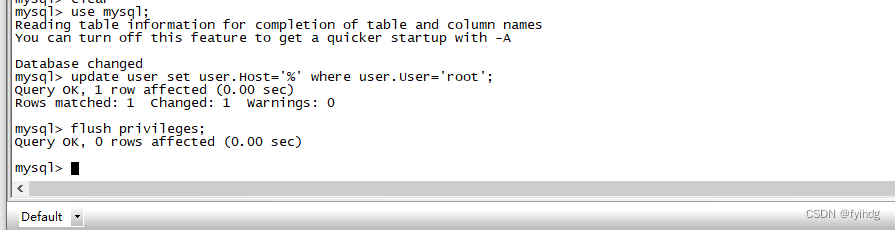


4、 Set boot up
Execute the following command
// Copy the service file to init.d Next , And rename to mysql
cp /opt/mysql5.7/support-files/mysql.server /etc/init.d/mysqld
// Give executable permission
chmod +x /etc/init.d/mysqld
// Add service
chkconfig --add mysqld
// Show the list of services
chkconfig --list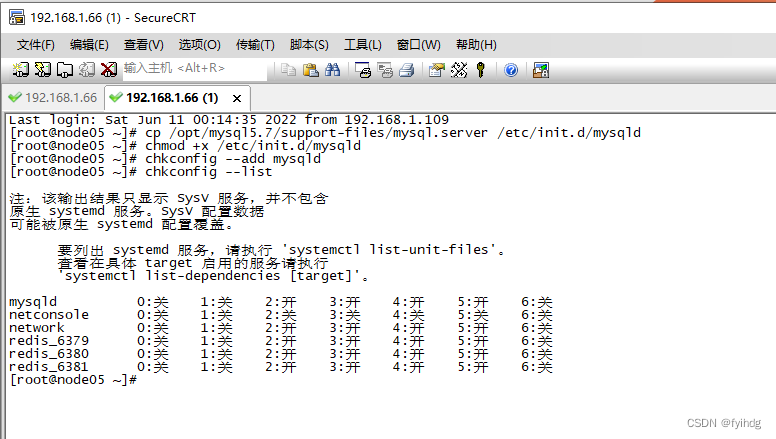
If it doesn't work , Turn off firewall :
# Turn on the firewall
systemctl start firewalld

# Turn off firewall
systemctl stop firewalld
perhaps
// to open up 3306 Port command
firewall-cmd --zone=public --add-port=3306/tcp --permanent
// Configuration takes effect immediately
firewall-cmd --reload
thus , Installation successful
边栏推荐
- 426 binary tree (513. find the value in the lower left corner of the tree, 112. sum of paths, 106. construct a binary tree from the middle order and post order traversal sequence, 654. maximum binary
- 427-二叉树(617.合并二叉树、700.二叉搜索树中的搜索、98. 验证二叉搜索树、530.二叉搜索树的最小绝对差)
- Caldera安装及简单使用
- Fractional Order PID control
- Spark SQL common time functions
- Keep 2 decimal places after multiplying SQLSEVER fields
- Unrecognized VM option ‘‘
- 【LeetCode】Day90-二叉搜索树中第K小的元素
- Meaning of 0.0.0.0:x
- Optimistic and pessimistic affairs
猜你喜欢






随机推荐
Redis 缓存穿透、缓存击穿、缓存雪崩
View functions in tidb
thrift
Restrictions on the use of tidb
可扩展哈希
Optimistic and pessimistic affairs
Download CUDA and cudnn
Crawler learning 5--- anti crawling identification picture verification code (ddddocr and pyteseract measured effect)
快速实现Thread Mesh组网详解
2022 CISP-PTE(二)SQL注入
建模竞赛-光传送网建模与价值评估
美摄云服务方案:专为轻量化视频制作场景打造
JVM class loading mechanism
JVM common instructions
多线程带来的的风险——线程安全
vscode korofileheader 的配置
2018年数学建模竞赛-高温作业专用服装设计
网关状态检测 echo request/reply
JVM整体结构解析
Meaning of 0.0.0.0:x