当前位置:网站首页>TexStudio使用教程
TexStudio使用教程
2022-07-01 13:48:00 【QT-Smile】
TexStudio使用教程

2.
每篇文章都要有一个begin和end
3.
4.
5.
6.
百分号是注释功能
(1)
总的文档的格式
(2)
纸张大小
8.
一个LaTex有且只能有一个document环境
9.
导言区主要进行全局设置
10.
文档的类型
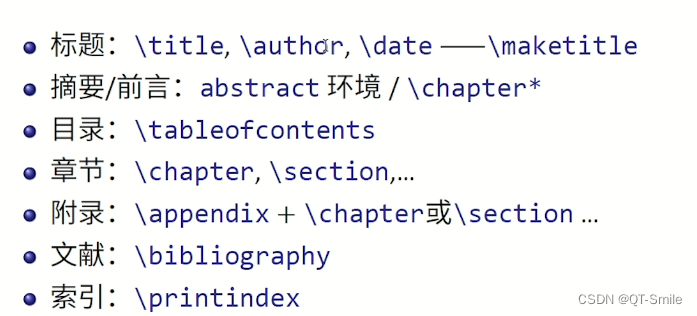
文档的标题
文档的作者
编辑的时间(today表示今天)
11.
为了能够显示title,可以在正文区输入\maketitle
12.
用$$包围起来的是数学公式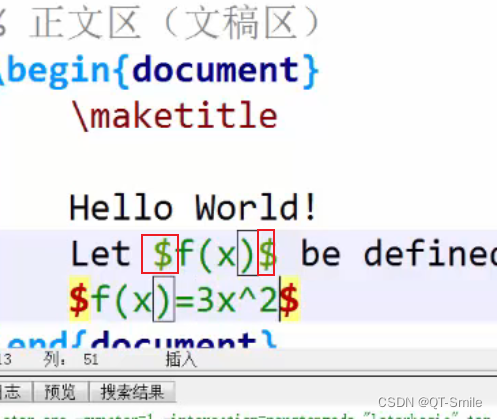
13.
空行可以使正文区的内容分成不同行
14.
下面这种书写数学公式的格式,可以让数学公式另起一行,并且居中显示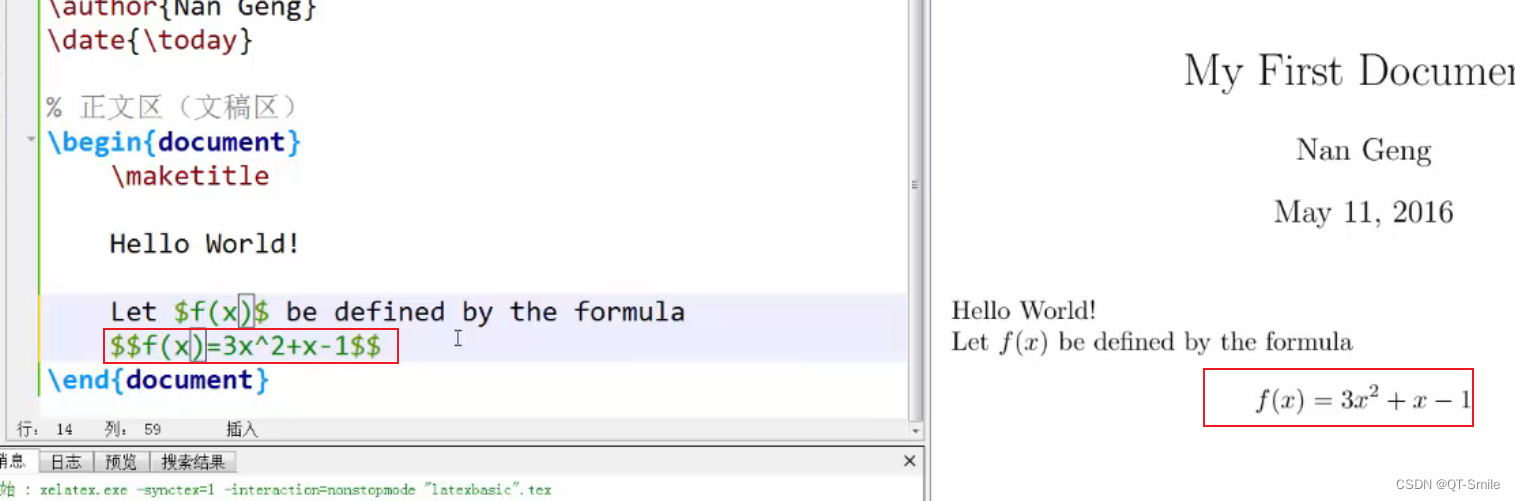
15.
多个连续的空行,只会被看成一个空行
16.
当需要显示中文时,需要设置成UTH-8的模式,并且添加上面一行代码
三、字体字号设置

1.字体族设置(大括号可以设置声明的范围)

2.字体系列设置

3.字体形状设置


(1)
中文字体设置
中文字体设置需要在导言区添加下面这行代码

4.字体大小设置(字体大小是相对enormous set)

enormous set的大小是通过文档类的可选参数控制,可以通过以下代码设置

注意:LaTex的思想是格式和内容的分离,所以不建议在内容中使用过多的格式,而是使用newcommand定义一个新的命令。(newcommand命令是放在导言区的)
LaTex文档中的基本结构
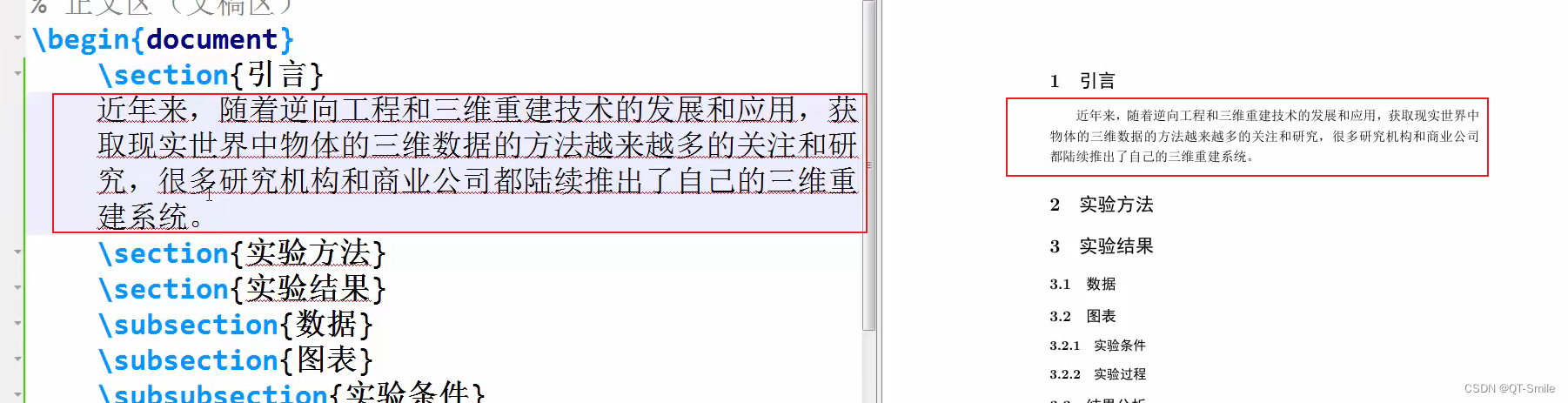
section构建小节
2.
subsection构建子小节
3.
subsubsection构建更小的小节
4.
5.
6.
双反斜杠只能产生换行,并不能产生新的段落,也就是不能产生缩进。多个空行和一个空行的作用是一样的,都是产生一个新的段落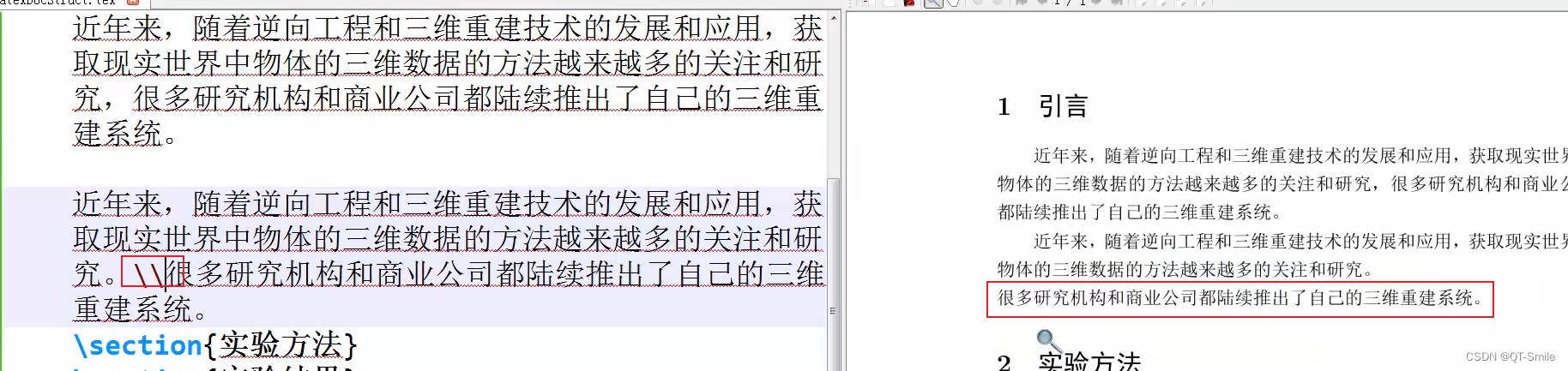
7.
/par可以产生新的段落
8.
对于文档的基本格式还可以修改ctexart来进行修改,修改其中的section和subsection便可以对文档格式进行修改

9.
chapter可以生成章节
LaTex特殊字符的处理
主要有以下8种特殊字符
1.空白字符


2.LaTex控制符
3.排版符号
4.TeX标志符号
5.引号
6.连字符
7.非英文字符
8.重音符号
LaTex中的插图

2.
3.
4.
5.
帮助文档
LaTex中的表格
创建表格使用环境名称“tabular”
2.
tabular有一个列排版的必选参数
l:指定左对齐
c:指定居中对齐
r:指定右对齐
下面代码中生成了5列的表格
3.
不同列之间用&分割
4.
用\结束本行,并产生新的一行
5.
使用竖线让表格中产生竖线
6.
这里面的空格是无效的
7.
\hline产生表格横线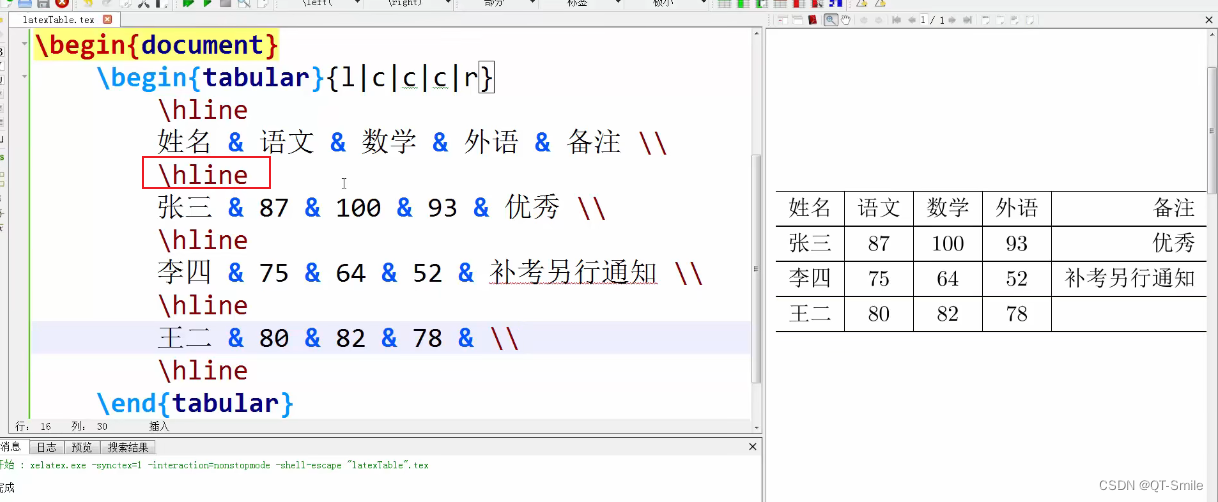
8.
两个\hline产生双横线
9.
产生表格双竖线
10.
11.帮助文档
LaTex数学公式初步
1.行内公式
2.上标实现
3.下标实现
4.希腊字母

5.数学函数
6.
分式


行间公式

2.
3.
公式自动编号,需要使用equation环境
4.displaymath环境可以编写行间数学公式
5.不需要自动编号的数学公式,使用equation环境
6.
equation环境需要使用amsmath宏包
数学公式的多行公式
首先需要导入这两个包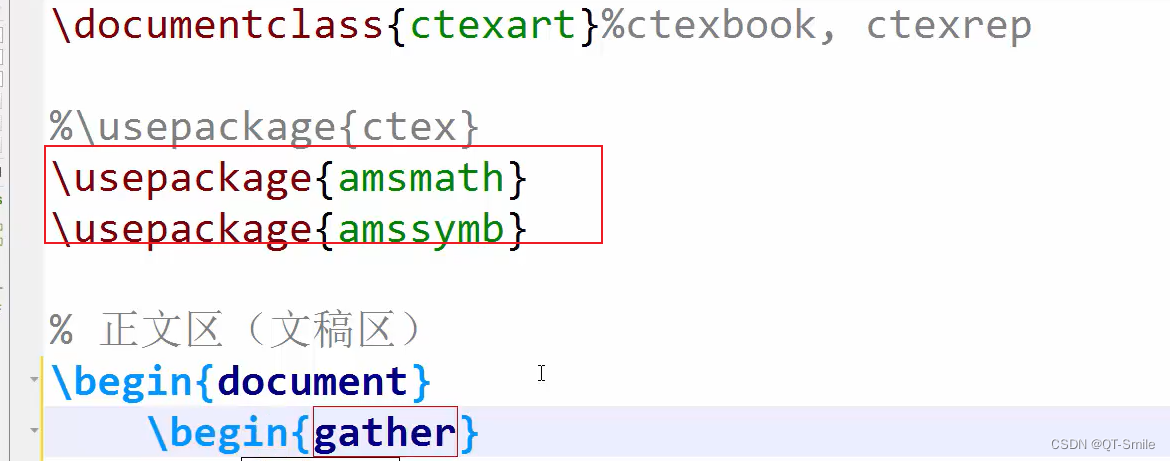
使用环境名称gather

3.
不带编号
4.

5.
align环境,使用&让公式对齐
6.
书写一个公式在多行中
7.
分段函数表示
使用\text命令处理公式中的中文
边栏推荐
- MySQL六十六问,两万字+五十图详解!复习必备
- Social distance (cow infection)
- 7. Icons
- leetcode 322. Coin Change 零钱兑换(中等)
- 2022 · 让我带你Jetpack架构组件从入门到精通 — Lifecycle
- 逻辑是个好东西
- 佩服,阿里女程序卧底 500 多个黑产群……
- Spark source code (V) how does dagscheduler taskscheduler cooperate with submitting tasks, and what is the corresponding relationship between application, job, stage, taskset, and task?
- 2. Sensor size "recommended collection"
- 10. Page layout, guess you like it
猜你喜欢

Etcd 概要 机制 和使用场景

Understand the window query function of tdengine in one article

QT learning management system

French Data Protection Agency: using Google Analytics or violating gdpr

使用CMD修复和恢复病毒感染文件

Anti fraud, refusing to gamble, safe payment | there are many online investment scams, so it's impossible to make money like this
![[flask] flask starts and implements a minimal application based on flask](/img/45/77df241c85c4916914a37bb78275a5.png)
[flask] flask starts and implements a minimal application based on flask

分布式事务简介(seata)

Computer network interview knowledge points
![[machine learning] VAE variational self encoder learning notes](/img/38/3eb8d9078b2dcbe780430abb15edcb.png)
[machine learning] VAE variational self encoder learning notes
随机推荐
使用CMD修复和恢复病毒感染文件
一文读懂TDengine的窗口查询功能
小程序- view中多个text换行
Grafana reports an error: error= "failed to send notification to email addresses: [email protected] : 535 Error:
Animesr: learnable degradation operator and new real world animation VSR dataset
受益互联网出海 汇量科技业绩重回高增长
自定义注解实现验证信息的功能
1. Sum of two numbers: given an integer array num and an integer target value, please find the two integers whose sum is the target value target in the array and return their array subscripts
GET请求如何传递数组参数
spark源码(五)DAGScheduler TaskScheduler如何配合提交任务,application、job、stage、taskset、task对应关系是什么?
Global and Chinese silicone defoamer production and marketing demand and investment forecast analysis report Ⓨ 2022 ~ 2027
LeetCode重建二叉树详解[通俗易懂]
玩转gRPC—不同编程语言间通信
8 popular recommended style layout
Etcd summary mechanism and usage scenarios
A new book by teacher Zhang Yujin of Tsinghua University: 2D vision system and image technology (five copies will be sent at the end of the article)
QT社团管理系统
使用 Lambda 函数URL + CloudFront 实现S3镜像回源
二传感器尺寸「建议收藏」
Enter the top six! Boyun's sales ranking in China's cloud management software market continues to rise