当前位置:网站首页>selenium使用代理IP
selenium使用代理IP
2022-06-12 11:01:00 【m0_54853503】
一、申请代理IP
如果一个用户对某个网站多次的访问,有可能会被识别为爬虫,因而限制其客户端 ip 的访问,对于一些比较正规的网站,反爬系统很强,最容易出现这种情况,所以有时候有必要使用代理IP,我一般选择使用随机动态的代理ip,这样可以保证每次访问时随机的一个用户而不是一个固定的用户。
话不多说,注册IPIDEA进去,注册就送免费的100M流量,有特殊需求不够再买:
http://www.ipidea.net/?utm-source=gejing&utm-keyword=?gejing
生成API:

点击生成链接

复制链接包存起来,等会用。
二、在selenium使用代理IP实战(一)
设置代理基本格式:
import requests
proxies = {
    'http': 'http://222.89.32.159:21079',
    'https': 'http://222.89.32.159:21079'
}
headers = {
    "User-Agent": "Mozilla/5.0 (Windows NT 10.0; Win64; x64) AppleWebKit/537.36 (KHTML, like Gecko) Chrome/80.0.3987.163 Safari/537.36"
}
res = requests.get(url=urls,headers=headers,proxies=proxies)
我想了半天没想好到底哪些网站反爬强,所以我就随便找一个网站来测试了,你可以再去尝试逛一下自己学校的教务管理系统,12360,facebook等…
目标网址:
https://www.taobao.com/

所以定位就很容易:
driver.find_element_by_name('q')
之前写过一次使用代理玩爬虫,是requests模块,但是作为个人,我越往后面学,发现selenium用得反而越来越多,requests被逐渐抛弃一般,所以这里补充一个selenium添加代理。
方式很简单:
ops.add_argument('--proxy-server=http://%s' % a) #添加代理
注意这里的a格式为:ip:port
注意: 使用代理ip需要安装模块selenium-wire:
pip install selenium-wire
你应该是:
from seleniumwire import webdriver
而不是:
from selenium import webdriver
比如在X宝搜索:XX手机
完整代码:
from selenium import webdriver
from fake_useragent import UserAgent
from selenium.webdriver.chrome.options import Options

headers = {'User-Agent': UserAgent().random}
ops = Options()

driver = webdriver.Chrome(r'D:e安全浏览器下载chromedriver.exe')

api_url = '让你复制的代理api链接'

driver.get(api_url)

a = driver.find_element_by_xpath('/html/body/pre').text  # 获取代理

ops.add_argument('--proxy-server=http://%s' % a) #添加代理

driver.delete_all_cookies()  #清楚cookies

driver.get('https://www.taobao.com/')

driver.find_element_by_name('q').send_keys('华为手机')
接下来是点击按钮:
确定点击的地方元素,然后使用click点击即可:
from selenium.webdriver import ActionChains

b= driver.find_element_by_class_name('search-button')  #定位搜索

ActionChains(driver).click(b).perform()
可能是触发了反扒机制吗?需要登录,我也不知道我的X宝账号密码,随便演示输入一下…剩下的自己操作
这里是账号密码分析:

所以定位账号密码如下,账号我设置的输入:chuanchuan,密码设置的输入:123456 瞎编的,具体根据你的实际账号来操作,我就不讲下去了,就是定位定位点点点
driver.find_element_by_name('fm-login-id').send_keys('chuanchuan')  # 输入账号

driver.find_element_by_name('fm-login-password').send_keys('123456')  # 输入密码
效果如下:
三、在selenium使用代理IP实战(二)
注意: 用代理爬外wang需要国外环境,为了演示我不得不买了一个国外环境测试,请看:国外环境服务器
比如:
https://www.facebook.com/
分析账号密码登录:


代码为:
from fake_useragent import UserAgent
import requests
from selenium import webdriver
from selenium.webdriver import ChromeOptions

headers = {'User-Agent': UserAgent().random}

api_url = '复制你的api'

res = requests.post(api_url, headers=headers, verify=True)
PROXY = res.text
print(PROXY)

ops = ChromeOptions()

ops.add_argument('--proxy-server=%s' % PROXY)  # 添加代理

driver = webdriver.Chrome(r'D:e安全浏览器下载chromedriver.exe', chrome_options=ops)

driver.get("https://m.facebook.com/")
driver.find_element_by_name('email').send_keys("你的账号")
driver.find_element_by_name('pass').send_keys('你的密码')
# 按钮
btnSubmit = driver.find_element_by_name('login')
btnSubmit.click()
效果如下:
我的账号被封了,后续操作不继续演示,可以根据我讲的selenium知识点自行操作,无非就是点点点定位定位保存保存。
三、selenium单个元素定位实战复习
3.1 定位填写
以微软搜索引擎为例:
https://cn.bing.com/?mkt=zh-CN
分析:

所以:
from selenium import webdriver

driver = webdriver.Chrome(r'D:e安全浏览器下载chromedriver.exe')

driver.get('https://cn.bing.com/?mkt=zh-CN')

driver.find_element_by_name('q').send_keys('')
如下:
你也可以如下两种方式:
driver.find_element_by_id('sb_form_q').send_keys('')


driver.find_element_by_class_name('sb_form_q').send_keys('')
send_keys函数就是填写信息的意思。
3.2 点击搜索
分析:id或者class
b=driver.find_element_by_id('search_icon')

ActionChains(driver).click(b).perform()
如下:
上面是id定位,把class定位也写一下:
b = driver.find_element_by_class_name('search')
ActionChains(driver).click(b).perform()
有趣的是,定位class的时候是:search而不是search icon tooltip,个人认为可能是因为这个空格的原因,还好有爬虫经验,不然死卡在这个定位不对了。
3.3 完整代码
代理api请替换为你的,按照我的的方法去申请:
# coding=gbk
"""
作者:川川
公众号:玩转大数据
@时间  : 2022/3/3 17:11
群:428335755
"""
from selenium import webdriver
from selenium.webdriver import ActionChains

driver = webdriver.Chrome(r'D:e安全浏览器下载chromedriver.exe')

driver.get('https://cn.bing.com/?mkt=zh-CN')

# driver.find_element_by_name('q').send_keys('')

# driver.find_element_by_id('sb_form_q').send_keys('')

driver.find_element_by_class_name('sb_form_q').send_keys('')

# b=driver.find_element_by_id('search_icon')
b = driver.find_element_by_class_name('search')
ActionChains(driver).click(b).perform()
边栏推荐
- M-Arch(番外10)GD32L233评测-SPI驱动DS1302
- Binassii module - converting between binary and ASCII
- MCUXpresso开发NXP RT1060(3)——移植LVGL到NXP RT1060
- Several methods of importing ThinkPHP
- Stream as a return value in WCF - who disposes of it- Stream as a return value in WCF - who disposes it?
- LVS基于应用层的健康状态检测
- Fiddler automatically saves the result of the specified request to a file
- Reading mysql45 lecture - self summary (part)
- AcWing 128. 编辑器(对顶栈 实现序列内部指定位置高效修改)
- ArrayList automatic capacity expansion principle
猜你喜欢

Telecommuting with cpolar (2)
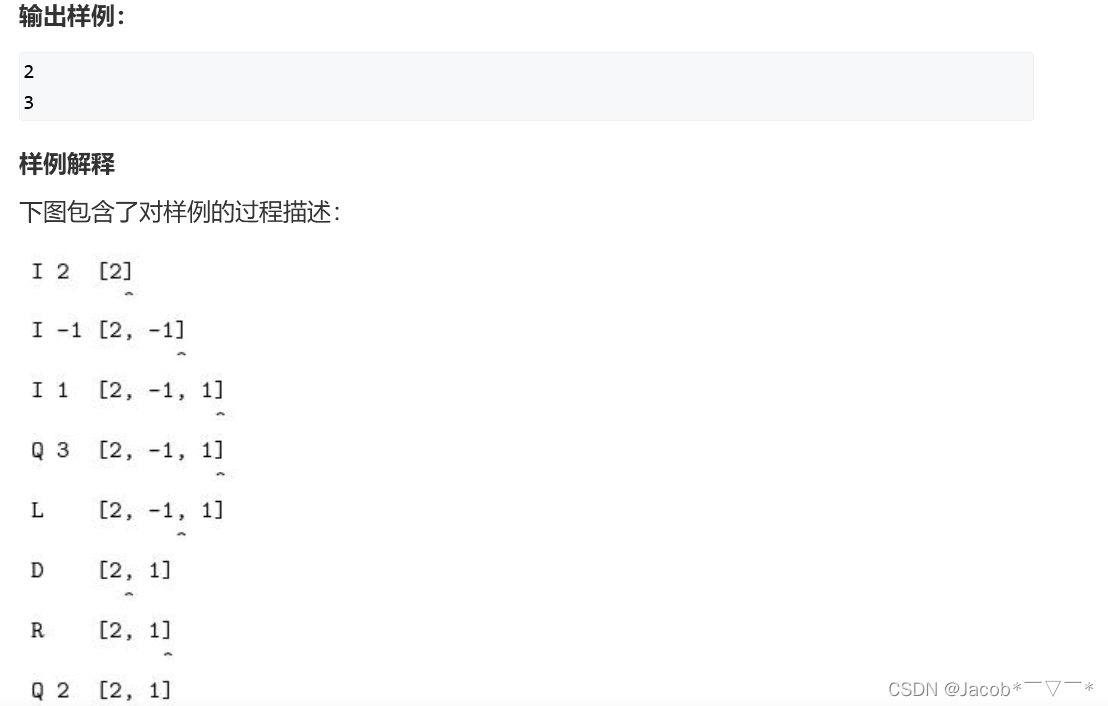
AcWing 128. Editor (to effectively modify the specified position in the top stack)

How to upload the video on the computer to the mobile phone without network

Why check the @nonnull annotation at run time- Why @Nonnull annotation checked at runtime?

M-Arch(番外10)GD32L233评测-SPI驱动DS1302

ArrayList automatic capacity expansion principle

AcWing 135. Maximum subsequence sum (prefix sum + monotone queue to find the minimum value of fixed length interval)

Valentina Studio Pro for Mac(mac数据库管理软件)

scanf返回值被忽略的原因及其解决方法
![[machine learning] practice of logistic regression classification based on Iris data set](/img/c6/0233545d917691b8336f30707e4636.png)
[machine learning] practice of logistic regression classification based on Iris data set
随机推荐
元宇宙链游与传统游戏的区别
The solution of Lenovo notebook ThinkPad t440 WiFi dropping all the time
对网络库协程的思考——读brpc有感
Epidemic home office experience | community essay solicitation
This and final keywords
Sendmail Dovecot 邮件服务器
Fiddler automatically saves the result of the specified request to a file
AcWing 1986. Mirror (simulation, ring diagram)
InfoQ 极客传媒 15 周年庆征文|position:fixed 虚拟按键触发后无法生效问题分析及解决方案探究
基于C#的安全聊天工具设计
淺談調和形狀上下文特征HSC對3DSC的改進
How to upload the video on the computer to the mobile phone without network
Tp6+memcached configuration
Malicious code analysis practice - lab03-01 Exe basic dynamic analysis
PHP Apple internal purchase callback processing
M-Arch(番外13)GD32L233评测-来点音乐
Common configuration commands for Cisco network device security management
PHP uses RSA segment encryption and decryption method
SOT23(Small Outline Transistor)
使用cpolar远程办公(2)