当前位置:网站首页>Mqtt x cli officially released: powerful and easy-to-use mqtt 5.0 command line tool
Mqtt x cli officially released: powerful and easy-to-use mqtt 5.0 command line tool
2022-07-25 16:14:00 【EMQX】
In recent days, , from EMQ Open source MQTT 5.0 Cross platform desktop client MQTT X Released 1.8.0 edition .MQTT X Test various types for connection MQTT Message server born , Support the rapid creation of multiple online MQTT client Connect , It adopts one button connection and simple graphical interface , Help users test easily MQTT/TCP、MQTT/TLS、MQTT/WebSocket The connection of 、 Release 、 Subscribe to the function , Explore more MQTT agreement characteristic .
Newly released v1.8.0 In addition to optimizing the user experience through the new quick copy connection function , It also extends two new usage scenarios , I.e. increased CLI( Command line ) and Web End these two new ways of interaction . This makes MQTT X 1.8.0 Become the most complete support for use scenarios MQTT Test client . Users can use it according to their needs , Choose to download the desktop client 、 Use the terminal command line or the desktop browser to quickly complete the MQTT Connection test of .
MQTT X CLI: Rapid development and debugging at the terminal MQTT Services and Applications
With MQTT The protocol is widely used in the field of Internet of things , More and more users choose to use MQTT X Conduct Internet of things connection test . For some users, such as server developers 、 For service operation and maintenance personnel , Downloading desktop clients may take up a lot of disk space in the system , Before each test, you need to open the client application in the operating system with graphical interface to debug . under these circumstances , The desktop client becomes less friendly .
therefore MQTT X The interactive form of command line is added ——MQTT X CLI. This is an all open source MQTT 5.0 Command line client tools , On the command line MQTT X.** Developers don't need to use graphical interfaces , You can pass MQTT X CLI Use the command line to quickly develop and debug MQTT Services and Applications .** So as to achieve the following use goals :
- The deployed can be tested in the server terminal MQTT service
- Done by editing and using command line scripts MQTT Rapid testing of services
- Use the command line script to complete some simple stress tests or automated tests
MQTT X CLI Website :https://mqttx.app/zh/cli
MQTT X CLI v1.8.0 Version download :https://github.com/emqx/MQTTX/releases/tag/v1.8.0
MQTT X CLI GitHub Warehouse :https://github.com/emqx/MQTTX/tree/main/cli
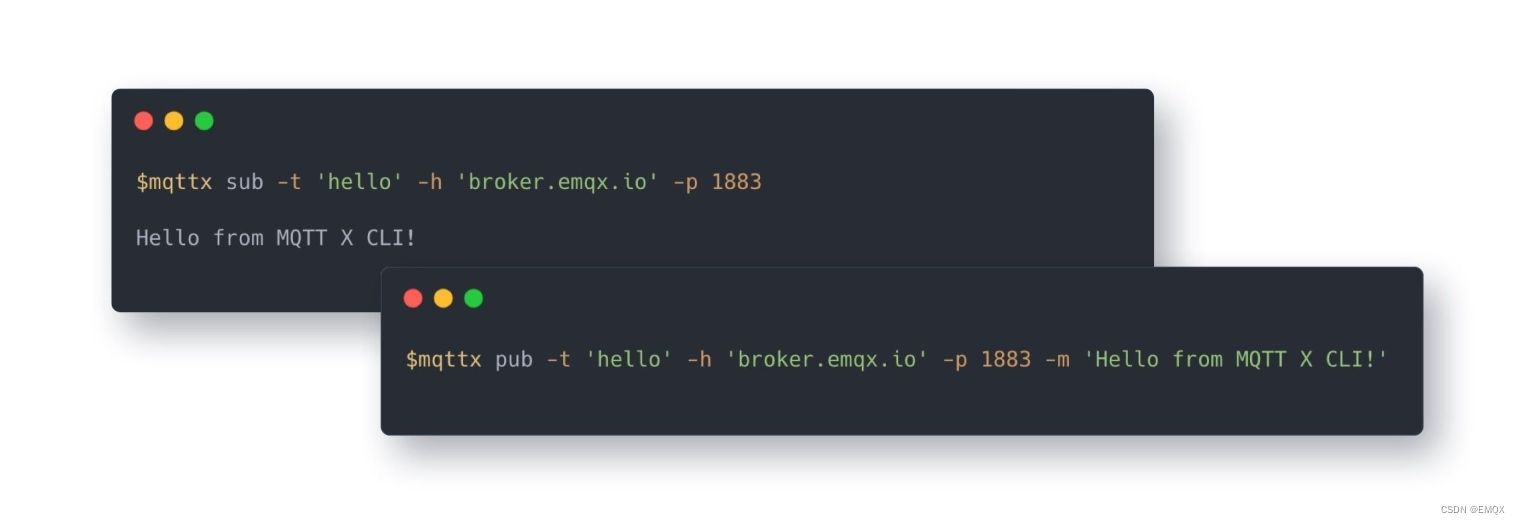
Convenient and efficient : It can be installed and used without relying on the environment
install
MQTT X CLI You can quickly download and install to macOS、Linux and Windows On the system , No dependent environment preparation is required before installation , Just execute the command in the terminal , You can install and use MQTT X CLI.
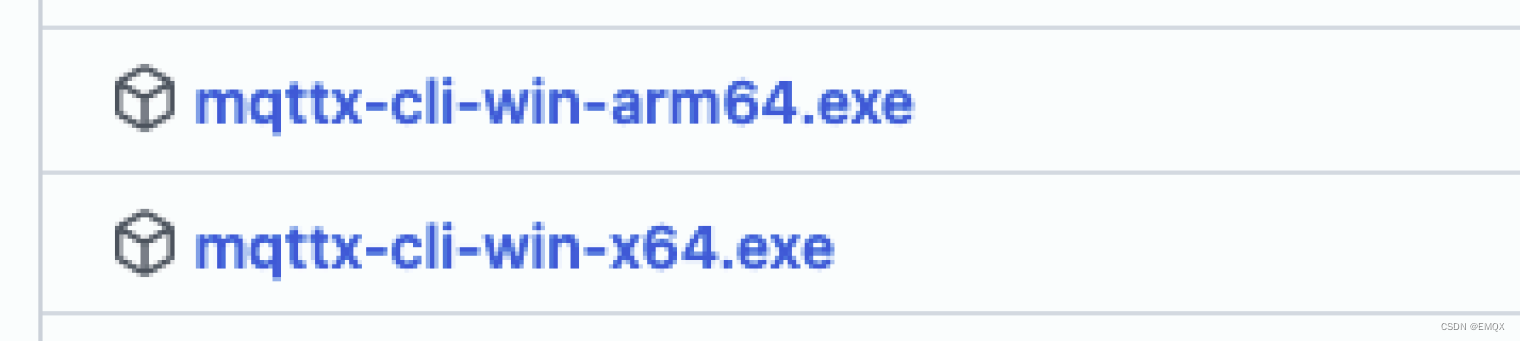
about macOS and Linux Users of the system , We provide a quick installation method , Use the command line to quickly download binary files , And install the latest MQTT X CLI Stable version to the operating system .Windows Users can go to MQTT X Of Publish the page Inside , Find the corresponding system architecture exe package , Use after manual download .
Be careful : When downloading and installing, please pay attention to distinguish the current system environment CPU framework
macOS
Homebrew
macOS The user can go through Homebrew To quickly install and use MQTT X CLI
brew install emqx/mqttx/mqttx-cliIntel Chip
curl -LO https://www.emqx.com/zh/downloads/MQTTX/v1.8.0/mqttx-cli-macos-x64
sudo install ./mqttx-cli-macos-x64 /usr/local/bin/mqttx
Apple Silicon
curl -LO https://www.emqx.com/zh/downloads/MQTTX/v1.8.0/mqttx-cli-macos-arm64
sudo install ./mqttx-cli-macos-arm64 /usr/local/bin/mqttx
Linux
x86-64
curl -LO https://www.emqx.com/zh/downloads/MQTTX/v1.8.0/mqttx-cli-linux-x64
sudo install ./mqttx-cli-linux-x64 /usr/local/bin/mqttx
ARM64
curl -LO https://www.emqx.com/zh/downloads/MQTTX/v1.8.0/mqttx-cli-linux-arm64
sudo install ./mqttx-cli-linux-arm64 /usr/local/bin/mqttx
Windows
Windows Users can go to MQTT X Manually download the corresponding exe File to use , Download address :https://github.com/emqx/MQTTX/releases/tag/v1.8.0
NPM
In addition to the above methods , We also provide the use of npm Installation method of , In this way, no matter what the current operating system environment , As long as your system has Node.js Environmental Science , You can quickly install and use .
npm install mqttx-cli -g
Quick start
After downloading and installing , You can input directly in the terminal mqttx Command to run and use . You can add -V Parameters to verify MQTT X CLI Is the installation successful , When outputting a version number , To prove it MQTT X CLI Successfully installed .
$ mqttx -V
1.8.0
For testing MQTT X CLI Use , We need to prepare a MQTT service , This article will use EMQ Provided Free public MQTT The server , The service is based on MQTT Internet of things cloud platform - EMQX Cloud establish , The server access information is as follows :
- Broker:
broker.emqx.io - TCP Port: 1883
- WebSocket Port: 8083
Get ready MQTT After service , We can use the command line in the terminal to publish and subscribe messages , Let's start with a terminal window , Edit a command to subscribe to a topic .
subscribe
mqttx sub -t 'mqttx/cli' -h 'broker.emqx.io' -p 1883
After completing the subscription , Let's create a new terminal window , The command to edit a message posted to the topic you just subscribed to .
Release
mqttx pub -t 'mqttx/cli' -h 'broker.emqx.io' -p 1883 -m 'hello from MQTTX CLI!'
At this point, we can subscribe to the topic command in the window , See a message just released .

Post multiple messages
MQTT X CLI It also supports one pub Command can publish multiple messages , Just add one in the command when editing -M Parameters and -s Parameters , Wrap lines after each input .
mqttx pub -t 'mqttx/cli' -h 'broker.emqx.io' -p 1883 -s -M

Last , We can use MQTT X Desktop client to and MQTT X CLI To connect to the same MQTT service , To test and verify MQTT X CLI The function of , We use MQTT X CLI Post a message , adopt MQTT X Desktop client to receive , Reverse use MQTT X Desktop client to send a message to MQTT X CLI. here , We can see that both sides have received their own messages .


Conclusion
thus , We're done using MQTT X CLI Yes MQTT Test and verification of message publishing and subscription function . In addition to the above common functions ,MQTT X CLI It also supports setting will messages 、 Use SSL/TLS To test mqtts And so on . The future will also support MQTT 5.0 Connect .
MQTT X CLI Release , For IOT developers MQTT Connection testing provides a new option . And call on the command line 、 Complete support for desktop client download and online browser , bring MQTT X 1.8.0 It can help users with different usage scenarios to complete MQTT Development and debugging of services or applications , So as to improve the relevant business capabilities and stability of users . Easy to use testing client tools MQTT X Combined with efficient and reliable Internet of things message server EMQX, It will help IOT developers build competitive IOT platforms and Applications .
attach : Use the help
You can enter --help Parameter to get help , Or refer to the usage parameter table below to use MQTT X CLI.
#  obtain  mqttx  Aid of command
mqttx --help

#  Get help for subscription commands
mqttx sub --help

#  Get help issuing commands
mqttx pub --help
Use Parameter comparison table


subscribe
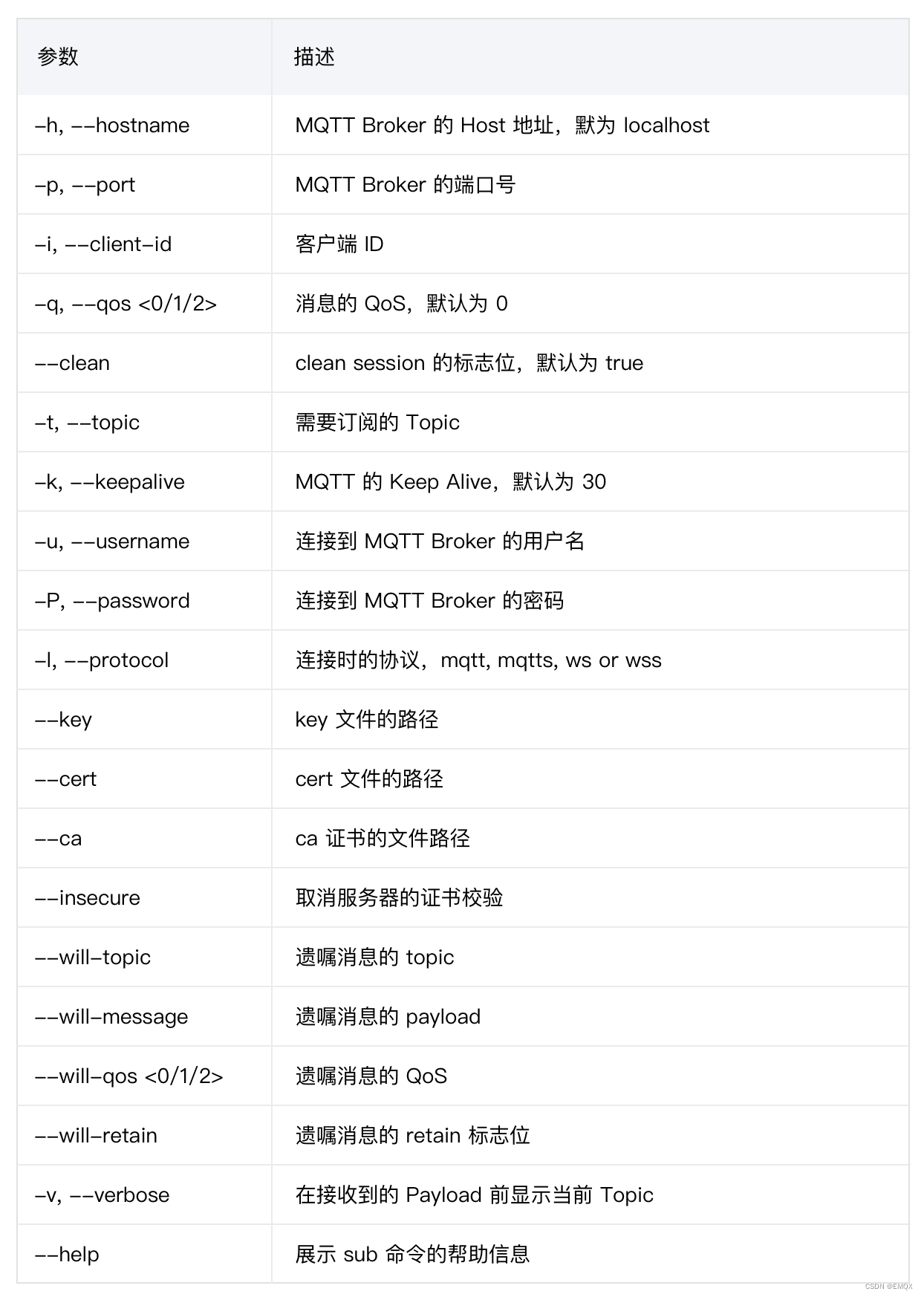
Release

Copyright notice : This paper is about EMQ original , Reprint please indicate the source .
Link to the original text :https://www.emqx.com/zh/blog/powerful-and-easy-to-use-mqtt-5-command-line-tool
边栏推荐
- MySQL tutorial 67- filter duplicate data using distinct
- MySQL教程68-AS 设置别名
- 用递归进行数组求和
- What is a physical firewall? What's the effect?
- [IJCAI 2022] parameter efficient large model sparse training method, which greatly reduces the resources required for sparse training
- [image hiding] digital image watermarking method technology based on hybrid dwt-hd-svd with matlab code
- How matlab produces random complex sequences
- [zeloengine] summary of pit filling of reflection system
- 邮件的收发的展现逻辑之收件箱发件箱以及回复断链的问题
- Basic usage of MFC thread afxbeginthread, passing multiple parameters
猜你喜欢

Recommended collection, which is probably the most comprehensive coding method summary of category type features

面试突击:为什么 TCP 需要 3 次握手?

使用 Terraform 在 AWS 上快速部署 MQTT 集群

一文入门Redis

【图像去噪】基于双立方插值和稀疏表示实现图像去噪matlab源码
![[fault diagnosis] bearing fault diagnosis based on Bayesian optimization support vector machine with matlab code](/img/9e/138e4b160fa9bd6486fac44a788d09.png)
[fault diagnosis] bearing fault diagnosis based on Bayesian optimization support vector machine with matlab code

2w字详解数据湖:概念、特征、架构与案例

Ice 100g network card fragment message hash problem

General test case writing specification

如何构建面向海量数据、高实时要求的企业级OLAP数据引擎?
随机推荐
优必选大型仿人服务机器人Walker X的核心技术突破
Recommended collection, which is probably the most comprehensive coding method summary of category type features
MySQL tutorial 66 data table query statement
Permission management - role assignment menu
Experimental reproduction of image classification (reasoning only) based on caffe resnet-50 network
开发者如何为React Native选择合适的数据库
Dpdk packet receiving and sending problem case: non packet receiving problem location triggered by mismatched packet sending and receiving function
Equivalent change of resistance circuit (Ⅱ)
leetcode:528. 按权重随机选择【普通随机失效 + 要用前缀和二分】
The second revolution of reporting tools
mysql 查看是否锁表
30 lines write the concurrency tool class yourself (semaphore, cyclicbarrier, countdownlatch)
How matlab produces random complex sequences
MySQL-自增锁
测试驱动开发(TDD)在线练功房 | 9月17日开课
没错,请求DNS服务器还可以使用UDP协议
EMQX Cloud 更新:日志分析增加更多参数,监控运维更省心
基于Caffe ResNet-50网络实现图片分类(仅推理)的实验复现
使用 Terraform 在 AWS 上快速部署 MQTT 集群
TypeError: Unrecognized value type: <class ‘str‘> ParserError: Unknown string format