当前位置:网站首页>Minecraft install resource pack
Minecraft install resource pack
2022-07-02 08:43:00 【freesharer】
Minecraft Introduction to resource pack
Resource Pack (Resource Pack) It's a texture pack (texture packs) substitute , The system allows players to customize textures 、 Model 、 music 、 voice 、 Language and other text and fonts , Without changing any code . stay Java edition 1.6.1 in , Texture package is replaced by resource package , Provide texturing and other game features ( Such as music and text ) More control over .
Texture package (Texture Pack, Old translation is material package ) It is a box that can change the game 、 goods 、 Biological and interface texture mapping package . They are made up of png Pictures and pack.txt Composed of documents zip Compressed package . The default resolution for texture maps is 16×16( Long × wide ), but 32×32、64×64、128×128、256×256、512×512 Or higher resolution HD texture package can also be through a third party Mods load .
For materials and shadows , Proposed installation optifine, It is not necessary for material packages optifine, But the use of light and shadow package must be installed optifine.
Common resource package download address :
- resourcepack:https://resourcepack.net
- texture-packs:https://texture-packs.com
- minecraft Chinese net :https://www.minecraftzw.com/texture
Recommend popular material bags
- Cartoon minimalist style material bag :https://sapixcraft.com
- Game texture improvement resource pack :https://faithful.team
- Realistic style material bag :https://www.designio.graphics
- Realistic texture package ( charge ):https://www.patreon.com/RealismMats
Recommend popular light and shadow bags
- Minecraft Shader package : https://www.sonicether.com
install optifine
OptiFine It's a Minecraft Optimization module , This module adds support for HD textures and many options for better appearance and performance .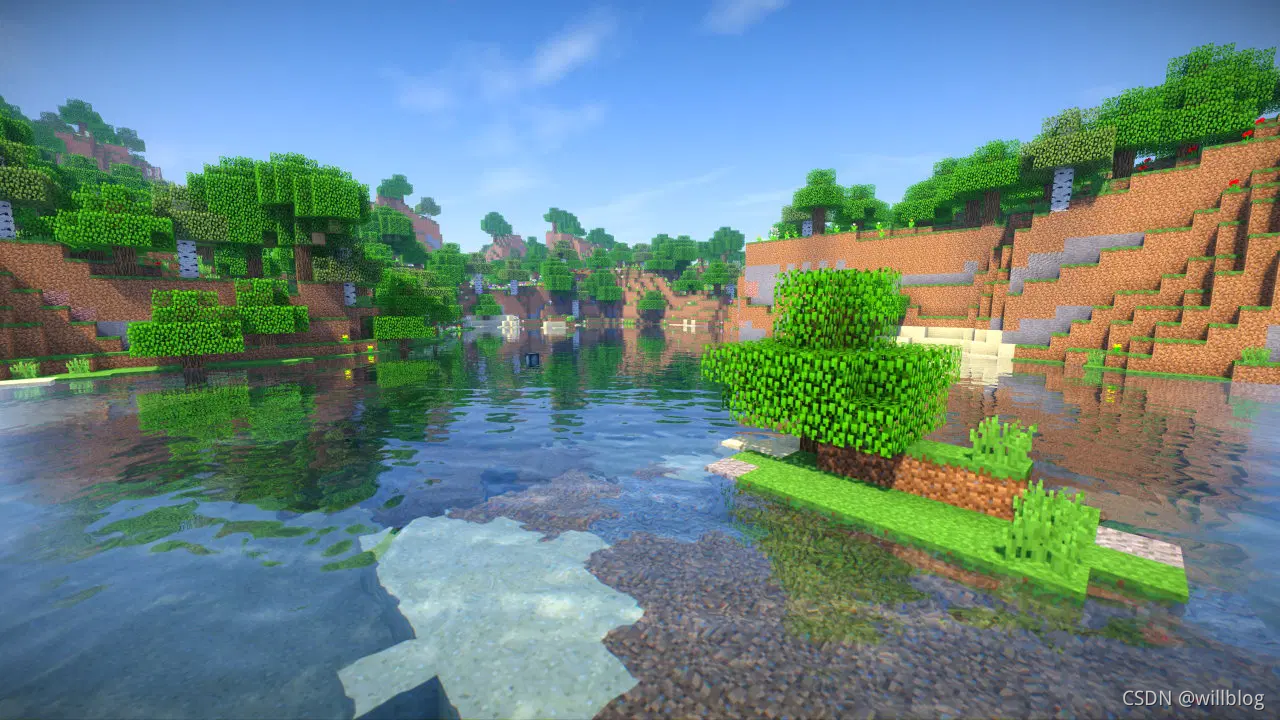
OptiFine Need to be installed in minecraft In the client machine , With windows 11 Take the official client in as an example
1、 First, the client needs to install java Environmental Science , Recommended installation openjdk edition , By default, it is published in github On , Download is slow , You can download it from Tsinghua source in China .
openjdk17 Download address :https://mirrors.tuna.tsinghua.edu.cn/AdoptOpenJDK/17/jdk/x64/windows/
download OpenJDK17U-jdk_x64_windows_hotspot_17.0.1_12.msi Click Install , Then open the cmd Confirm that java command ,
java -version
The following version information is displayed , Description installation successful :
2、 installed java after , It can be opened and installed OptiFine, Download and minecraft The same version of the server .
OptiFine Official download address :https://optifine.net/downloads
After downloading, there is a jar package :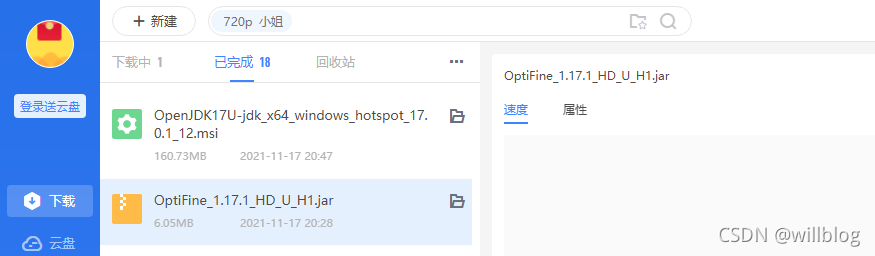
Direct double click OptiFine_1.17.1_HD_U_H1.jar, Pop up the following window , Click on Install Direct installation , Prompt for successful installation :
Install material package
The material bag is usually a .zip file , Save the directory as .minecraft/resourcepacks. You can search your favorite material package from the website provided above , With https://resourcepack.net Take this website as an example , Select according to POLULAR Material package sorted by popularity , Take the first one , Click enter to provide the corresponding download connection 
Click the download link to navigate to the official website of material package 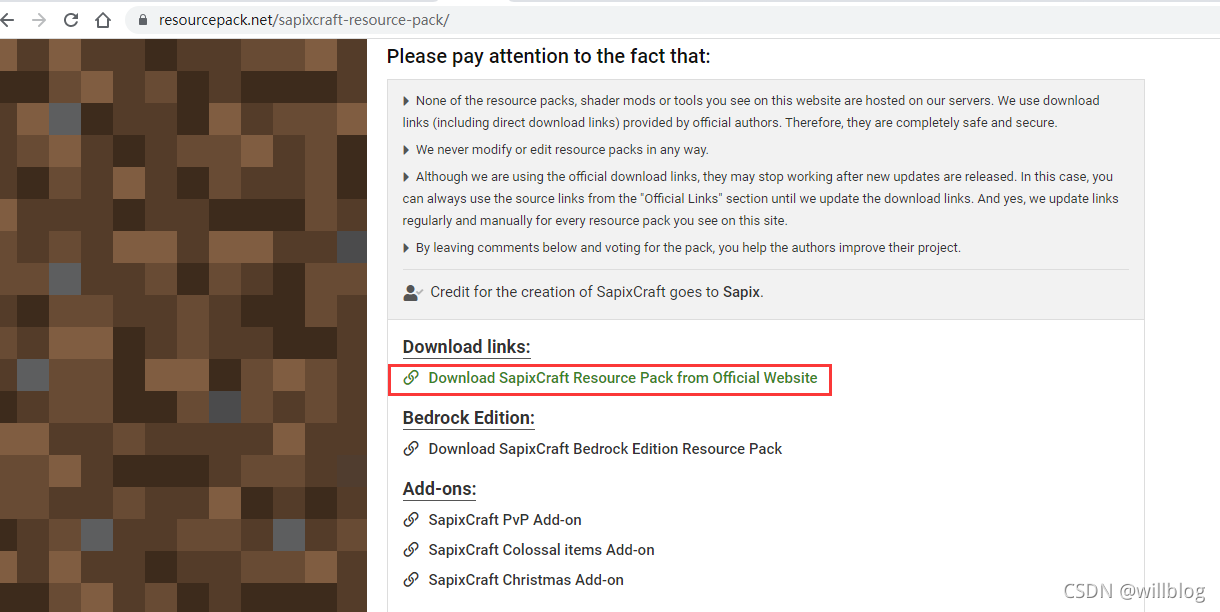
Select the matching version , Select the resolution according to the computer configuration , commonly 128x that will do , Too high resolution may cause material package loading failure :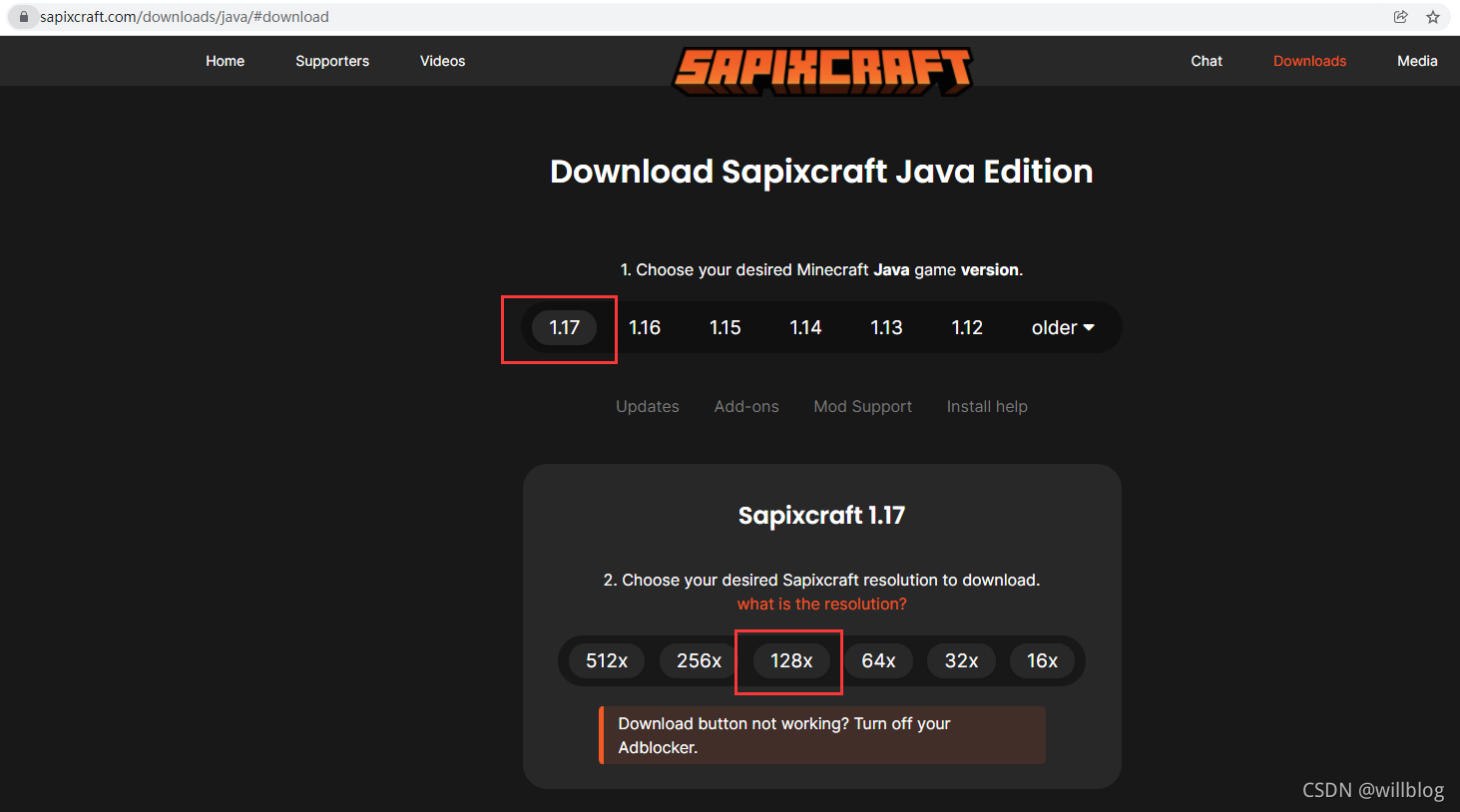
Click on SKIP Skip ads and download directly , After downloading is a zip file , Need to upload to .minecraft/resourcepacks Under the table of contents , Follow the steps below to upload zip file :
1、 Open the official starter , Click to start the game 
2、 Click the options 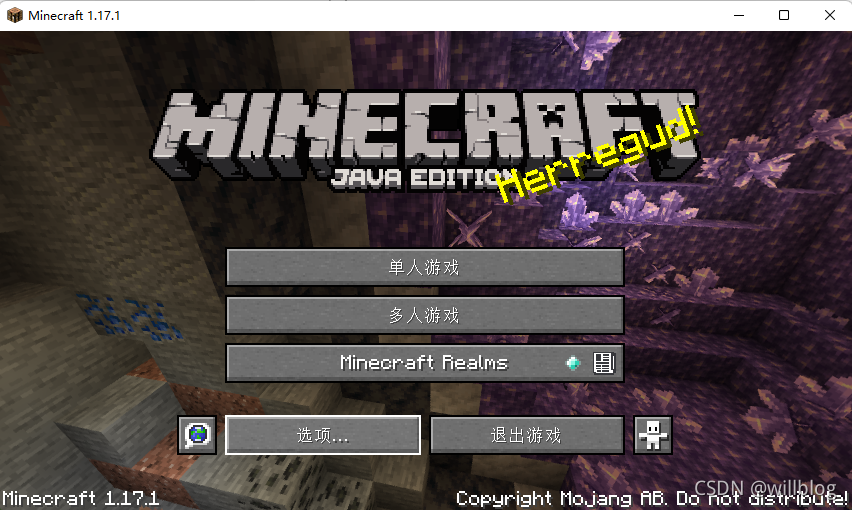
3、 Click resource package 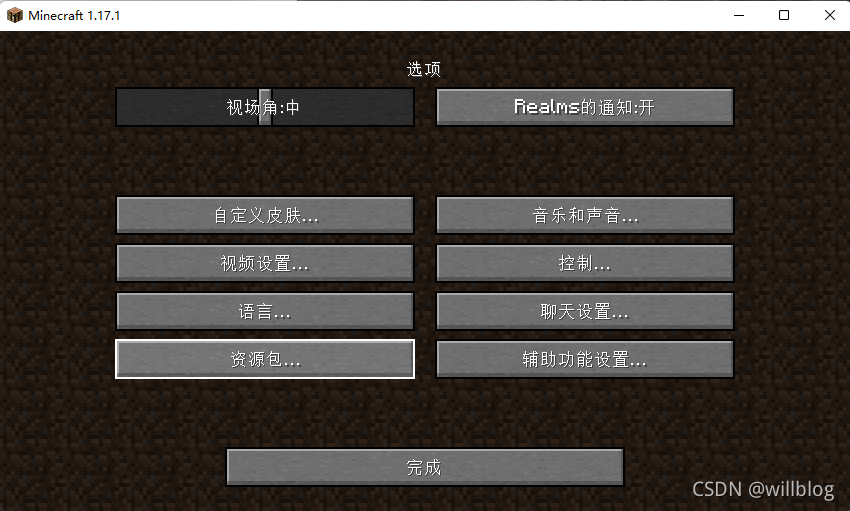
4、 Click to open the compressed package folder 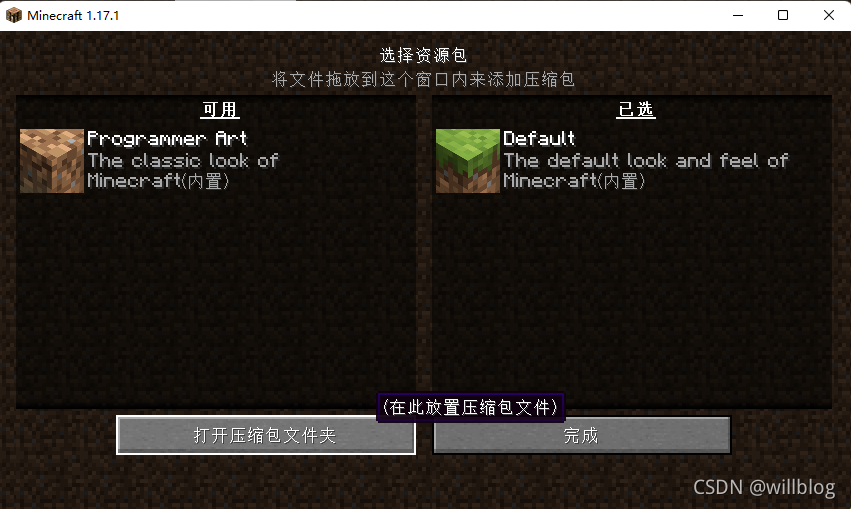
Put the previously downloaded material package zip Copy the file to this directory ,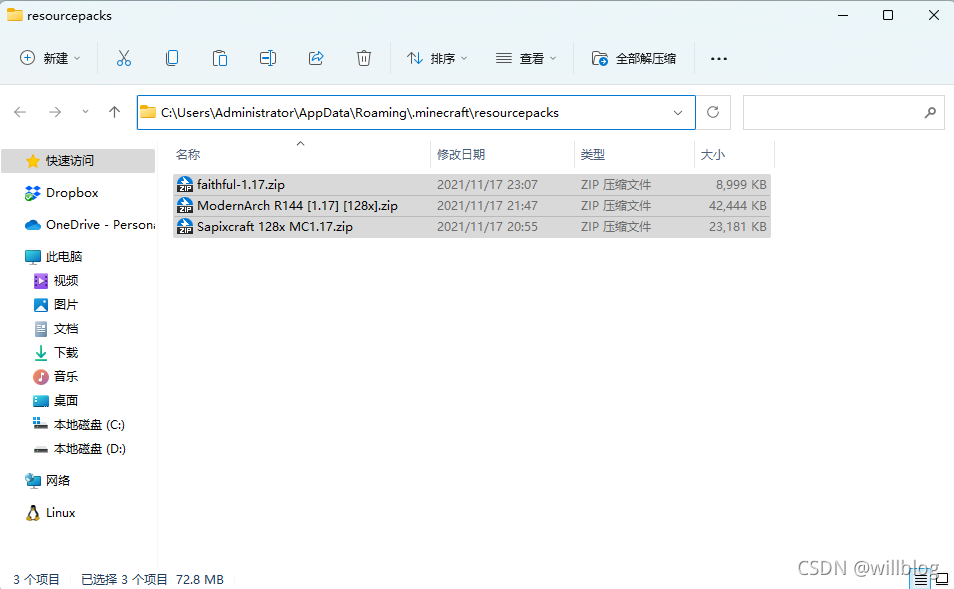
Click the arrow to move the material package you want to enable to the right :
Click finish , Choose a multiplayer game , Log in to the server and find that the material has changed :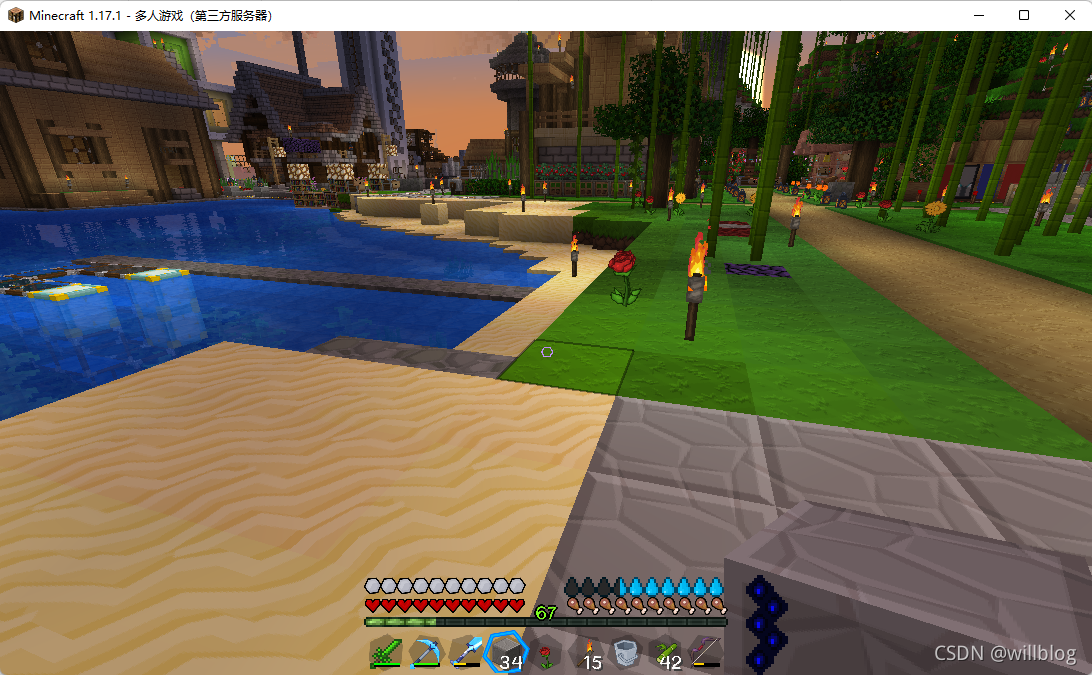
Upload the light and shadow package
Download the light and shadow package , With https://resourcepack.net Take this website as an example , Click on SHADERS, Select the light and shadow download below , I'm going to use it directly here sonicether:https://www.sonicether.com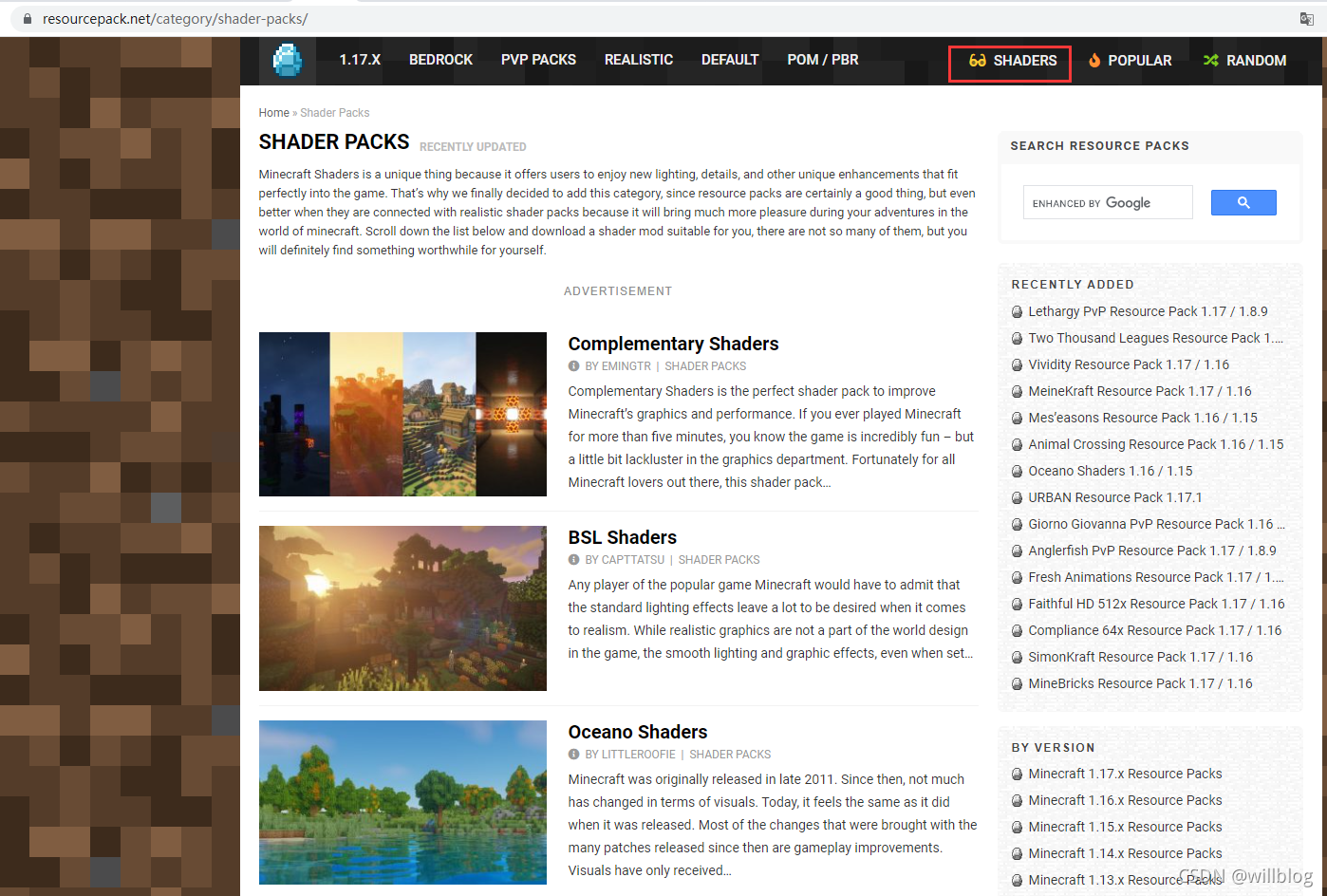
Restart the client , choice OptiFine, Start the game 
Click the options 》 Video settings 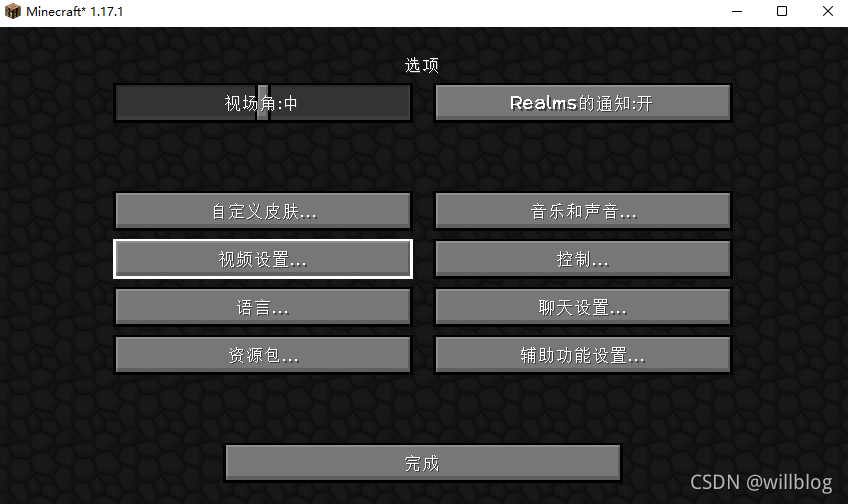 Click light and shadow
Click the light and shadow package folder 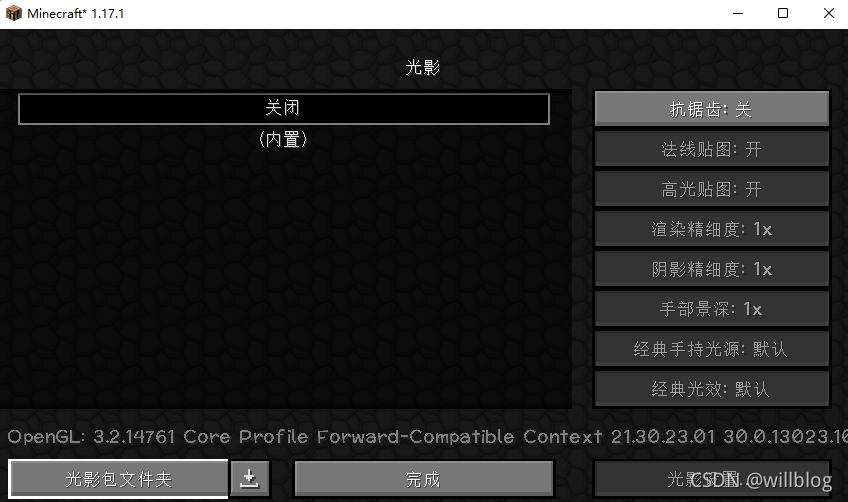
Put the downloaded light and shadow zip Copy the package to this directory 
Select the light and shadow package , Click finish 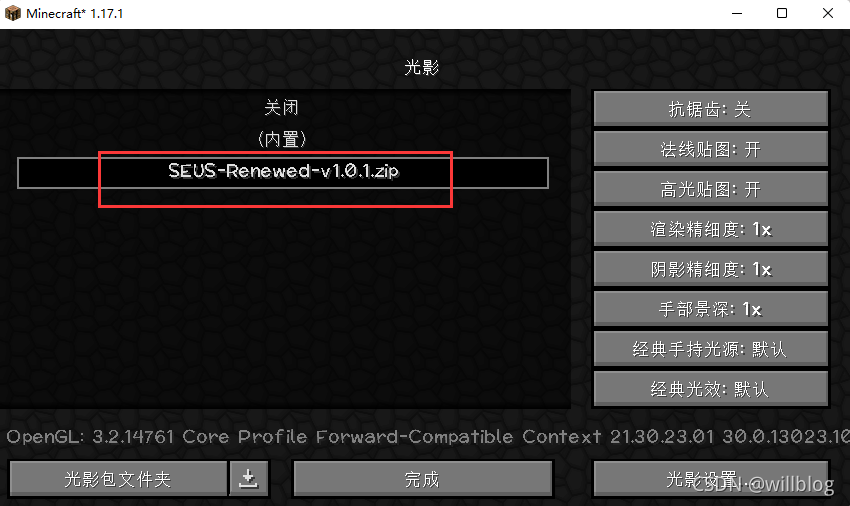
Log in to the server to test , You can see water 、 The light and shadow effect of the sky and sunshine :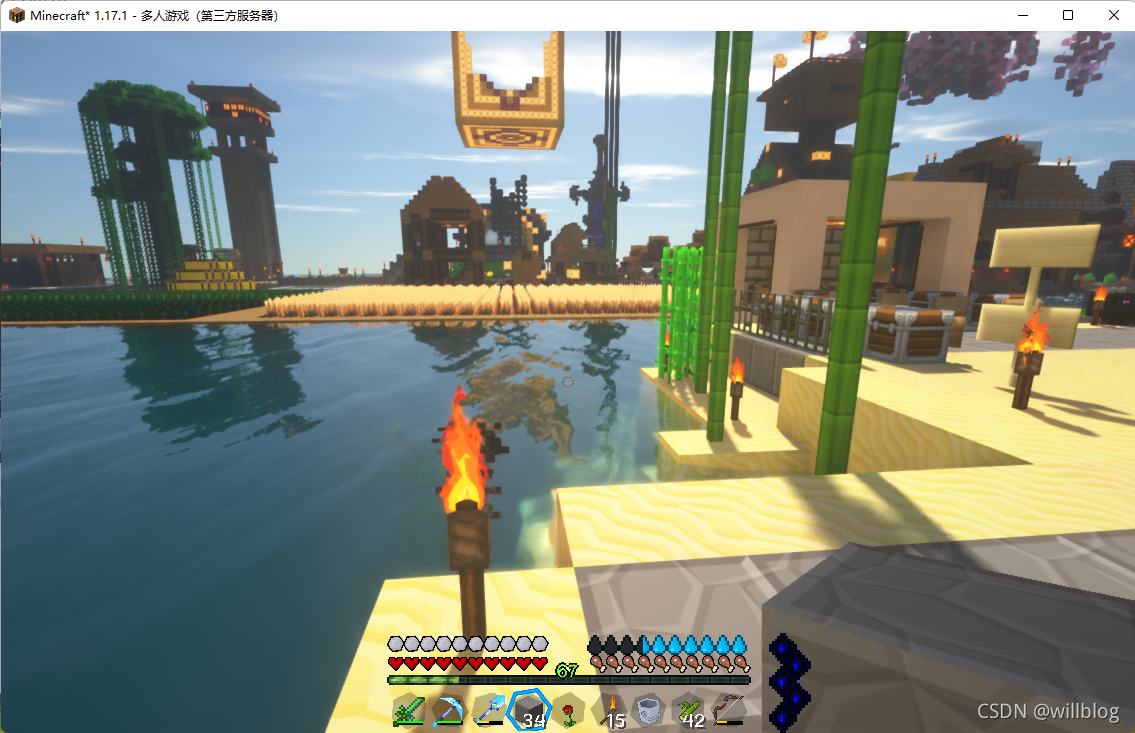
边栏推荐
- Qt QTimer类
- Use the kaggle training model and download your own training model
- Sqli labs level 8 (Boolean blind note)
- Concise analysis of redis source code 11 - Main IO threads and redis 6.0 multi IO threads
- Linked list classic interview questions (reverse the linked list, middle node, penultimate node, merge and split the linked list, and delete duplicate nodes)
- Zipkin is easy to use
- Minecraft群组服开服
- Tensorflow2 keras 分类模型
- Sentinel 简单使用
- Sqli labs level 1
猜你喜欢

使用wireshark抓取Tcp三次握手

HCIA - data link layer

Simple implementation scheme of transcoding and streaming (I)

Web security -- core defense mechanism

C language custom types - structure, bit segment (anonymous structure, self reference of structure, memory alignment of structure)

sqli-labs第1关

HackTheBox-Gunship
2022 Heilongjiang latest construction eight members (materialman) simulated examination questions and answers

C language replaces spaces in strings with%20

Minecraft空岛服开服
随机推荐
Jumping | Blue Bridge Cup
C language custom type enumeration, Union (clever use of enumeration, calculation of union size)
【无标题】
Sqli labs Level 2
2022 Heilongjiang latest food safety administrator simulation exam questions and answers
gocv opencv exit status 3221225785
Simple implementation scheme of transcoding and streaming (I)
gocv图片裁剪并展示
File upload and download performance test based on the locust framework
First week of JS study
ARP及ARP欺骗
2022 Heilongjiang's latest eight member (Safety Officer) simulated test question bank and answers
D interface and domain problems
Synchronize files using unison
commands out of sync. did you run multiple statements at once
Mutex
程序猿学英语-Learning C
[untitled]
Web技术发展史
Loadbalancer dynamically refreshes Nacos server