当前位置:网站首页>Qunhui NAS configuring iSCSI storage
Qunhui NAS configuring iSCSI storage
2022-07-02 08:37:00 【freesharer】
Synology NAS brief introduction
Qunhui Technology (Synology ) Founded in 2000 year , It's Taiwan's network storage server (NAS) brand , From the beginning, we focused on building high efficiency 、 reliable 、 Functional and green NAS The server , It is considered to be small and medium-sized enterprises and families NAS Long term leader in the field .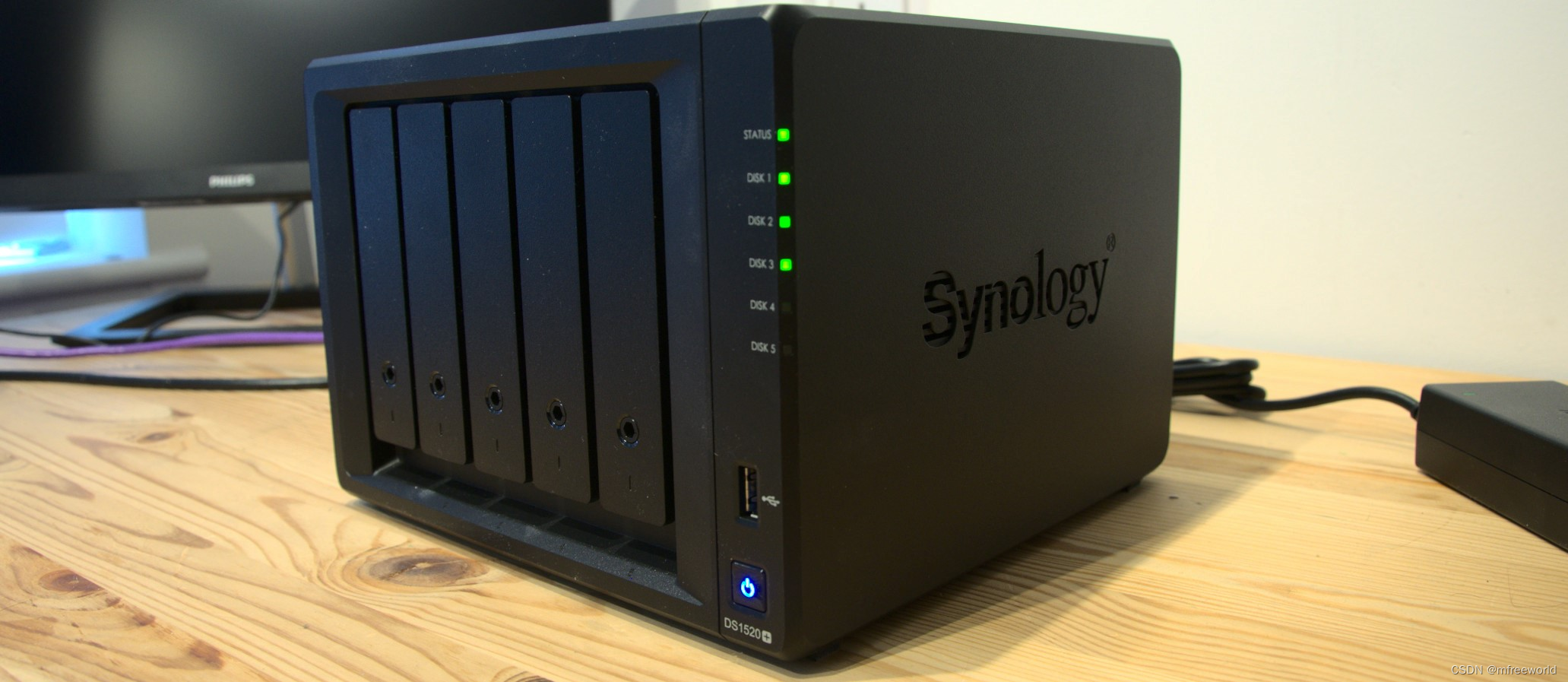
Qunhui also provides services applicable to every NAS Operating system of DiskStation Manager (DSM). It is based on Linux Of 、 An intuitive operating system with a web interface , It provides rich functions, including file sharing 、 File synchronization and data backup , To provide better flexibility and availability in all aspects .
Official website :https://www.synology.com
Synology NAS To configure iSCSI Storage
With Qunhui DS 220+ For example, configure , For other models, please refer to Official documents .
1、 Synology NAS End configuration
1、 establish iSCSI target, Open in the main menu SAN Manager, newly added iSCSI
Keep the default 
Select Map later
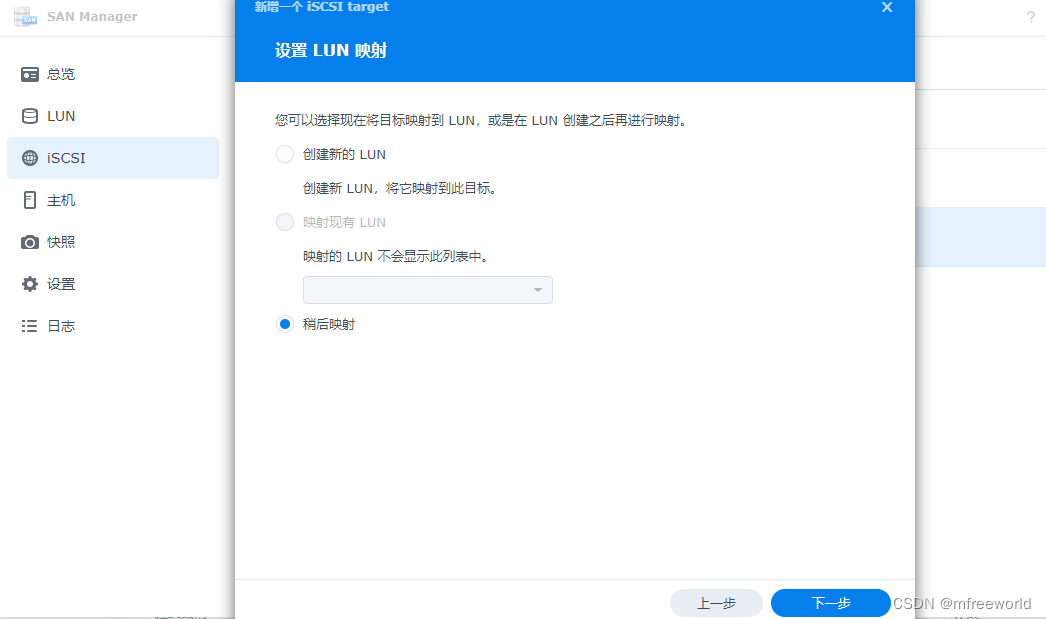
2、 establish LUN, choice LUN And new 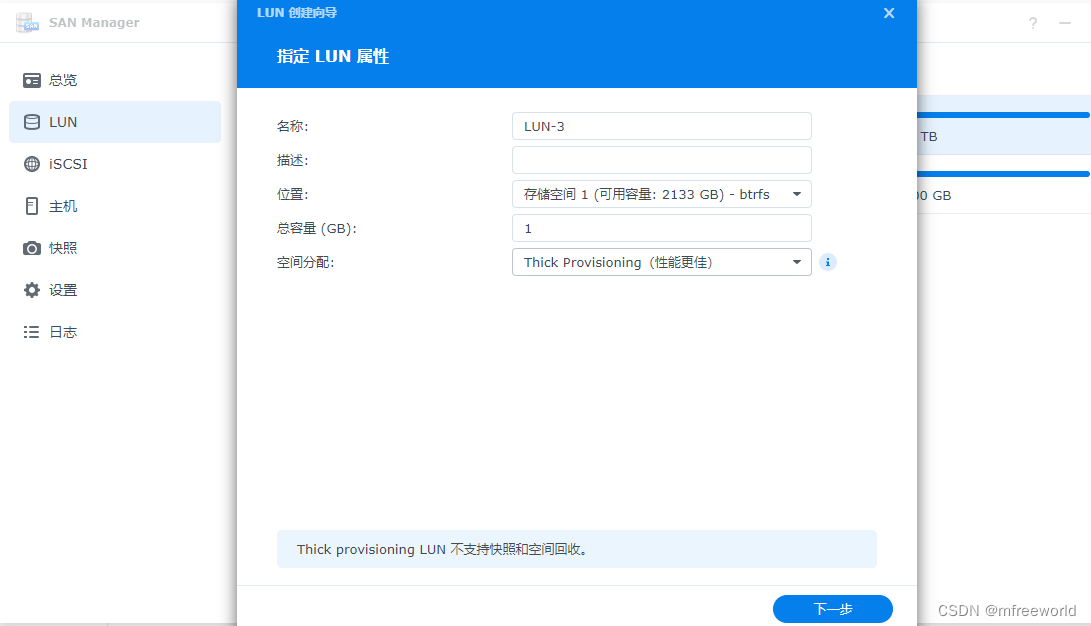
by LUN Select the iSCSI Target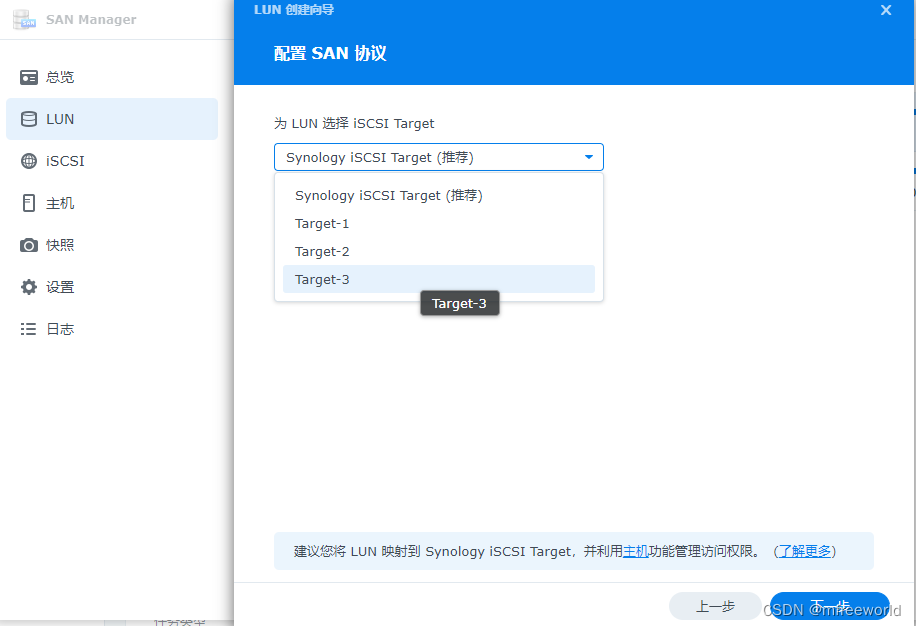
Select allow all 
After the above configuration is completed NAS End iSCSI Already configured , Next, configure the client .
2、 by VMware vSphere To configure iSCSI Storage
With ESXI 7.x.x For example, configure , Sign in ESXI Web Management interface .
1、 add to iSCSI Adapter , Choose storage —> Adapter —> Software iSCSI, Configure the following three parts and save .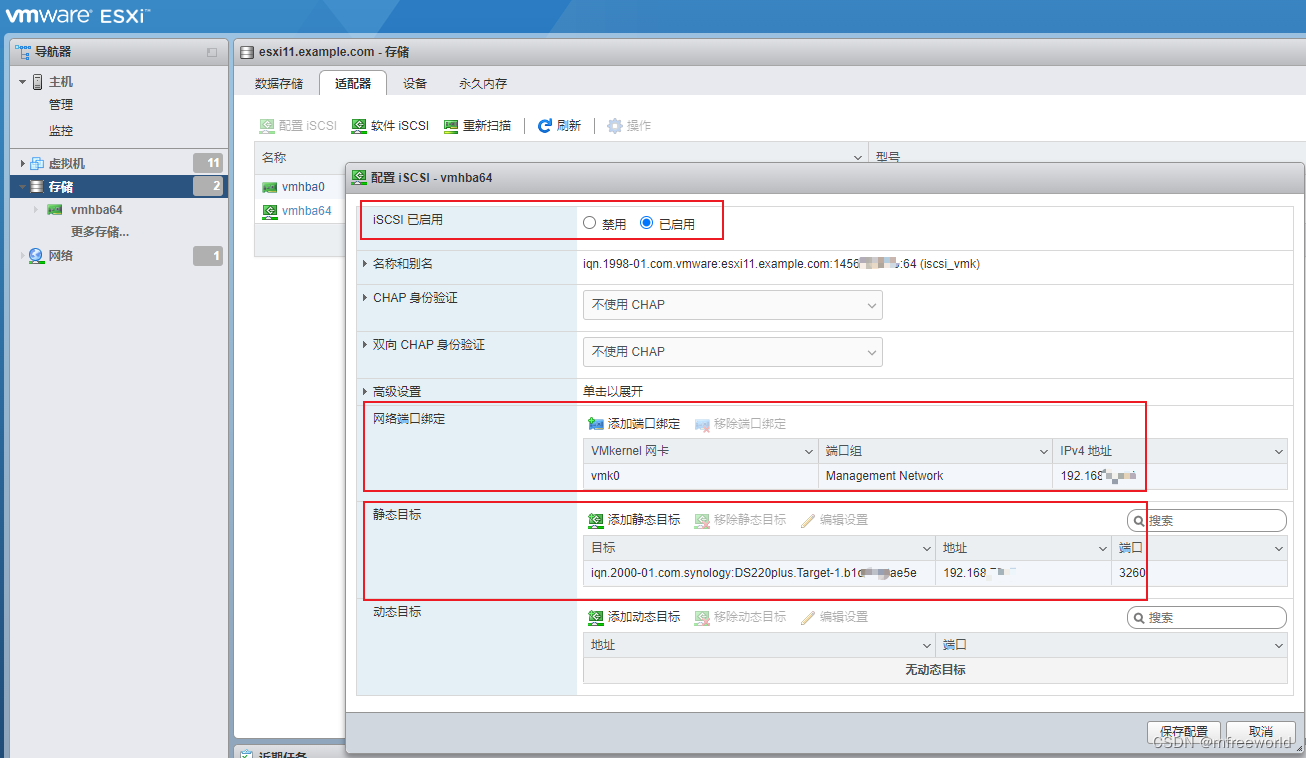
The static target is NAS iSCSI The interface is copied , The address is NAS Storage IP Address .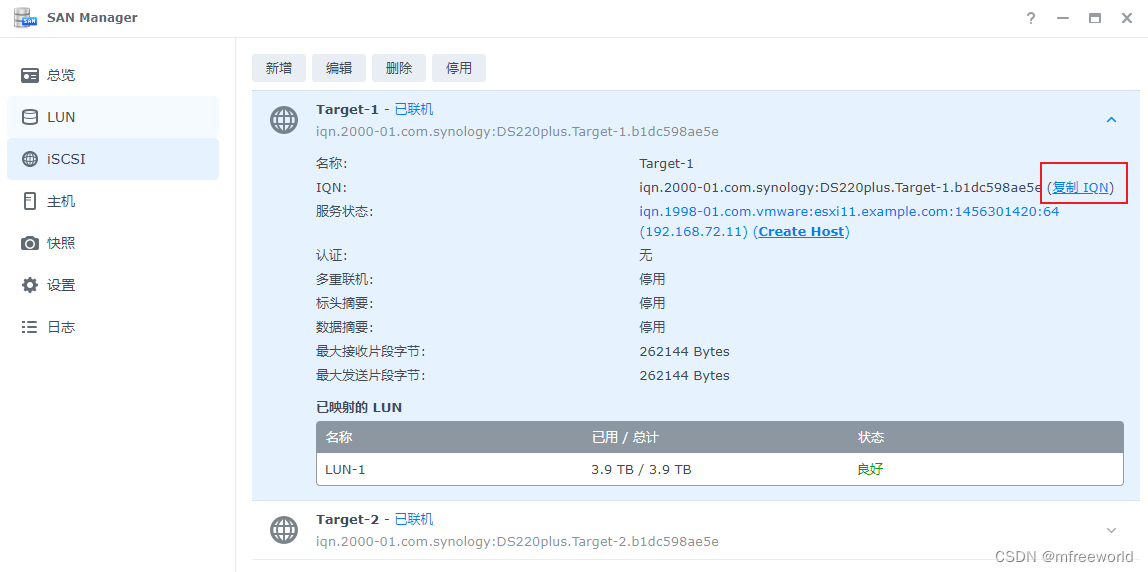
2、 New data store , Choose new VMFS data storage
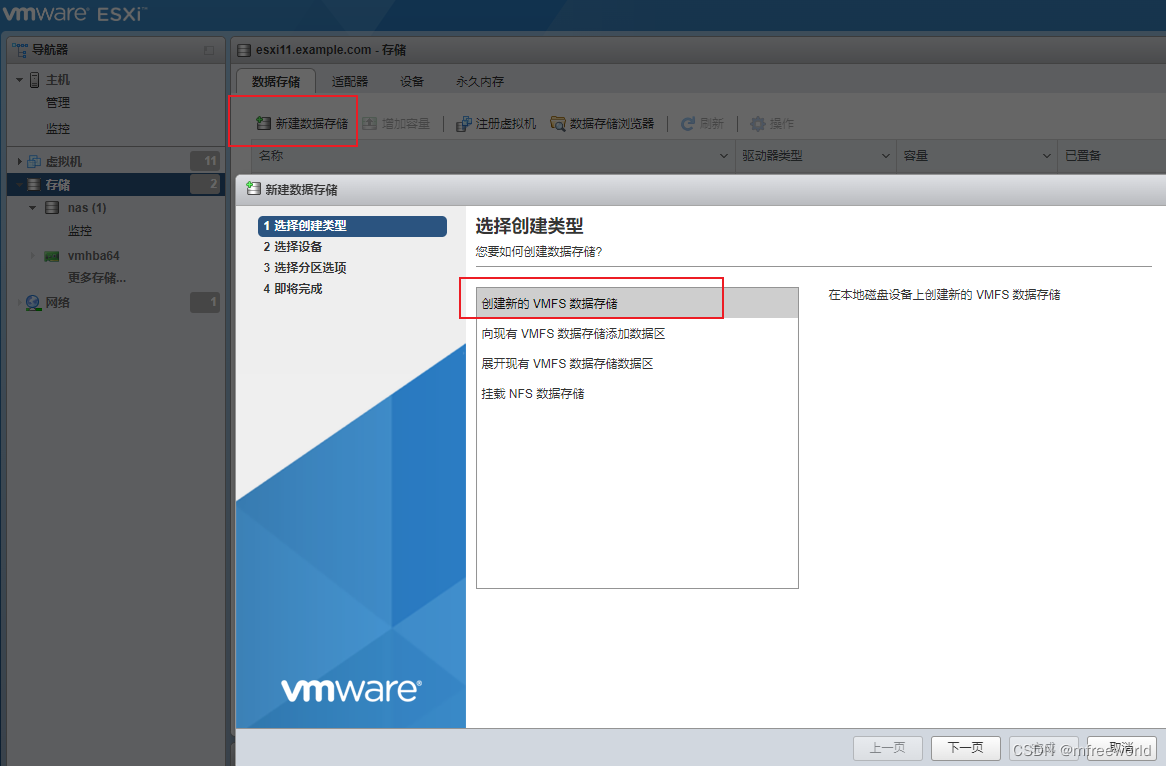
Choose the newly discovered iSCSI equipment 
Use all disks and confirm 
After the addition, it is as follows , When creating a virtual machine, you can choose synology As back-end storage .

3、 by Windows Computer coordination iSCSI Storage
With windwos 11 For example ,
1、 Search... In the search box iSCSI, open iSCSI Initiate a program 
Or search in the control panel Windows Tools 
2、 Input NAS Storage IP Address , Select the discovered target and click Connect 
3、 Disk initialization
Enter disk management in the search bar 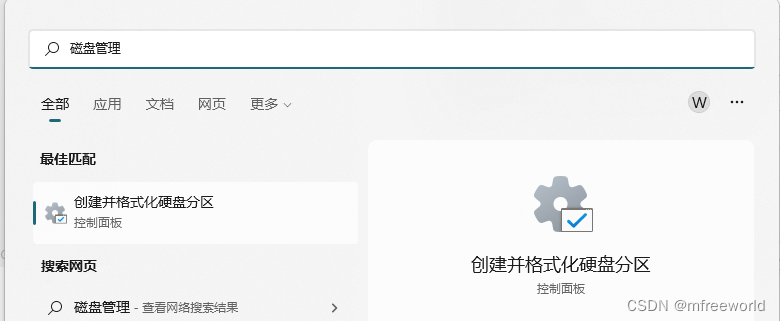
When the configuration is complete , A new disk will be added in disk management , It can operate like a local disk , Partition formatting 
4、 See the final effect
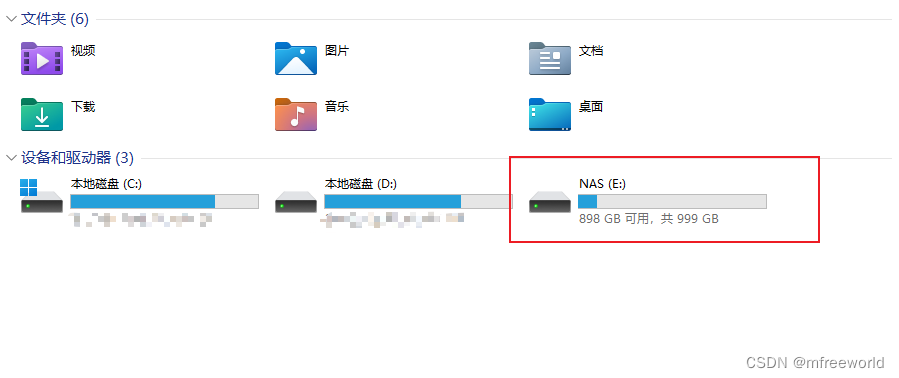
5、 Test disk read and write speed
open cmd Command interface , Use windows Built in disk speed measurement command winsat disk test E Disk reading and writing speed , Due to the use of gigabit network cards and networks for networking , The reading and writing speed is 100 MB/s, In line with expectations .
PS C:\Users\Administrator> winsat disk -drive E
Windows  System evaluation tools
>  Running :  Function enumeration  ''
>  The elapsed time  00:00:00.00
>  Running :  Storage assessment  '-drive E -ran -read'
>  The elapsed time  00:00:00.75
>  Running :  Storage assessment  '-drive E -seq -read'
>  The elapsed time  00:00:04.78
>  Running :  Storage assessment  '-drive E -seq -write'
>  The elapsed time  00:00:06.03
>  Running :  Storage assessment  '-drive E -flush -seq'
>  The elapsed time  00:00:01.67
>  Running :  Storage assessment  '-drive E -flush -ran'
>  The elapsed time  00:00:01.64
> Dshow  Video encoding time                                  0.00000 s
> Dshow  Video decoding time                                  0.00000 s
>  Media basic decoding time                                      0.00000 s
> Disk  Random 16.0 Read                       27.40 MB/s          6.1
> Disk  Sequential 64.0 Read                   112.04 MB/s          6.8
> Disk  Sequential 64.0 Write                  108.47 MB/s          6.7
>  Average read time for sequential write operations                                  0.555 ms          7.9
>  Delay : 95%                                      0.933 ms          8.4
>  Delay :  Maximum                                        5.404 ms          8.5
>  Average read time for random writes                                  0.536 ms          8.6
>  Total operation time  00:00:14.98
边栏推荐
- Makefile Fundamentals
- ARP及ARP欺骗
- [blackmail virus data recovery] suffix Crylock blackmail virus
- File upload and download performance test based on the locust framework
- Routing foundation - dynamic routing
- 双向链表的实现(双向链表与单向链表的简单区别联系和实现)
- TCP/IP—传输层
- Sqli labs level 12
- Use of OpenCV 6.4 median filter
- In depth understanding of prototype drawings
猜你喜欢





随机推荐
2022 Heilongjiang's latest eight member (Safety Officer) simulated test question bank and answers
HCIA—應用層
Using C language to realize MySQL true paging
Realization of basic function of sequence table
Deep understanding of JVM
Linked list classic interview questions (reverse the linked list, middle node, penultimate node, merge and split the linked list, and delete duplicate nodes)
Makefile基本原理
C language custom types - structure, bit segment (anonymous structure, self reference of structure, memory alignment of structure)
Minecraft安装资源包
Carla-ue4editor import Roadrunner map file (nanny level tutorial)
What is SQL injection
When a custom exception encounters reflection
How to build the alliance chain? How much is the development of the alliance chain
ARP及ARP欺骗
Luogu greedy part of the backpack line segment covers the queue to receive water
Vs code configuration problem
One of the reasons for WCF update service reference error
web安全--逻辑越权
Global and Chinese market of wire loop, 2022-2028: Research Report on technology, participants, trends, market size and share
Minecraft插件服开服