当前位置:网站首页>Chrome debugging
Chrome debugging
2022-07-02 08:31:00 【Red blue purple】
Chrome debugging
Personal blog : Chrome debugging
Elements panel
step :
- open DevTools, There are many ways to open ,F12 Shortcut key , Right click to check
- View the style of the element to be checked , Click the red box in the figure below , Then click on the page element , Or place the mouse over the element to be checked , Right click to check

- stay DevTools Under the Styles Add, delete, and change the query style

- Class name operation
- , Direct double click Elements Class name under , You can modify the class name
- Click on "Styles" Under the ".cls" To operate

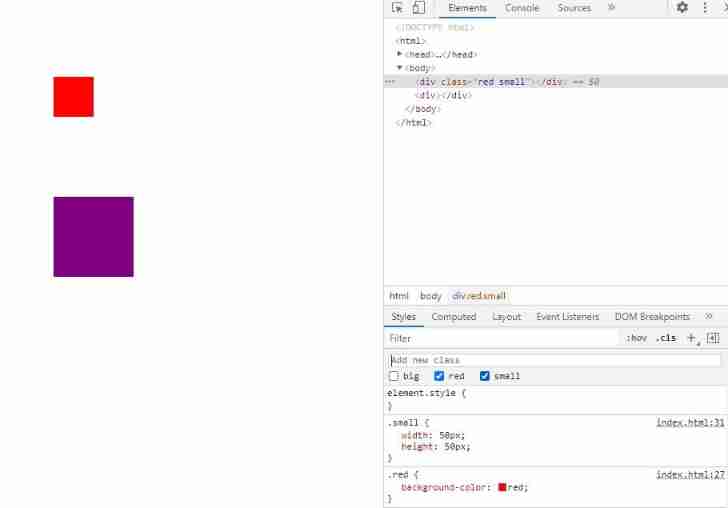
- Pseudo class selector style modification :
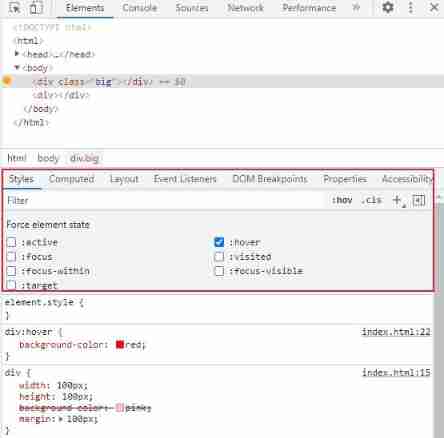
- stay Elements Corresponding element found in , The right choice Force state, Then select the pseudo class , Such as :hover, You can force the style change , The pseudo class style can also be found in Styles I'll make some changes
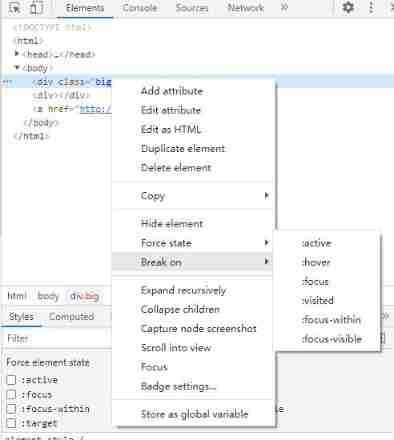
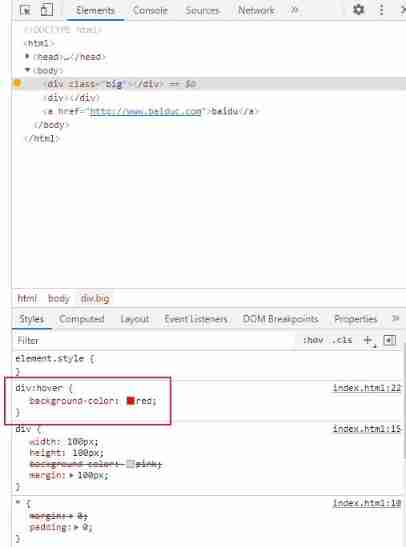
2. Click on "Styles" Under the ":hover" To operate
- When there are too many element styles , Click on "Computed", There will be all the styles of this element below , Click on "Filter", Enter the style you want to view

Console panel
You can output things in the console through the program , To check whether the program works correctly
Example :
	<script>
		var a = 10;
		console.log(a);
		var b = 15;
	</script>
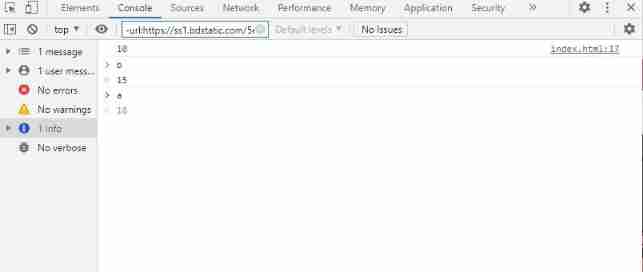
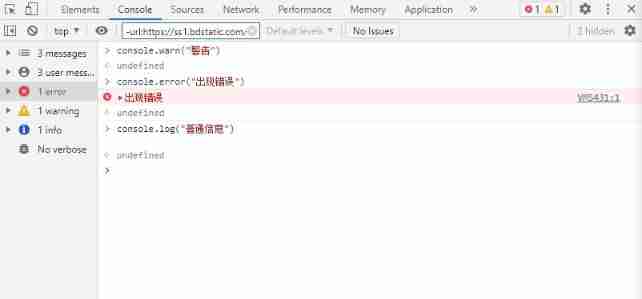
Log level can be selected on the left , You can flexibly use the log level
console.table() usage : You can print an array of objects , convenient
Example :
	<script>
		var student = [
			{
				name: "ttt",
				code: 111,
				price: 11
			},
			{
				name: "xxx",
				code: 333,
				price: 11
			},
			{
				name: "yyy",
				code: 333,
				price: 33
			},
		]
		console.log(student);
		console.table(student);
	</script>
result :

The red box is console.table(), And on the red box is console.log()
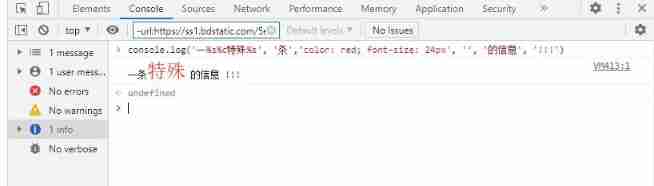
Place holder :
| Place holder | function |
|---|---|
| %s | character string |
| %d | Integers |
| %f | Floating point numbers |
| %c | css Format string |
Sources panel
It is mainly used to debug JavaScript
step :
- open Sources panel , Find the to debug js Code
- Click the number on the left of the part of code to be debugged , Add Breakpoint
- Refresh the page
- Start debugging
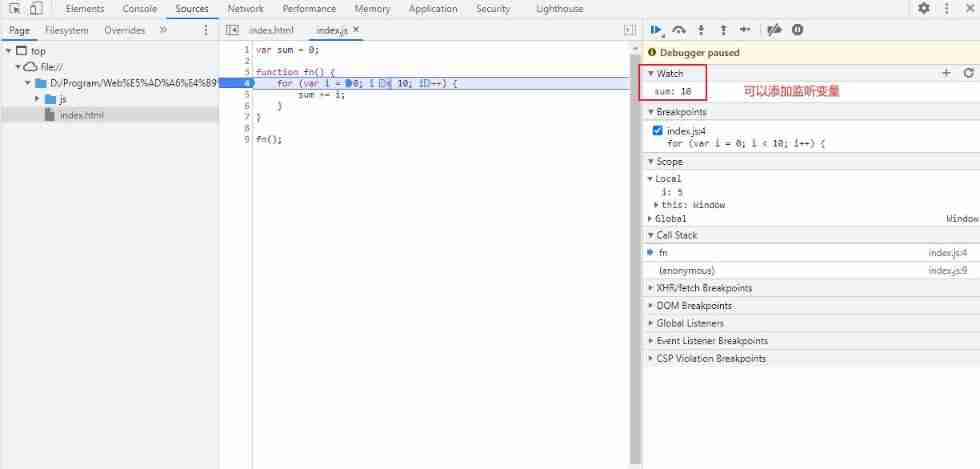
Debugging common parts :
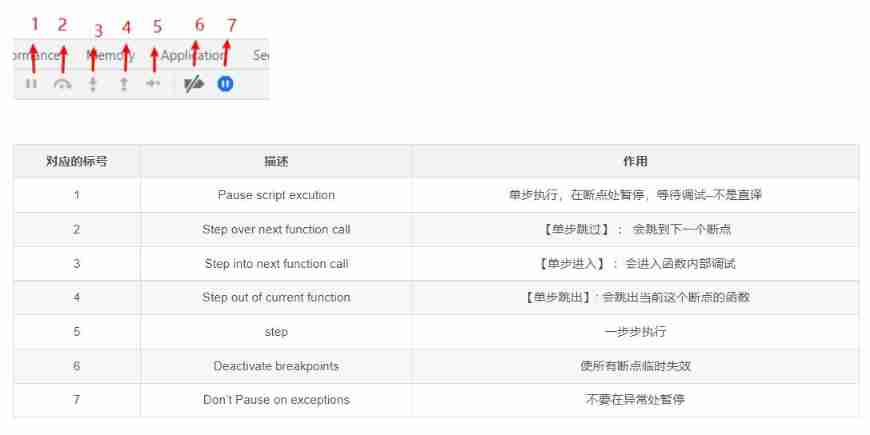
Screenshot of the source : Google browser debugging –Sources
A little special :
- Hover the variable with the mouse to view the variable value
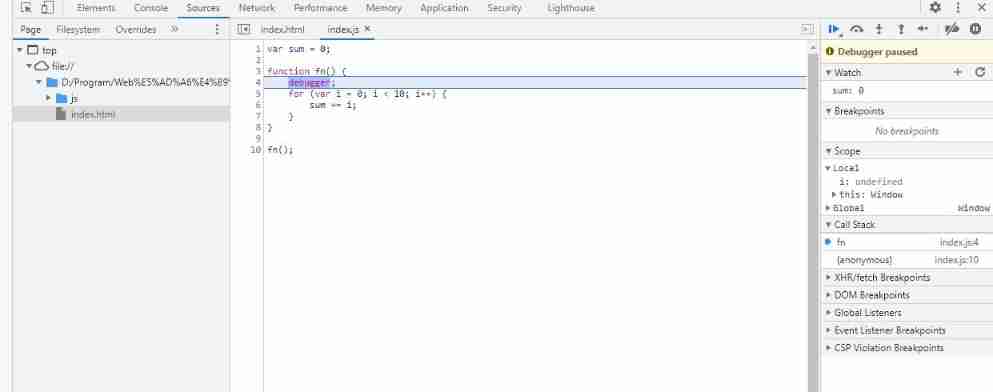
- Add... To the program debugger; It is equivalent to setting a breakpoint here
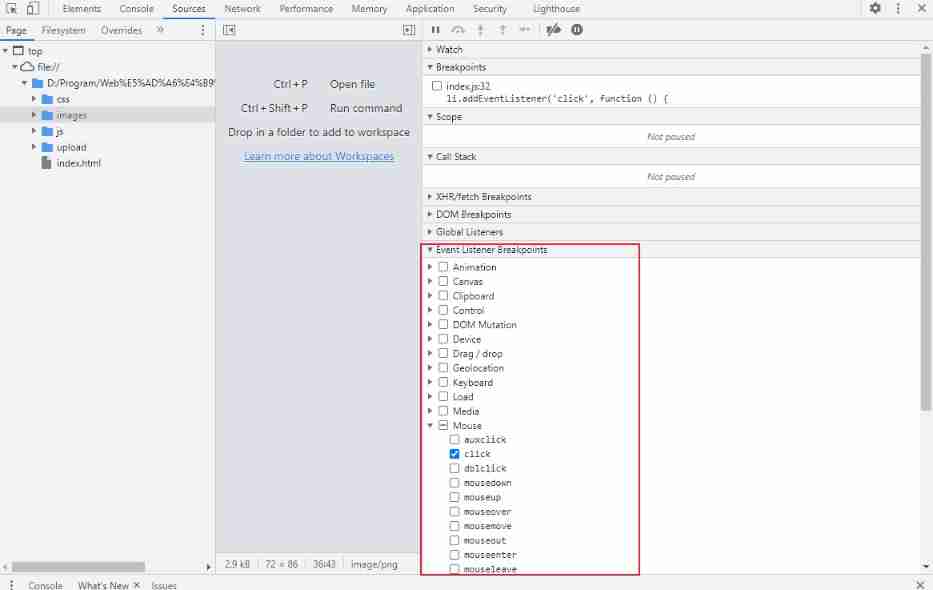
- Special breakpoints ( Event breakpoints ) The addition method is different from the above , Is in Event Listener Breakpoints Add
Network panel
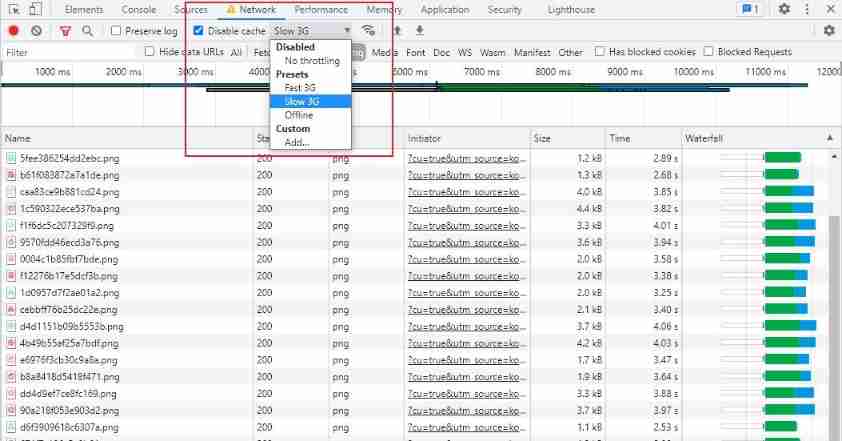
It can be used to simulate weak network environment
Application panel
This panel is mainly used to record all resource information loaded by the website , Including storing data (Local Storage、Session Storage、IndexedDB、Web SQL、Cookies)、 Cache data 、 typeface 、 picture 、 Script 、 Style sheets, etc .
Small skills
Use the appeal method to select elements ( node ), stay Elements Panel right click , Select the red box below to take a screenshot

Screenshot effect :

expand : Out of the 996,Chrome DevTools Panel full introduction !!!( Collection )
边栏推荐
- web安全--逻辑越权
- Matlab - autres
- Global and Chinese market of recovery equipment 2022-2028: Research Report on technology, participants, trends, market size and share
- [untitled]
- Network security - summary and thinking of easy-to-use fuzzy tester
- 16: 00 interview, came out at 16:08, the question is really too
- Sparse matrix storage
- SQL operation database syntax
- Smart agriculture solutions smart agriculture system development
- c语言自定义类型枚举,联合(枚举的巧妙使用,联合体大小的计算)
猜你喜欢

HCIA—应用层

Web security -- core defense mechanism

Analysis of the use of comparable, comparator and clonable interfaces

Use Matplotlib to draw a preliminary chart
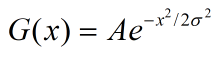
OpenCV3 6.2 低通滤波器的使用

Realization of basic function of sequence table
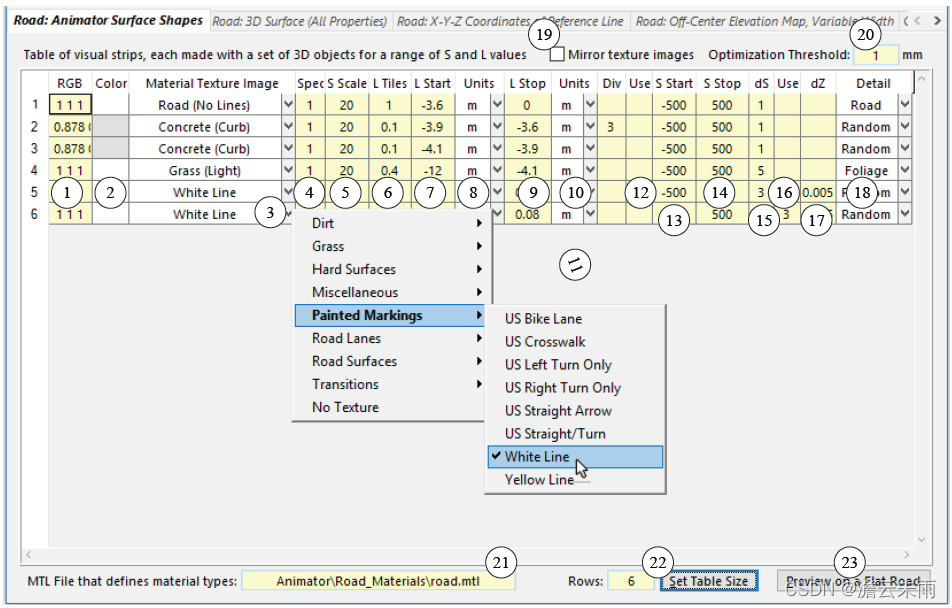
CarSim learning experience - rough translation 1

类和对象(类和类的实例化,this,static关键字,封装)
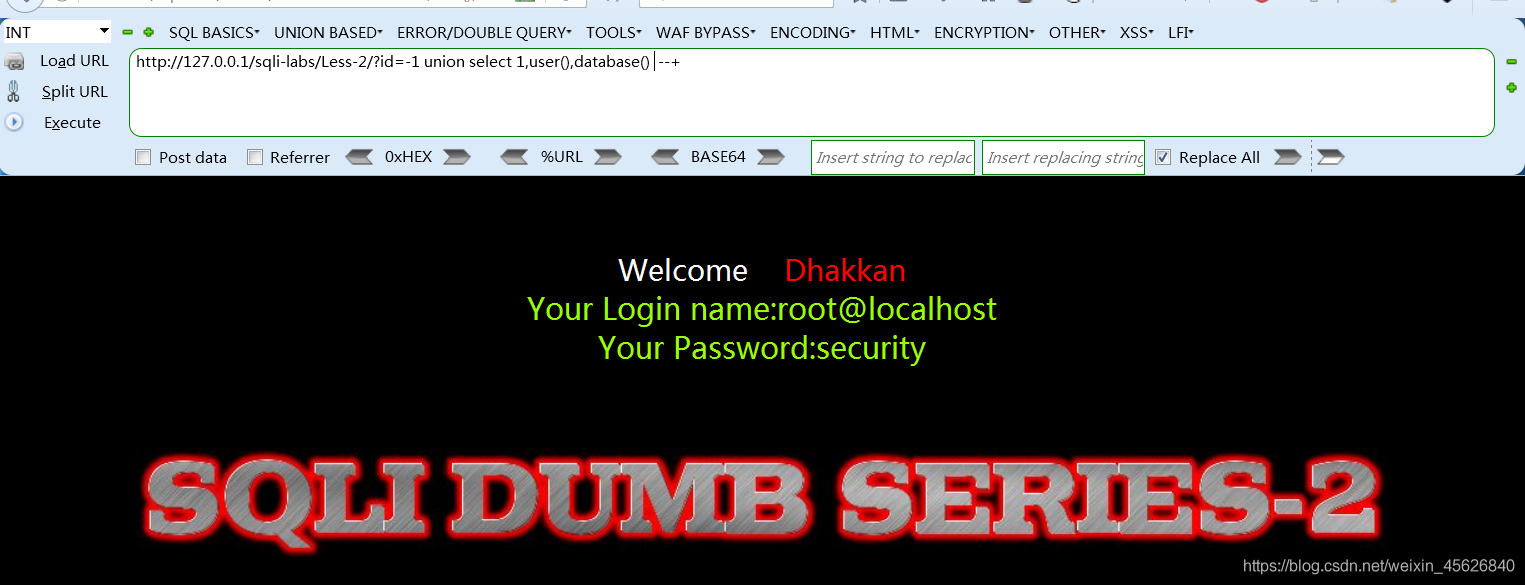
sqli-labs第2关
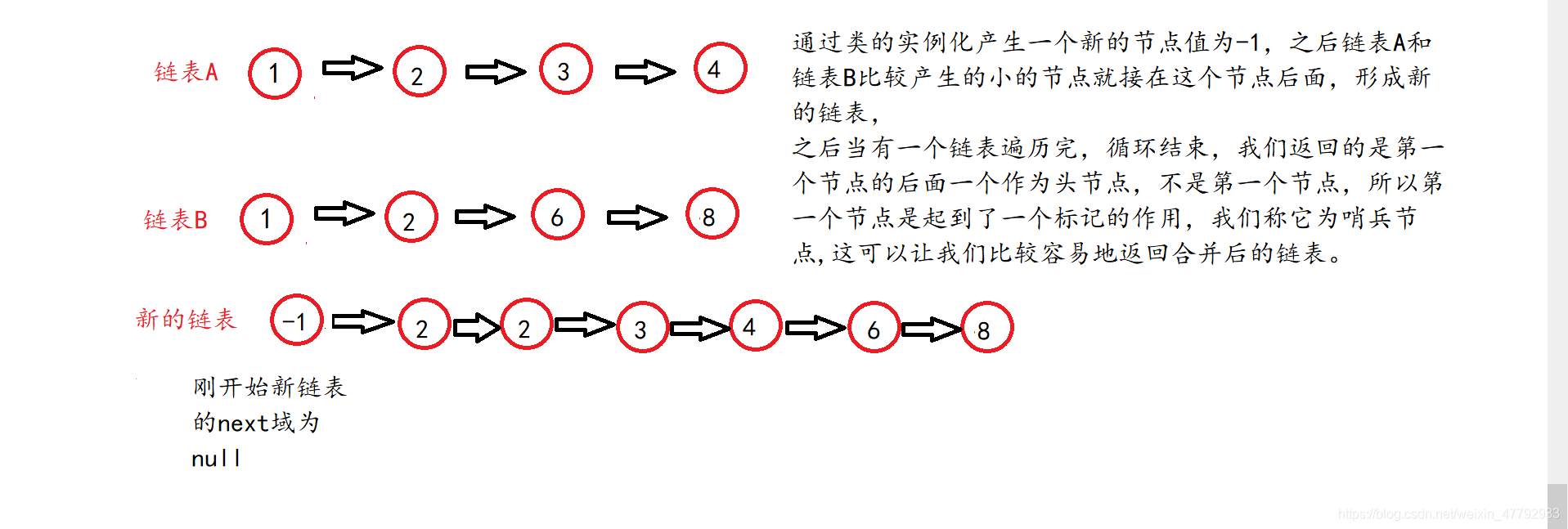
链表经典面试题(反转链表,中间节点,倒数第k个节点,合并分割链表,删除重复节点)
随机推荐
Sparse matrix storage
Static library and dynamic library
Viewing JS array through V8
Web security -- Logical ultra vires
Makefile基本原理
Sqlyog remote connection to MySQL database under centos7 system
程序猿学英语-指令式编程
力扣方法总结:双指针
Use of OpenCV 6.4 median filter
Common shortcut keys of Jupiter notebook (you can also view it by pressing h in command mode)
Force deduction method summary: find classes
Method recursion (Fibonacci sequence, frog jumping steps, tower of Hanoi problem)
Force deduction method summary: double pointer
Short video with goods source code, double-click to zoom in when watching the video
File upload Labs
Jupyter Notebook常用快捷键(在命令模式中按H也可查看)
Global and Chinese markets for conventional rubber track 2022-2028: Research Report on technology, participants, trends, market size and share
Network security - summary and thinking of easy-to-use fuzzy tester
The source code of the live app. When the verification method is mailbox verification, the verification code is automatically sent to the entered mailbox
Linked list classic interview questions (reverse the linked list, middle node, penultimate node, merge and split the linked list, and delete duplicate nodes)