当前位置:网站首页>AMQ streams (1) of openshift 4 - multiple consumers receive data from partition
AMQ streams (1) of openshift 4 - multiple consumers receive data from partition
2022-07-28 09:16:00 【dawnsky.liu】
《OpenShift 4.x HOL Tutorial summary 》
explain : This article has been OpenShift 4.10 Verification in environment
List of articles
AMQ Streams What is it? ?
Red Hat AMQ Stream Red hat is based on the community version Kafka Software subscription provided . It provides everything Kafka The function of , At the same time, it can be better integrated with other red hat software . stay OpenShift We use AMQ Stream Operator To build and maintain AMQ Stream Container running environment .
install AMQ Streams Environmental Science
install AMQ Streams Operator
- establish kafka project
$ oc new-project kafka
- Use the default configuration in kafka Install... In the project Red Hat Integration - AMQ Streams Operator, After success can be in Installed Operators see Red Hat Integration - AMQ Streams , And you can also execute the command to view pod and api-resources Resource state .
$ oc get pod -n kafka
NAME                                                   READY   STATUS    RESTARTS   AGE
amq-streams-cluster-operator-v1.4.0-59c7778c88-7bvzx   1/1     Running   0          22s

$ oc api-resources --api-group='kafka.strimzi.io'
NAME                 SHORTNAMES   APIGROUP           NAMESPACED   KIND
kafkabridges         kb           kafka.strimzi.io   true         KafkaBridge
kafkaconnectors      kctr         kafka.strimzi.io   true         KafkaConnector
kafkaconnects        kc           kafka.strimzi.io   true         KafkaConnect
kafkaconnects2is     kcs2i        kafka.strimzi.io   true         KafkaConnectS2I
kafkamirrormaker2s   kmm2         kafka.strimzi.io   true         KafkaMirrorMaker2
kafkamirrormakers    kmm          kafka.strimzi.io   true         KafkaMirrorMaker
kafkas               k            kafka.strimzi.io   true         Kafka
kafkatopics          kt           kafka.strimzi.io   true         KafkaTopic
kafkausers           ku           kafka.strimzi.io   true         KafkaUser
establish Kafka colony
- After installation Red Hat Integration - AMQ Streams Operator Created in Kafka example . Use the default configuration to create Kafka Cluster instance , It contains 3 copy Kafka Instance and 3 copy Zookeeper example .

- And then in “ developer ” View's “ Topology ” Page view Kafka Deployment status of resources .

- Execute the command to view Kafka Resource status of the instance .
$ oc get kafka  -n kafka
NAME         DESIRED KAFKA REPLICAS   DESIRED ZK REPLICAS   READY   WARNINGS
my-cluster   3                        3                     True

$ oc get pod -n kafka
NAME                                                   READY   STATUS    RESTARTS   AGE
amq-streams-cluster-operator-v1.4.0-59c7778c88-7bvzx   1/1     Running   0          23m
my-cluster-entity-operator-c4cfc5695-zm5m7             3/3     Running   0          2s
my-cluster-kafka-0                                     1/2     Running   0          61s
my-cluster-kafka-1                                     1/2     Running   0          61s
my-cluster-kafka-2                                     1/2     Running   1          61s
my-cluster-zookeeper-0                                 2/2     Running   0          94s
my-cluster-zookeeper-1                                 2/2     Running   0          94s
my-cluster-zookeeper-2                                 2/2     Running   0          94s
function Topic application :Hello World
establish Topic
- After installation Red Hat Integration - AMQ Streams Operator Created in KafkaTopic example .

- Execute the command to view my-topic The state of .
$ oc get kafkatopic my-topic -n kafka
NAME       CLUSTER      PARTITIONS   REPLICATION FACTOR   READY
my-topic   my-cluster   10           3                    True
Send and receive messages
- According to the following, in kafka Create an application to send messages in the project hello-world-producer.
apiVersion: apps/v1
kind: Deployment
metadata:
  labels:
    app: hello-world-producer
  name: hello-world-producer
spec:
  replicas: 1
  selector:
    matchLabels:
      app: hello-world-producer
  template:
    metadata:
      labels:
        app: hello-world-producer
    spec:
      containers:
      - name: hello-world-producer
        image: strimzici/hello-world-producer:latest
        env:
          - name: BOOTSTRAP_SERVERS
            value: my-cluster-kafka-bootstrap:9092
          - name: TOPIC
            value: my-topic
          - name: DELAY_MS
            value: "5000"
          - name: LOG_LEVEL
            value: "INFO"
          - name: MESSAGE_COUNT
            value: "5000"
- Execute the command to view Pod Operating condition .
$ oc get pod -l app=hello-world-producer -n kafka
NAME                                   READY   STATUS    RESTARTS   AGE
hello-world-producer-f85d9f755-l77sz   1/1     Running   0          50s
stay OpenShift The console entry is called hello-world-producer-f85d9f755-l77sz Of Pod, Then check it out Logs.

According to the following, in kafka Create an application to send messages in the project hello-world-consumer.
apiVersion: apps/v1
kind: Deployment
metadata:
  labels:
    app: hello-world-consumer
  name: hello-world-consumer
spec:
  replicas: 1
  selector:
    matchLabels:
      app: hello-world-consumer
  template:
    metadata:
      labels:
        app: hello-world-consumer
    spec:
      containers:
      - name: hello-world-consumer
        image: strimzici/hello-world-consumer:latest
        env:
          - name: BOOTSTRAP_SERVERS
            value: my-cluster-kafka-bootstrap:9092
          - name: TOPIC
            value: my-topic
          - name: GROUP_ID
            value: my-group
          - name: LOG_LEVEL
            value: "INFO"
          - name: MESSAGE_COUNT
            value: "5000"
- Execute the command to view Pod Operation of the .
$ oc get pod -l app=hello-world-consumer -n kafka
NAME                                    READY   STATUS    RESTARTS   AGE
hello-world-consumer-6f9766f94c-l7wcp   1/1     Running   0          60s
- Check out the name hello-world-consumer-6f9766f94c-l7wcp Of Pod Output log for . It can be confirmed that the test is the only one kafka-consumer Can be from number 0/1/2 One of the three partition receive data .

- Carry out orders , Will run hello-world-consumer Of Pod The number increased to 2 individual .
$ oc scale deployment hello-world-consumer --replicas=2 -n kafka

$ oc get pod -l app=hello-world-consumer -n kafka
NAME                                    READY   STATUS    RESTARTS   AGE
hello-world-consumer-6f9766f94c-l7wcp   1/1     Running   0          4m16s
hello-world-consumer-6f9766f94c-ltdfr   1/1     Running   0          6s
- stay OpenShift The console confirms the above 2 Run hello-world-consumer Of Pod Log . according to partition Number to confirm 1 individual Pod Only from 0-4 Number partition receive data , the other one Pod Can from 5-9 Number partition receive data .


- Carry out orders , Will run hello-world-consumer Of Pod Again, the number drops to 1. And then again from Pod The log confirms that it is available from all partition Data received .
$ oc scale deployment hello-world-consumer --replicas=1 -n kafka
Reference resources
https://github.com/shpaz/openshift-data-workshop/tree/main/2-amq-persistent-odf
边栏推荐
- Data fabric, next air outlet?
- mysql主从架构 ,主库挂掉重启后,从库怎么自动连接主库
- MDM data quality application description
- VR panoramic shooting helps promote the diversity of B & B
- Completion report of communication software development and Application
- The chess robot pinched the finger of a 7-year-old boy, and the pot of a software testing engineer? I smiled.
- TXT text file storage
- 2022安全员-C证特种作业证考试题库及答案
- Div tags and span Tags
- [advanced drawing of single cell] 07. Display of KEGG enrichment results
猜你喜欢

Go interface Foundation

【英语考研词汇训练营】Day 15 —— analyst,general,avoid,surveillance,compared

Introduction to official account

v-bind指令的详细介绍
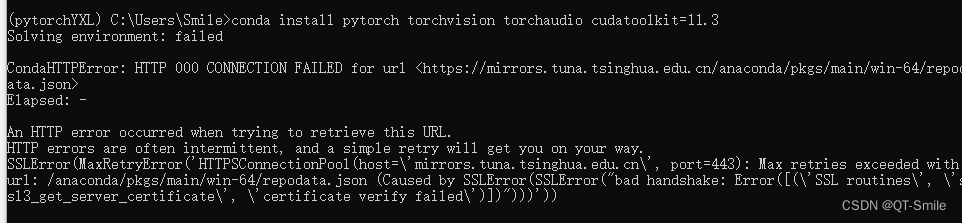
There is a bug in installing CONDA environment

训练一个自己的分类 | 【包教包会,数据都准备好了】

TXT文本文件存储

Review the past and know the new MySQL isolation level

Vs2015 use dumpbin to view the exported function symbols of the library

Go panic and recover
随机推荐
Kubernetes cluster configuration DNS Service
Introduction of functions in C language (blood Book 20000 words!!!)
【英语考研词汇训练营】Day 15 —— analyst,general,avoid,surveillance,compared
What are the main uses of digital factory management system
象棋机器人夹伤7岁男孩手指,软件测试工程师的锅?我笑了。。。
Go synergy
Line generation (matrix)
蓝牙技术|2025年北京充电桩总规模达70万个,聊聊蓝牙与充电桩的不解之缘
MDM data quality application description
golang 协程的实现原理
ES6 变量的解构赋值
【SwinTransformer源码阅读二】Window Attention和Shifted Window Attention部分
公众号简介
Code management platform SVN deployment practice
c语言数组指针和指针数组辨析,浅析内存泄漏
linux初始化mysql时报错 FATAL ERROR: Could not find my-default.cnf
This flick SQL timestamp_ Can ltz be used in create DDL
mysql主从架构 ,主库挂掉重启后,从库怎么自动连接主库
Argocd Web UI loading is slow? A trick to teach you to solve
Detailed explanation of the basic use of express, body parse and express art template modules (use, route, path matching, response method, managed static files, official website)