当前位置:网站首页>Kubernetes cluster deployment
Kubernetes cluster deployment
2022-06-24 19:27:00 【Meng Chu】
Image download 、 Domain name resolution 、 Time synchronization please click Alibaba cloud open source image station
One 、 Environmental requirements
System version :CentOS7.x edition
hardware configuration : Memory 2GB above cpu2 Supranuclear Hard disk is larger than 30G
Cluster network configuration : The intranet of all servers in the cluster must be interconnected , And you need to access the Internet to pull the image
Ban swap Partition
Two 、k8s Basic environment operation :
1、 Turn off firewall :
[[email protected] ~]# systemctl stop firewalld[[email protected] ~]# systemctl disable firewalld2、 close selinux:
[[email protected] ~]# sed -i 's/enforcing/disabled/' /etc/selinux/config[[email protected] ~]# getenforce3、 close swap Partition :
Temporarily Closed :
[[email protected] ~]# swapoff -aPermanent ban : Comment out /etc/fstab In the document swap That's ok
4、 Conduct hosts File editing :
192.168.8.146 k8s-master
192.168.8.141 k8s-node1
192.168.8.129 k8s-node2
5、 To be bridged IPv4 Flow to iptables Chain
[[email protected] ~]# cat > /etc/sysctl.d/k8s.conf << EOF> net.bridge.bridge-nf-call-ip6tables = 1> net.bridge.bridge-nf-call-iptables = 1> EOF[[email protected] ~]# sysctl --system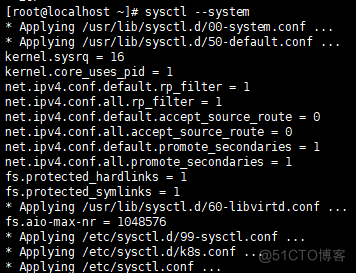
6、 Turn on IP Forward capability
[[email protected] ~]# echo "1" > /proc/sys/net/ipv4/ip_forward3、 ... and 、 install docker( All three machines operate )
1、 Uninstall the old version docker
[[email protected] ~]# yum remove docker docker-common docker-selinux docker-engine2、 Install some necessary system tools
[[email protected] ~]# yum install -y yum-utils device-mapper-persistent-data lvm23、 To configure docker Stable version repository for
yum-config-manager --add-repo https://download.docker.com/linux/centos/docker-ce.repo4、 Update installation package index
[[email protected] ~]# yum makecache fast5、 install docker ce
[[email protected] ~]# yum -y install docker-ce-18.06.1.ce-3.el76、 Start up and start up automatically docker
[[email protected] ~]# systemctl enable docker && systemctl start docker7、 see docker edition
[[email protected] ~]# docker --version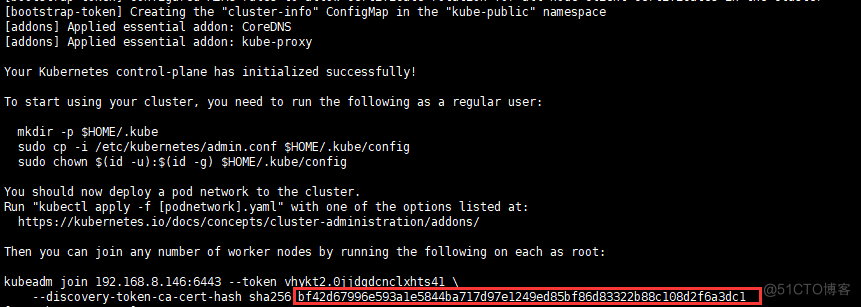
8、 Add alicloud YUM Software sources
[[email protected] ~]# vim /etc/yum.repos.d/kubernetes.repo[Kubernetes]baseurl=https://mirrors.aliyun.com/kubernetes/yum/repos/kubernetes-el7-x86_64enabled=1gpgcheck=1repo_gpgcheck=1gpgkey=https://mirrors.aliyun.com/kubernetes/yum/doc/yum-key.gpg9、
[[email protected] ~]# yum clean all10、
[[email protected] ~]# yum makecacheinstall kubeadm,kubelet and kubectl
11、 Due to frequent version updates , The version number deployment is specified here :
[[email protected] ~]# yum install -y kubelet-1.15.0 kubeadm-1.15.0 kubectl-1.15.0[[email protected] ~]# systemctl enable kubeletFour 、 Deploy Kubernetes Master( This is in master Operation in the host ):
[[email protected]~]#kubeadm init --apiserver-advertise-address=192.168.8.146 --image-repository registry.aliyuncs.com/google_containers --kubernetes-version v1.15.0 --service-cidr=10.1.0.0/16 --pod-network-cidr=10.244.0.0/16Be careful :192.168.8.146ip yes master The host ip Address

5、 ... and 、 To configure kubectl Access cluster ( Three machines operate ):
1、
[[email protected] ~]# mkdir -p $HOME/.kube2、
[[email protected] ~]# cp -i /etc/kubernetes/admin.conf $HOME/.kube/config3、
[[email protected] ~]# chown $(id -u):$(id -g) $HOME/.kube/config6、 ... and 、Master install flannel( host master In the operation ):
[[email protected]~]#kubectl apply -f https://raw.githubusercontent.com/coreos/flannel/master/Documentation/kube-flannel.yml1、 Look at the index pod
[[email protected] ~]# kubectl get pod -n kube-system2、 Look at the node
[[email protected] ~]# kubectl get node7、 ... and 、 Join in node node ( On two node Do on ):
1、
[[email protected] ~]# kubeadm join 192.168.8.146:6443 --token vhykt2.0jjdgdcnclxhts41 --discovery-token-ca-cert-hash sha256:bf42d67996e593a1e5844ba717d97e1249ed85bf86d83322b88c108d2f6a3dc1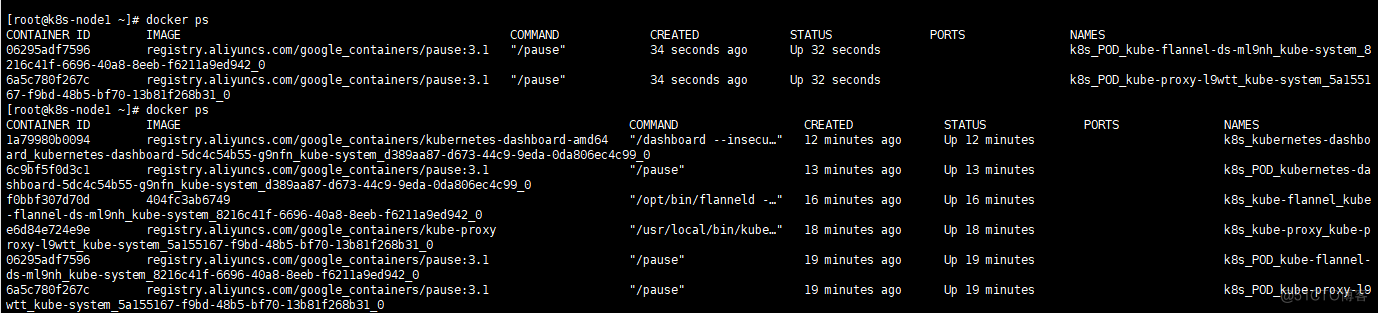
2、 see node1 Whether the node is successful ( stay node1 Do on )
[[email protected] ~]# docker ps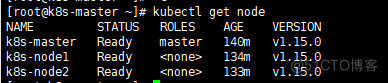
8、 ... and 、 View node information ( stay master operation )
[[email protected] ~]# kubectl get node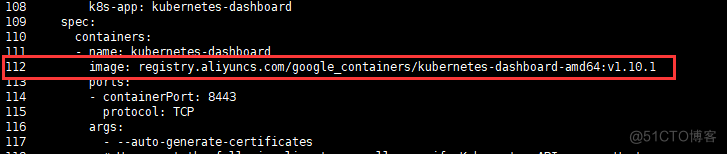
Nine 、 Deploy dashboard(master Host operation )
[[email protected]~]#wget https://raw.githubusercontent.com/kubernetes/dashboard/v1.10.1/src/deploy/recommended/kubernetes-dashboard.yaml1、
[[email protected] ~]# vim kubernetes-dashboard.yaml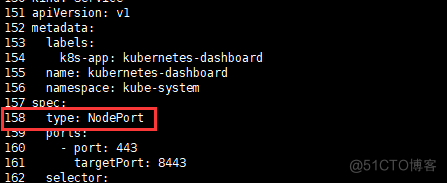

2、 install dashboard
[[email protected] ~]# kubectl apply -f kubernetes-dashboard.yaml3、 Use master node ip Address + Port to access , Agreement is https Of
see Dashboard Port information :
[[email protected] ~]# kubectl --namespace=kube-system get service kubernetes-dashboard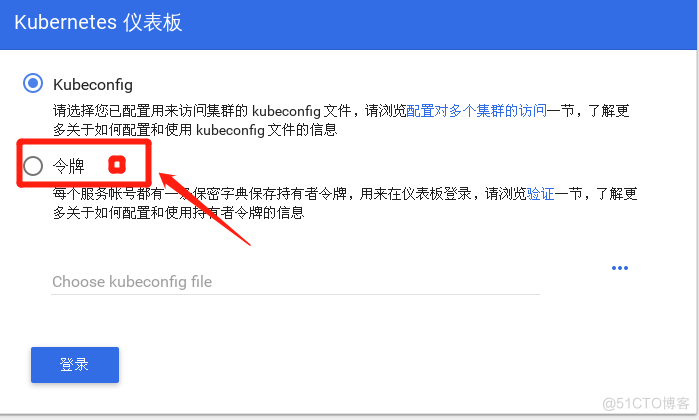
4、 Take my own server as the access object , Use https://172.16.204.130:30310 Can access
5、Token
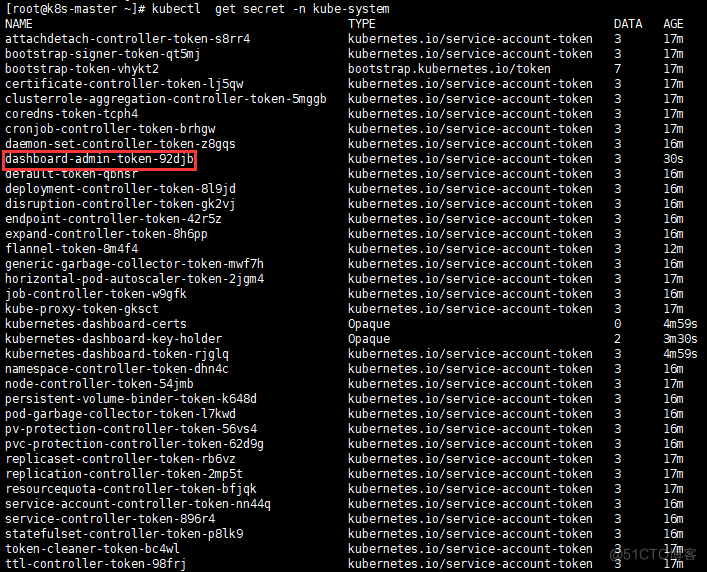
[[email protected] ~]# kubectl create serviceaccount dashboard-admin -n kube-system[[email protected]~]#kubectl create clusterrolebinding dashboard-admin --clusterrole=cluster-admin --serviceaccount=kube-system:dashboard-admin[[email protected] ~]# kubectl get secret -n kube-system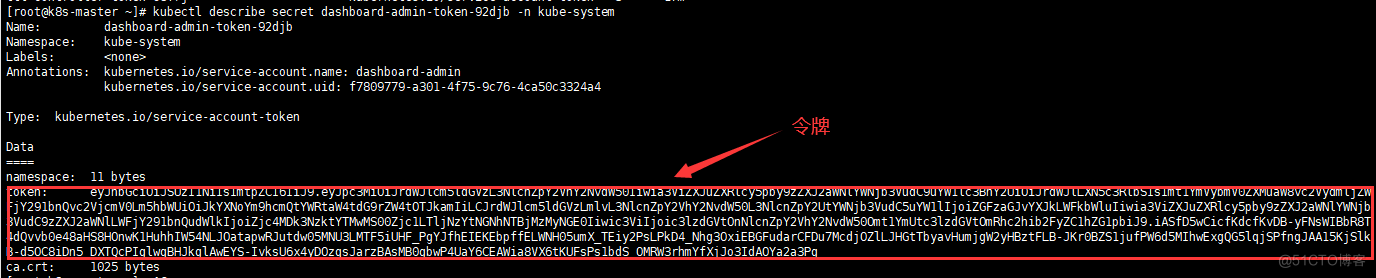
6、 see token Specific information
[[email protected]~]# kubectl describe secret dashboard-admin-token-92djb -n kube-system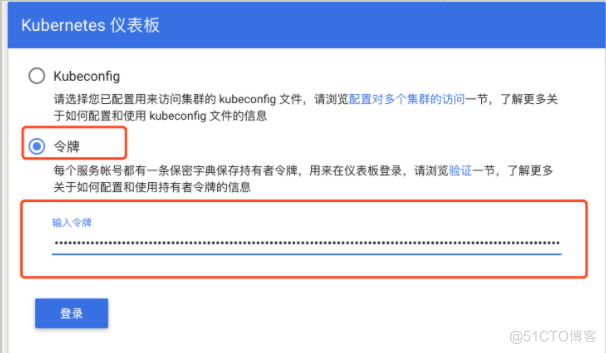
7、 Enter the secret order in the token
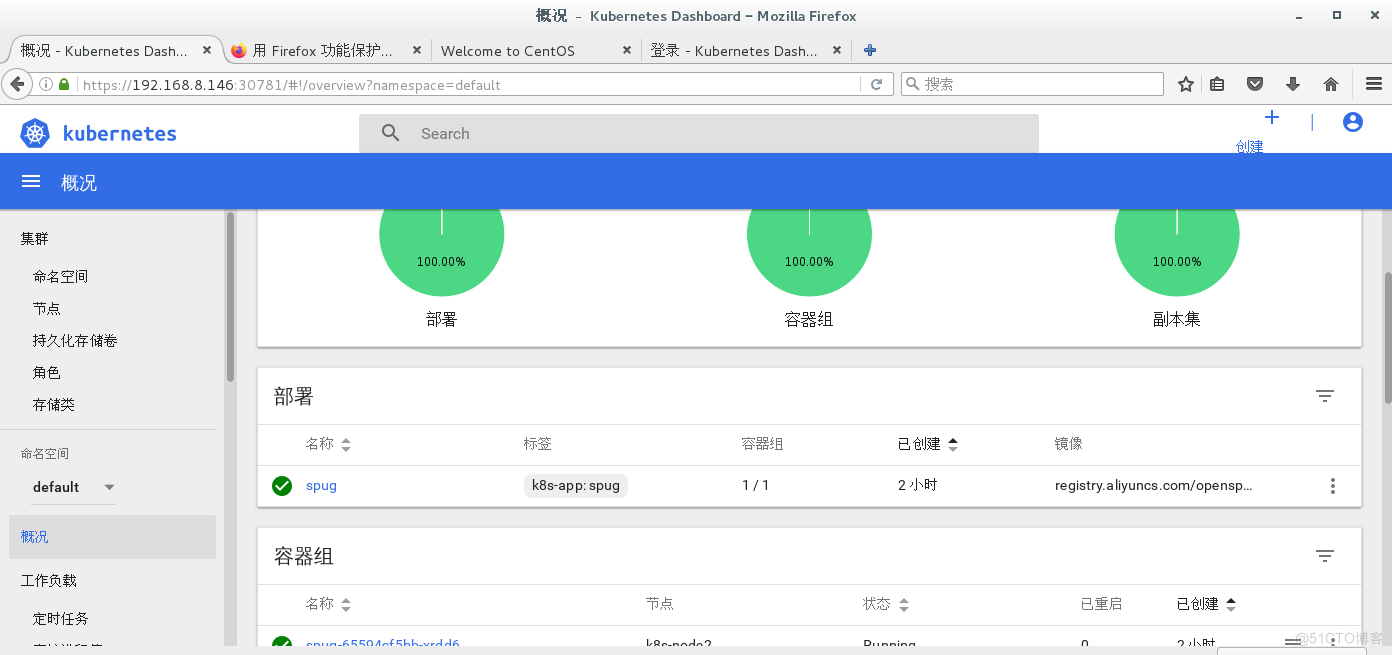
8、 Log in to the successful page :
In this paper, from :https://blog.51cto.com/u_15397018/5367484
边栏推荐
- A detailed explanation of the implementation principle of go Distributed Link Tracking
- Geoscience remote sensing data collection online
- Northwestern Polytechnic University attacked by hackers? Two factor authentication changes the situation!
- 目前是不是只cdc 监控mysql 可以拿到新增列的数据 sqlserver不行是吧
- Starring V6 platform development take out point process
- [leetcode] rotation series (array, matrix, linked list, function, string)
- Generate the last login user account report of the computer through SCCM SQL
- Multi cloud mode is not a "master key"
- 企业网络管理员必备的故障处理系统
- 小滴课堂海量数据处理商用短链平台大课
猜你喜欢

Example analysis of corrplot related heat map beautification in R language
![subject may not be empty [subject-empty]](/img/6b/9b57a7ed3ab086036cb6dfe0b31de4.png)
subject may not be empty [subject-empty]
一文理解OpenStack网络

使用阿里云RDS for SQL Server性能洞察优化数据库负载-初识性能洞察

网络安全审查办公室对知网启动网络安全审查

Volcano becomes spark default batch scheduler

LCD1602 string display (STM32F103)

Vs2017 setting function Chinese Notes

Mq-2 smoke concentration sensor (STM32F103)

一文理解OpenStack网络
随机推荐
Volcano becomes spark default batch scheduler
工作6年,月薪3W,1名PM的奋斗史
UART communication (STM32F103 library function)
Freeswitch使用originate转dialplan
60 个神级 VS Code 插件!!
Intel and Microsoft give full play to the potential energy of edge cloud collaboration to promote the large-scale deployment of AI
应用实践 | 海量数据,秒级分析!Flink+Doris 构建实时数仓方案
Network security review office starts network security review on HowNet
R语言 4.1.0软件安装包和安装教程
Obstacle avoidance sensor module (stm32f103c8t6)
###脚本实现raid0自动化部署
What type of datetime in the CDC SQL table should be replaced
Understanding openstack network
Technology implementation | Apache Doris cold and hot data storage (I)
Power supply noise analysis
STM32 uses time delay to realize breathing lamp register version
ls 常用参数
php OSS文件读取和写入文件,workerman生成临时文件并输出浏览器下载
What other data besides SHP data
想问下 pgsql cdc 账号同一个 多个 task 会有影响吗,我现在3个task 只有一个 有