当前位置:网站首页>中小型项目手撸过滤器实现认证与授权
中小型项目手撸过滤器实现认证与授权
2022-07-02 05:24:00 【泊船夜雪,他年可期】
中小型项目手撸过滤器实现认证与授权
代码实现
@Component
@WebFilter(urlPatterns = "/*", filterName = "tokenFilter")
public class TokenFilter implements Filter {
    // token 过期时间
    @Value("${token-expired-time}")
    private int tokenExpiredTime;

    // uri 请求白名单
    @Resource
    private WhiteListConfig whiteListConfig;

    @Resource
    private RedisTemplate<String, Object> redisTemplate;

    // 进行异常处理
    @Resource
    @Qualifier("handlerExceptionResolver")
    private HandlerExceptionResolver resolver;

    @Override
    public void doFilter(HttpServletRequest request, HttpServletResponse response, FilterChain filterChain) throws IOException, ServletException {
        // 请求头里的 token 值,这里需要注意自己项目里 token 对应的 key 是什么
        // 我这里是 public static final String AUTH_TOKEN = "auth-token";
        String authToken = request.getHeader(Constants.AUTH_TOKEN);
        // 请求地址
        String requestURI = request.getRequestURI();
        // 校验白名单里是否包含当前 uri
        boolean flag = whiteListConfig.getNotCheck().stream().anyMatch(u -> requestURI.equals("/"+u));
        // 通过校验
        if (flag) {
            // 则通过认证,进行放行
            filterChain.doFilter(request, response);
        } else if (StringUtils.isNotBlank(authToken) && redisTemplate.hasKey(authToken)) {
           // 非白名单,需要 token 认证
            // 进行授权
            // redis 里面存储了该用户的权限信息集合,如:角色、菜单、功能等权限信息
            TokenInfo tokenInfo = (TokenInfo) redisTemplate.opsForValue().get(authToken);
            assert tokenInfo != null;
            boolean empower = tokenInfo.getEmpowers() != null && tokenInfo.getEmpowers().size() > 0 && tokenInfo.getEmpowers().stream().anyMatch((requestURI)::equals);
            // 认证并授权则通过
            if (empower){
                // 刷新 token 的过期时间
                redisTemplate.expire(token,tokenOvertime,TimeUnit.SECONDS);
                filterChain.doFilter(request, response);
            }else {
                // 如果已认证但无授权信息
                resolver.resolveException(request, response, null,new Err(Status.ILLEGAL_REQUEST.getStatus(),Status.ILLEGAL_REQUEST.getError()));
            }
        } else {
            // 没有匹配到 redis 里面的 key,key 就是 authToken;这些请求业务中是直接拒绝请求并抛出异常,记录相关信息
            resolver.resolveException(request, response, null, StringUtils.isBlank(authToken) ? new Err("请求头中的 auth-token 信息不能为空!") : new Err(Status.NOT_LOGIN.getStatus(), Status.NOT_LOGIN.getError()));
        }
    }
}
总结
总体思路大致如上,细节上可根据项目信息具体进行变更。
边栏推荐
- Pyechart1.19 national air quality exhibition
- Dark horse notes -- map set system
- centos8安裝mysql8.0.22教程
- Fabric.js IText 上标和下标
- 黑马笔记---Set系列集合
- Nodejs (03) -- custom module
- 画波形图_数字IC
- Mysql基础---查询(1天学会mysql基础)
- Implementation of leetcode two number addition go
- Gee series: Unit 1 Introduction to Google Earth engine
猜你喜欢

Fabric.js 居中元素

Latest: the list of universities and disciplines for the second round of "double first-class" construction was announced

Fabric.js IText设置指定文字的颜色和背景色
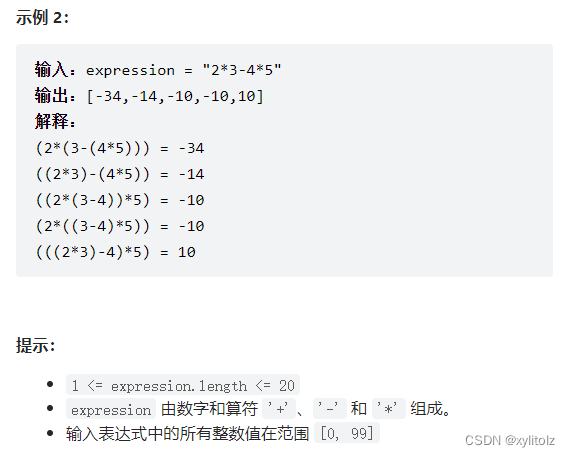
LeetCode 241. 为运算表达式设计优先级(分治/记忆化递归/动态规划)

Visual Studio導入
![Gee: analyze the change of spatial centroid of remote sensing image [centroid acquisition analysis]](/img/25/a726643b96b6f7dbfee3782c4905d9.jpg)
Gee: analyze the change of spatial centroid of remote sensing image [centroid acquisition analysis]

"Original, excellent and vulgar" in operation and maintenance work

Using Kube bench and Kube hunter to evaluate the risk of kubernetes cluster
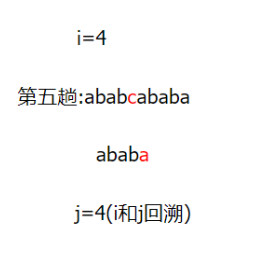
kmp思想及模板代码

Dark horse notes -- Set Series Collection
随机推荐
延时队列两种实现方式
"Original, excellent and vulgar" in operation and maintenance work
ubuntu20.04安装mysql8
Determine whether there is an element in the string type
Nodejs (03) -- custom module
Gee data set: export the distribution and installed capacity of hydropower stations in the country to CSV table
6.网络-基础
kmp思想及模板代码
【pyinstaller】_get_sysconfigdata_name() missing 1 required positional argument: ‘check_exists‘
数据库批量插入数据
Two implementation methods of delay queue
JVM class loading mechanism
How to make an RPM file
从数组中找出和为目标的下标
Gee: explore the change of water area in the North Canal basin over the past 30 years [year by year]
画波形图_数字IC
Creation and destruction of function stack frames
Draw a wave chart_ Digital IC
Johnson–Lindenstrauss Lemma(2)
指针使用详解