当前位置:网站首页>MariaDB的Galera集群应用场景--数据库多主多活
MariaDB的Galera集群应用场景--数据库多主多活
2022-07-04 22:45:00 【左明水】
实施环境
Centos 7.2V 1511
MySQL 5.5.52V
应用场景描述
先前未做双主双活集群;
一台数据库节点有历史数据;
现在要做双主双活Galera集群.
场景模拟演练
- 创建一台有历史数据的数据库节点
从另一个MySQL数据库中,备份所有数据,然后将数据导入到本地数据库节点.
安装同版本yum -y install mariadb-server.x86_64

开启数据库服务 : systemctl start mysql
初始化数据库
mysql_secure_installation
将备份数据导入新安装的数据库中:
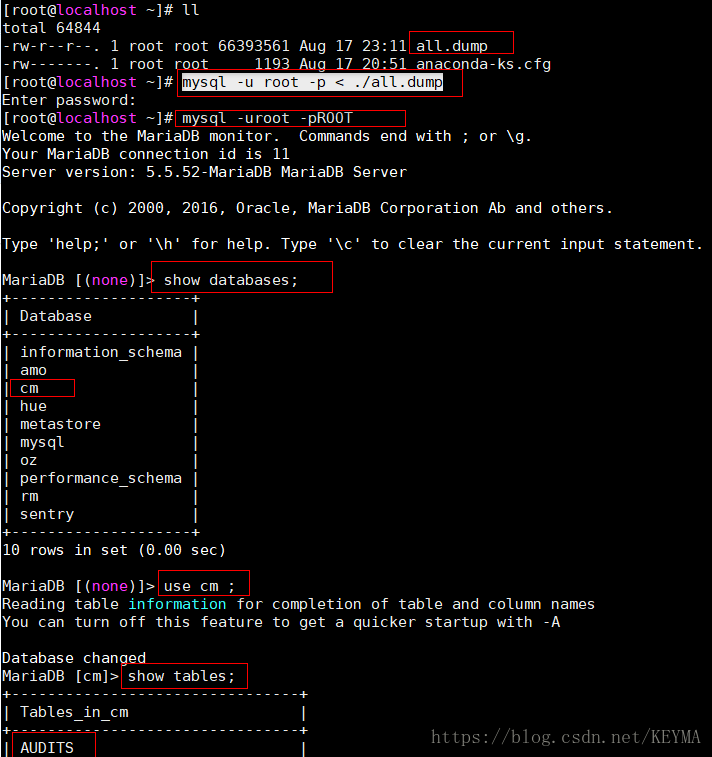
数据库中也已经存入数据:

这将作为一个没有做数据库集群且已经运行了一段时间的具有历史数据的数据库节点.
- 在运行了一段时间的具有历史数据的数据库节点上安装Galera集群软件
yum --enablerepo=mariadb -y install MariaDB-Galera-server
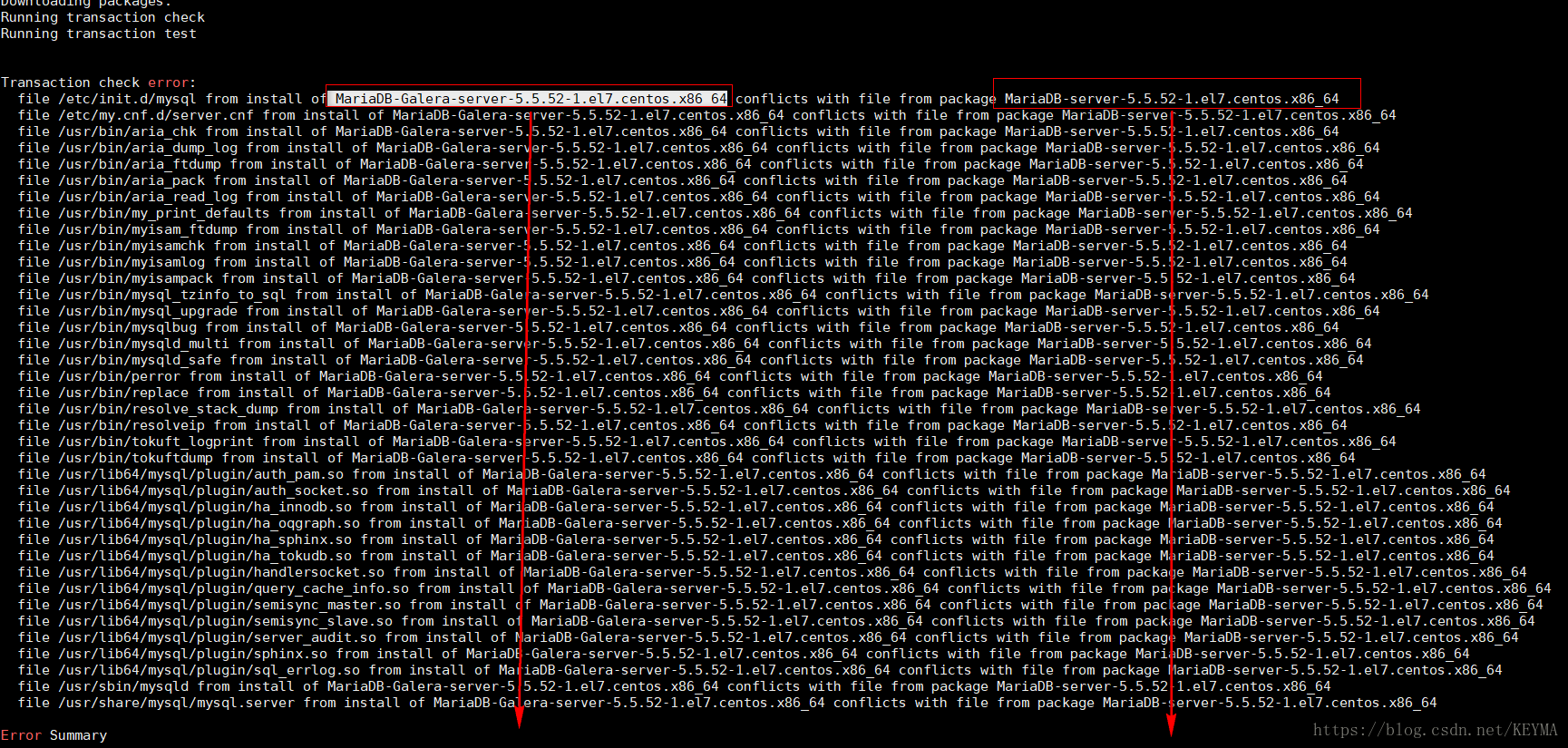
同样是5.5.52的MariaDB-Galera-server软件会与5.5.52的MariaDB-server造成冲突!!
不能进行同版本的平滑过渡!!!
采用方法:
将原来安装的数据库软件卸载掉,然后安装这个集群软件
yum –y remove mariadb-server (数据库服务器端)
yum –y remove mariadb (数据库客户端)
直接卸载数据库对数据库中的数据不会产生丢失.数据在/var/lib/mysql 目录下存放着.
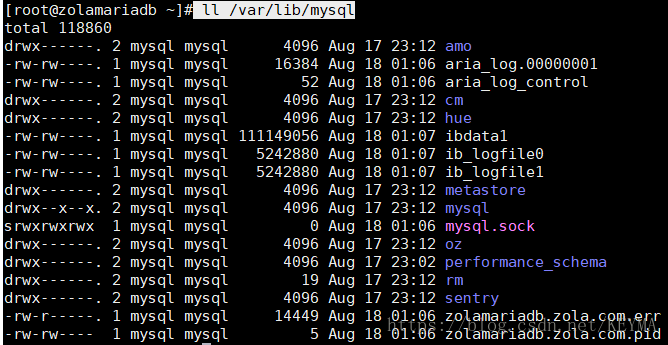
yum --enablerepo=mariadb -y install MariaDB-Galera-server
进入数据库后,查询数据仍然存在
此时,该数据库节点只是安装了集群软件,尚未进行集群的相关配置.
- 在第二个数据库节点上,安装集群软件
yum --enablerepo=mariadb -y install MariaDB-Galera-server

此时,该节点数据库中并没有相关的同步数据:

- 开始配置Galera集群的配置文件
vim /etc/my.cnf.d/server.cnf
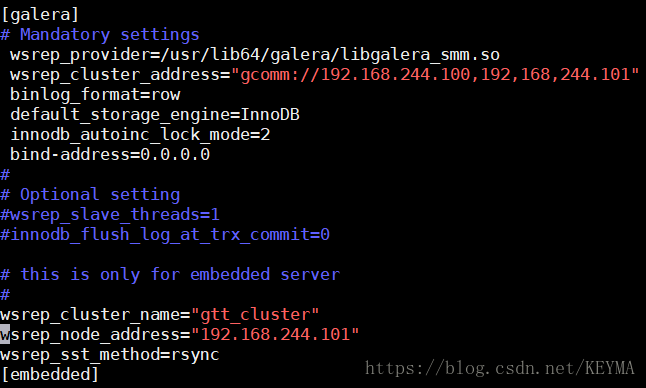
初始化新增加的数据库节点
mysql_secure_installation
- 启动集群
防火墙和SLinux要求都要关闭

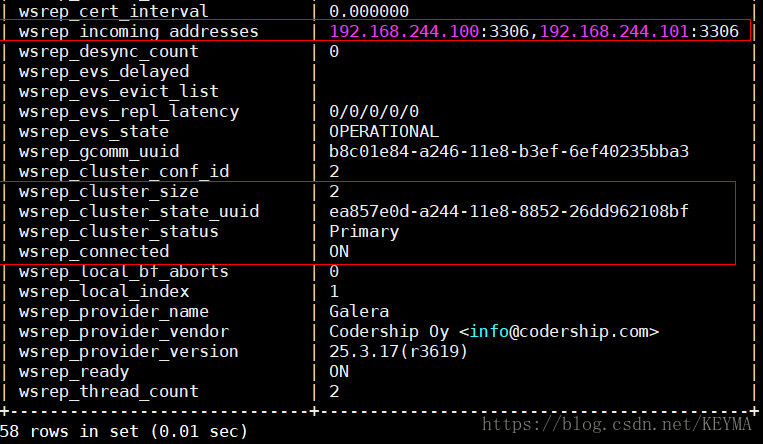
查看集群状态:
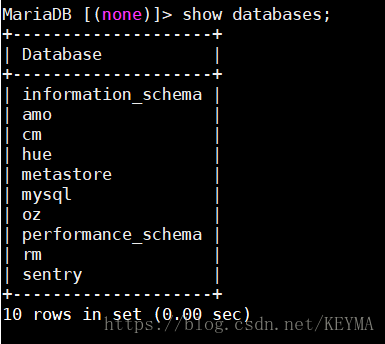
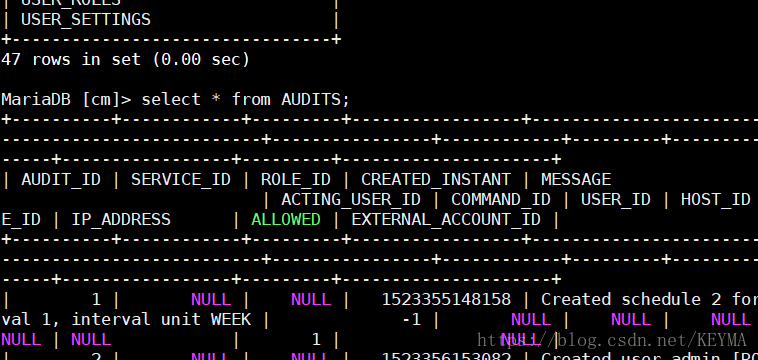
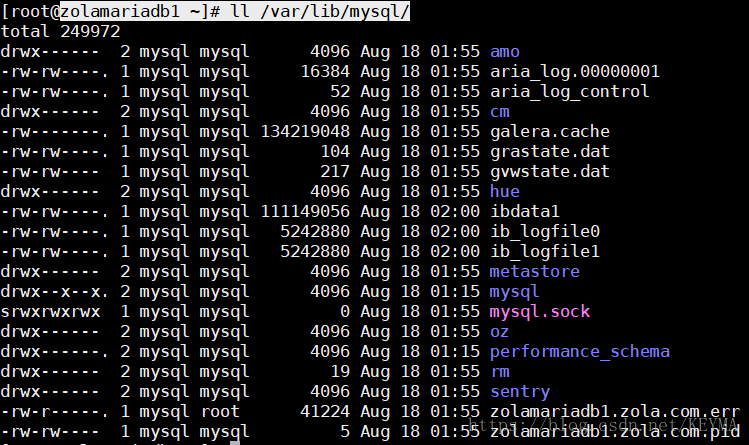
- 查看新增的数据库节点的数据同步
- 风险评估
若是数据库集群软件如上操作不能平滑过渡,需要卸载冲突的数据库软件,在此期间需要停业务.
2.风险规避
在进行集群搭建时一定要做好数据库的全量备份!
3. 部署优化方案
建议集群中至少用3个数据库节点.原因,在一般情况下,3台数据库进行主主互备,当一台数据库宕机后,集群中至少还有两台数据库在进行主主互备.
- 规避了2台机器数据库主主互备过程中,连续2台数据库宕机的风险
- 规避了2台机器数据库主主互备过程中,1台机器宕机由于不可抗拒因素无法及时恢复的风险.
- 为数据库集群中部分节点出现宕机,进行恢复工作,赢得宝贵的时间.
- 将数据库主主互备的故障风险率,从原来2台机器双机互备的50%以上, 降低到3台主主互备的30%以下.
边栏推荐
- The difference between Max and greatest in SQL
- heatmap. JS picture hotspot heat map plug-in
- Summary of wechat applet display style knowledge points
- 为什么信息图会帮助你的SEO
- [Lua] Int64 support
- Redis入门完整教程:列表讲解
- Attack and defense world misc advanced area Hong
- MySQL Architecture - user rights and management
- Analysis of environmental encryption technology
- Erik baleog and Olaf, advanced area of misc in the attack and defense world
猜你喜欢
Redis introduction complete tutorial: client communication protocol

Redis入门完整教程:慢查询分析
![[Jianzhi offer] 6-10 questions](/img/73/5974068008bcdc9a70b3f5f57f1eb0.png)
[Jianzhi offer] 6-10 questions
实战模拟│JWT 登录认证
【二叉树】节点与其祖先之间的最大差值
Persistence mechanism of redis
Redis入门完整教程:Redis Shell
Redis introduction complete tutorial: detailed explanation of ordered collection
Three stage operations in the attack and defense drill of the blue team
Redis入门完整教程:列表讲解
随机推荐
剑指 Offer 68 - I. 二叉搜索树的最近公共祖先
攻防世界 MISC 高手进阶区 001 normal_png
【ODX Studio编辑PDX】-0.3-如何删除/修改Variant变体中继承的(Inherited)元素
How to choose a securities company? Is it safe to open an account on your mobile phone
ETCD数据库源码分析——处理Entry记录简要流程
Unity vscode emmylua configuration error resolution
Photoshop batch adds different numbers to different pictures
Editplus-- usage -- shortcut key / configuration / background color / font size
Analog rocker controlled steering gear
攻防世界 misc 进阶区 2017_Dating_in_Singapore
Google Earth engine (GEE) -- take modis/006/mcd19a2 as an example to batch download the daily mean, maximum, minimum, standard deviation, statistical analysis of variance and CSV download of daily AOD
On-off and on-off of quality system construction
Redis入门完整教程:Redis Shell
The small program vant tab component solves the problem of too much text and incomplete display
Redis入门完整教程:集合详解
Erik baleog and Olaf, advanced area of misc in the attack and defense world
金融市场,资产管理与投资基金
ScriptableObject
P2181 diagonal and p1030 [noip2001 popularization group] arrange in order
【taichi】用最少的修改将太极的pbf2d(基于位置的流体模拟)改为pbf3d