当前位置:网站首页>[ue5] animation redirection: how to import magic tower characters into the game
[ue5] animation redirection: how to import magic tower characters into the game
2022-07-02 09:53:00 【Qiao'an fish】
pmx Import ue4 Methods , I use this blogger's .
Need to give blender Next plug-in , hold pmx convert to fbx Format .
Add link description
One 、 Import UE5 Post material treatment
1. Create materials
Directly create materials , You will find that the created material is white mold .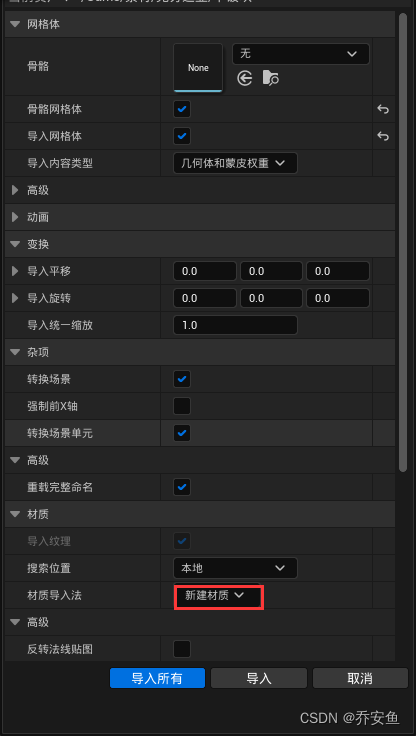

Here you can use a relatively simple method , Do not create a new material when importing , But after importing .
After importing the model , Then import the map , That's it TGA file .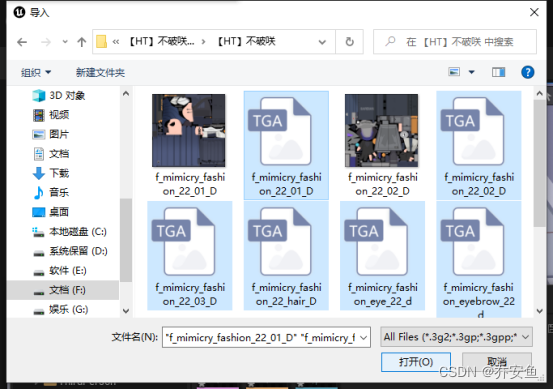
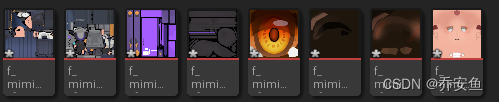
Select these maps , Right click and select Create material .
Automatically create the corresponding material .
2. Give material
Open the model mesh Bone mesh , Next, assign materials .
Drag the shader directly into the corresponding box , You can see the material of the character .
Can open blender Corresponding to the given material .
Several material boxes may use a shader together , For example, cheeks 、 tongue 、 The nose uses a face shader .
The material is given , Remember to face blender Check the original model in several times , See if there is any wrong material .
Two 、 Add animation ( Redirect )
Want to add animation to characters , The imported character bones must correspond to the animated character bones , Redirection is needed here .
As long as the naming rules and sorting of bones are the same , You can use each other's animation .
Here is a little white man to demonstrate , The bones look clear .
Mixamo Action import UE5
Here we will add other model animations to the little white man .
1.IK Binding bones
First import characters —— Import action , Bones select the bones of the character just now .
newly build 2 individual IK binding , Let animated characters and little white bones map to each other .
Open animated characters IK binding —— newly added 6 Chain : head 、 trunk 、 Limbs 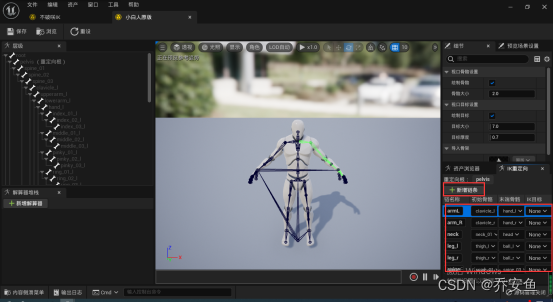
Click on the pelvis , Right click to set the root of redirection .
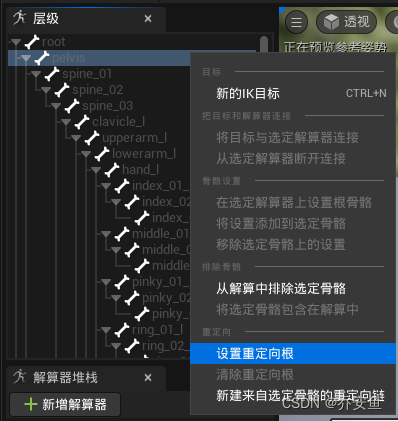
Set up 6 The starting point of a chain 、 End bone .
The starting point and the ending point should be on the same bone chain , For example, the arm only reaches the wrist , Don't reach five fingers .
**
Because five fingers are actually five chains , Will create 5 Bone chain .
**
There are two ways :
(1) Select directly in the initial bone and end bone .
(2) Select the bones in the hierarchy , Right click to create a new redirection chain .
This method is more intuitive , I usually use this .
Exclude rotating bones when setting up chains , Otherwise, two chains will be created .

For little white people IK binding , Ibid .
The chain name and quantity should be the same .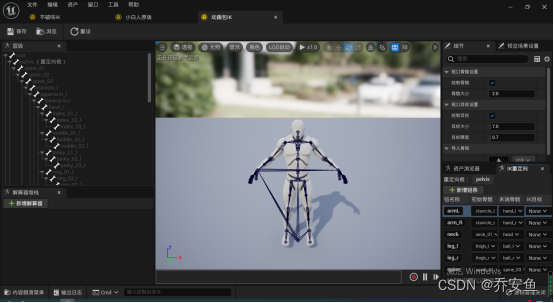
Unbreakable bones are more complex than little whites , There are many more bones on a bone chain , Just keep the position of the initial bone and the end bone similar , It can still correspond .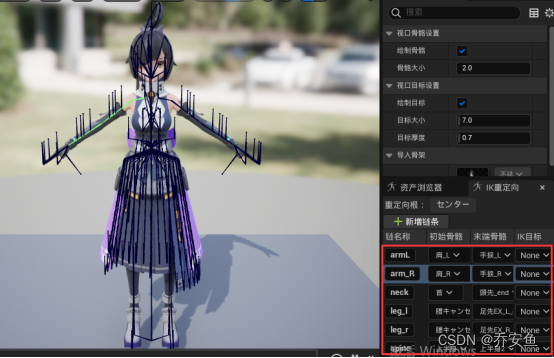
The redirection root is also set at the waist .
You can adjust the redirection root according to the actual situation of the animation .
2.IK Redirector exports animation
The bones of the two figures have passed IK Binding corresponds to , The next step is to use IK Redirector will mixamo The animation is exported to the animation of little white people .
newly build IK Redirector .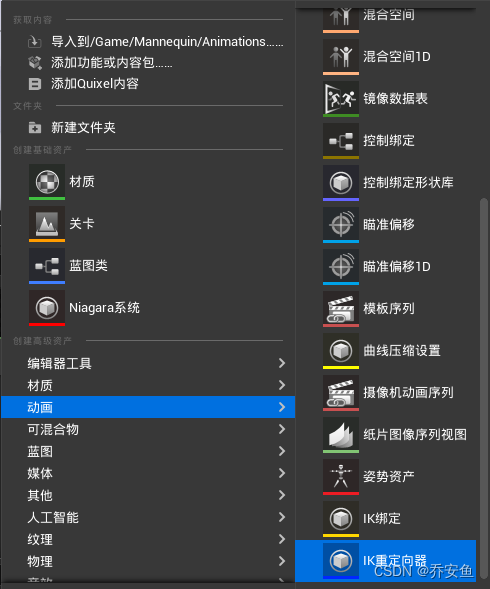
IK Bind select animated bones .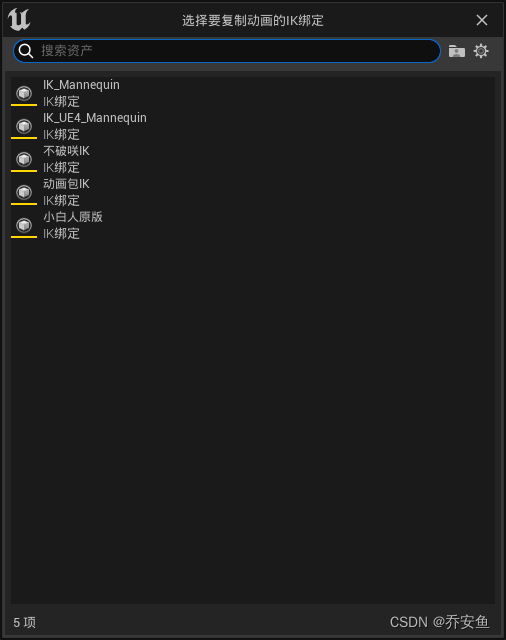
open IK Redirector , The goal is IKRig Assets choose white people .
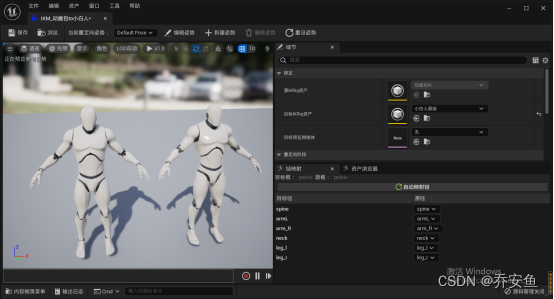
Check the target chain and source chain names .
Adjust the posture of the little white man to be the same as the character .
Choose animation .
Export animation .
Open the animation blueprint of the little white man , The animation we just exported has been added to the animation assets .
With IK Redirector , We don't need to export animation one by one .
You can redirect the little white man's animation blueprint directly 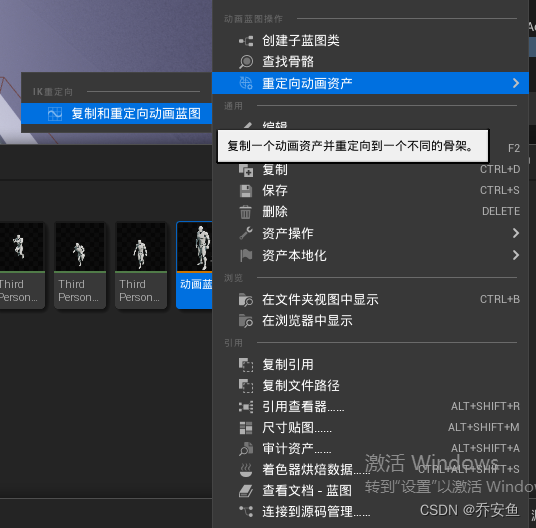
You can select the redirector that you want to bind the target of the animation .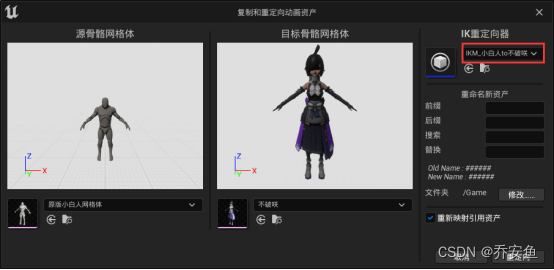
Will export the animation used in the animation blueprint .
3、 ... and 、 Add characters to the game
You can replace the character grid directly .
It cannot use the animation blueprints of other bones , It will be like this .
Choose the animation blueprint corresponding to its bones , You can directly control the characters in the game .
边栏推荐
- Safety production early warning system software - Download safety production app software
- MySQL transaction
- PI control of three-phase grid connected inverter - off grid mode
- 保存视频 opencv::VideoWriter
- 个人经历&&博客现状
- JDBC review
- Cmake command - Official Document
- Is the C language too fat
- C语言之二进制与十进制
- Creation and jump of activity
猜你喜欢
2837xd 代码生成——StateFlow(4)
Bugkuctf-web24 (problem solving ideas and steps)

逆变器simulink模型——处理器在环测试(PIL)

Required request body is missing:(跨域问题)
2837xd代码生成模块学习(3)——IIC、eCAN、SCI、Watchdog、eCAP模块

ZK configuration center -- configuration and use of config Toolkit
How to install PHP in CentOS

Typora installation package sharing

kinect dk 获取CV::Mat格式的彩色RGB图像(openpose中使用)
Learn combinelatest through a practical example
随机推荐
2837xd code generation - stateflow (2)
记录下对游戏主机配置的个人理解与心得
Image recognition - data augmentation
web安全与防御
Skywalking理论与实践
zk配置中心---Config Toolkit配置与使用
个人经历&&博客现状
Idempotent design of Internet API interface
记录一下初次使用Xray的有趣过程
Learn combinelatest through a practical example
2837xd 代码生成——补充(1)
Minimum number of C language
Personal experience & blog status
Memories of a chat
2837xd code generation - Supplement (1)
BugkuCTF-web21(详细解题思路及步骤)
Mysql索引
Junit4运行mvn test 测试套件升级方案
阿里云ack介绍
PI control of three-phase grid connected inverter - off grid mode