当前位置:网站首页>PowerBI中导出数据方法汇总
PowerBI中导出数据方法汇总
2022-07-02 09:32:00 【PowerBI木小桼】
虽然BI的目的是将人从做数中解脱出来,可终逃不过业务人员需要将数据导出到Excel然后自己做数据的命运,所以用户最常见的一个也是最刚需的一个问题就是怎么导出数据。今天就汇总下可以导出PowerBI报表中数据的几种方法。
视觉对象标头
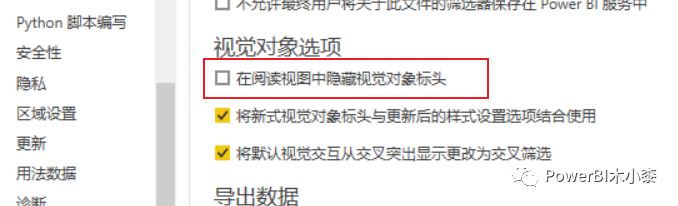
首先需要确保这个功能是否关闭,如果勾选了隐藏视觉对象标头,在本地打开pbi文件时不会有任何影响,但是在server端阅读报表时点击图表右上角不会再出现标头。
选中想要导出数据的图表,右上角图表标头—更多选项—导出数据,这种方法有数据限制,具体可阅读官方文档,
从 Power BI 可视化效果导出数据 - Power BI | Microsoft Docs[1]

复制表
如果需要整表导出,可以在数据视图,选中需要导出数据的表,右键—复制表,然后粘贴到文件里即可。这种方法

DAX Studio导出
整表导出
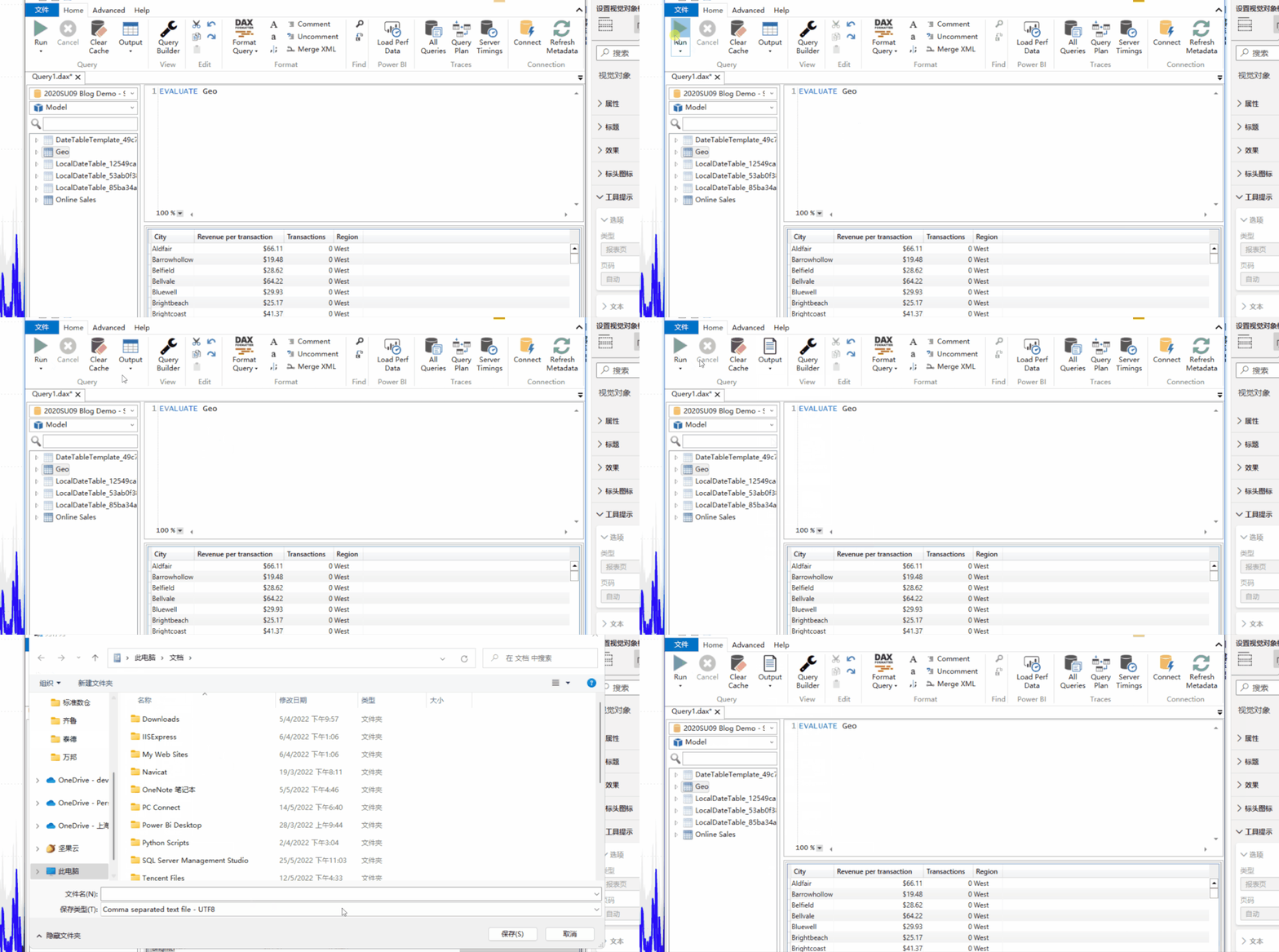
使用EVALUATE关键字+表名,可以对数据进行整表导出为csv文件
图表数据导出
如果我们导出的是报表中某个超出限制的图表上的数据,仍然可以使用dax studio,可以直接在dax studio中书写查询代码,当然也可以把pbi报表中图表上的查询语句复制过来。
导航栏,选择视图—性能分析器—开始记录—刷新视觉对象,然后复制相关图表的查询语句
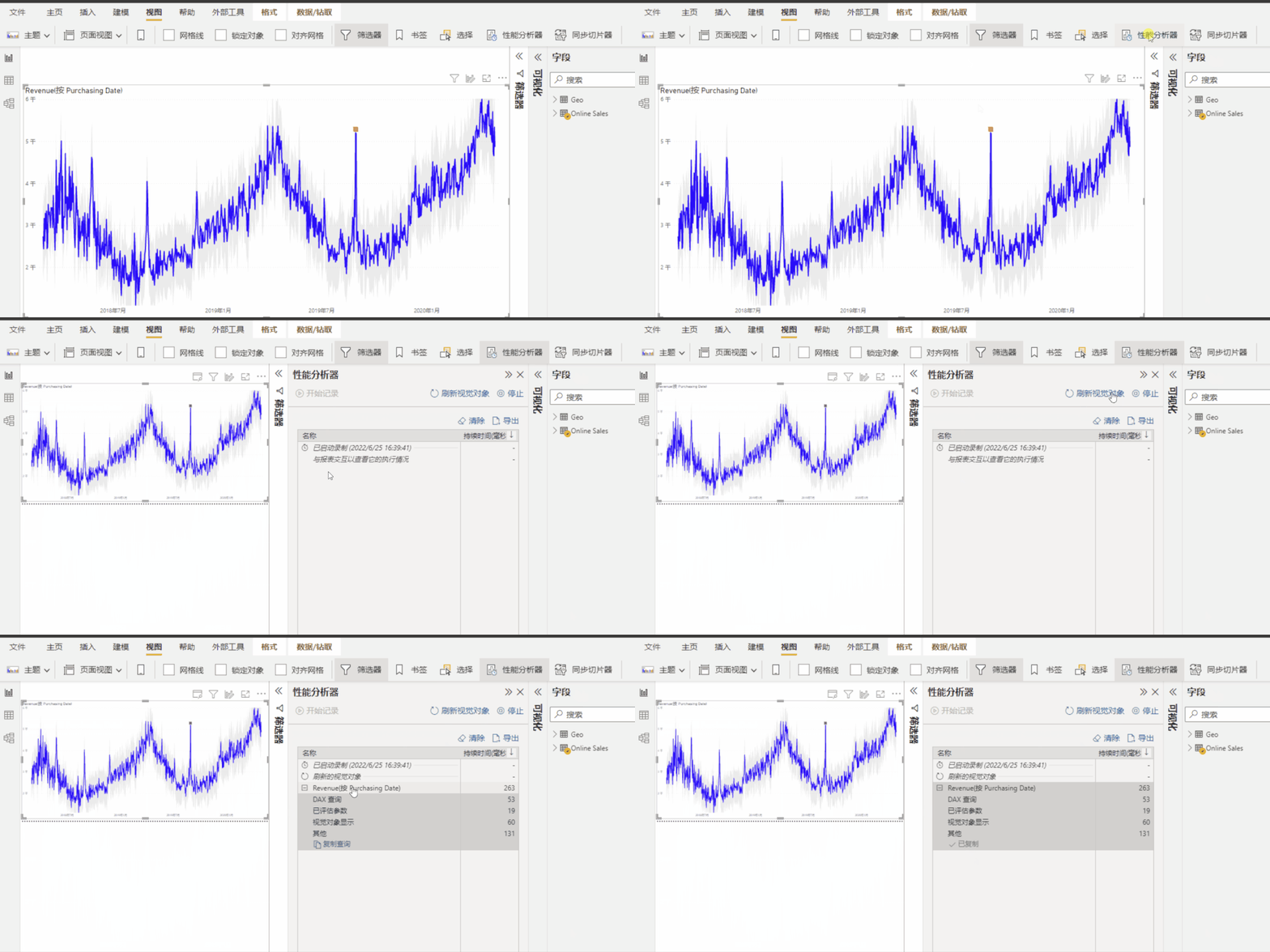
将代码粘贴到dax studio中,会发现代码和我们在powerbi中写的dax代码会有些不同,但不影响阅读,同上导出整表的步骤,运行代码导出数据即可。
[外链图片转存失败,源站可能有防盗链机制,建议将图片保存下来直接上传(img-gZq2T2Xz-1656148878627)(https://mmbiz.qpic.cn/mmbiz_png/TyDRib9iao84MTP6LGCVMJzVpo8jsibuibeicbHmqAcyPgib9uO2EMTVbgH4l2MI66Av77paHLEQSodsfDs8S4npfErA/640?wx_fmt=png)]
导出所有表
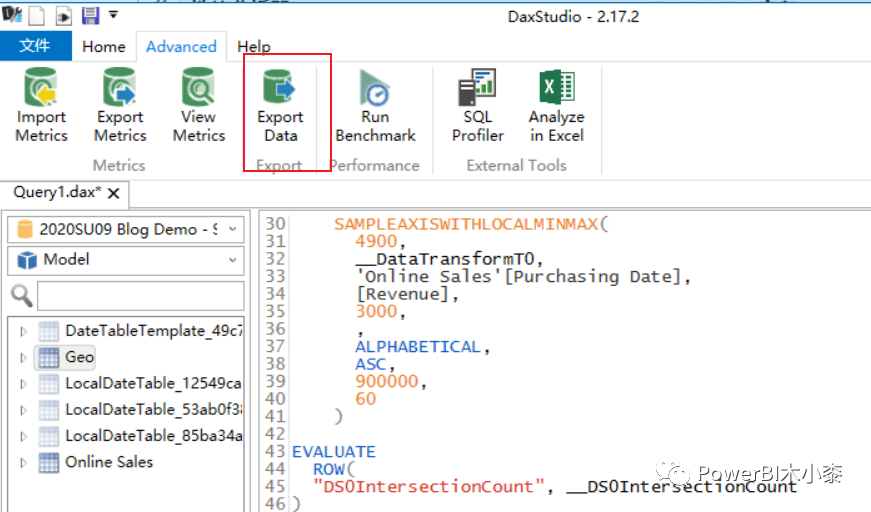
仍然是在dax studio中,切换到Advance—Export Data,之后可以选择将数据导出到Csv或数据库。

Power BI Exporter
如果是需要将pbi文件中的数据全部导出,也可使用Power BI Exporter,它虽然没有dax studio那么强大,对于导出报表中的数据来说却更方便,只需要在文件中点击一下即可
文件地址:
Power BI Exporter – Data Vizioner[2]
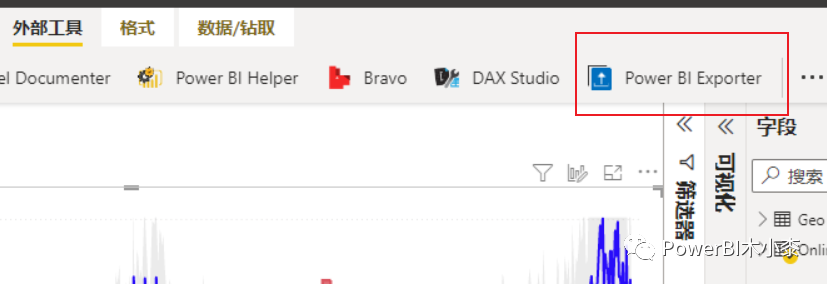
当然,还有其他一些外部工具可以导出数据,比如Power BI Helper 等等。
Power Automate
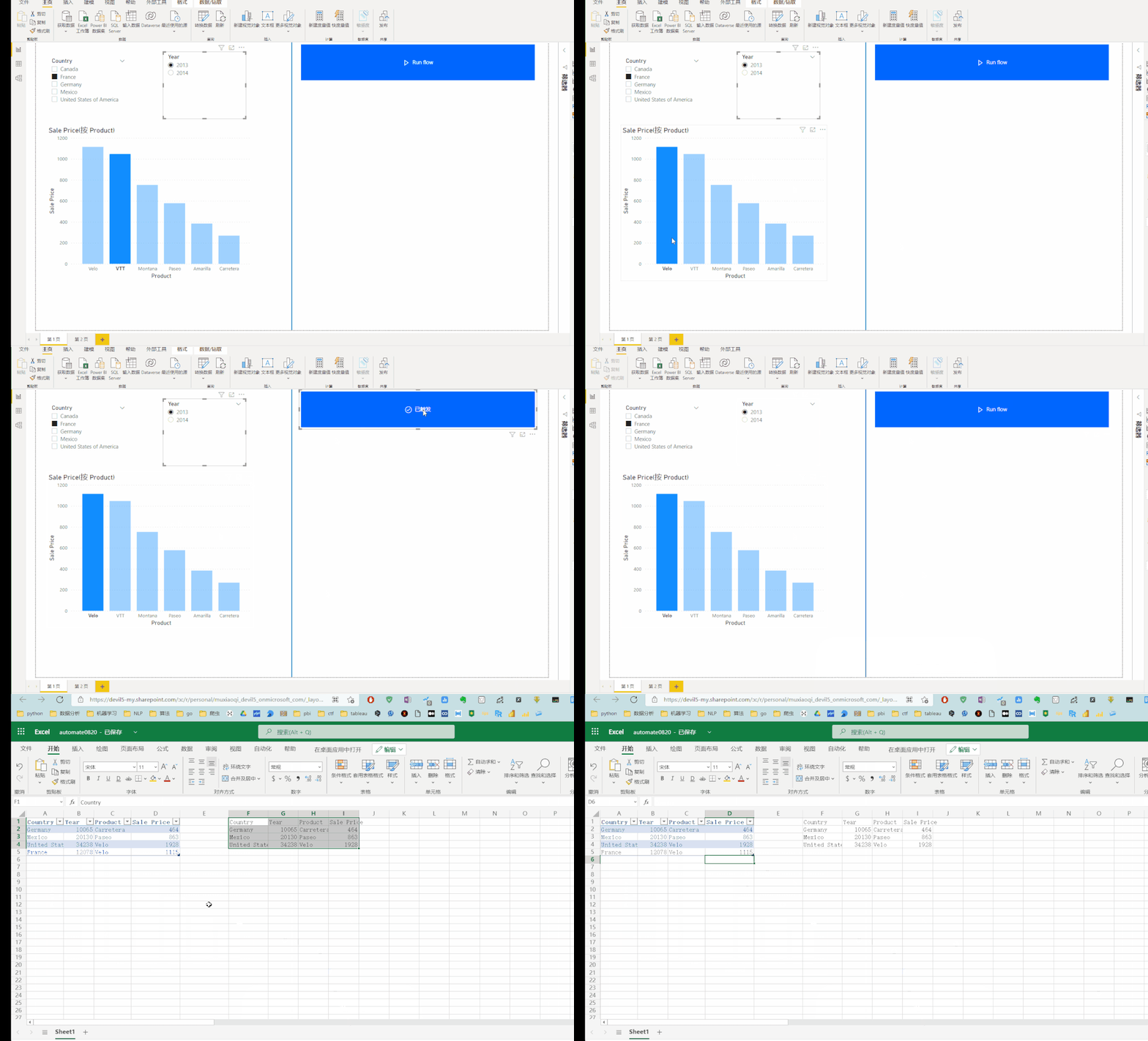
可以在pbi报表中加入Power Automate,通过点击按钮的方式来将数据下载到One drive或者本地,
Python
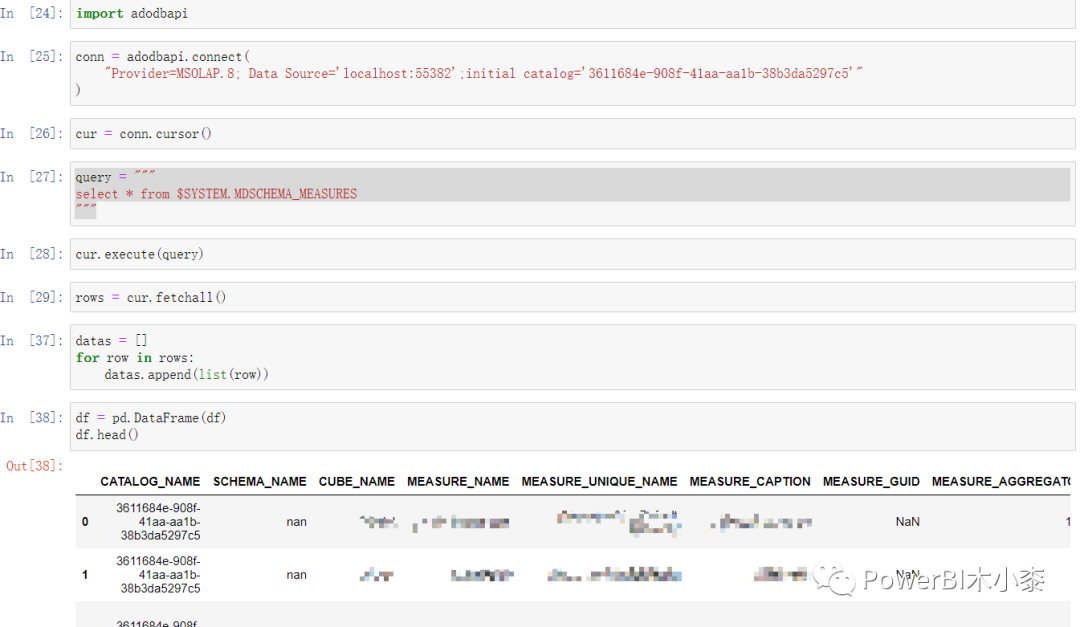
当然也可以使用Python连接PowerBI数据集,从而导出想要的数据,具体可查看当PowerBI遇到了Python, 使用Python连接PowerBI数据集
Excel连接PowerBI数据集
如果导出数据的目的是在excel中查看的话,那么可以直接在excel中连接powerbi数据集,然后将想要的数据拖到数据透视表即可

引用链接
[1] 从 Power BI 可视化效果导出数据 - Power BI | Microsoft Docs: https://docs.microsoft.com/zh-cn/power-bi/visuals/power-bi-visualization-export-data?tabs=dashboard[2] Power BI Exporter – Data Vizioner: https://www.datavizioner.com/power-bi-exporter/
边栏推荐
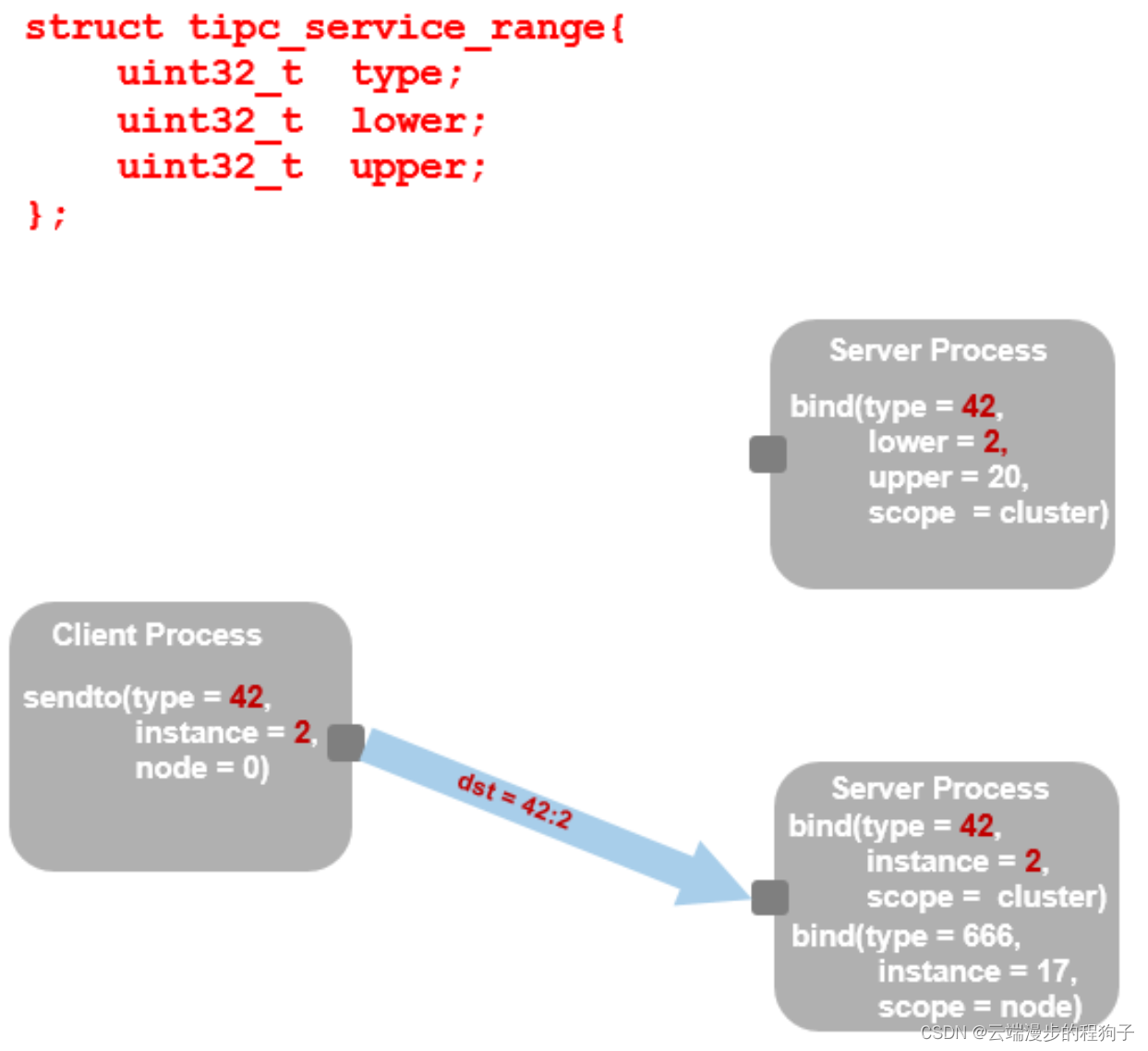
- TIPC addressing 2
- Luogu p5536 [xr-3] core city (greed + tree DP looking for the center of the tree)
- TIPC介绍1
- Special topic of binary tree -- acwing 1497 Traversal of the tree (use post and mid order traversal to build a binary tree)
- Primary key policy problem
- Tick Data and Resampling
- ImportError: cannot import name ‘Digraph‘ from ‘graphviz‘
- 洛谷 P5536 【XR-3】核心城市(贪心 + 树形 dp 寻找树的中心)
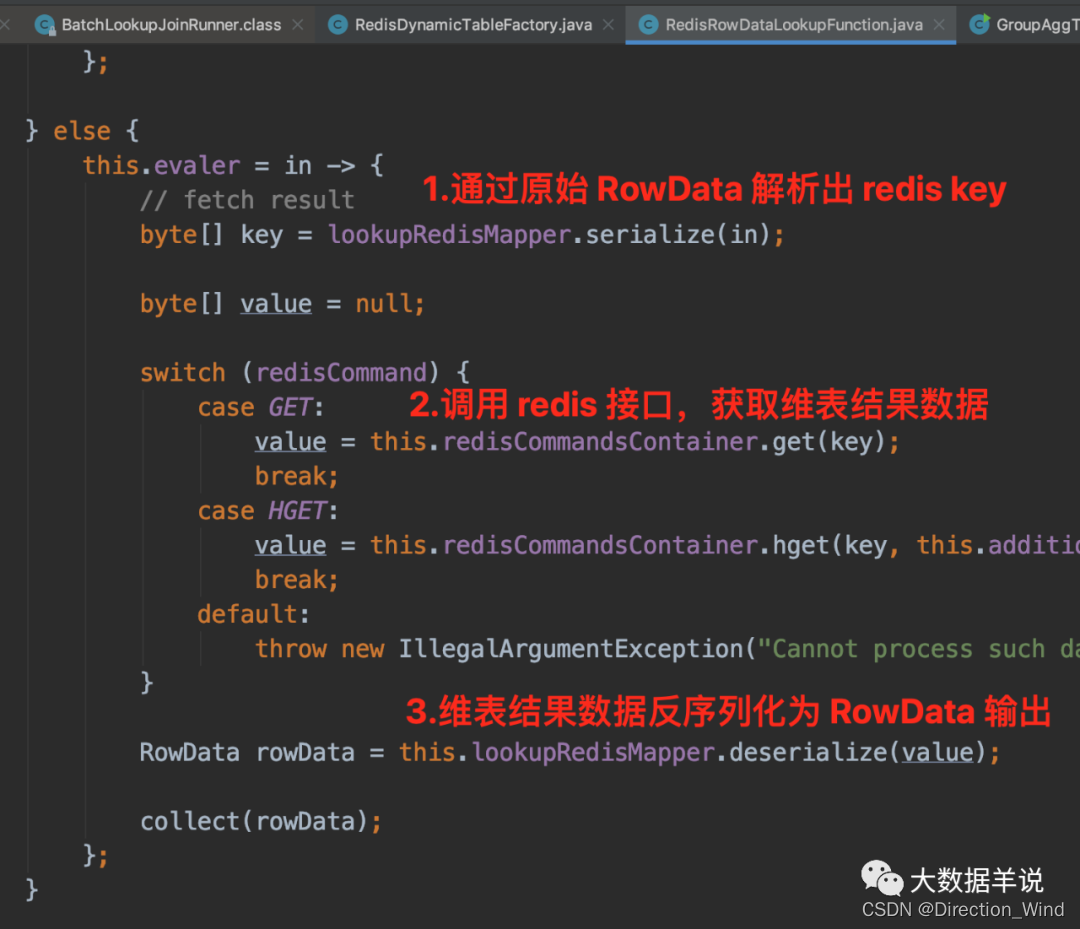
- Flick two open, realized a batch lookup join (with source code)
- Implementation of six singleton modes
猜你喜欢

Special topic of binary tree -- acwing 1497 Traversal of the tree (use post and mid order traversal to build a binary tree)
二叉树专题--AcWing 1497. 树的遍历(利用后、中序遍历,构建二叉树)
![[applinking practical case] share in app pictures through applinking](/img/12/5616f1fa55387b81e25e55a98022b9.png)
[applinking practical case] share in app pictures through applinking

JVM之垃圾回收器
From the perspective of attack surface, see the practice of zero trust scheme of Xinchuang

2022-06-17

Nodejs+express+mysql simple blog building

Huawei game failed to initialize init with error code 907135000
TIPC addressing 2
Flick two open, realized a batch lookup join (with source code)
随机推荐
TIPC Getting Started6
二叉树专题--AcWing 47. 二叉树中和为某一值的路径(前序遍历)
What are the software product management systems? Inventory of 12 best product management tools
Static variables in static function
How to transfer event objects and user-defined parameters simultaneously in Huawei express applications
The first white paper on agile practice in Chinese enterprises was released | complete download is attached
洛谷 P5536 【XR-3】核心城市(贪心 + 树形 dp 寻找树的中心)
ImportError: cannot import name ‘Digraph‘ from ‘graphviz‘
金山云——2023届暑期实习
tidb-dm报警DM_sync_process_exists_with_error排查
PHP tea sales and shopping online store
[AI application] Hikvision ivms-4200 software installation
TIPC协议
Nodejs+express+mysql simple blog building
Flick two open, realized a batch lookup join (with source code)
JVM之垃圾回收器
PCL extracts a subset from a point cloud
TIPC Getting Started6
Summary of cases of players' disconnection and reconnection in Huawei online battle service
ImportError: cannot import name ‘Digraph‘ from ‘graphviz‘