当前位置:网站首页>Vmware安装win10报错:operating system not found
Vmware安装win10报错:operating system not found
2022-07-02 04:32:00 【程序员杨叔】
一、背景
最近想使用Vmware安装个win10,和以前安装linux操作系统一样,在网上系统之家下载了win10的安装iso镜像包,然后新建虚拟机,添加iso镜像,这个过程都很简单,没什么问题。最后运行虚拟机,却碰到了一系列的问题,因此记录一下所有问题的解决过程和方案。
二、启动时显示Boot Manager画面
碰到第一个问题,启动进入Boot Manager页面,一顿乱操作也没啥进展,不知道该怎么处理: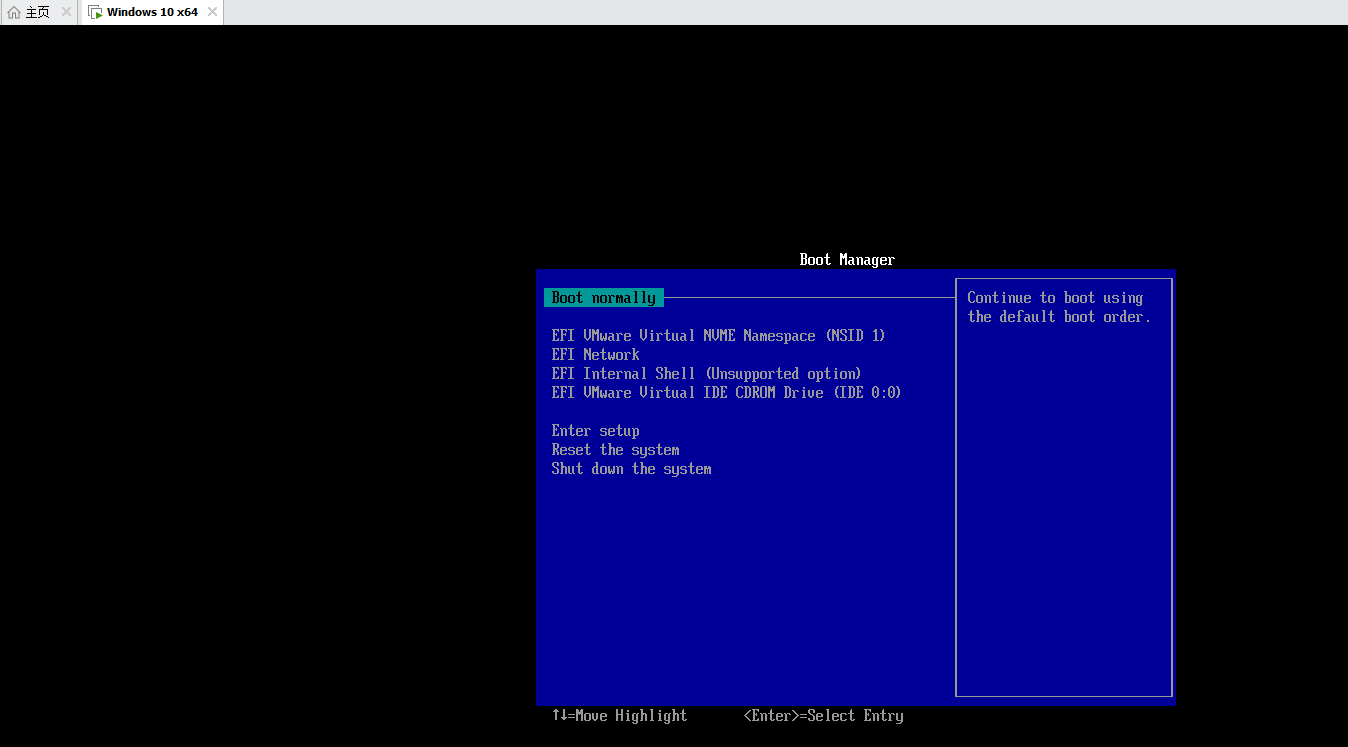
后面发现,原来是修改一下虚拟机的这个配置即可: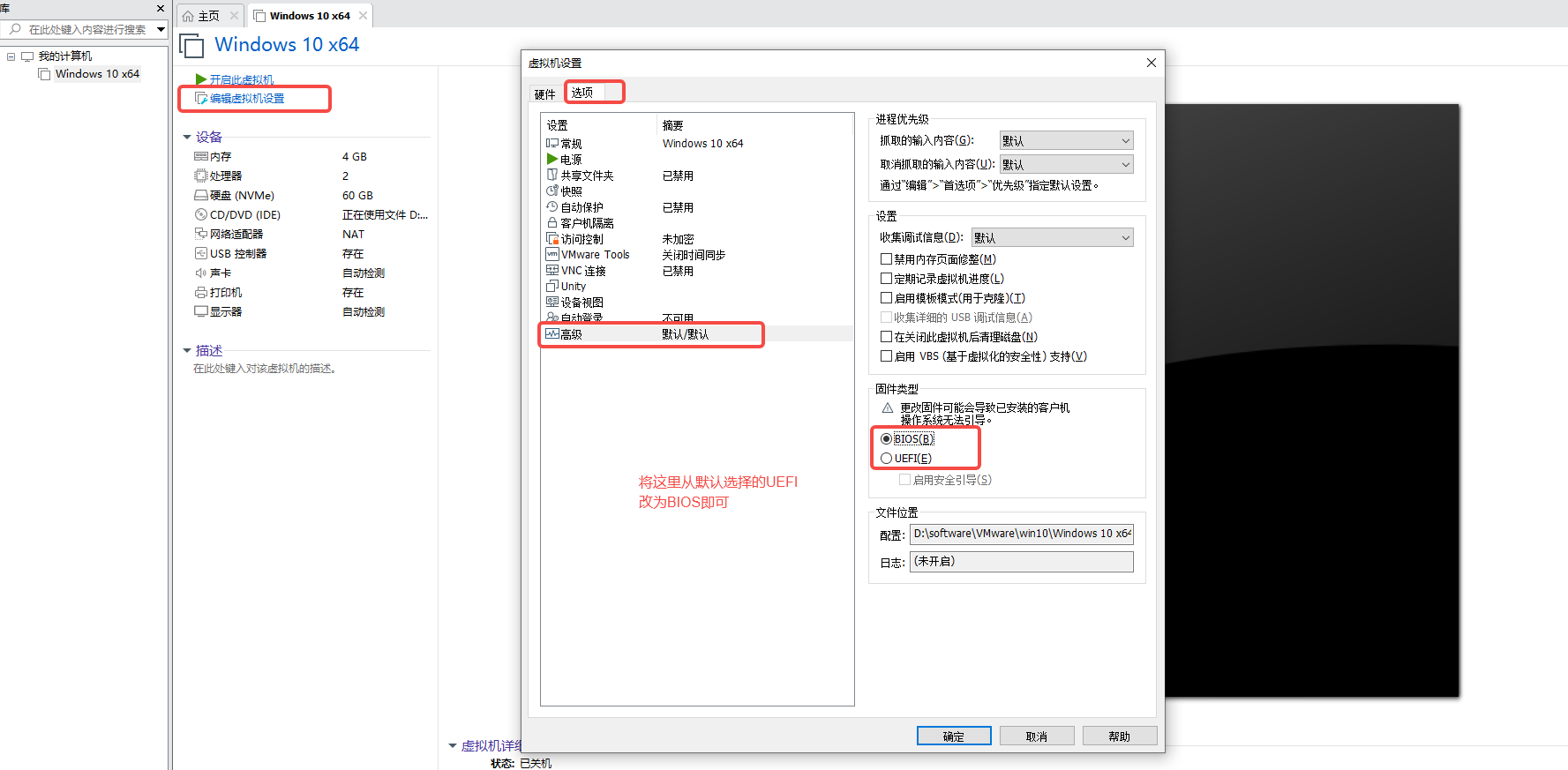
这个选项默认勾选的是UEFI,改为BIOS后,再启动,就OK了。
三、启动报错:operating system not found
但是马上又碰到了第2个问题,报错:operating system not found

网上查了很多的解决方法,都很复杂。其实根本原因在于通常我们在网上下载的iso镜像都是经过处理,不是原生纯净版本,里边是带exe的,所以VMware使用虚拟机安装虚拟机无法识别,只要我们使用微软提供的原生的iso镜像就可直接安装。
下面提供windows镜像的下载方式
https://next.itellyou.cn/Original/Index
登录上之后即可下载:
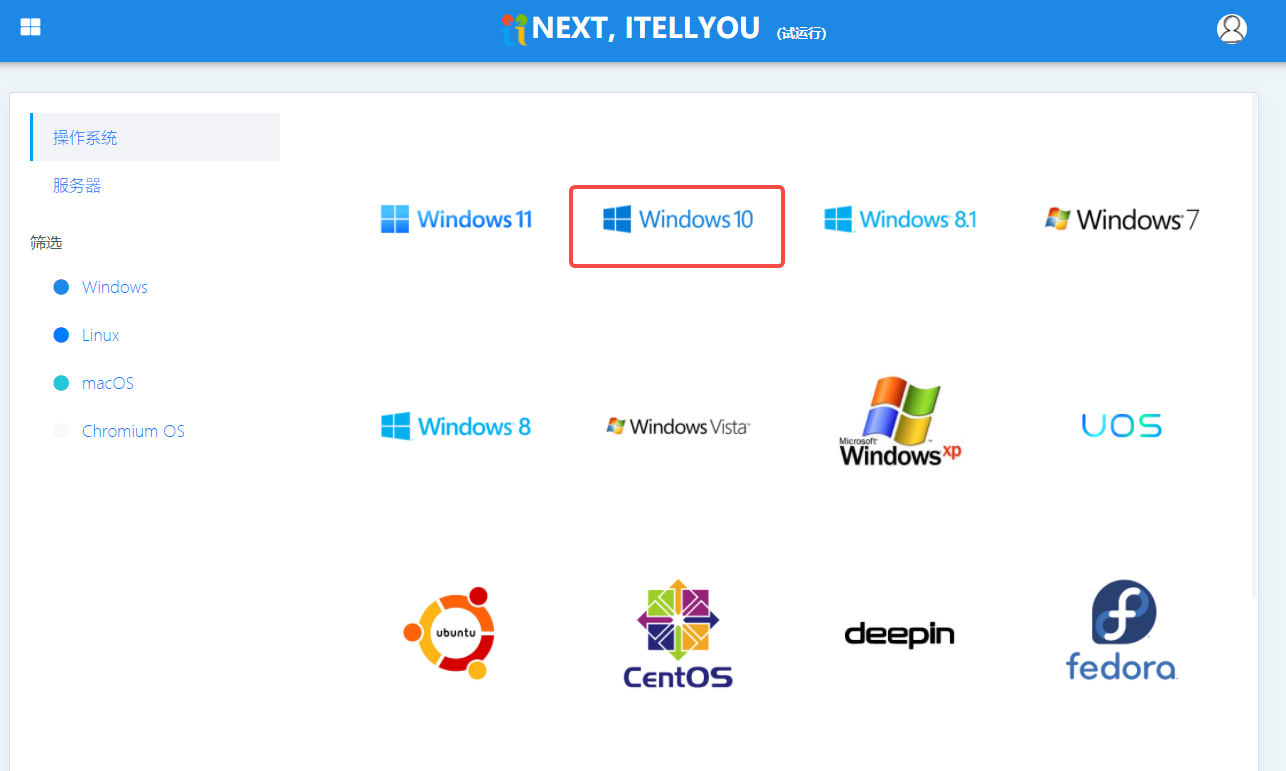
复制下载链接,然后使用下载软件下载,比如:迅雷
然后虚拟机设置里改为使用这个原生纯净版的iso镜像:
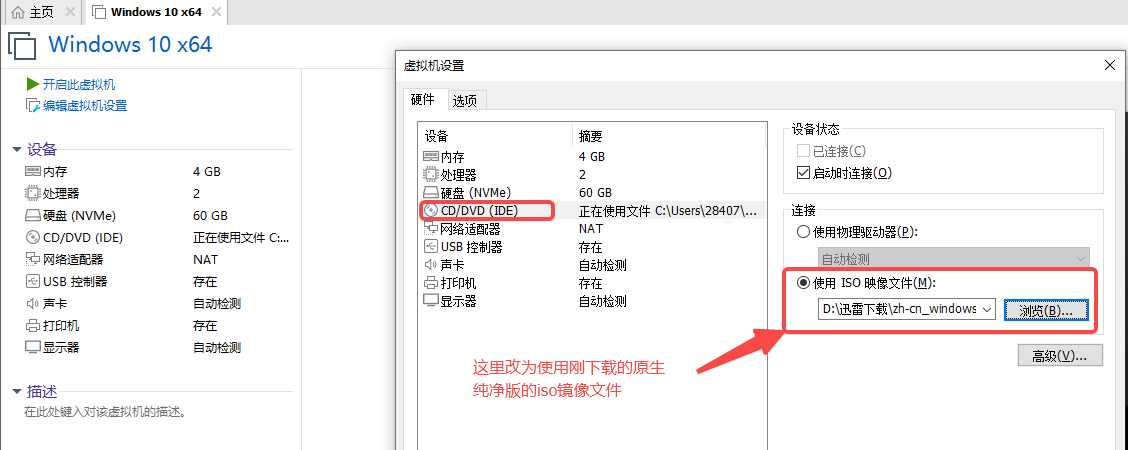
点击“确定”按钮保存配置后,再运行虚拟机,则会发现OK了,进入了win10的安装页面:
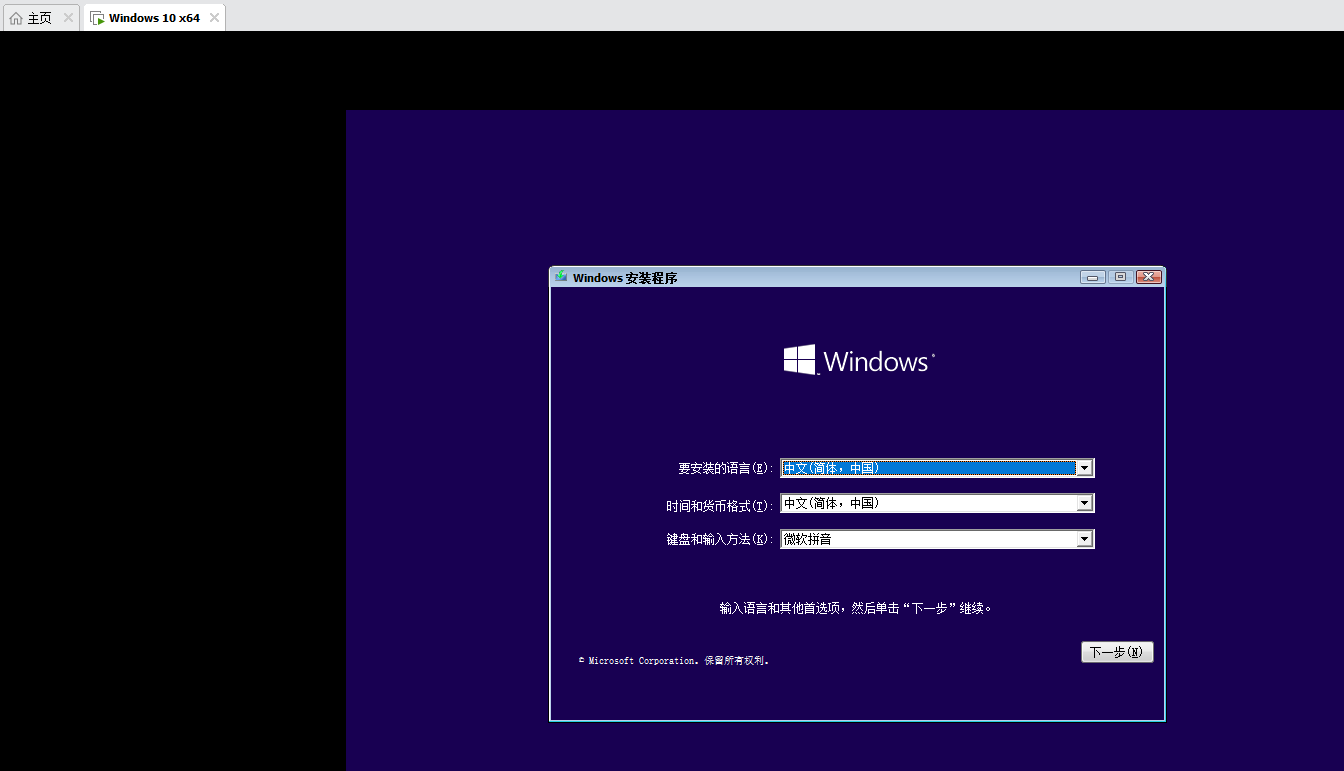
剩下的就是按照提示一步一步往下走即可完成安装:

四、系统报错:没有网络可用
安装完成之后,系统会先初始化,根据提示一步步初始化即可。过程中可能会碰到说没有网络,先跳过。最后就可以正常进入系统了,这个时候发现没有网络,解决方案是虚拟机先关机,然后VMware菜单栏》“编辑”》“虚拟机网络编辑器”:

点击“更改设置”,赋予管理员权限:
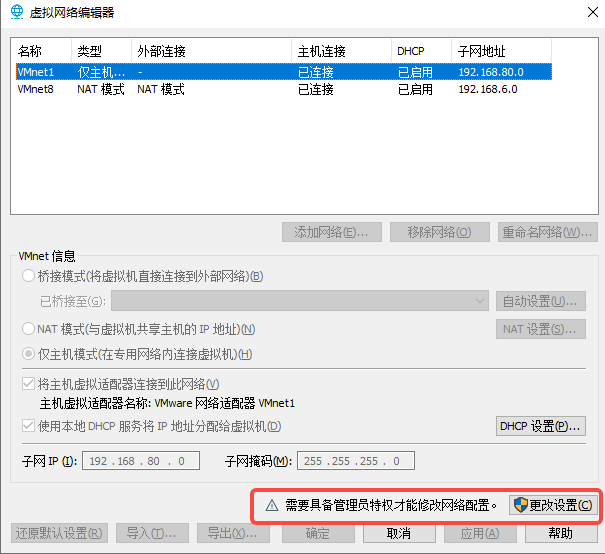
会发现多了一个“桥接模式”,选中它,点击按钮“还原默认配置”:
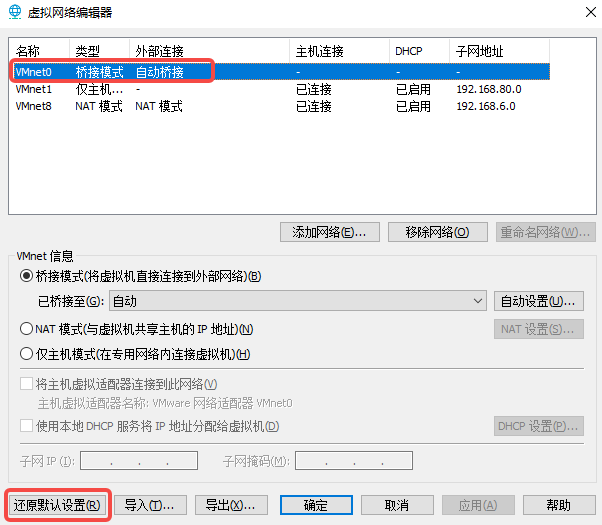
执行完毕后,再次运行虚拟机,会发现已经能正常连接上网络了。原理就是因为“还原默认配置”时,相当于重装了一下下VMWare的网络模块,所以解决了网络问题。
五、虚拟机屏幕显示过小
进入虚拟机的win10系统桌面后,你会发现屏幕显示怎么这么小,旁边都是好大一片黑框框,如下图:

解决方法是需要安装VMware Tool,点击VMware菜单栏的"虚拟机"》“安装VMware Tools”,因为我截图的时候已经安装过了,所以截图上显示的是“重新安装VMware Tools”:
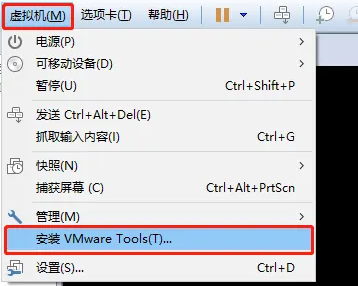
然后win10系统右下角就会提示DVD驱动器:VMware Tools, 点击它,运行setup64.exe:

根据提示一步一步安装完成:

安装完之后会发现窗口已经撑满全屏了:
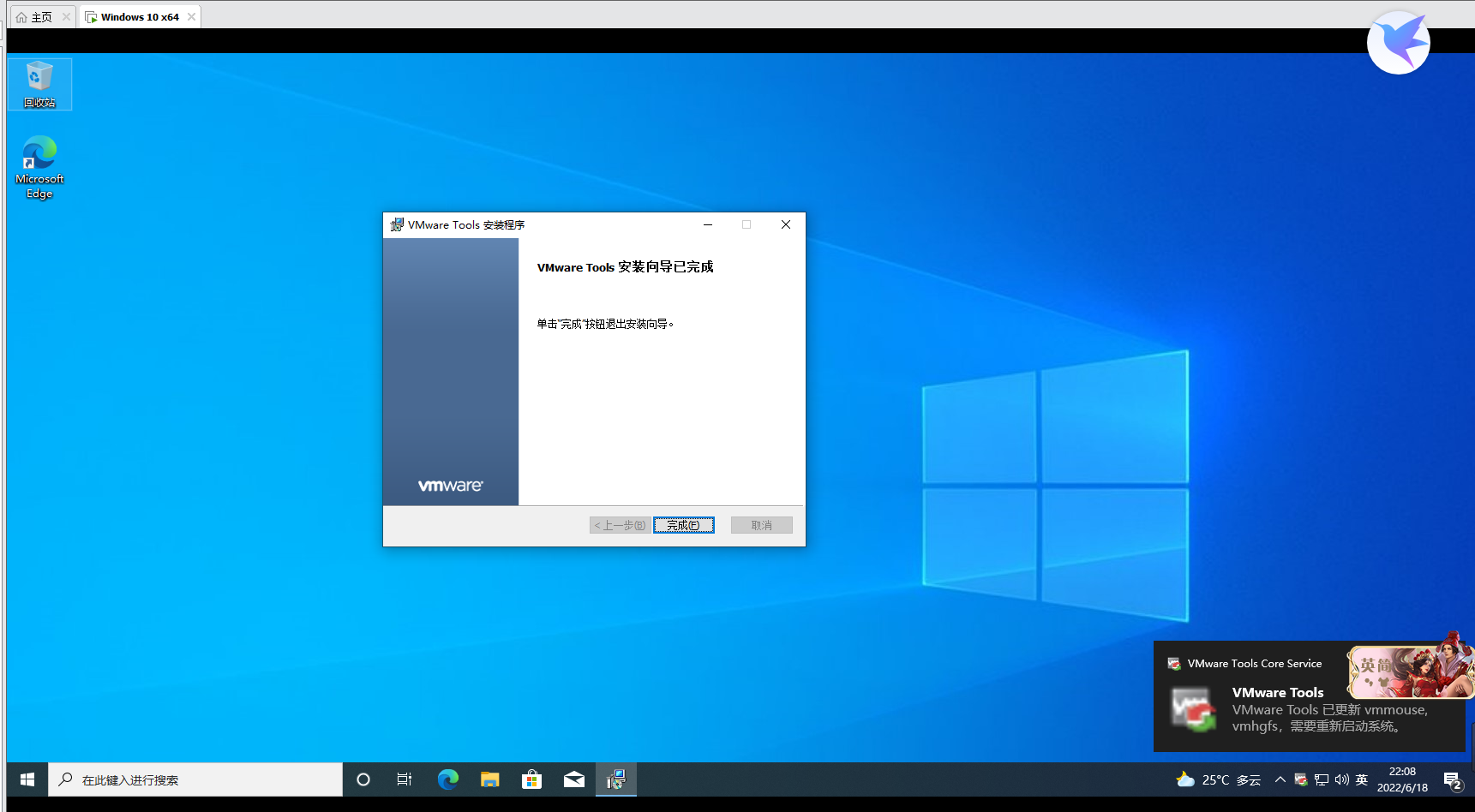
至此,所有的问题已经解决完毕,可以开心的在VMware中使用win10啦~
==============================================================================================
以上就是本次的全部内容,如果对你有帮助,欢迎关注我的微信公众号:程序员杨叔,各类文章都会第一时间在上面发布,持续分享全栈测试知识干货,你的支持就是作者更新最大的动力~
边栏推荐
- Federal learning: dividing non IID samples according to Dirichlet distribution
- Www 2022 | rethinking the knowledge map completion of graph convolution network
- LeetCode-对链表进行插入排序
- 二叉樹解題(二)
- Deep understanding of lambda expressions
- [source code analysis] NVIDIA hugectr, GPU version parameter server - (1)
- What is 5g industrial wireless gateway? What functions can 5g industrial wireless gateway achieve?
- 10 minutes to understand CMS garbage collector in JVM
- Force buckle 540 A single element in an ordered array
- The solution to the complexity brought by lambda expression
猜你喜欢
![[source code analysis] NVIDIA hugectr, GPU version parameter server - (1)](/img/e1/620443dbc6ea8b326e1242f25d6d74.jpg)
[source code analysis] NVIDIA hugectr, GPU version parameter server - (1)

win11安装pytorch-gpu遇到的坑

【c语言】基础篇学习笔记

Cache consistency solution - how to ensure the consistency between the cache and the data in the database when changing data
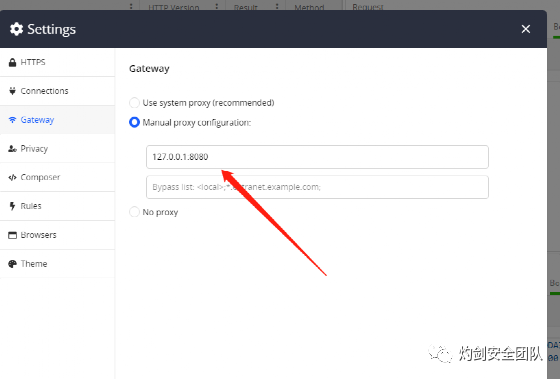
cs架构下抓包的几种方法
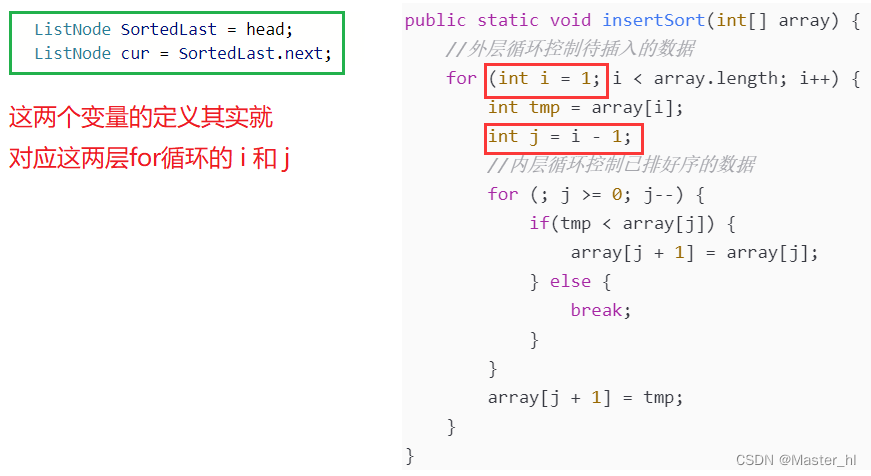
LeetCode-对链表进行插入排序

What is 5g industrial wireless gateway? What functions can 5g industrial wireless gateway achieve?
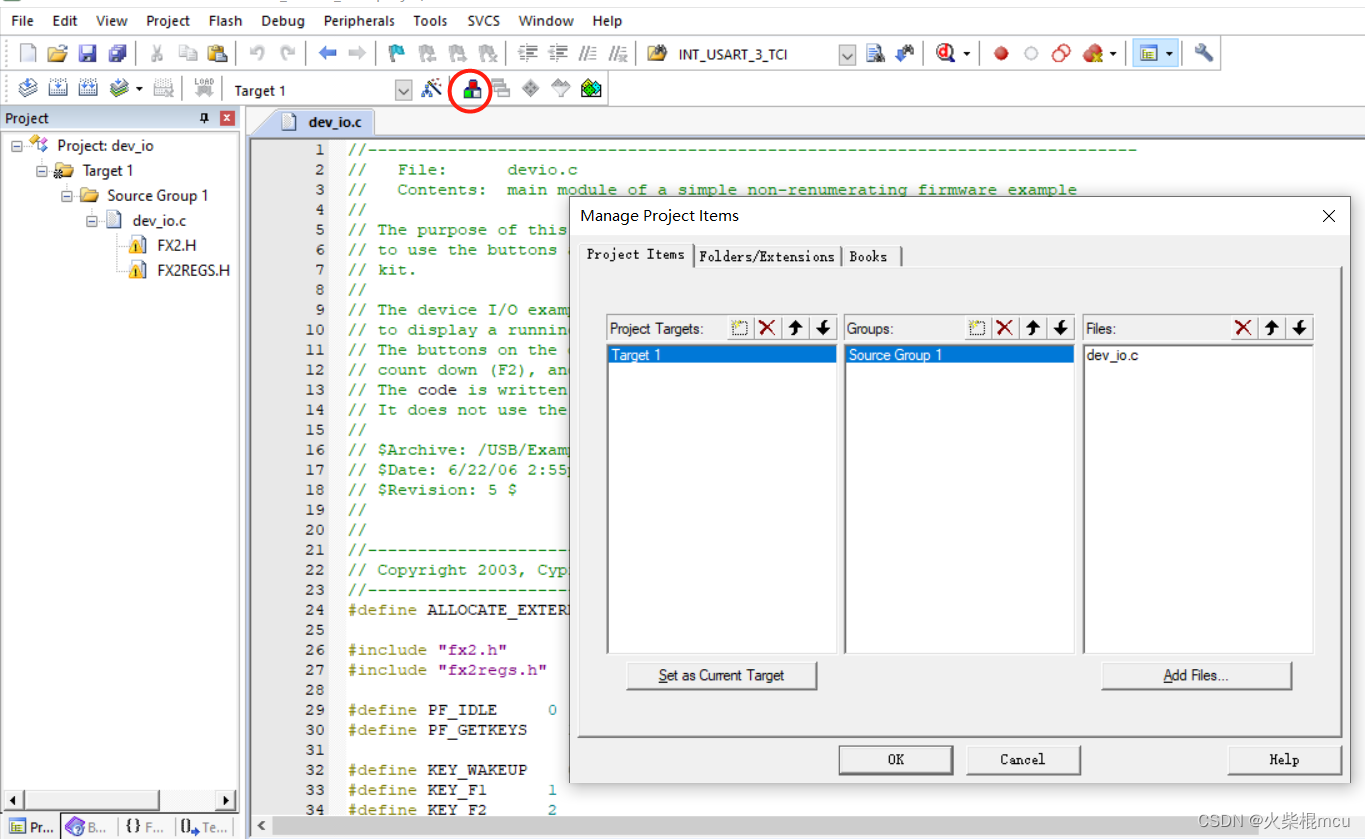
Keil compilation code of CY7C68013A
![[JS event -- event flow]](/img/fe/199890b082845f68b65f25056e6f29.jpg)
[JS event -- event flow]
Learn what definitelytyped is through the typescript development environment of SAP ui5
随机推荐
UNET deployment based on deepstream
C language practice - binary search (half search)
【毕业季·进击的技术er】年少有梦,何惧彷徨
Installation et utilisation du lac bleu
Binary tree problem solving (2)
Sword finger offer II 006 Sort the sum of two numbers in the array
uni-app - 实现获取手机验证码倒计时 60 秒(手机号+验证码登录功能)
[improvement class] st table to solve the interval maximum value problem [2]
千亿市场规模医疗美容行业的水究竟有多浑?
GeoTrust ov multi domain SSL certificate is 2100 yuan a year. How many domain names does it contain?
[source code analysis] NVIDIA hugectr, GPU version parameter server - (1)
LCM of Spreadtrum platform rotates 180 °
Use a mask to restrict the input of the qlineedit control
What is 5g industrial wireless gateway? What functions can 5g industrial wireless gateway achieve?
Common sense of cloud server security settings
社交媒体搜索引擎优化及其重要性
蓝湖的安装及使用
Yyds dry inventory compiler and compiler tools
My first experience of shadowless cloud computer
Spring moves are coming. Watch the gods fight