当前位置:网站首页>35.滚动 scroll
35.滚动 scroll
2022-07-27 04:54:00 【Suyuoa】
目录
7 页面被卷去的上侧距离 window.pageYOffset
8 页面被卷去的左侧距离 window.pageXOffset
scroll与滚动条相关,主要有下面几个属性

与其他大小属性的区别如下

1 返回自身宽度 element.scrollWidth
scrollWidth返回的数值中包含padding,但不包含border与margin。scrollWidth返回的结果没有单位


- 123 = 103 + 10 * 2
2 返回自身高度 element.scrollHeight
scrollHeight返回的数值中包含padding,但不包含border与margin。scrollHeight返回的结果没有单位
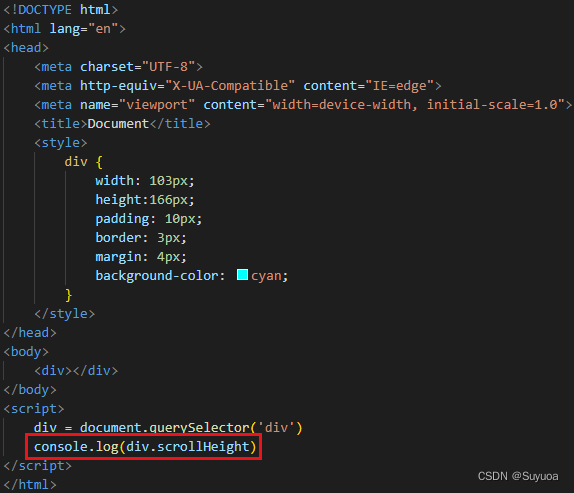

- 186 = 166 + 10 * 2
3 sroll返回自身尺寸与client返回自身尺寸的区别

盒子中的内容超出了盒子本身尺寸的时候,scroll是按照内容走的,client不管内容只按照盒子原来的尺寸走

宽度如果超出和高度一样
4 被卷去的上侧距离 element.scrollTop
下面图的红色框子是div盒子的可视区域

把滚动条搞出来后,搞一个按钮进行监测

没滚动的时候是0


5 被卷去的左侧距离 element.scrollLeft
我们将div中的内容设置为不换行,然后搞个按钮监测


6 模仿淘宝侧边栏
打开之后的侧边栏是这样的

当滚到一定程度后会增加一个会顶部

代码是这样的
<!DOCTYPE html>
<html lang="en">
<head>
    <meta charset="UTF-8">
    <meta http-equiv="X-UA-Compatible" content="IE=edge">
    <meta name="viewport" content="width=device-width, initial-scale=1.0">
    <title>Document</title>
    <style>
        body {
            height:3000px;
            background-color: rgb(232,226,224);
        }

        .alongside {
            position: fixed;
            top: 50%;
            right:0px;
            transform: translate(0,-50%);
            width:80px;
            background-color: white;
            border-radius: 20px 0px 0px 20px;
        }

        div {
            height:60px;
            display:flex;
            flex-direction: column;
            align-items: center;
            font-size: 12px;
            padding:5px;
        }

        .return_top {
            display:none;
        }

    </style>
</head>
<body>
    <section class="alongside">
        <div>
            <img src="images/官方客服.png" alt="">
            <span>官方客服</span>
        </div>
        <div>
            <img src="images/反馈.png" alt="">
            <span>反馈</span>
        </div>
        <div>
            <img src="images/举报.png" alt="">
            <span>举报</span>
        </div>
        <div class="return_top">
            <img src="images/回顶部.png" alt="">
            <span>回顶部</span>
        </div>
    </section>
</body>
<script>
    activate = document.querySelector('.activate')
    return_top = document.querySelector('.return_top')

    document.body.onscroll = function() {
        console.log(document.documentElement.scrollTop)
        if (document.documentElement.scrollTop > 500) {
            return_top.style.display = 'flex';
        }
        else {
            return_top.style.display = 'none';
        }
    }
</script>
</html>
打开后是这样的
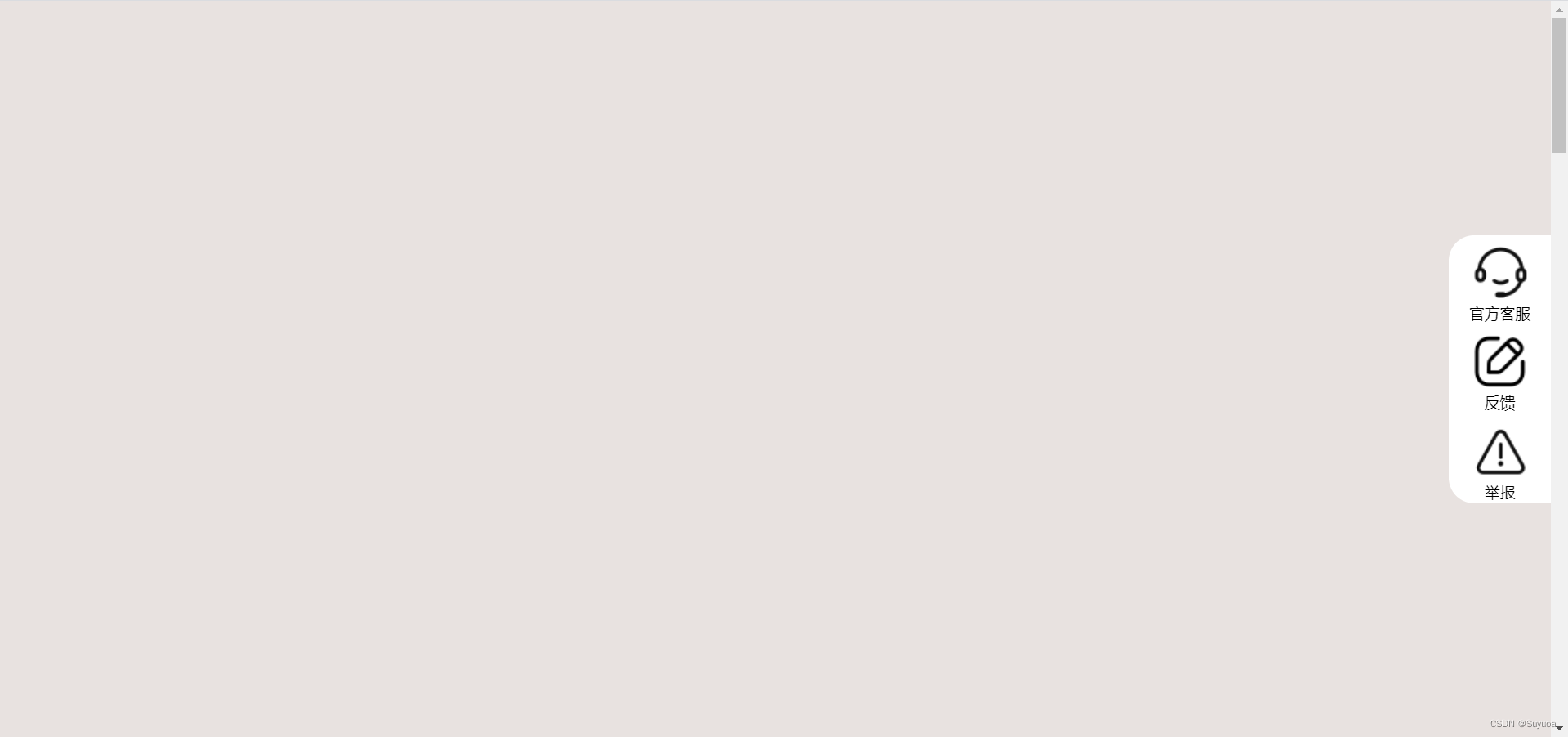
滚动到一定的位置回出现回顶部

再滚到上面,回顶部消失

上面代码中使用了 document.documentElement,scrollTop 来获取页面滚动的上侧距离,除此之外还有另外两种方式

DTD是我们html最开始的这句话

可以搞一个照顾兼容性的函数,不过我觉得基本不会用到

7 页面被卷去的上侧距离 window.pageYOffset
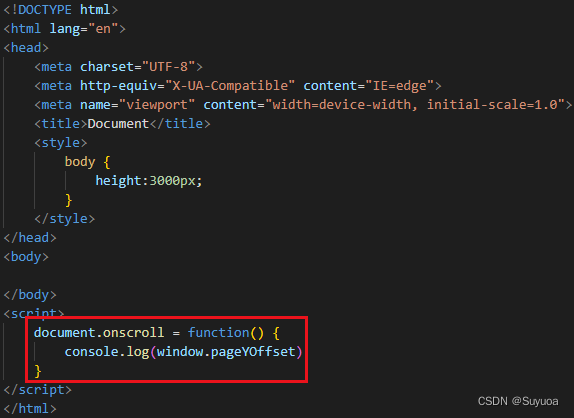

8 页面被卷去的左侧距离 window.pageXOffset


边栏推荐
- 「Photoshop2021入门教程」“拉平”带有透视感的图像
- Plato Farm有望通过Elephant Swap,进一步向外拓展生态
- 《Robust and Precise Vehicle Localization based on Multi-sensor Fusionin Diverse City Scenes》翻译
- Knapsack problem DP
- Deep Qt5 signal slot new syntax
- 对话框简介
- 一、MySQL基础
- 34. 分析flexible.js
- R-score reproduction R-Precision evaluation index quantitative text generation image r-score quantitative experiment whole process reproduction (R-Precision) quantitative evaluation experiment step on
- How to do smooth data migration: Double write scheme
猜你喜欢

【报错】Cannot read property ‘parseComponent‘ of undefined

如何将Photoshop图层复制到其他文档
![[search] flood fill and shortest path model](/img/22/5240c9ff6ea3c7c1017e3e9a4a27cb.png)
[search] flood fill and shortest path model

SVN使用详解
Another skill is to earn 30000 yuan a month+

How to import PS style? Photoshop style import tutorial
![[C language] dynamic memory management](/img/20/3970cd2112204774a37b5a1d3bdce0.png)
[C language] dynamic memory management

Web框架介绍

ps怎么导入lut预设?Photoshop导入lut调色预设教程
Solution: how to use bash batch command in win10
随机推荐
【搜索】Flood Fill 和 最短路模型
动态内存函数的介绍(malloc free calloc realloc)
Customize the viewport height, and use scrolling for extra parts
使用mq消息队列来进行下单流程的高并发设计,消息挤压,消息丢失,消息重复的产生场景和解决方案
How to create an applet project
MySQL download and installation & perfect uninstall
Test basis 5
OFDM 十六讲 2- OFDM and the DFT
Read write separation and master-slave synchronization
Unit test Chapter6
对话框数据传递
Explanation of index failure principle and its common situations
Mysql表的约束
How do I reset Photoshop preferences? PS method of resetting preferences
【牛客讨论区】第七章:构建安全高效的企业服务
Photoshop裁剪工具隐藏技巧
Final Cut Pro Chinese tutorial (1) basic understanding of Final Cut Pro
探寻通用奥特能平台安全、智能、性能的奥秘!
使用ngrok做内网穿透
How does PS import LUT presets? Photoshop import LUT color preset tutorial