当前位置:网站首页>Events in JS
Events in JS
2022-06-11 09:38:00 【Snatch bamboo shoots 123】
Catalog
Events are actions performed when a user accesses a page , When the browser detects an event , It can trigger the... Associated with this event JavaScript object , These objects are called event handlers
Page Events
| event | describe |
|---|---|
| onload | When the user enters the page and all page elements are loaded , Will trigger this event . E.g. advertising pop-up window |
| onbeforeunload | Triggered before the user starts leaving the page ( For example, a pop-up window pops up when a user is about to leave a site without saving its content ) |
Mouse events
Many interactions between users and pages are done through the mouse ,
| event | describe |
|---|---|
| onclick | Click events |
| onmouseover | Move in event |
| onmouseout | Remove Events |
| onmousemove | Mobile event |
| onmousedown | The event triggered when the mouse is pressed |
| onmouseup | The event triggered when the mouse is released |
Be careful : arbitrarily HTML Tag elements can be added to click events
Example
<!DOCTYPE html>
<html lang="en">
<head>
    <meta charset="UTF-8">
    <title> This is a html5 demo</title>
    <style> p{
       font-size: 20px; width: 50%; } </style>
</head>
<body>
	<script> window.onload=function(){
       let option=document.getElementById("content"); // Mouse click  option.onclick=function(){
       alert(" This is a prompt box "); } // Mouse migration  option.onmouseover=function(){
       this.style.backgroundColor="#1ea21e" } // Mouse removal  option.onmouseout=function(){
       this.style.backgroundColor="#a26321" } } </script>
	<p id="content"> This is a paragraph </p>
</body>
</html>
Chrome Browser run results 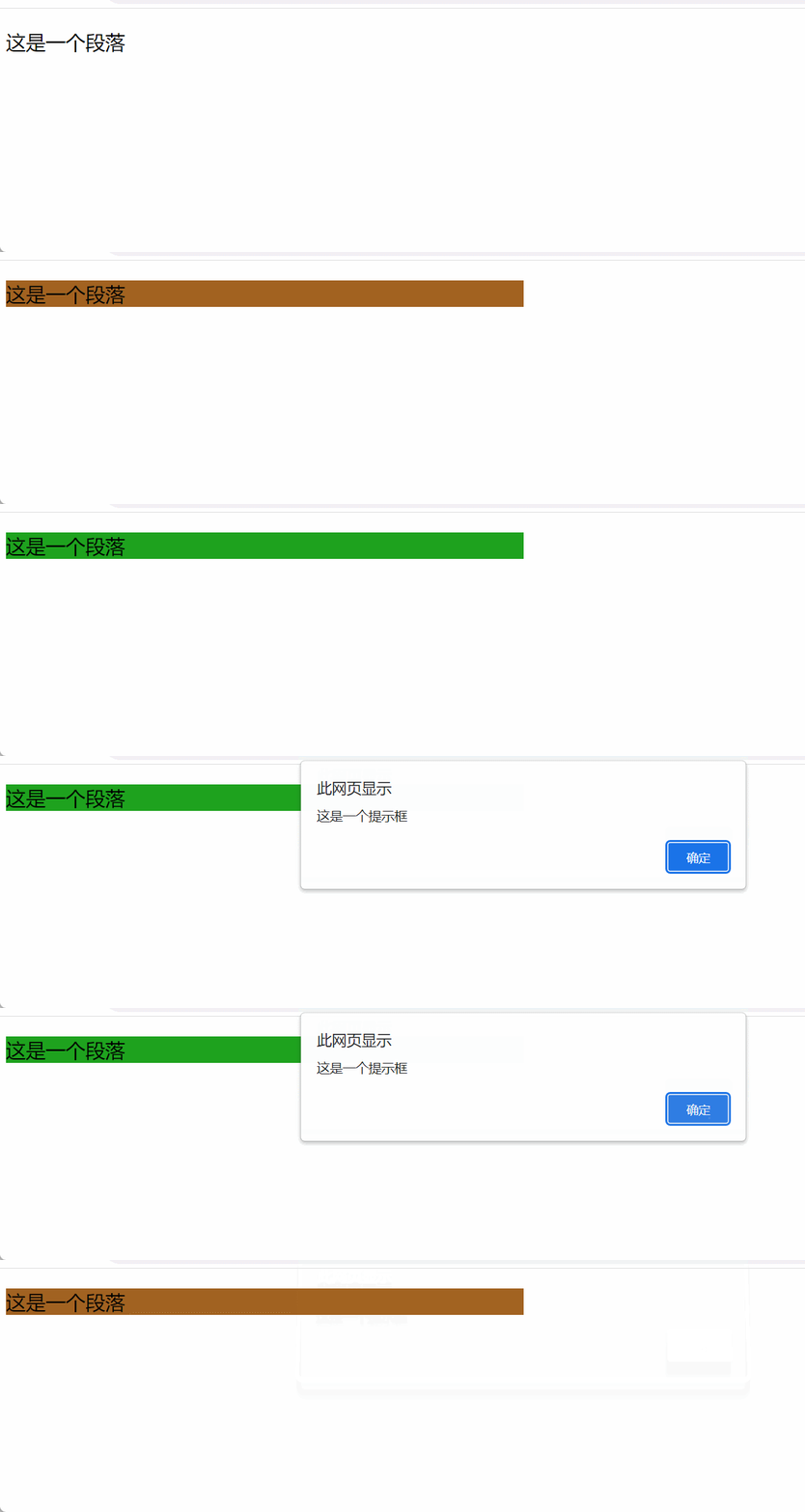
Keyboard events
| event | describe |
|---|---|
| onkeydown | Press the keyboard |
| onkeyup | The keyboard is released |
Form Events
| event | describe |
|---|---|
| onfoucs | Event triggered when focus is obtained |
| onblur | Events triggered when focus is lost |
| onchange | onfocus and onblur The two events are often used together |
such as , When the user is ready to enter content in the text box , The text box gets the cursor , It will trigger onfocus event ; When the text box loses the cursor , It triggers onblur event
<!DOCTYPE html>
<html lang="en">
<head>
    <meta charset="UTF-8">
    <title> This is a html5 demo</title>
    <script> window.onload=function(){
       let myinput=document.getElementById("search") myinput.onfocus=function(){
       if (this.placeholder==" use Baidu Search , You will know "){
       this.placeholder="" } } myinput.onblur=function(){
       if(this.placeholder==""){
       this.placeholder=" use Baidu Search , You will know " } } } </script>
    <style> input{
       height: 25px; } </style>

</head>
<body>
	<input id="search" type="text" placeholder=" use Baidu Search , You will know "/>
	<input id="Button" type="button" value=" Search for "/>
</body>
</html>
Chrome Browser run results 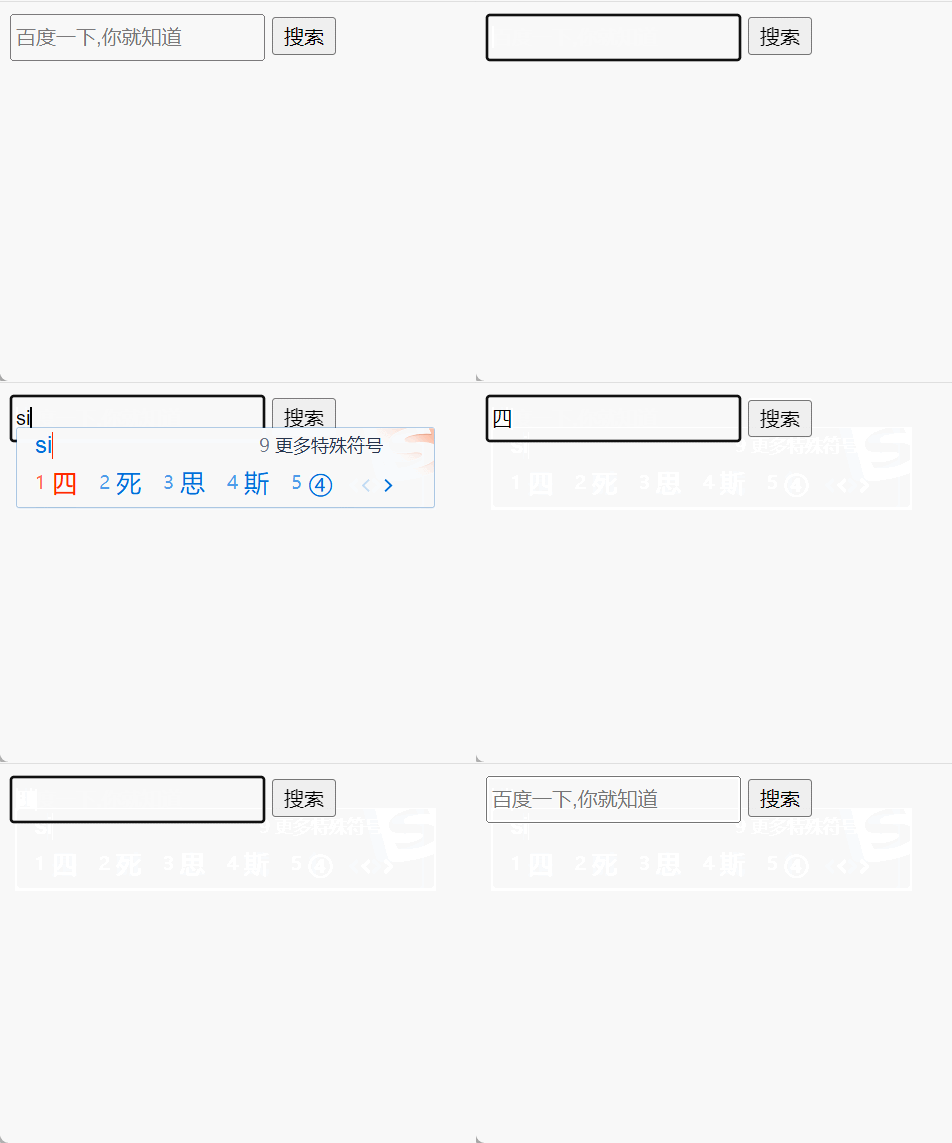
About focus
Not all HTML Every element has a focus event , Generally has “ Gain and lose focus ” There are only two elements of : Form elements and hyperlinks . In fact, focus events are generally used for single line text boxes and multi line text boxes
Edit event
Prevent page content from being copied
// After the user clicks the copy option of the right mouse button , You can't get the content on the pasted version
document.oncopy=function(){

	return false;
}
Prevent page content from being selected
// User cannot select content
document.onselectstart=function(){

	return false;
}
No right mouse button
// Just can't right-click , But you can use shortcut keys
document.oncontextmenu=function(){

	return false;
}
边栏推荐
- Award winning survey streamnational sponsored 2022 Apache pulsar user questionnaire
- 实现边充边OTG的PD芯片GA670-10
- Detailed explanation of the difference between construction method and method
- ES6新增特性--箭头函数
- 1400. construct K palindrome strings
- Telecommuting best practices and Strategies
- Openstack explanation (XXIII) -- other configurations, database initialization and service startup of neutron
- ESP8266_SmartConfig
- [TiO websocket] III. The TiO websocket server can send messages to users anywhere
- Error [detectionnetwork (1)][warning]network compiled for 6 shapes, maximum available 10, compiling for 5 S
猜你喜欢

Runtimeerror: blobreader error:the version of imported blob doesn't match graph_ transformer

Sed explanation of shell script (SED command, sed -e, sed s/ new / old /...)

报错Version mismatch between installed depthai lib and the required one by the scrip.

Some learning records I=

Exclusive interview with PMC member Liu Yu: female leadership in Apache pulsar community

Opencv oak-d-w wide angle camera test
Ecological co construction | 2021 streamnational excellent partner of the year comes out!

js中关键字this的理解
Strength and appearance Coexist -- an exclusive interview with Liu Yu, a member of Apache pulsar PMC

Shandong University project training (IV) -- wechat applet scans web QR code to realize web login
随机推荐
PD chip ga670-10 for OTG while charging
js基础--Date对象
Automation operation and maintenance articles collection
Sed explanation of shell script (SED command, sed -e, sed s/ new / old /...)
1854. the most populous year
Machine learning notes - spatial transformer network using tensorflow
Flask (I) - quick start
报错Output image is bigger(1228800B) than maximum frame size specified in properties(1048576B)
Flask (II) - route
[ROS] noedic moveit installation and UR5 model import
ES6新增特性--箭头函数
Type-C扩展坞自适应供电专利维权案例
Comparison and introduction of OpenCV oak cameras
Success and failure of ERP software from the perspective of enterprise evaluation
1493. 删掉一个元素以后全为 1 的最长子数组
ESP8266_SmartConfig
OpenCV OAK-D-W广角相机测试
Comment l'entreprise planifie - t - elle la mise en oeuvre?
Customize PCBA scheme and develop wrist sphygmomanometer scheme
我们是如何连上WiFi的?