当前位置:网站首页>Openstack explanation (XXIII) -- other configurations, database initialization and service startup of neutron
Openstack explanation (XXIII) -- other configurations, database initialization and service startup of neutron
2022-06-11 09:11:00 【Always a teenager】
Today I will continue to introduce Linux Operation and maintenance related knowledge , The main content of this paper is Neutron Other configuration 、 Database initialization and service startup .
One 、Neutron Metadata proxy configuration
Above openstack Detailed explanation ( Twenty-two )——Neutron The plug-in configuration in , We finished Neutron Plug-in configuration , today , Let's do it Neutron Metadata proxy configuration for 、 Database initialization and service startup .
open Neutron Metadata proxy configuration file /etc/neutron/metadata_agent.ini, stay [DEFAULT] Under module , We find the following parameters , And change it to the following :
nova_metadata=192.168.136.101
metadata_proxy_shared_secret=neutron
The first configuration indicates that the metadata host is specified , The second configuration indicates that the metadata sharing password is specified , The completed configuration file is as follows :
such , our Neutron The metadata proxy configuration is completed .
Two 、Neutron Network service configuration
At the completion of Neutron After the metadata proxy is configured , Next we need to configure Neutron Network services for , open nova Configuration file for /etc/nova/nova.conf, Among them neutron Add the following to the module :
[neutron]
url = http://192.168.136.101:9696
auth_url = http://192.168.136.101:35357
auth_type = password
project_domain_name = default
user_domain_name = default
region_name = RegionOne
project_name = service
username = neutron
password = neutron
service_metadata_proxy=true
metadata_proxy_shared_secret = neutron
Be careful , In the above configuration , final metadata_proxy_shared_secret Be consistent with the key configured in the previous module .
The completed configuration file is as follows :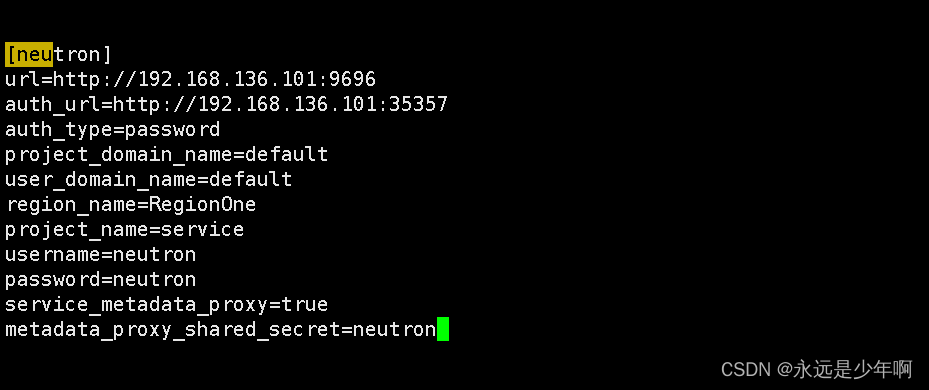
after , We need to create a soft link /etc/neutron/plugin.ini, Point to /etc/neutron/plugins/ml2/ml2_conf.ini.
Carry out orders :
ln -s /etc/neutron/plugins/ml2/ml2_conf.ini /etc/neutron/plugin.ini
You can complete the creation of soft links .
such , our Neutron Your network configuration is complete .
3、 ... and 、Neutron Database initialization
At the completion of Neutron After network configuration of , We can do it Neutron The database of is configured with . Carry out orders :
su -s /bin/sh -c "neutron-db-nanage --config /etc/neutron/neutron.conf --config-file /etc/neutron/plugins/ml2/ml2_conf.ini upgrade head " neutron
The execution result of this command is as follows :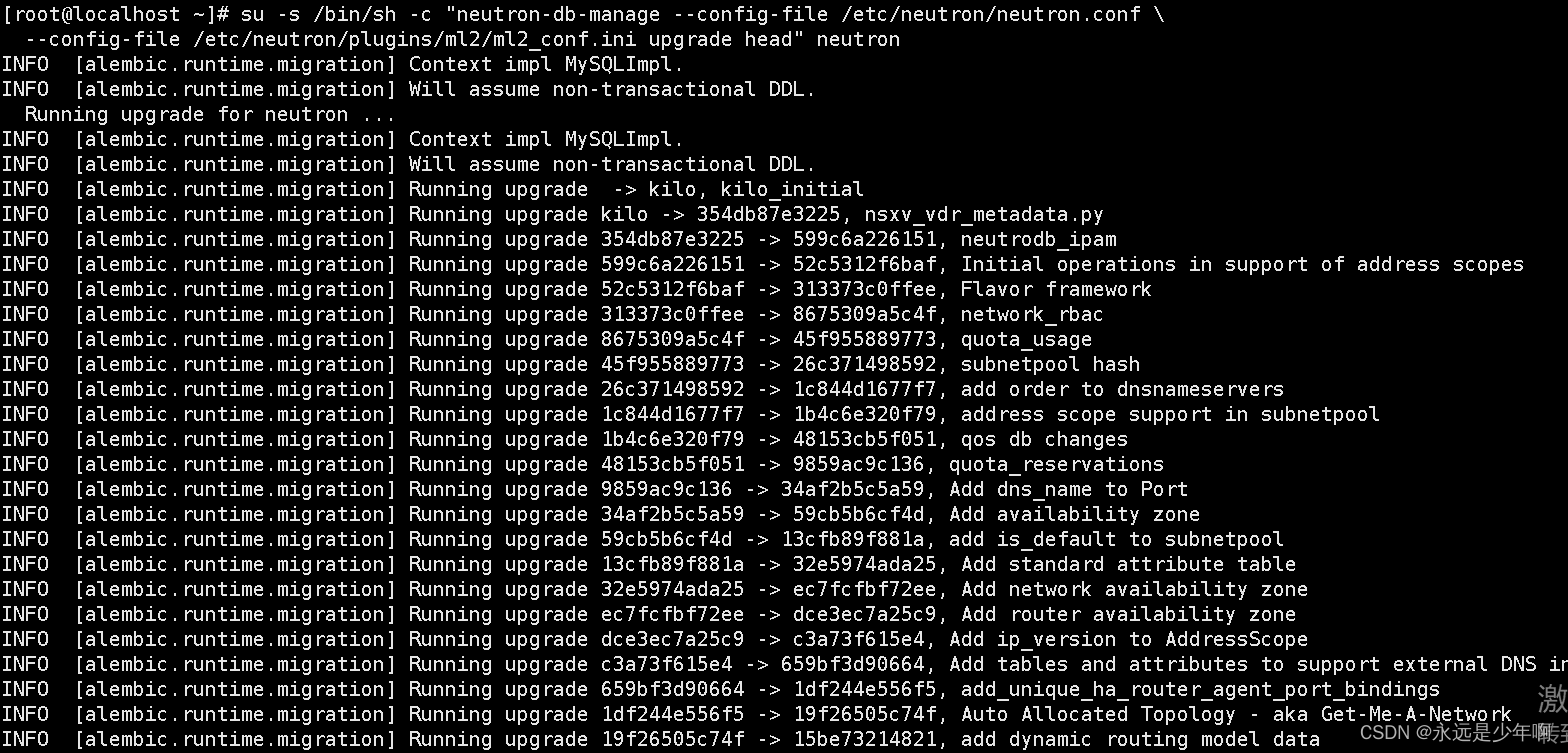
after , We carry out orders :
mysql -h 192.168.136.101 -uneutron -pneutron -e "use neutron;show tables"
View the configuration under the current database , The discovery configuration is as follows :
You can see from the picture above , our Neutron Database initialization service configuration succeeded .
after , We need to restart the calculation API service , Carry out orders :
systemctl restart openstack-nova-api
that will do .
Four 、Neutron Service startup
Last , We're going to start Neutron service , Carry out orders :
systemctl start neutron-server
systemctl start neutron-linuxbridge-agent
systemctl start neutron-dhcp-agent
systemctl start neutron-metadata-agent
Can finish Neutron Start of service , The above command is executed as follows :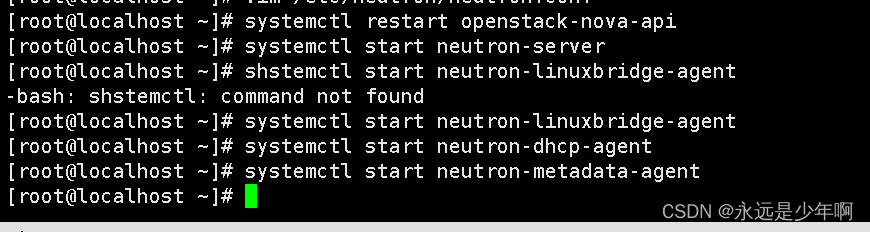
Originality is not easy. , Reprint please explain the source :https://blog.csdn.net/weixin_40228200
边栏推荐
- 19. 删除链表的倒数第 N 个结点
- 机器学习笔记 - 使用TensorFlow的Spatial Transformer网络
- 面试题 02.02. 返回倒数第 k 个节点
- 2095. 删除链表的中间节点
- Design of wrist sphygmomanometer based on sic32f911ret6
- 基于SIC32F911RET6设计的腕式血压计方案
- What are the types of garment ERP system in the market?
- [image processing] spatial domain image enhancement
- 企业需要考虑的远程办公相关问题
- Type-C蓝牙音箱单口可充可OTG方案
猜你喜欢

openstack详解(二十一)——Neutron组件安装与配置

Pytorch installation for getting started with deep learning

Pulsar job Plaza | Tencent, Huawei cloud, shrimp skin, Zhong'an insurance, streamnational and other hot jobs

Kubelet error getting node help

shell脚本之sed详解 (sed命令 , sed -e , sed s/ new / old / ... )

Install jupyter in the specified environment

Some learning records I=

typescript高阶特性一 —— 合并类型(&)
![[C language - function stack frame] analyze the whole process of function call from the perspective of disassembly](/img/c5/40ea5571f187e525b2310812ff2af8.png)
[C language - function stack frame] analyze the whole process of function call from the perspective of disassembly
![[C language - data storage] how is data stored in memory?](/img/cb/2d0cc83fd77de7179a9c45655c1a2d.png)
[C language - data storage] how is data stored in memory?
随机推荐
SAP ABAP internal table classification, addition, deletion, modification and query
PCBA方案定制,开发腕式血压计方案
OpenCV CEO教你用OAK(五):基于OAK-D和DepthAI的反欺骗人脸识别系统
Exclusive interview with PMC member Liu Yu: female leadership in Apache pulsar community
Why is it difficult to implement informatization in manufacturing industry?
What problems can ERP system help enterprises deal with?
企业决议时,哪个部分应该主导ERP项目?
876. 链表的中间结点
Clothing ERP: how do enterprises carry out implementation planning?
【芯片方案】红外人体测温仪方案设计
Type-C蓝牙音箱单口可充可OTG方案
[software] ten skills to maximize the value of ERP system
83. delete duplicate elements in the sorting linked list
[share] how do enterprises carry out implementation planning?
工厂出产流程中的这些问题,应该怎么处理?
Talk about reading the source code
Machine learning notes - spatial transformer network using tensorflow
83. 删除排序链表中的重复元素
1721. 交换链表中的节点
typescript高阶特性一 —— 合并类型(&)