当前位置:网站首页>Building web applications
Building web applications
2022-06-11 19:27:00 【꧁ under poplar tree ꧂】
Building Applications for the Web
structure Web Applications
WebAssembly is a binary format that allows sand-boxed executable code in web pages. This format is nearly as fast as native machine code, and is now supported by all major web browsers.
WebAssembly It's a binary format , Allow sandboxed executable code in web pages . This format is almost as fast as native machine code , Now all the major web Browsers support this format .
Qt for WebAssembly enables building Qt applications so that they can be integrated into web pages. It doesn't require any client-side installations and reduces the use of server-side resources.
Qt for WebAssembly Support building Qt Applications , In order to integrate them into the web page . It does not require any client installation , And reduce the use of server-side resources .
The experimental WebAssembly plugin enables you to build your applications in WebAssembly format and deploy and run them in the local web browser. You can change the web browser in the project's run settings.
Experimental WebAssembly Plug ins enable you to WebAssembly Format build application , And locally web Deploy and run them in the browser . It can be changed in the running settings of the project web browser .
To build applications for the web and run them in a web browser, you need to install Qt for WebAssembly and the tool chain for compiling to WebAssembly.
for web Build the application and put it in web Run them in the browser , Need to install Qt for WebAssembly And are used to compile to WebAssembly The tool chain .
Requirements
Necessary condition
You need the following software to build Qt applications for the web and run them in a browser:
You need the following software for web structure Qt Applications and run them in a browser :
- Qt for WebAssembly 5.15, or later
- Qt for WebAssembly 5.15 Or later
- On Windows: MinGW 7.3.0, or later
- stay Windows On :MinGW 7.3.0 Or later
- emscripten tool chain for compiling to WebAssembly
- Used to compile to WebAssembly Of emscripten Tool chain
Setting Up the Development Environment
Build the development environment
You need to install and configure Qt for WebAssembly and the tool chain for compiling to WebAssembly. The Qt Installer automatically adds a build and run kit to Qt Creator.
You need to install and configure Qt for WebAssembly And for compiling to WebAssembly The tool chain .Qt The installer will automatically send to Qt Creator Add build and run kits .
Setting Up Qt for WebAssembly
Set up Qt for WebAssembly
To set up Qt for WebAssembly:
To set up Qt for WebAssembly, Do the following :
1.Use the Qt maintenance tool to install Qt for WebAssembly and, on Windows, MinGW (found in Developer and Designer Tools).
1、 Use Qt Installation of maintenance tools Qt for WebAssembly, stay Windows Installation on MinGW( stay Developer and Designer Find... In the tool ).
2.Check out a known-good Emscripten version supported by the Qt for WebAssembly version that you installed, and install and activate emscripten, as instructed in Install Emscripten.
2、 Check your installation Qt for WebAssembly Version supports known good Emscripten edition , Then follow the installation Emscripten Install and activate Emscripten.
Enabling the WebAssembly Plugin
Enable WebAssembly plug-in unit
To enable the plugin:
To enable the plug-in , Do the following :
1.In Qt Creator, select Help > About Plugins > Device Support > WebAssembly.
1、 stay Qt Creator in , Choose help > About plug-ins > Device support >WebAssembly.
2.Select Restart Now to restart Qt Creator and load the plugin.
2、 Select restart now to restart Qt Creator And load the plug-in .
Specifying WebAssembly Settings
Appoint WebAssembly Set up
To configure Qt Creator for building Qt apps for the web:
You want to configure Qt Creator In order to web structure Qt Applications , Do the following :
1.Select Tools > Options > Devices > WebAssembly.
1、 Select tool > Options > equipment >WebAssembly.
2.In the Emscripten SDK path field, enter the root directory where emsdk is installed.
2、 stay Emscripten SDK In the path field , Input installation emsdk Root directory .
3.Qt Creator configures the Emscripten SDK environment for you if the emsdk is supported by the Qt for WebAssembly version that you will use for developing the application.
3、 If you're going to use for developing applications Qt for WebAssembly Versioning support emsdk, be Qt Creator Will configure... For you Emscripten SDK Environmental Science .

4.Select Tools > Options > Kits.
4、 Select tool > Options > tool kit .

5.In the Compiler group, Emscripten Compiler should have been automatically detected for both C++ and C. If not, check that emscripten is set up correctly.
5、 In the compiler group , Should have automatically detected C++ and C Of Emscripten compiler . If not detected , Please check whether the... Is set correctly Emscripten.
Adding WebAssembly Kits
add to WebAssembly tool kit
The Qt for Web Assembly installation automatically adds build and run kits to Qt Creator. To add kits:
Qt for Web Assembly The installation will automatically send to Qt Creator Add build and run kits . To add a suite :
1.Select Tools > Options > Kits > Add.
1、 Select tool > Options > tool kit > add to .
2.In the Name field, specify a name for the kit.
2、 In the name field , Specify the name of the suite .
3.In the Device type field, select WebAssembly Runtime. The value of the Device field is automatically set to Web Browser.
3、 In the device type field , choice WebAssembly Runtime. The value of the device field is automatically set to Web browser .
4.In the Compiler field, select Emscripten Compiler for both C and C++.
4、 In the compiler field , by C and C++ choice Emscripten compiler .
5.Select Apply to add the kit.
5、 choice Apply( application ) Add Kit .
Running Applications in a Web Browser
stay Web Run the application in the browser
To run a project:
To run the project , Do the following :
1.Open a project for an application you want to run in a web browser.
1、 Open to web The project of the application running in the browser .
2.Select Projects > Build & Run, and then select the WebAssembly kit as the build and run kit for the project.
2、 choice “ project ”>“ Build and run ”, And then choose WebAssembly The toolkit serves as the build and run toolkit for the project .
3.Select Run to specify run settings.
3、 Select run to specify run settings .
4.In the Web browser field, select the browser to run the application in.
4、 stay Web Browser field , Select the browser in which you want to run the application .

You can now build Qt applications in WebAssembly format and run them in a web browser as described in Building for Multiple Platforms and Running on Multiple Platforms.
Now? , You can use WebAssembly Format construction Qt Applications , And in web Run them in the browser , Such as “ Build multiple platforms and run on multiple platforms ” Described in .
边栏推荐
- 【信号去噪】基于FFT和FIR实现信号去噪附matlab代码
- Given a project, how will you conduct performance testing?
- Cf:f. shifting string [string rearrangement in specified order + grouping into rings (cutting connected components) + minimum same moving cycle of each group + minimum common multiple]
- How are functional components different from class components
- cf:C. Restoring the Duration of Tasks【找规律】
- Raki's notes on reading paper: learning fast, learning slow: a general continuous learning method
- 7-3 combinatorial problems (*)
- 5g communication test manual based on Ti am5728 + artix-7 FPGA development board (dsp+arm)
- 7-3 组合问题(*)
- Hyper parameter optimization of deep neural networks using Bayesian Optimization
猜你喜欢

What is the workflow of dry goods MapReduce?
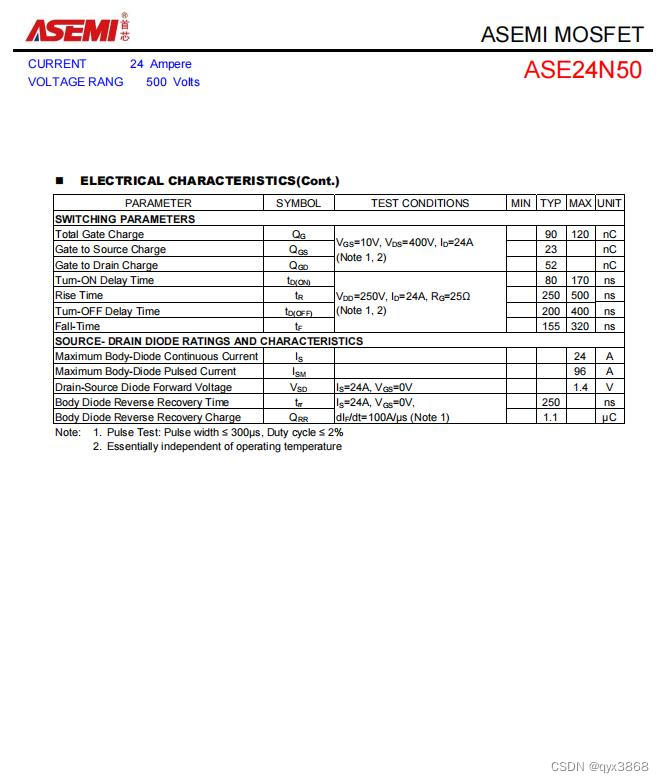
ASEMI的MOS管24N50参数,24N50封装,24N50尺寸

Raki's notes on reading paper: memory replace with data compression for continuous learning

Experience of remote office communication under epidemic situation | community essay solicitation

Visual slam lecture notes-10-2

Cf:c. restoring the duration of tasks

给你一个项目,你将如何开展性能测试工作?

Performance of MOS transistor 25n120 of asemi in different application scenarios

【Multisim仿真】利用运算放大器产生锯齿波

Find the maximum 3 same digits in the string
随机推荐
leetcode:剑指 Offer 59 - II. 队列的最大值[deque + sortedlist]
Flink CDC 在大健云仓的实践
求数据库设计毕业信息管理
Cf:f. shifting string [string rearrangement in specified order + grouping into rings (cutting connected components) + minimum same moving cycle of each group + minimum common multiple]
电子商务(njupt)
Expandable type of system
[image denoising] impulse noise image denoising based on absolute difference median filter, weighted median filter and improved weighted median filter with matlab code attached
Anaconda安装、Jupyter Notebook默认启动路径修改及Nbextensions插件安装
Flash ckeditor rich text compiler can upload and echo images of articles and solve the problem of path errors
【视频去噪】基于SALT实现视频去噪附Matlab代码
Crop disease detection using image processing technology and convolutional neural network (CNN)
Cf:e. price maximization [sort + take mod + double pointer + pair]
干货丨MapReduce的工作流程是怎样的?
The Economist: WTO MC12 restarts the digital economy and becomes the core engine of global economic recovery and growth
leetcode:926. Flip the string to monotonically increasing [prefix and + analog analysis]
Programmers have changed dramatically in 10 years. Everything has changed, but it seems that nothing has changed
"Case sharing" based on am57x+ artix-7 FPGA development board - detailed explanation of Pru Development Manual
YOLOv3 Pytorch代码及原理分析(二):网络结构和 Loss 计算
Go语言入门(六)——循环语句
[image denoising] image denoising based on Markov random field with matlab code