当前位置:网站首页>The Chinese output of servlet server and client is garbled
The Chinese output of servlet server and client is garbled
2022-07-04 23:14:00 【Zuo Mingshui】
1, Browser code - spot - Right click - see - code - Confirmation is utf-8.
2,web Server code ISO-8859-1
Situation 1 、 Forms
Form content :
html
meta http-equiv=”content-type” content=”text/html;charset=utf-8”/
body
h1> Our form
form action=”/,,” method=”post”
user name :input type=”text” name=”username”/
password  :input type=”password” name=”username”
input type=”submit” value=” Submit ”
The way 1,get Submit in the request line .
Method 1,
String s=new String(request.getParameter(“username”).getBytes(“iso-8859-1”),”utf-8”);
// Clearly inform with ios-859-1 receive , To utf8 code
Method 2,
Write tool class
1〉 stay src Zhongjian has a toolkit (com.zys.utils)
2〉 Build a class in the package (MyTools)
3〉 The code is as follows :
Public class MyTools{
Public static String getNewString(String str){
String newString=”“;
try{
newString=new String(str.getBytes(“ios-8859-1”),”utf-8”);
}catch(Exception e){
e.printStackTrace();
}
return newString;
}
}
4〉 Receive and convert
String s=request.getParameter(“username”);
// Import toolkit
MyTools.getNewString(s);
The way 2,post The submission is encapsulated in the request body .
Only in web Server receiver page :
request.setCharacterEncoding(“UTF-8”);
explain : It is best to post Submit , Large amount of data - Security - convenient .
Situation two 、 Hyperlinks
Test connection
The essence is get Submit .
Situation three 、sendRedirect();
Form submission - The way 1get- Method 2 in 4〉 Receive form submissions username And convert .
String s=request.getParameter(“username”);
// Import toolkit
MyTools.getNewString(s);
// Put the received u Data is transferred to the next page .
response.sendRedirect(“/ Next page address ?uname=”+s);
//s It's Chinese , Therefore, it is also used get Submit Chinese .
// Receive on the next page uname And switch .
// The server is already in Chinese , Also let the client ( browser ) Print out Chinese .
response.setContentType(“text/html;charset=utf-8”);
PrintWriter out=response.getWriter();
String s=request.getParameter(“uname”);
// The server type is Chinese
System.out.prinln(“uname=”+MyTools.getNewString(s));
// The client outputs Chinese
out.prinln(“uname=”+MyTools.getNewString(s));
Situation four 、IE6 Up to , For case 2 and case 3 , There are odd numbers in Chinese .
Method :
Situation two
String info=java.net.URLEncoder.encode(“ Study hard .jpg”,”utf-8”);
Test connection
Situation three
response.sendRedirect(“/ Next page address ?uname=”+info);
边栏推荐
- 初试为锐捷交换机跨设备型号升级版本(以RG-S2952G-E为例)
- 字体设计符号组合多功能微信小程序源码
- 机器学习在房屋价格预测上的应用
- Principle of lazy loading of pictures
- Google Earth engine (GEE) -- take modis/006/mcd19a2 as an example to batch download the daily mean, maximum, minimum, standard deviation, statistical analysis of variance and CSV download of daily AOD
- Qt加法计算器(简单案例)
- Object detection based on OpenCV haarcascades
- 【爬虫】数据提取之xpath
- PICT 生成正交测试用例教程
- 图片懒加载的原理
猜你喜欢

OSEK标准ISO_17356汇总介绍
Analysis of the self increasing and self decreasing of C language function parameters
Redis入門完整教程:Pipeline
![[Jianzhi offer] 6-10 questions](/img/73/5974068008bcdc9a70b3f5f57f1eb0.png)
[Jianzhi offer] 6-10 questions
一次edu证书站的挖掘

Redis introduction complete tutorial: slow query analysis

Editplus-- usage -- shortcut key / configuration / background color / font size
SHP data making 3dfiles white film
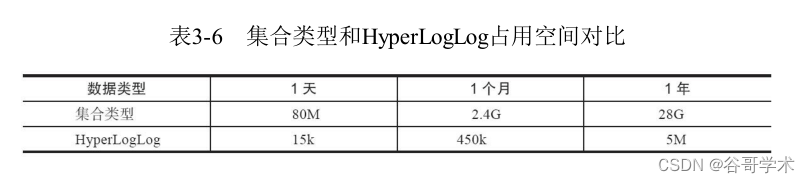
A complete tutorial for getting started with redis: hyperloglog
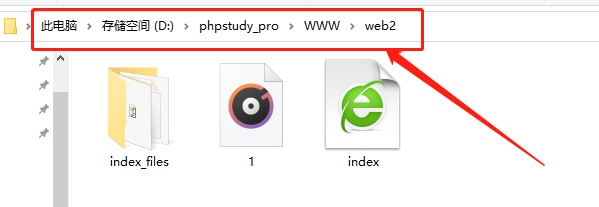
Set up a website with a sense of ceremony, and post it to 1/2 of the public network through the intranet
随机推荐
PS style JS webpage graffiti board plug-in
Redis introduction complete tutorial: slow query analysis
PICT 生成正交测试用例教程
数据库基础知识
Redis getting started complete tutorial: Geo
Insert sort, select sort, bubble sort
CTF竞赛题解之stm32逆向入门
Sword finger offer 68 - ii The nearest common ancestor of binary tree
Qt个人学习总结
【爬虫】数据提取之JSONpath
【剑指Offer】6-10题
Set up a website with a sense of ceremony, and post it to 1/2 of the public network through the intranet
SHP data making 3dfiles white film
[Taichi] change pbf2d (position based fluid simulation) of Taiji to pbf3d with minimal modification
Redis入门完整教程:事务与Lua
D3.js+Three. JS data visualization 3D Earth JS special effect
debug和release的区别
cout/cerr/clog的区别
UML图记忆技巧
A complete tutorial for getting started with redis: understanding and using APIs