当前位置:网站首页>[Data analysis] Based on matlab GUI student achievement management system [including Matlab source code 1981]
[Data analysis] Based on matlab GUI student achievement management system [including Matlab source code 1981]
2022-08-01 01:11:00 【Poseidon's Light】
一、案例简介(仅供参考)
1 设计目标
1.1 设计一个基于GUI的学生成绩管理与分析系统
(1)设计一个插入背景的登录界面
(2)以某班某课成绩为研究对象,设计几个对话框,实现:
1.2 查询功能
点击学生姓名,在列表视图显示相应的学号、成绩
1.3 统计功能
读取数据库的学生成绩信息,进行统计从而绘制该课程学生成绩直方图(注释:学生成绩分几段,统计每段分数的人数,选择分数段中间数据,以此数据与人数为横、纵坐标,绘制直方图)以及饼图(对各分数段进行统计,便于直观的看出该课程成绩分布情况)
分析功能:
(1)该课的最低分、最高分以及相对应的学号
(2)该课程的平均分和均方差
(3)将该课程成绩按照从大到小排列、显示相对应学号
(4)按照学号显示学生成绩的原始分
1.4 设计退出系统的结束界面
2 实现方法
2.1 利用matlabLanguage instructions to write programs and GUI设计对话框.
2.2 直接利用matlabfunction to find the lowest score、最高分、平均分、标准方差、对成绩进行排序.
2.3 利用matlabfunction for statistics、分析,Draw histograms and pie charts.
3 设计内容
3.1 GUI图形设计
(1)建立GUIobject to add the required controls,Add the required buttons、菜单控件、静态文本框、列表框等.
(2)修改控件属性,The Property Viewer provides a range of properties,Controls can be changed by modifying the corresponding properties.
3.2 编写m文件
当建立GUI后,When executing or storing the interface,会产生一个M文件,单击M-file Editor icon button to write thatGUIunder each objectCllbackwith some initial settings.directly on each objectcallbackEnter the program code corresponding to the operation that should be called when the user presses the object.
二、部分源代码
function varargout = chengjiguanli(varargin)
% CHENGJIGUANLI MATLAB code for chengjiguanli.fig
%      CHENGJIGUANLI, by itself, creates a new CHENGJIGUANLI or raises the existing
%      singleton*.
%
%      H = CHENGJIGUANLI returns the handle to a new CHENGJIGUANLI or the handle to
%      the existing singleton*.
%
%      CHENGJIGUANLI('CALLBACK',hObject,eventData,handles,...) calls the local
%      function named CALLBACK in CHENGJIGUANLI.M with the given input arguments.
%
%      CHENGJIGUANLI('Property','Value',...) creates a new CHENGJIGUANLI or raises the
%      existing singleton*.  Starting from the left, property value pairs are
%      applied to the GUI before chengjiguanli_OpeningFcn gets called.  An
%      unrecognized property name or invalid value makes property application
%      stop.  All inputs are passed to chengjiguanli_OpeningFcn via varargin.
%
%      *See GUI Options on GUIDE's Tools menu.  Choose "GUI allows only one
%      instance to run (singleton)".
%
% See also: GUIDE, GUIDATA, GUIHANDLES

% Edit the above text to modify the response to help chengjiguanli

% Last Modified by GUIDE v2.5 16-Jun-2022 16:54:23

% Begin initialization code - DO NOT EDIT
gui_Singleton = 1;
gui_State = struct('gui_Name',       mfilename, ...
                   'gui_Singleton',  gui_Singleton, ...
                   'gui_OpeningFcn', @chengjiguanli_OpeningFcn, ...
                   'gui_OutputFcn',  @chengjiguanli_OutputFcn, ...
                   'gui_LayoutFcn',  [] , ...
                   'gui_Callback',   []);
if nargin && ischar(varargin{
    1})
    gui_State.gui_Callback = str2func(varargin{
    1});
end

if nargout
    [varargout{
    1:nargout}] = gui_mainfcn(gui_State, varargin{
    :});
else
    gui_mainfcn(gui_State, varargin{
    :});
end
% End initialization code - DO NOT EDIT


% --- Executes just before chengjiguanli is made visible.
function chengjiguanli_OpeningFcn(hObject, eventdata, handles, varargin)
% This function has no output args, see OutputFcn.
% hObject    handle to figure
% eventdata  reserved - to be defined in a future version of MATLAB
% handles    structure with handles and user data (see GUIDATA)
% varargin   command line arguments to chengjiguanli (see VARARGIN)

% Choose default command line output for chengjiguanli
handles.output = hObject;

% Update handles structure
guidata(hObject, handles);

% UIWAIT makes chengjiguanli wait for user response (see UIRESUME)
% uiwait(handles.figure1);


% --- Outputs from this function are returned to the command line.
function varargout = chengjiguanli_OutputFcn(hObject, eventdata, handles)
% varargout  cell array for returning output args (see VARARGOUT);
% hObject    handle to figure
% eventdata  reserved - to be defined in a future version of MATLAB
% handles    structure with handles and user data (see GUIDATA)

% Get default command line output from handles structure
varargout{
    1} = handles.output;


% --- Executes on button press in pushbutton_open.
function pushbutton_open_Callback(hObject, eventdata, handles)
% hObject    handle to pushbutton_open (see GCBO)
% eventdata  reserved - to be defined in a future version of MATLAB
% handles    structure with handles and user data (see GUIDATA)
[filename,pathname]=uigetfile('*.xls','打开成绩文件');%选择要打开的文件
if isequal(filename,0)|isequal(pathname,0)
    errordlg('The user did not select a file','出错');              %如果没有选择,An error window pops up
    return;
 else
    str=[pathname,filename];
    [mark,txt]=xlsread(str);                       %Get current file information
    name=txt(2:end,1);
    set(handles.namelist,'string',name);            %显示姓名
    set(handles.marklist,'string',num2str(mark)); %显示成绩
    handles.count=length(name);
    handles.mark=mark;                            %Define the grade global variable
    handles.name=name;                              %Define the name global variable
    guidata(hObject,handles);
end


% --- Executes on button press in pushbutton_save.
function pushbutton_save_Callback(hObject, eventdata, handles)
% hObject    handle to pushbutton_save (see GCBO)
% eventdata  reserved - to be defined in a future version of MATLAB
% handles    structure with handles and user data (see GUIDATA)
[filename,pathname]=uiputfile('*.xls','保存的文件'); %选择文件
if isequal(filename,0)|isequal(pathname,0)
    errordlg('File not saved','出错');                %如果没有选择,An error window pops up
else

   str=[pathname,filename];
    name=handles.name;
    mark=handles.mark;
    oldcount=handles.count;
    [row,co]=size(mark);
    col=co+1;
    if row<oldcount
        M=cell(oldcount,col);
    else
        M=cell(row,col);
    end
    M(1:row,1)=name;
    M(1:row,2:col)=num2cell(mark);
    xlswrite(str,M,1,'A2');
    handles.count=row;
    guidata(hObject,row);
end

function edit1_Callback(hObject, eventdata, handles)
% hObject    handle to edit1 (see GCBO)
% eventdata  reserved - to be defined in a future version of MATLAB
% handles    structure with handles and user data (see GUIDATA)

% Hints: get(hObject,'String') returns contents of edit1 as text
%        str2double(get(hObject,'String')) returns contents of edit1 as a double


% --- Executes during object creation, after setting all properties.
function edit1_CreateFcn(hObject, eventdata, handles)
% hObject    handle to edit1 (see GCBO)
% eventdata  reserved - to be defined in a future version of MATLAB
% handles    empty - handles not created until after all CreateFcns called

% Hint: edit controls usually have a white background on Windows.
%       See ISPC and COMPUTER.
if ispc && isequal(get(hObject,'BackgroundColor'), get(0,'defaultUicontrolBackgroundColor'))
    set(hObject,'BackgroundColor','white');
end


function edit2_Callback(hObject, eventdata, handles)
% hObject    handle to edit2 (see GCBO)
% eventdata  reserved - to be defined in a future version of MATLAB
% handles    structure with handles and user data (see GUIDATA)

% Hints: get(hObject,'String') returns contents of edit2 as text
%        str2double(get(hObject,'String')) returns contents of edit2 as a double


% --- Executes during object creation, after setting all properties.
function edit2_CreateFcn(hObject, eventdata, handles)
% hObject    handle to edit2 (see GCBO)
% eventdata  reserved - to be defined in a future version of MATLAB
% handles    empty - handles not created until after all CreateFcns called

% Hint: edit controls usually have a white background on Windows.
%       See ISPC and COMPUTER.
if ispc && isequal(get(hObject,'BackgroundColor'), get(0,'defaultUicontrolBackgroundColor'))
    set(hObject,'BackgroundColor','white');
end
三、运行结果
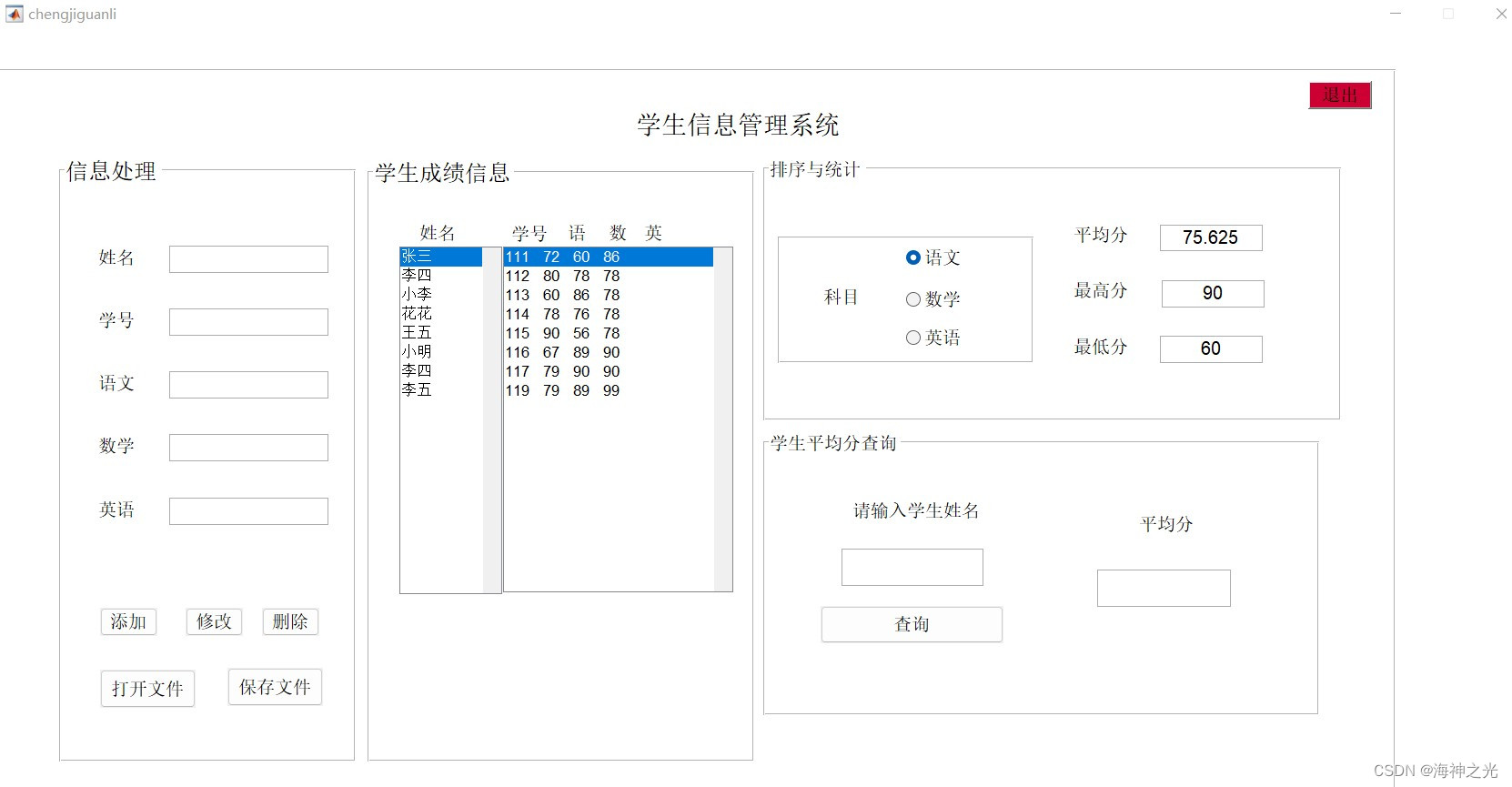
四、matlab版本及参考文献
1 matlab版本
2014a
2 参考文献
[1] 由伟,刘亚秀.MATLAB数据分析教程[M].清华大学出版社,2020.
[2]王岩,隋思涟.试验设计与MATLAB数据分析[M].清华大学出版社,2012.
边栏推荐
- MYSQL-批量插入数据
- Summary of MVCC
- Automated machine learning pycaret: PyCaret Basic Auto Classification LightGBM
- ROS2系列知识(4): 理解【服务】的概念
- Super like the keyboard made from zero, IT people love it
- Inheritance Considerations
- 微信小程序之小程序页面语法
- Academicians of the two academies speak bluntly: Don't be superstitious about academicians
- Redis五种数据类型简介
- Binary tree traversal non-recursive program -- using stack to simulate system stack
猜你喜欢

Google "Cloud Developer Quick Checklist"; Tsinghua 3D Human Body Dataset; SenseTime "Universal Vision Framework" open class; Web3 Minimalist Getting Started Guide; Free Books for Efficient Deep Learni

Likou Binary Tree

RTL8762DK UART (two)
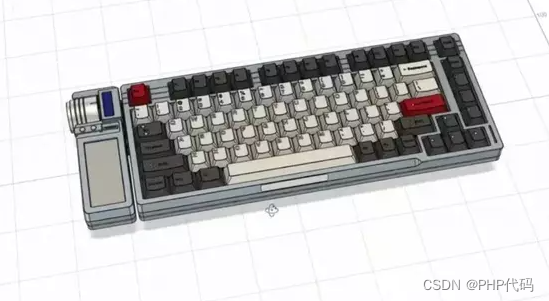
Super like the keyboard made from zero, IT people love it
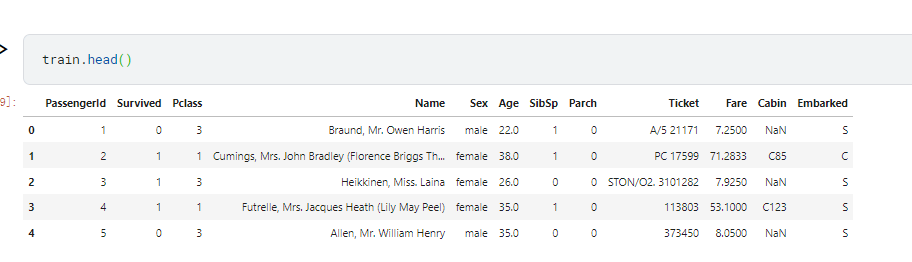
Automated machine learning pycaret: PyCaret Basic Auto Classification LightGBM

Team of Professor Chen Jianyu of Tsinghua University | Contact Safety Reinforcement Learning Framework Based on Contact-rich Robot Operation

Application of integrated stepper motor in UAV automatic airport
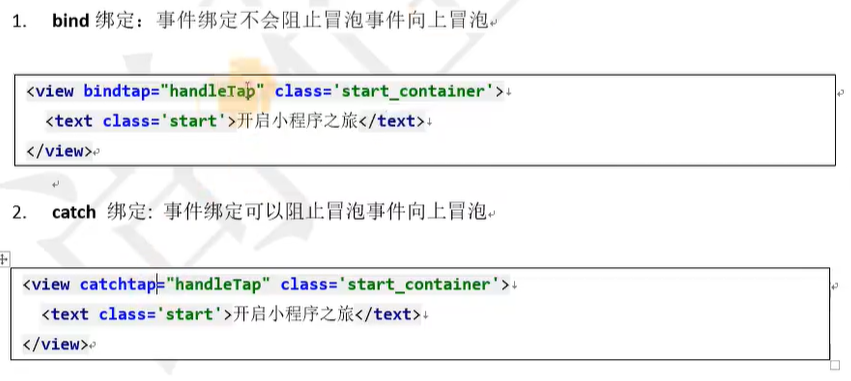
微信小程序之小程序页面语法

北京突然宣布,元宇宙重大消息
Beijing suddenly announced that yuan universe big news
随机推荐
ECCV2022 Workshop | Multi-Object Tracking and Segmentation in Complex Environments
YOLO怎么入门?怎么实现自己的训练集?
sqlserver无法远程连接
RTL8762DK PWM(七)
OSD read SAP CRM One Order application log way of optimization
500 miles
[Microservice] Distributed Transaction Solution - Seata
Design the message queue storage MySQL form of message data
Academicians of the two academies speak bluntly: Don't be superstitious about academicians
RTL8762DK UART (two)
Summary of MVCC
OSD读取SAP CRM One Order应用日志的优化方式
Team of Professor Chen Jianyu of Tsinghua University | Contact Safety Reinforcement Learning Framework Based on Contact-rich Robot Operation
南方科技大学:Xiaoying Tang | AADG:视网膜图像分割领域泛化的自动增强
What practical projects can machine learning beginners learn?
设计消息队列存储消息数据的MySQL表格
Data Middle Office Construction (VII): Data Asset Management
leetcode:1648. 销售价值减少的颜色球【二分找边界】
Nmap 操作手册 - 完整版
/usr/sbin/vmware-authdlauncher: error while loading shared libraries: libssl.so.1.0.2*Solution