当前位置:网站首页>Use Jenkins for continuous integration, this knowledge point must be mastered
Use Jenkins for continuous integration, this knowledge point must be mastered
2022-08-01 23:36:00 【Test the world rejoice】
Jenkins is a commonly used continuous integration tool. I think everyone will use it more or less when doing automated testing. I don't know how you use Jenkins to trigger automated test scripts when you are doing UI automation testing.
01 Part one
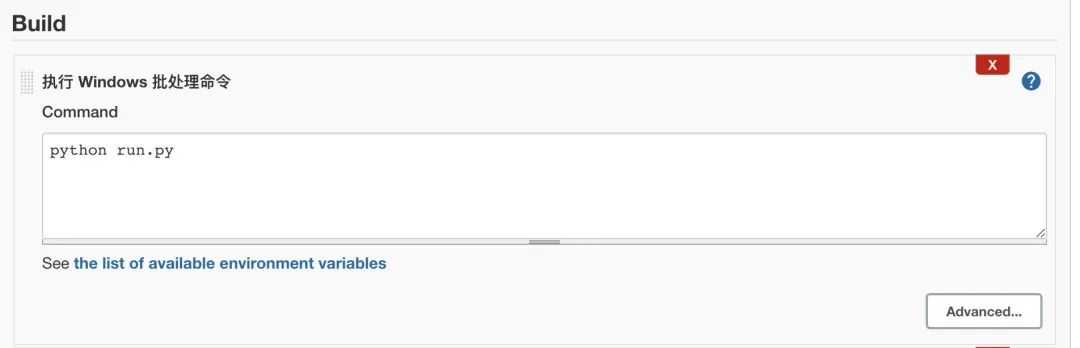
Generally speaking, for beginners, Jenkins is usually installed on the local machine, and the code is also stored on the local machine or Git. No matter which storage method is used, it will eventually land on the local machine.Using Jenkins to trigger UI automation test scripts in this environment is actually very simple. You only need to create a Job and configure the trigger method in the Job. Let's take Python+Selenium as an example, such as
Build
02 Part two
But there is a problem. I don't know if you have encountered it. In actual work, Jenkins and the machine used to run automated tests are often not the same machine. For example, Jenkins is deployed on a Linux server, and UI automation tests are run on Windows entities.machine or Windows virtual machine, then the question is, how does Jenkins trigger this Windows machine to make the UI automation script run?
Here we need to understand the agent mechanism of Jenkins.

Jenkins architecture is designed for distributed build environments.It allows us to use a different environment for each build project to balance the workload among multiple agents running jobs in parallel.
A Jenkins controller is the original node in a Jenkins installation.The Jenkins controller manages the Jenkins agents and coordinates their jobs, including building Jobs on the agents and monitoring the agents.Agents can connect to the Jenkins controller using a local or cloud computer.
01 Create Jenkins Node
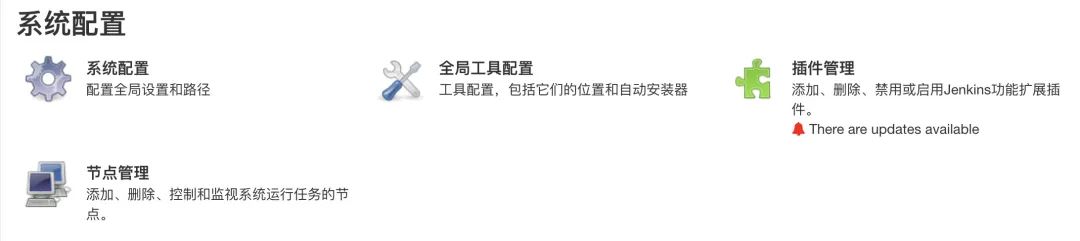
1. Click System Configuration, click Node Management
System Configuration

Create node

Create node 2
2. Download the agent and save it to the specified directory of the remote machine

Download agent
3. The remote machine starts the agent (it should be noted that JDK must be installed and environment variables must be configured)
java -jar agent.jar -jnlpUrl https://qa.jenkins.com/computer/autotest_node/slave-agent.jnlp -secret b323s70ss08sbougs92f043fcfda9644hsns04snspbs
Start agent
02 Jenkins Job Configuration
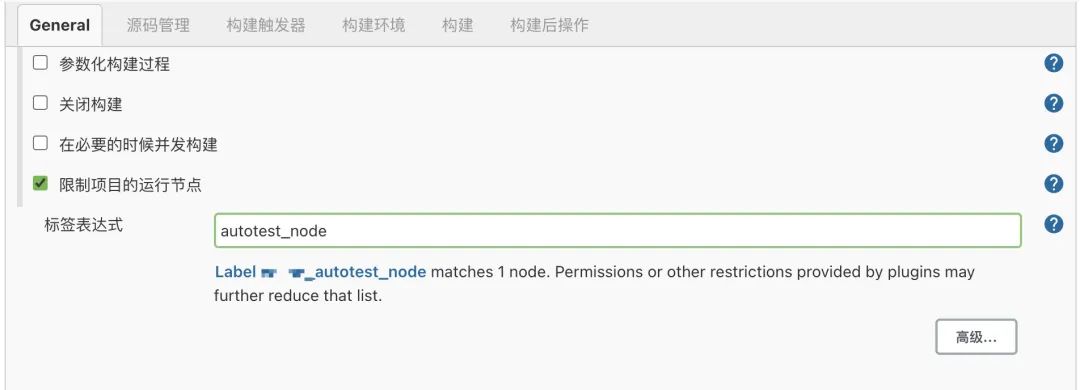
General selects the running node of the restricted project, and selects the created node in the label expression
job configuration
Finally: Available on the official account: Sad Spicy Tiao!Get a 216-page software test engineer interview collection document by yourself [free].And the corresponding video learning tutorials are shared for free!, including basic knowledge, Linux essentials, Shell, Internet program principles, Mysql database, packet capture tool topics, interface testing tools, advanced testing-Python programming, Web automated testing, APP automated testing, interface automated testing, testingAdvanced continuous integration, testing architecture development testing framework, performance testing, security testing, etc.
Now I invite you to join our software testing learning exchange group: [746506216], note "join the group", everyone can join togetherDiscuss and communicate software testing, learn software testing techniques, interviews and other aspects of software testing together. There will also be free live classes to gain more testing skills. Let's advance Python automated testing/test development together and move towards a high-paying careerroad.
Friends who like software testing, if my blog is helpful to you, if you like my blog content, please "Like", "Comment" and "Favorite" with one click!
Self-study course for software test engineers:
Interface performance test—software testers must know 618 actual combat scene analysis
Meituan Interview Questions_Advanced Test 25K Job Interview - Software testers should see it
Jmeter actual combat explanation case - software testers must know

边栏推荐
- 研发团队数字化转型实践
- 2022/7/31
- Calculate the distance between two points
- Data Organization --- Chapter 5 Trees and Binary Trees --- The Concept of Binary Trees --- Application Questions
- 【参营经历贴】2022网安夏令营
- 数据机构---第五章树与二叉树---二叉树的概念---应用题
- nodejs--process
- Calculate the angle of a line defined by two points
- Check if point is inside rectangle
- CF1703G Good Key, Bad Key
猜你喜欢
一款简洁的文件传输工具
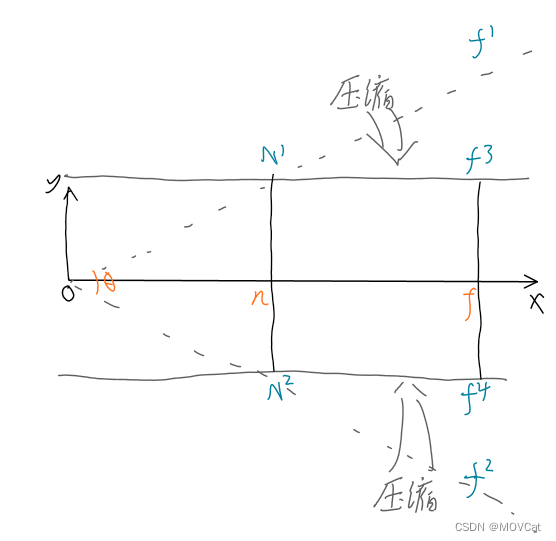
简单3D渲染器的制作
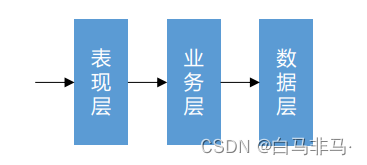
The third chapter of the imitation cattle network project: develop the core functions of the community (detailed steps and ideas)

Building a cloud-native DevOps environment

软技能之UML图

月薪12K,蝶变向新,勇往直前—她通过转行测试实现月薪翻倍~

Leetcode 129求根节点到叶节点数字之和、104二叉树的最大深度、8字符串转换整数(atoi)、82删除排序链表中的重复元素II、204二分查找、94二叉树的中序遍历、144二叉树的前序遍历

请问什么是 CICD
云原生DevOps环境搭建

cmd command
随机推荐
JAX-based activation function, softmax function and cross entropy function
请问什么是 CICD
一款简洁的文件传输工具
C#大型互联网平台管理框架源码:基于ASP.NET MVC+EF6+Bootstrap开发,支持多数据库
numpy.around
数据库表设计规则
切面打印调取的方法
程序员如何优雅地解决线上问题?
20220725资料更新
如何更好的理解的和做好工作?
PostgreSQL 基础--常用命令
计算两点之间的距离
6132. All the elements in the array is equal to zero - quick sort method
chrome复制一张图片的base64数据
drf生成序列化类代码
numpy.unique
When solving yolov5 training: "AssertionError: train: No labels in VOCData/dataSet_path/train.cache. Can not train"
perspectiveTransform warpPerspective getPerspectiveTransform findHomography
PostgreSQL Basics--Common Commands
6134. 找到离给定两个节点最近的节点-力扣双百代码