当前位置:网站首页>应用usb_cam同时打开多个摄像头方法
应用usb_cam同时打开多个摄像头方法
2022-07-31 05:16:00 【xp_fangfei】
最近由于项目需要,需要同时开启多个摄像头,虽然可以用opencv去写对应的摄像头开启的程序 ; 但是,还是想用ros中提供的usb_cam去打开多个摄像头。
通过usb_cam去打开一个摄像头,不用下载源码,可以直接安装usb_cam去调用launch文件打开摄像头。
- 安装方式:(ubuntu16.04)
sudo apt-get install ros-kinetic-usb-cam
- 打开摄像头(默认打开索引为0的摄像头)
roslaunch usb_cam usb_cam-test.launch
- 如何查看摄像头索引
ls /dev/video*
- 打开其他索引的摄像头需修改 usb_cam-test.launch文件中“video_device”这一项;把索引修改成想要打开的摄像头索引即可。
  <node name="usb_cam" pkg="usb_cam" type="usb_cam_node" output="screen" >
    <param name="video_device" value="/dev/video0" />   #修改此处
    <param name="image_width" value="640" />
    <param name="image_height" value="480" />
    <param name="pixel_format" value="yuyv" />
    <param name="camera_frame_id" value="usb_cam" />
    <param name="io_method" value="mmap"/>
  </node>


  <!--<node name="image_view" pkg="image_view" type="image_view" respawn="false" output="screen">
    <remap from="image" to="/usb_cam/image_raw"/>
    <param name="autosize" value="true" />
  </node>-->
</launch>
安装源码方式打开摄像头:
- 下载源码
git clone https://github.com/bosch-ros-pkg/usb_cam.git
- 创建工作空间
详情参照https://blog.csdn.net/xp_fangfei/article/details/123412772?spm=1001.2014.3001.5502 - 把下载好的usb_cam放到新创建的工作空间的src下,进行编译即可。
- usb_cam树结构
.
├── AUTHORS.md
├── CHANGELOG.rst
├── CMakeLists.txt
├── include
│   └── usb_cam
│       └── usb_cam.h
├── launch
│   ├── usb_cam-test.launch
├── LICENSE
├── mainpage.dox
├── nodes
│   └── usb_cam_node.cpp
├── package.xml
├── README.md
└── src
    ├── LICENSE
    └── usb_cam.cpp
- 同时打开多个摄像头只需要对应的去增加usb_cam_node.cpp节点即可;usb_cam_node.cpp中需要恩更改的内容如下:
# 修改内容一
usb_cam_node.cpp 中第89行 topic名称进行修改:
89 image_pub_ = it.advertiseCamera("image_raw", 1);
# 修改内容二
usb_cam_node.cpp 271行该节点去master中注册的节点名进行修改,以免造成相同名注册,编译错误
271 ros::init(argc, argv, "usb_cam");
Example 1:
我新建了一个名为usb_cam_node1.cpp的节点,修改如下:
89 image_pub_ = it.advertiseCamera("image_raw_new", 1);
271 ros::init(argc, argv, "usb_cam1");
- 对应的CMakeLists.txt进行修改
add_executable #添加对应节点名称的可执行文件名
Example 1:
#CMakeLists.txt中每增加一个节点,对应增加以下两部分内容
add_executable(${PROJECT_NAME}_node1 nodes/usb_cam_node1.cpp)
target_link_libraries(${PROJECT_NAME}_node1
  ${PROJECT_NAME}
  ${avcodec_LIBRARIES}
  ${swscale_LIBRARIES}
  ${catkin_LIBRARIES}
)
- 对应的launch文件进行修改
<node name="usb_cam" pkg="usb_cam" type="usb_cam_node" output="screen" >
name="usb_cam" # 修改成相应的话题名,用来和其他节点话题名进行
type="usb_cam_node"  #修改成对应的节点名字
Example 1:
usb_cam-test1.launch 内容如下
<launch>
  <node name="usb_cam_node1" pkg="usb_cam" type="usb_cam_node1" output="screen" >
    <param name="video_device" value="/dev/video1" />
    <param name="image_width" value="640" />
    <param name="image_height" value="480" />
    <param name="pixel_format" value="yuyv" />
    <param name="camera_frame_id" value="usb_cam" />
    <param name="io_method" value="mmap"/>
  </node>
  <!--<node name="image_view_node1" pkg="image_view" type="image_view" respawn="false" output="screen">
    <remap from="image" to="/usb_cam_node1/image_raw_new"/>
    <param name="autosize" value="true" />
  </node>-->
</launch>
- 每增加一个节点,对应一个launch文件;最后写一个launch文件去同时启动几个摄像头的launch文件,就可以实现usb_cam打开多个摄像头的功能了。
Example 1:
usb_cam-total.launch 内容如下:
<launch>

  <include file="$(find usb_cam)/launch/usb_cam-test.launch" />
  <include file="$(find usb_cam)/launch/usb_cam-test1.launch" />

</launch>
边栏推荐
- quick-3.5 ActionTimeline的setLastFrameCallFunc调用会崩溃问题
- jenkins +miniprogram-ci upload WeChat applet with one click
- Sqlite A列数据复制到B列
- Several solutions for mysql startup error The server quit without updating PID file
- Numpy常用函数
- Tencent Cloud Lightweight Server deletes all firewall rules
- 纯shell实现文本替换
- The feign call fails, JSON parse error Illegal character ((CTRL-CHAR, code 31)) only regular white space (r
- quick lua加密
- DC-CDN学习笔记
猜你喜欢

Understanding of objects and functions in js
![[swagger close] The production environment closes the swagger method](/img/43/17be22626ba152b33beaf03f92fbec.png)
[swagger close] The production environment closes the swagger method
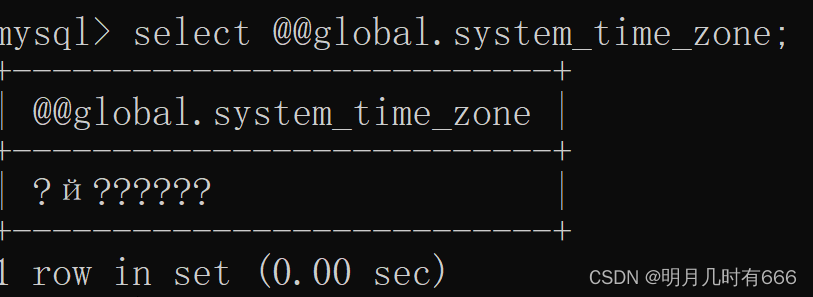
The server time zone value ‘й‘ is unrecognized or represents more than one time zone
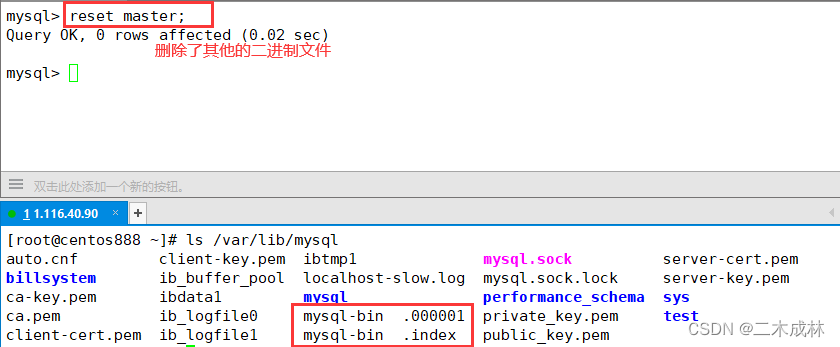
MySQL高级学习笔记

为什么bash中的read要配合while才能读取/dev/stdin的内容
著名网站msdn.itellyou.cn原理分析

深度学习知识点杂谈

变分自编码器VAE实现MNIST数据集生成by Pytorch

Flutter mixed development module dependencies
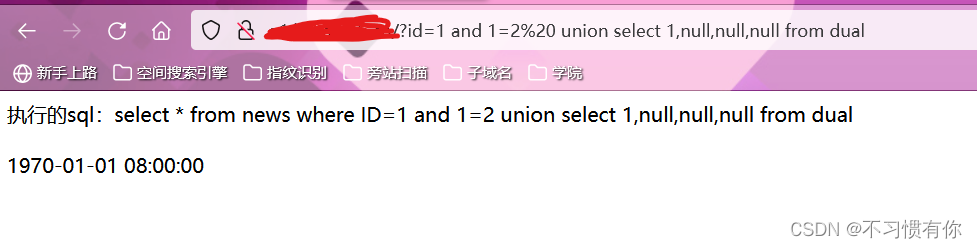
For penetration testing methods where the output point is a timestamp (take Oracle database as an example)
随机推荐
Pytorch常用函数
cocos2d-x-3.2 image graying effect
unicloud 云开发记录
powershell statistics folder size
网页截图与反向代理
[swagger close] The production environment closes the swagger method
js中的函数
Navicat从本地文件中导入sql文件
sql 外键约束【表关系绑定】
计算图像数据集均值和方差
cv2.imread()
数据库 | SQL增删改查基础语法
Several solutions for mysql startup error The server quit without updating PID file
flutter arr dependencies
Understanding of js arrays
Hyper-V新建虚拟机注意事项
多元线性回归方程原理及其推导
MySQL高级学习笔记
Tencent Cloud GPU Desktop Server Driver Installation
quick-3.5 无法使用模拟器修改