当前位置:网站首页>C#/VB.NET 从PDF中提取表格
C#/VB.NET 从PDF中提取表格
2022-08-03 10:56:00 【InfoQ】
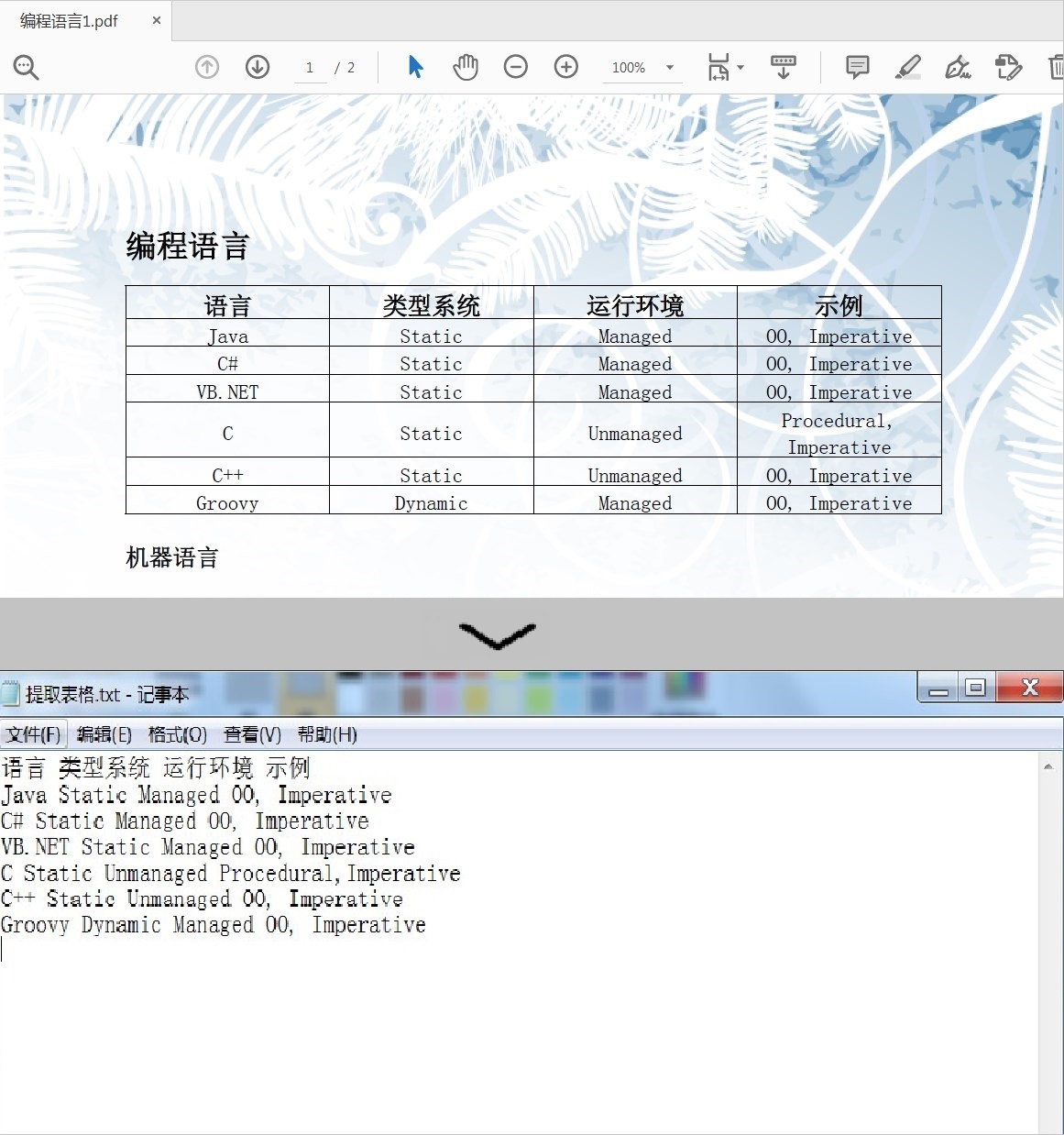
PDF是办公中比较常见的一种文件格式,在工作中应用也越来越普遍。由于PDF文件集成度和安全可靠性都较高,所以在PDF中编辑内容是一件比较复杂且困难的事。但有时因工作需要,要求我们从中提取数据或表格该怎么办呢?别担心,今天为大家介绍一种通过C#/VB.NET代码从PDF中提取表格内容的方法。下面是我整理的思路步骤及代码供大家参考。
程序环境:
本次测试时,在程序中引入 Spire.PDF.dll文件。
方法 1:
将
Free Spire.PDF for .NET
下载到本地,解压,找到 BIN 文件夹下的 Spire.PDF.dll。然后在 Visual Studio 中打开“解决方案资源管理器”,鼠标右键点击“引用”,“添加引用”,将本地路径 BIN 文件夹下的 dll 文件添加引用至程序。
方法 2:
通过
NuGet
安装。可通过以下 2 种方法安装:
1. 可以在 Visual Studio 中打开“解决方案资源管理器”,鼠标右键点击“引用”,“管理NuGet 包”,然后搜索“Free Spire.PDF”,点击“安装”。等待程序安装完成。
2. 将以下内容复制到 PM 控制台安装。
Install-Package FreeSpire.PDF-Version 8.6.0
从PDF中提取表格具体步骤:
- 实例化PdfDocument类的对象并调用PdfDocument.LoadFromFile()方法加载文档。
- 通过 PdfTableExtractor.ExtractTable(intpageIndex) 方法提取指定页面中的表格。
- 通过 PdfTable.GetText(int rowIndex, intcolumnIndex) 方法将获取具体行和列中的单元格文本内容。
- 将获取的表格内容保存为TXT文件。
完整代码:
【
C#】
using Spire.Pdf;
using Spire.Pdf.Utilities;
using System.IO;
using System.Text;
namespace ExtractTable
{
class Program
{
static void Main(string[] args)
{
//实例化PdfDocument类的对象
PdfDocument pdf = new PdfDocument();
//加载PDF文档
pdf.LoadFromFile("编程语言1.pdf");
//创建StringBuilder类的对象
StringBuilder builder = new StringBuilder();
//实例化PdfTableExtractor类的对象
PdfTableExtractor extractor = new PdfTableExtractor(pdf);
//声明PdfTable类的表格数组
PdfTable[] tableLists;
//遍历PDF页面
for (int pageIndex = 0; pageIndex < pdf.Pages.Count; pageIndex++)
{
//从页面提取表格
tableLists = extractor.ExtractTable(pageIndex);
//判断表格列表是否为空
if (tableLists != null && tableLists.Length > 0)
{
//遍历表格
foreach (PdfTable table in tableLists)
{
//获取表格中的行和列数
int row = table.GetRowCount();
int column = table.GetColumnCount();
//遍历表格行和列
for (int i = 0; i < row; i++)
{
for (int j = 0; j < column; j++)
{
//获取行和列中的文本
string text = table.GetText(i, j);
//写入文本到StringBuilder容器
builder.Append(text + " ");
}
builder.Append("\r\n");
}
}
}
}
//保存提取的表格内容为txt文档
File.WriteAllText("提取表格.txt", builder.ToString());
}
}
}【VB.NET】
Imports Spire.Pdf
Imports Spire.Pdf.Utilities
Imports System.IO
Imports System.Text

Namespace ExtractTable
 Class Program
 Private Shared Sub Main(args As String())
 '实例化PdfDocument类的对象
 Dim pdf As New PdfDocument()

 '加载PDF文档
 pdf.LoadFromFile("编程语言1.pdf")

 '创建StringBuilder类的对象
 Dim builder As New StringBuilder()

 '实例化PdfTableExtractor类的对象
 Dim extractor As New PdfTableExtractor(pdf)

 '声明PdfTable类的表格数组
 Dim tableLists As PdfTable()

 '遍历PDF页面
 For pageIndex As Integer = 0 To pdf.Pages.Count - 1
 '从页面提取表格
 tableLists = extractor.ExtractTable(pageIndex)

 '判断表格列表是否为空
 If tableLists IsNot Nothing AndAlso tableLists.Length > 0 Then
 '遍历表格
 For Each table As PdfTable In tableLists
 '获取表格中的行和列数
 Dim row As Integer = table.GetRowCount()
 Dim column As Integer = table.GetColumnCount()

 '遍历表格行和列
 For i As Integer = 0 To row - 1
 For j As Integer = 0 To column - 1
 '获取行和列中的文本
 Dim text As String = table.GetText(i, j)

 '写入文本到StringBuilder容器
 builder.Append(text & Convert.ToString(" "))
 Next
 builder.Append(vbCr & vbLf)
 Next
 Next
 End If
 Next

 '保存提取的表格内容为txt文档
 File.WriteAllText("提取表格.txt", builder.ToString())
 End Sub
 End Class
End Namespace
效果图
注意:
测试代码中的文件路径为程序 Debug 路径,仅供参考,文件路径可自定义为其他路径。
边栏推荐
- numpy
- 机器学习(第一章)—— 特征工程
- 机器比人更需要通证
- Why is the new earth blurred, in-depth analysis of white balls, viewing pictures, and downloading problems
- OS层面包重组失败过高,数据库层面gc lost 频繁
- QT with OpenGL(Shadow Mapping)(面光源篇)
- 【网络原理的概念】
- 程序员架构修炼之道:软件架构基本概念和思维
- Enter the SQL Client to create the table, in another node into the SQL Client queries
- 面试突击71:GET 和 POST 有什么区别?
猜你喜欢

![[LeetCode—Question 2 Sum of Two Numbers Detailed Code Explanation ] The source code is attached, which can be copied directly](/img/19/a3f58d5a1150d99571205a7e2f7345.png)


随机推荐
苏州大学:从PostgreSQL到TDengine
synchronized
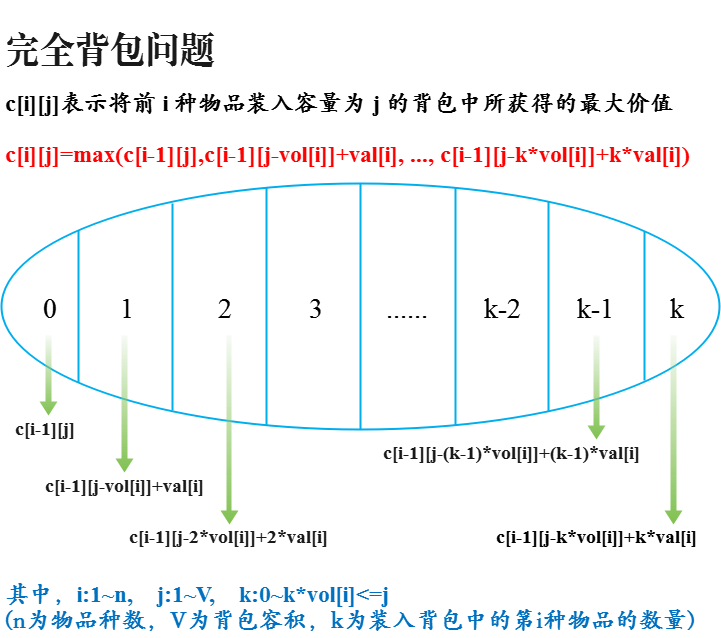
Analysis of the idea of the complete knapsack problem
_GLIBCXX_USE_CXX11_ABI 宏的作用
[Bubble sort and odd-even sorting]
记某社区问答
mysql数据库定时备份占用大量线程,导致全局锁表,有啥好的解决方法么
Binary search tree (search binary tree) simulation implementation (there is a recursive version)
The way of programmer architecture practice: how to design a sustainable evolution system architecture?
build --repot
【AppCube】数字孪生万物可视 | 联接现实世界与数字空间
SAP 电商云 Spartacus UI 的 External Routes 设计明细
白帽黑客与留守儿童破壁对“画”!ISC、中国光华科技基金会、光明网携手启动数字安全元宇宙公益展
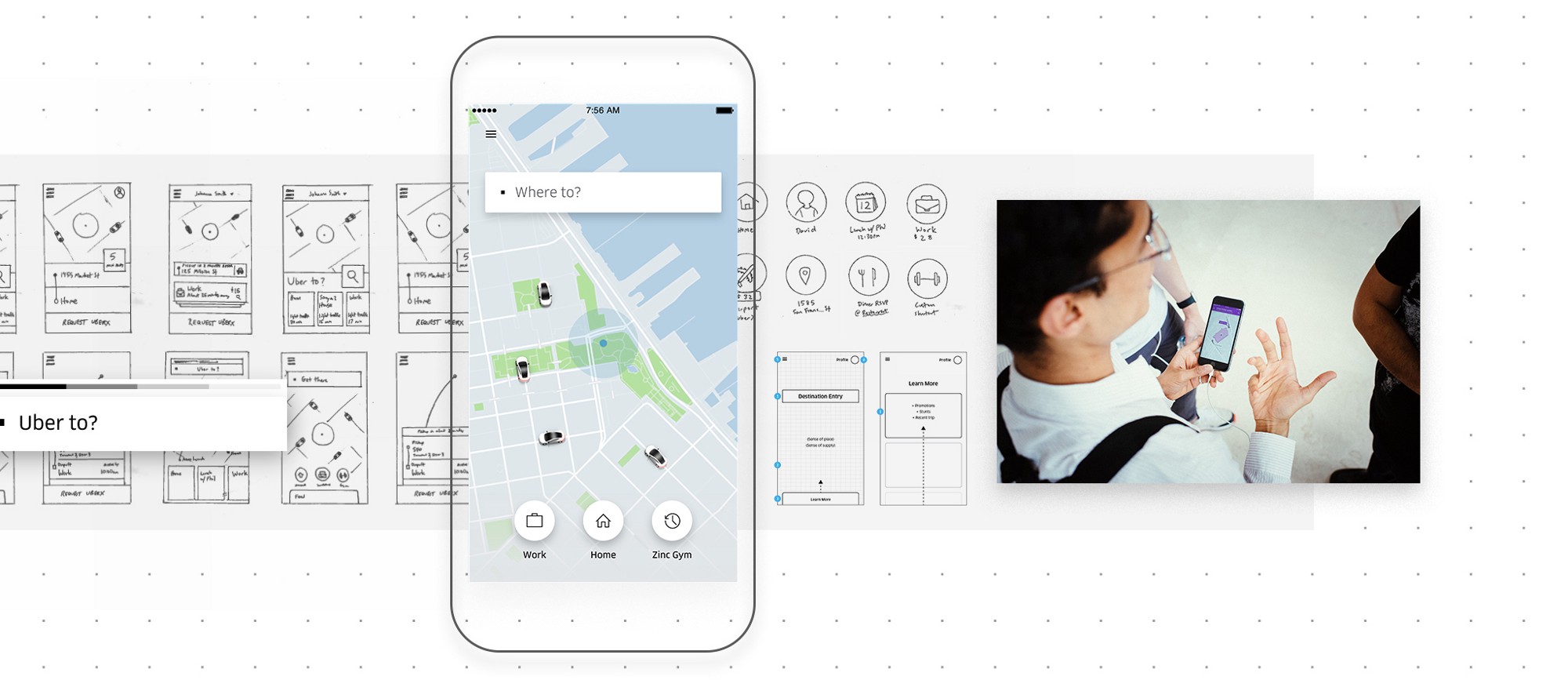
全新的Uber App设计
Apache Doris系列之:数据模型
gbase在轨道交通一般都采用哪种高可用架构?
STM32+OLED显示屏制作指针式电子钟
LeetCode_多叉树_中等_429.N 叉树的层序遍历
机器学习(第一章)—— 特征工程
优炫数据库在linux平台下服务启动失败的原因