当前位置:网站首页>【Unity】编辑器扩展-04-拓展Scene视图
【Unity】编辑器扩展-04-拓展Scene视图
2022-07-31 07:52:00 【韩天衣】
【Unity】编辑器扩展-04-拓展Scene视图
辅助元素
借助Gizmo绘制
using System.Collections;
using System.Collections.Generic;
using UnityEngine;

public class Script_12 : MonoBehaviour
{
    private void OnDrawGizmosSelected()
    {
        Gizmos.color = Color.red;
        Gizmos.DrawLine(transform.position,Vector3.one);
        Gizmos.DrawCube(Vector3.one,Vector3.one);
    }
}
辅助UI
我们使用EditorGUI,可以方便的在视图中处理一些操作事件。
我们可以在Scene视图中绘制辅助UI,EditorGUI代码需在Handles.BeginGUI()和Handles.EndGUI()之间绘制完成。
注意:编辑器绘制脚本如果存在多个只有第一个能够生效
[CustomEditor(typeof(Camera))]
public class Script_13 : Editor
{
    private void OnSceneGUI()
    {
        Camera camera = target as Camera;
        if (camera != null)
        {
            Handles.color = Color.red;
            Handles.Label(camera.transform.position,camera.transform.position.ToString());
            Handles.BeginGUI();
            GUI.backgroundColor = Color.red;
            if (GUILayout.Button("click", GUILayout.Width(200f)))
            {
                Debug.LogFormat("click = {0}",camera.name);
            }
            GUILayout.Label("Label");
            Handles.EndGUI();
        }
    }
}
常驻辅助UI
辅助UI需在选中对应的游戏对象才会显现,我们可以使得EditorGUI常驻显示在Scene视图中
将绘制函数绑定至委托duringSceneGui
using System.Collections;
using System.Collections.Generic;
using UnityEngine;ß
using UnityEditor;

public class Script_14
{
    [InitializeOnLoadMethod]
    static void InitializeOnLoadMethod()
    {
        SceneView.duringSceneGui += delegate
        {
            Handles.BeginGUI();

            if (GUI.Button(new Rect(0, 0, 50, 20), "click"))
            {
                Debug.Log("常驻UI");
            }
            GUI.Label(new Rect(0, 20, 50, 25), "click-label");
            Handles.EndGUI();

        };
    }
}
禁用选中目标
FocusType.Passive表示禁止接收控制焦点,获取他的ID,将禁止点击事件穿透下去
using System.Collections;
using System.Collections.Generic;
using UnityEngine;
using UnityEditor;

public class Script_15
{
    [InitializeOnLoadMethod]
    static void InitializeOnLoadMethod()
    {
        SceneView.duringSceneGui += delegate
        {
            Event e = Event.current;
            if (e != null)
            {
                int controlID = GUIUtility.GetControlID(FocusType.Passive);
                if(e.type == EventType.Layout)
                {
                    HandleUtility.AddDefaultControl(controlID);
                }
            }
        };
    }
}
另外一种方法:锁层
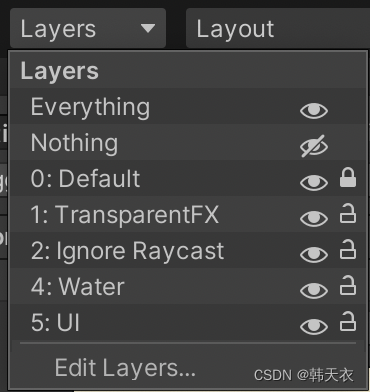
直接在Scene视图中选中目标很容易选中子节点,我们可以给他绑定一个[SelectionBase]标记,这样依赖该脚本下的所有节点都会定位到绑定这个标记的对象上
using System.Collections;
using System.Collections.Generic;
using UnityEngine;

[SelectionBase]
public class RootScript : MonoBehaviour
{

}
边栏推荐
- TypeError The view function did not return a valid response. The function either returned None 的解决
- 关于“算力”,这篇文章值得一看
- regex bypass
- LED flashing on CY7C68013A
- 35-Jenkins-共享库应用
- PHP中 比较 0、false、null,‘‘ “
- UML图及在drawio中的绘制
- 【Objective-C语言中的@property】
- 免安装版的Mysql安装与配置——详细教程
- 关于Error EPERM operation not permitted, mkdir...几种解决办法的比较
猜你喜欢

[What is the role of auto_increment in MySQL?】

NK - RTU980 burning bare-metal program
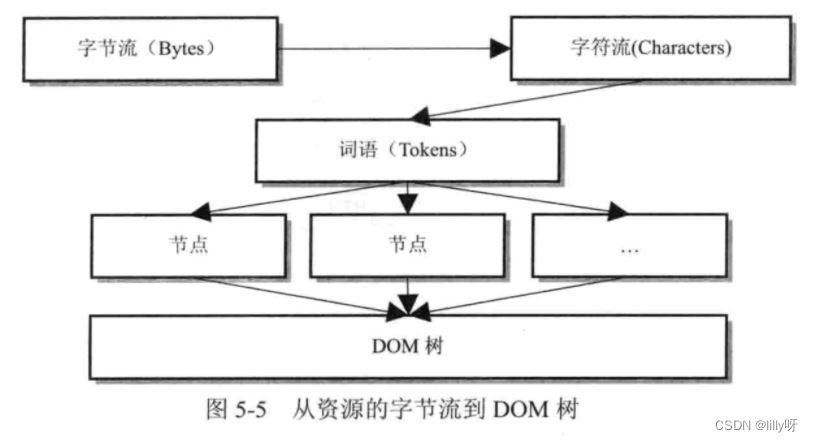
【面试题】从输入URL到游览器渲染完成,经历了什么

如何在一台机器上(windows)安装两个MYSQL数据库
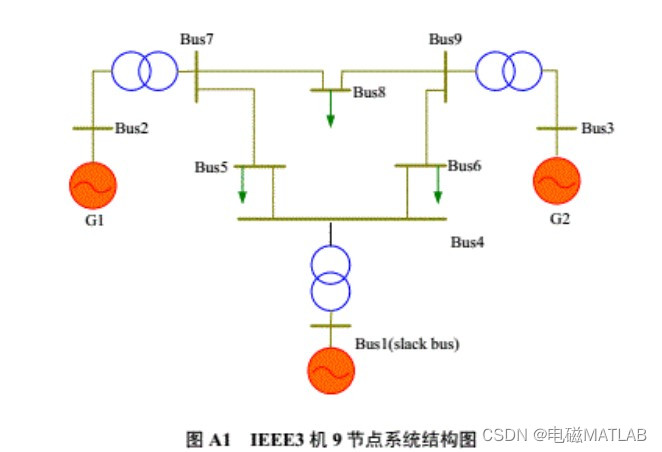
Calculation example of matlab program iEEE9 node system for power flow calculation of AC-DC hybrid system based on alternate iteration method
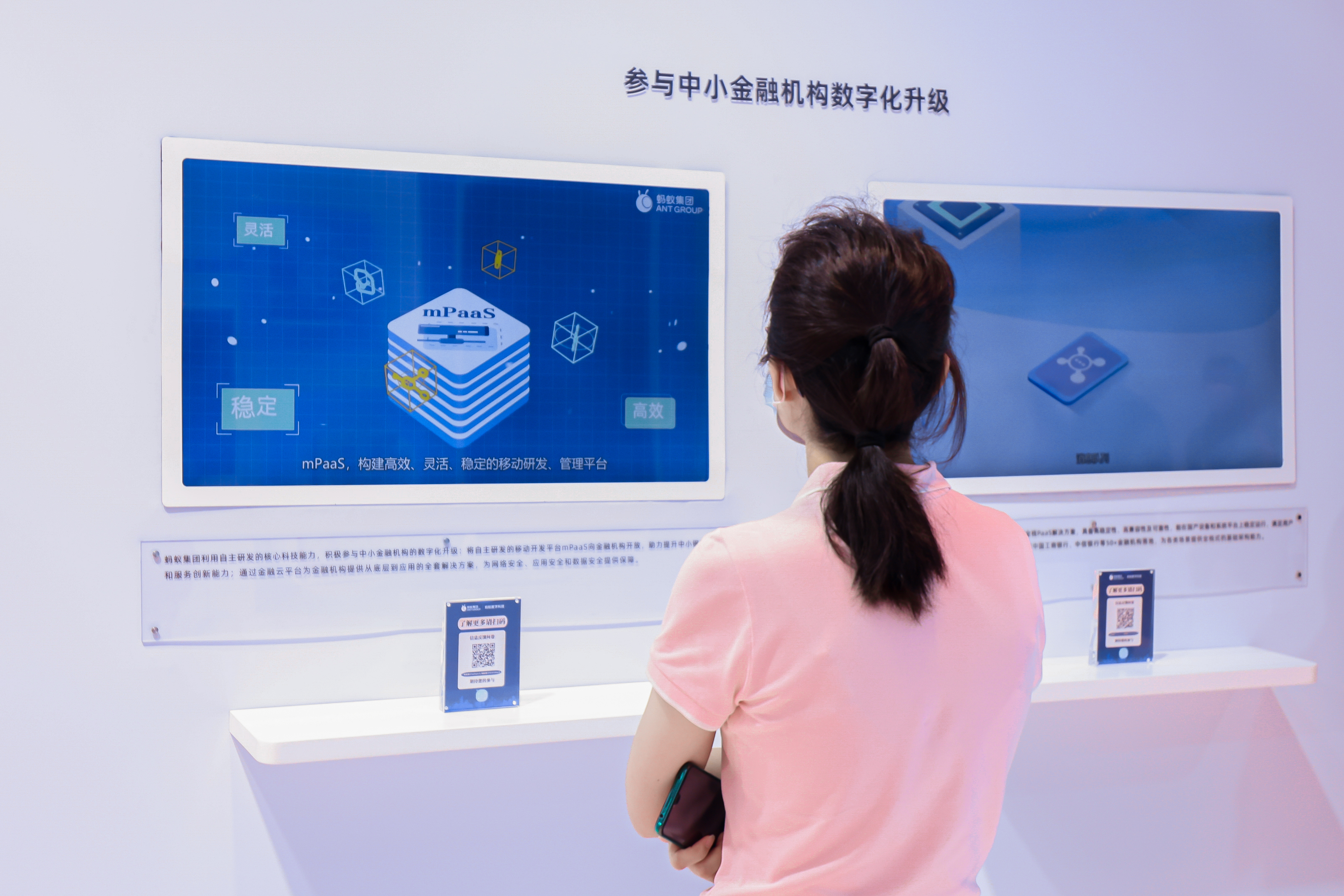
蚂蚁核心科技产品亮相数字中国建设峰会 持续助力企业数字化转型
【小程序项目开发--京东商城】uni-app之自定义搜索组件(上)-- 组件UI
Docker-compose安装mysql

48页智慧城市规划蓝图 解决方案

云服务器部署 Web 项目
随机推荐
The torch distributed training
动态顺序表的增删查改(C语言实现)
哪些字符串会被FastJson解析为null呢
SSM整合案例分析(详解)
Practical Bioinformatics 2: Multi-omics data integration and mining
Machine Learning - Notes and Implementation of Linear Regression, Logistic Regression Problems
Docker-compose安装mysql
MySQL中InnoDB的多版本并发控制(MVCC)的实现
7/28-7/29 Expectation + thinking + suffix array + ST table
48页智慧城市规划蓝图 解决方案
奉劝那些刚参加工作的学弟学妹们:要想进大厂,这些核心技能是你必须要掌握的!完整学习路线!
UML图及在drawio中的绘制
ZCMU--1862: zbj的狼人杀
uniapp 高度不自适应
基于golang的swagger超贴心、超详细使用指南【有很多坑】
The first part of the R language
力扣 593. 有效的正方形
vscode输出中文乱码问题
tqdm库的使用
关于yum源的配置及更新