当前位置:网站首页>NG Textarea-auto-resize
NG Textarea-auto-resize
2022-07-03 05:33:00 【SeriousLose】
<textarea (ngModelChange)="onChange()"  [(ngModel)]="val"  (focus)="onChange()" (blur)="onChange()" #text class="autosize" maxlength={
   {maxlength}} rows="1" placeholder={
   {placeholder}}></textarea>
<!--text1 For the shadow textarea  Used to get scrollHeight, And pay the value to the owner textarea Of height  Realization auto resize -->
<textarea class="autosize hidden"  rows="1" [value]="val" #text1 ></textarea>
:host {
  display: flex;
  justify-content: flex-start;
  .autosize {
    vertical-align: top;
    padding: 7px 8px;
    font-size: 12px;
    width: 200px;
    border-radius: 3px;
    line-height: 14px;
    position: relative;
    outline: none;
    resize: none;
    box-sizing: border-box;
    height: 32px;
    transition: height 0.2s;
  }

  .hidden {
    position: absolute;
    left: -100px;
    visibility: hidden;
    overflow: hidden;
  }
}
import { AfterViewInit, Component, ElementRef, EventEmitter, Input, OnInit, Output, Renderer2, ViewChild } from '@angular/core';

@Component({
  selector: 'textarea-auto-resize',
  templateUrl: './textarea-auto-resize.component.html',
  styleUrls: ['./textarea-auto-resize.component.less'],
})
export class TextareaAutoResizeComponent implements OnInit, AfterViewInit {
  @Input('max-height') maxHeight = 100; //  Maximum height   Default  100
  @Input('maxlength') maxlength = 500; //  The maximum number of words   Default 500
  @Input('placeholder') placeholder: any; // placeholder  Hint
  @Input('g') g: any;
  @Input('el') el: any;
  @Output('valChange') valChange = new EventEmitter();
  @ViewChild('text') text: ElementRef;
  @ViewChild('text1') text1: ElementRef;
  @Input('value') val = '';

  constructor(private rd2: Renderer2) {}

  ngOnInit() {}
  ngAfterViewInit() {
    this.reset();
  }

  onChange() {
    this.reset();
    setTimeout(() => {
      this.valChange.emit({
        value: this.val,
        g: this.g,
        el: this.el,
      });
      this.reset();
    }, 0);
  }
  /**
   * @description:  change textarea Height
   * @param {type}
   * @return:
   */
  reset() {
    this.text1.nativeElement.style.width = this.text.nativeElement.scrollWidth + 2 + 'px';
    if (this.text1.nativeElement.scrollHeight < this.maxHeight) {
      this.text1.nativeElement.style.width = this.text.nativeElement.scrollWidth + 19 + 'px';
      this.text.nativeElement.style.height = this.text1.nativeElement.scrollHeight + 2 + 'px';
    } else {
      this.text.nativeElement.style.height = this.maxHeight - 0 + 2 + 'px';
    }
  }
}
 https://serious-lose.notion.site/NG-Textarea-auto-resize-dacc0008c9474ba88972b9a4b7c9567f
边栏推荐
- 获取并监控远程服务器日志
- mysql启动报错:The server quit without updating PID file几种解决办法
- 6.23星期四库作业
- Basic introduction of redis and explanation of eight types and transactions
- 穀歌 | 蛋白序列的深度嵌入和比對
- Explanation of several points needing attention in final (tested by the author)
- Configure and use Anaconda environment in pycharm
- ninja: build stopped: subcommand failed.
- 2022.7.2day594
- 【无标题】
猜你喜欢
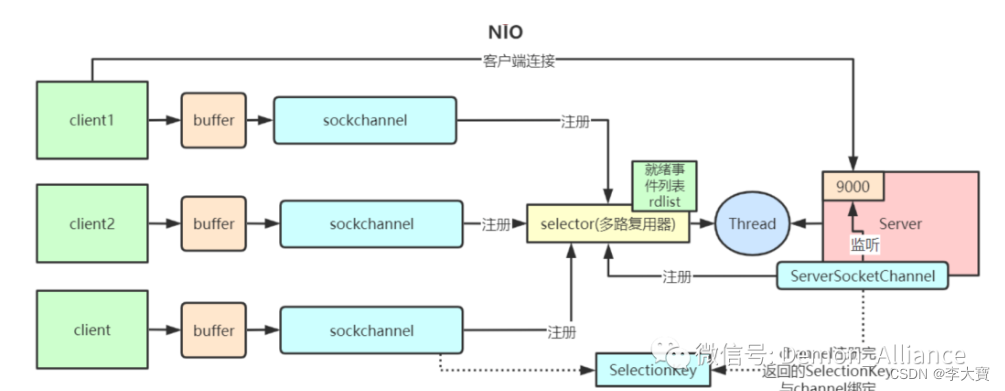
BIO、NIO、AIO区别
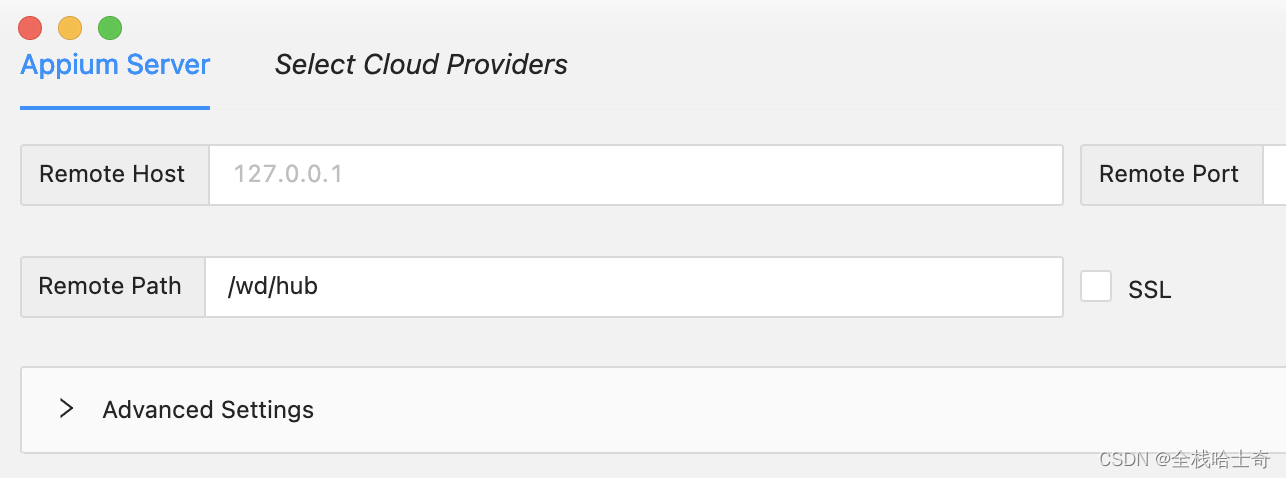
appium1.22.x 版本后的 appium inspector 需单独安装

Introduction to deep learning (II) -- univariate linear regression

小学校园IP网络广播-基于校园局域网的小学IP数字广播系统设计
redis 无法远程连接问题。

How to install and configure altaro VM backup for VMware vSphere
Appium 1.22. L'Inspecteur appium après la version X doit être installé séparément

Disassembly and installation of Lenovo r7000 graphics card
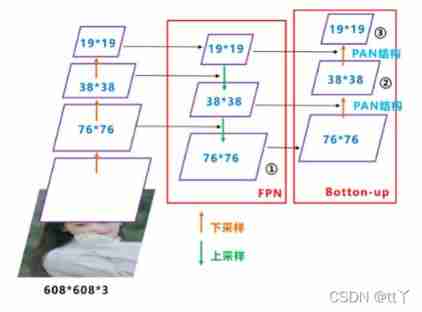
Pan details of deep learning

Webrtc native M96 version opening trip -- a reading code download and compilation (Ninja GN depot_tools)
随机推荐
redis 无法远程连接问题。
大二困局(复盘)
Explanation of several points needing attention in final (tested by the author)
SimpleITK学习笔记
3dslam with 16 line lidar and octomap
Chapter II program design of circular structure
Burp suite plug-in based on actual combat uses tips
Overview of basic knowledge of C language
Webapidom get page elements
Go practice -- use redis in golang (redis and go redis / redis)
Map的扩容机制
Technical analysis of qianyuantong multi card aggregation router
Use posture of sudo right raising vulnerability in actual combat (cve-2021-3156)
Beaucoup de CTO ont été tués aujourd'hui parce qu'il n'a pas fait d'affaires
BIO、NIO、AIO区别
Introduction to deep learning (II) -- univariate linear regression
Botu uses peek and poke for IO mapping
Primary school campus IP network broadcasting - Design of primary school IP digital broadcasting system based on campus LAN
期末复习(DAY7)
Pytorch through load_ state_ Dict load weight